📘 Oogsthandleidingen • Gratis online PDF's
Oogst-logo

Oogsthandleidingen en gebruikersgidsen

Harvest Technology provides advanced, ultra-low bandwidth video and secure data streaming solutions for remote industrial operations.

Tip: vermeld het volledige modelnummer dat op het Harvest-label staat voor de beste match.

Over Harvest-handleidingen op Manuals.plus

Harvest Technology specializes in delivering high-definition video and secure data over low-quality and constrained networks. Their proprietary protocols and unique devices, such as the Nodestream media interfaces and RiS encoders and decoders, enable real-time, zero-latency streaming. This robust technology is crucial for remote industrial environments, enabling key personnel to reliably monitor, assist, and communicate with frontline team members anywhere in the world, regardless of network conditions.

Oogsthandleidingen

Nieuwste handleidingen van manuals+ samengesteld voor dit merk.

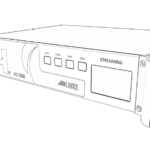
HARVEST NS8 Media Interface Gebruikershandleiding

17 februari 2025
MEDIA INTERFACE NS8 Snelstartgids Overview Welkom bij Nodestream 8 (NS8). Lees deze instructies aandachtig door voordat u dit product gebruikt en bewaar deze snelstartgids voor toekomstig gebruik.

HARVEST NQDR Mediadecoder Gebruikershandleiding

2 december 2022
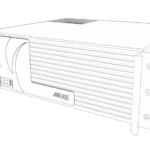
Informatie over de HARVEST NQDR mediadecoder voor uw veiligheid: Het apparaat mag alleen worden onderhouden door gekwalificeerd servicepersoneel. Onjuiste reparaties kunnen gevaarlijk zijn. Probeer niet zelf reparaties uit te voeren...

HARVEST NCMR Audio-interface Gebruikershandleiding

2 december 2022
HARVEST NCMR Audio Interface Lees deze instructies aandachtig door voordat u dit product gebruikt. Informatie voor uw veiligheid Het apparaat mag alleen worden onderhouden door gekwalificeerd servicepersoneel. Onjuist gebruik…

HARVEST AVR2 Media Encoder Gebruikershandleiding

7 mei 2022
MEDIA ENCODER AVR2 Snelstartgids Overview Welkom bij de Nodestream AVR2. Lees deze instructies aandachtig door voordat u dit product gebruikt en bewaar deze snelstartgids voor toekomstig gebruik.

Oogsthandleidingen van online retailers

Harvest support FAQ

Veelgestelde vragen over handleidingen, registratie en ondersteuning voor dit merk.

  • How do I configure my Harvest RiS Media Encoder?

    Connect the device to your LAN via the Ethernet port, power it on, and navigate to its IP address via a web browser. The device defaults to DHCP and can be located using an IP scanning tool.

  • What network port settings are required for Harvest Nodestream devices?

    Nodestream devices require specific firewall settings to communicate over a closed network. Ensure UDP ports 2100 to 2200, UDP 2025/2026, and TCP 2020 are open on your firewall.

  • What is the default login for the Harvest Media Encoder?

    The default login is username 'admin' and password 'admin'. You will be prompted to change this password when you first log into the configuration UI.

  • How do I perform a factory reset on my Harvest media interface?

    You can reset to factory defaults via the Web UI under the System Settings tab, or depending on the model, by holding the physical reset button as instructed in the user manual.