Invoering
This manual provides comprehensive instructions for the installation, operation, and maintenance of your CAMECHO A4347H1MI2 Android 15 Car Stereo. This advanced head unit is designed for various Volkswagen models, offering a 9-inch touchscreen, 6GB RAM, 128GB ROM, 8-core CPU, and features like Wireless Apple CarPlay, Android Auto, DSP, Bluetooth 5.0, GPS, FM radio, and AHD backup camera support. Please read this manual thoroughly before use to ensure proper functionality and safety.
Toepasselijke automodellen
The CAMECHO A4347H1MI2 Android 15 Car Stereo is compatible with a range of Volkswagen, Seat, and Skoda models. Ensure your vehicle's dashboard matches the compatible models listed below for proper fitment and functionality.
- Volkswagen Series: Jetta (2006-2015), Jetta GLI (2006-2015), Tiguan (2009-2015), Beetle (2012-2015), Passat (2006-2015), Passat Wagon (2007-2013), Golf (2005-2014), Golf GTI (2010-2012), EOS (2007-2014), Rabbit (2007-2012), Polo (2009-2013), T5 Transporter (2010-2013), Caddy (2005-2015).
- Skoda Series: Roomster (2007-2013), Fabia (2007-2013), Octavia (2007-2013).
- Seat Series: Altea (2009-2014), Leon (2010-2012), Alhambra (2011-2015).

Image: Diagram showing various Volkswagen, Seat, and Skoda models compatible with the CAMECHO car stereo, along with examples of compatible and incompatible dashboard layouts.
Producteigenschappen
Krachtige prestaties
Equipped with an 8-Core CPU, Android 15 operating system, 6GB RAM, and 128GB ROM, this head unit delivers smart and efficient performance. The built-in DSP with 32-band EQ enhances audio quality, providing a dynamic sound experience.

Image: Visual representation of the car stereo's powerful 8-Core processor, 6GB RAM, 128GB ROM, and 32-Band EQ for enhanced audio.
Draadloos Apple CarPlay en Android Auto
Seamlessly integrate your smartphone with wireless Apple CarPlay and Android Auto. Access contacts, calls, messages, navigation, and music directly from your car stereo's 9-inch touchscreen. Utilize voice assistants to maintain focus while driving.

Image: Screenshots of Wireless Apple CarPlay and Android Auto interfaces displayed on the car stereo, showing phone integration and voice assistant features.
GPS-navigatie en wifi-verbinding
Navigate with confidence using the built-in GPS module, supporting both online and offline maps. Connect to Wi-Fi or your mobile hotspot to download third-party apps from the Google Play Store and stream media.

Image: Displays GPS navigation with real-time map data and various app icons for WiFi connectivity.
AHD Backup Camera Support
Enhance your reversing safety with the included AHD rear view camera. It features IP67 waterproof rating and improved night vision for clear images on the car radio touchscreen.

Image: Shows the AHD reverse camera and its clear display on the car stereo screen with parking guidelines.
Bluetooth 5.0 & FM RDS Radio
Built-in Bluetooth 5.0 allows for hands-free calls and wireless audio streaming. Tune into FM/RDS radio with 18-station presets for live broadcasting and traffic information.

Image: Depicts Bluetooth 5.0 connectivity for phone calls and music streaming, alongside the FM/RDS radio interface.
Multi-Functional Audio System
Enjoy dynamic sound quality with the built-in DSP 32EQ. Retain factory steering wheel controls for convenience. Supports 1080P video playback (1024*600 resolution), dual USB ports, multiple UI themes, and phone mirror link function with split screen capability.

Image: Highlights DSP sound settings, steering wheel control integration, and phone mirror link functionality with split-screen view.
Instellen en installeren
Disassembly of Original Unit
Carefully remove the trim around your original car stereo using a plastic pry tool to avoid damage. Unscrew the mounting screws holding the original unit in place. Disconnect all cables from the back of the original stereo.
Video: Demonstrates the step-by-step process of safely removing the original car stereo unit from a Volkswagen dashboard.
Bedradingsverbindingen
Connect the provided wiring harnesses to the CAMECHO head unit. Ensure all connections are secure. Pay attention to the Canbus connection if your car requires it for steering wheel controls or other factory features. Connect the GPS antenna, radio antenna, USB cables, and external microphone.
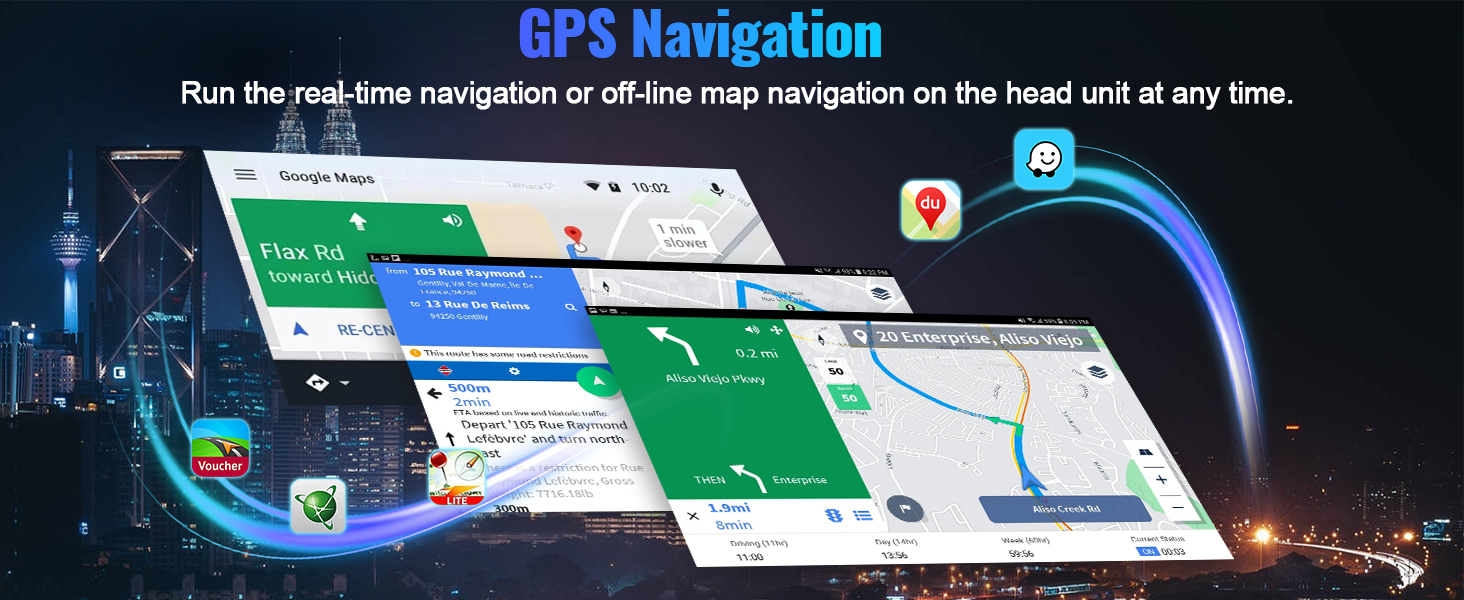
Image: Detailed diagram illustrating how to connect the Canbus system, including scenarios for cars with and without Canbus, and power consumption troubleshooting.

Image: Wiring diagram showing connections for power cables, RCA cables, and other accessories to the car stereo.
Achteruitrijcamera-installatie
Connect the AHD backup camera. The reversing input must be plugged in even if the camera is not used. Connect the camera's positive pole to the car's reversing light power supply and the negative pole to the car's reversing light ground. The reversing trigger is controlled by the stereo and does not require a separate connection.

Image: Step-by-step guide for wiring the reversing camera, including connections to the car's reversing light and the head unit.
Eindmontage
Once all connections are made, carefully slide the new CAMECHO head unit into the dashboard opening. Secure it with the mounting screws and reattach the trim panel.

Image: Side-by-side comparison of a car dashboard before and after the CAMECHO car stereo installation.
Gebruiksaanwijzing
Initial Power On and UI Navigation
After installation, turn on your vehicle's ignition. The stereo will boot up, displaying the main user interface. Navigate through apps and widgets by swiping the touchscreen. You can customize the home page by rearranging app icons.

Image: Shows the customizable home page of the car stereo with various app icons.
Connecting Wireless Apple CarPlay & Android Auto
To connect Wireless Apple CarPlay:
- Connect car radio Bluetooth (Bluetooth name "Car BT0", Bluetooth PIN: 1234).
- Klik op "SpeedPlay".
- Sta synchronisatie van contacten en favorieten toe.
- Allow "Use CarPlay with SpeedPlay" - Use CarPlay.
- Wait for connection (first time may take longer).
Om draadloze Android Auto te verbinden:
- Klik op "SpeedPlay".
- Connect your phone into the rear 4-pin USB port with the original data cable.
- Schakel USB-debugging in.
- Wait for connection (first time may take longer).

Image: Step-by-step instructions for connecting both Wireless Apple CarPlay and Android Auto to the car stereo.
Stuurwielbediening
The unit retains factory steering wheel controls. If using Canbus, ensure the protocol is correctly set in "Settings" > "Factory setup" (Password: 1234) > "Can settings" > choose "Xinpu - VW PQ" for your car. If not using Canbus, use the "SteeringWheelKey" app to learn the controls.

Image: Diagram showing wiring for Canbus and non-Canbus steering wheel control setups, with instructions for configuration.
Probleemoplossing
Problemen met stroomverbruik
If experiencing power consumption issues, try the following:
- Confirm the Canbus and A&B ports of the power line are connected at the same time. Do not connect them simultaneously.
- If Canbus is connected, try unplugging it to see if the issue persists.
- After turning off the engine, check if the ACC red wire of the power supply still has electricity. If it does, it's a wiring error; reconnect it separately.
- If Canbus is not from SimpleSoft, consider replacing it with a SimpleSoft unit.

Image: Visual guide for troubleshooting power consumption issues, showing correct and incorrect wiring for 36-pin and 40-pin connectors.
Geen geluidsuitvoer
If there is no sound from the stereo:
- Connect the AUX IN R/L (or AUDIO OUT R/L) from the RCA to AUX IN R/L from the Power harness.
- Sluit de AMP kabel van de RCA naar de AMP kabel van de voedingskabelboom.
- Sluit de AMP kabel naar de ACC-kabel van de voedingskabelboom.
- Voor kracht ampversterker, sluit de voedingskabel van de aan ampversterker naar de ACC-kabel van de voedingskabelboom.

Image: Diagrams illustrating various wiring configurations to troubleshoot and resolve no sound issues.
Specificaties
- Modelnummer: A4347H1MI2
- Besturingssysteem: Androïde 15
- RAM: 6GB
- ROM: 128GB
- Weergavegrootte: 9 inch
- Oplossing: 1024*600 (supports 1080P video play)
- Verwerker: 8-core CPU
- Bluetooth: Versie 5.0
- Speciale kenmerken: 32EQ DSP, Wireless Apple CarPlay, Wireless Android Auto, GPS Navigation, WiFi, FM RDS, AHD Backup Camera Support, Steering Wheel Control, Dual USB Ports, Phone Mirror Link, Split Screen.
- Productafmetingen: 22 x 5.7 x 13.2 cm; 1 kg
- Fabrikant: CAMECHO
- Land van herkomst: China
Meegeleverde componenten
Het pakket bevat de volgende artikelen:
- 1 x Android-hoofdunit
- 1 x AHD-achteruitrijcamera
- 1 x externe microfoon
- 1 x Protocol Box
- 1 x GPS-antenne
- 1 x radioantenne
- 2 x Stroomkabel
- 1 x RCA-kabel
- 1 x Invoerkabel voor de achtercamera
- 2 x USB-kabel
- 1 x Gebruikershandleiding
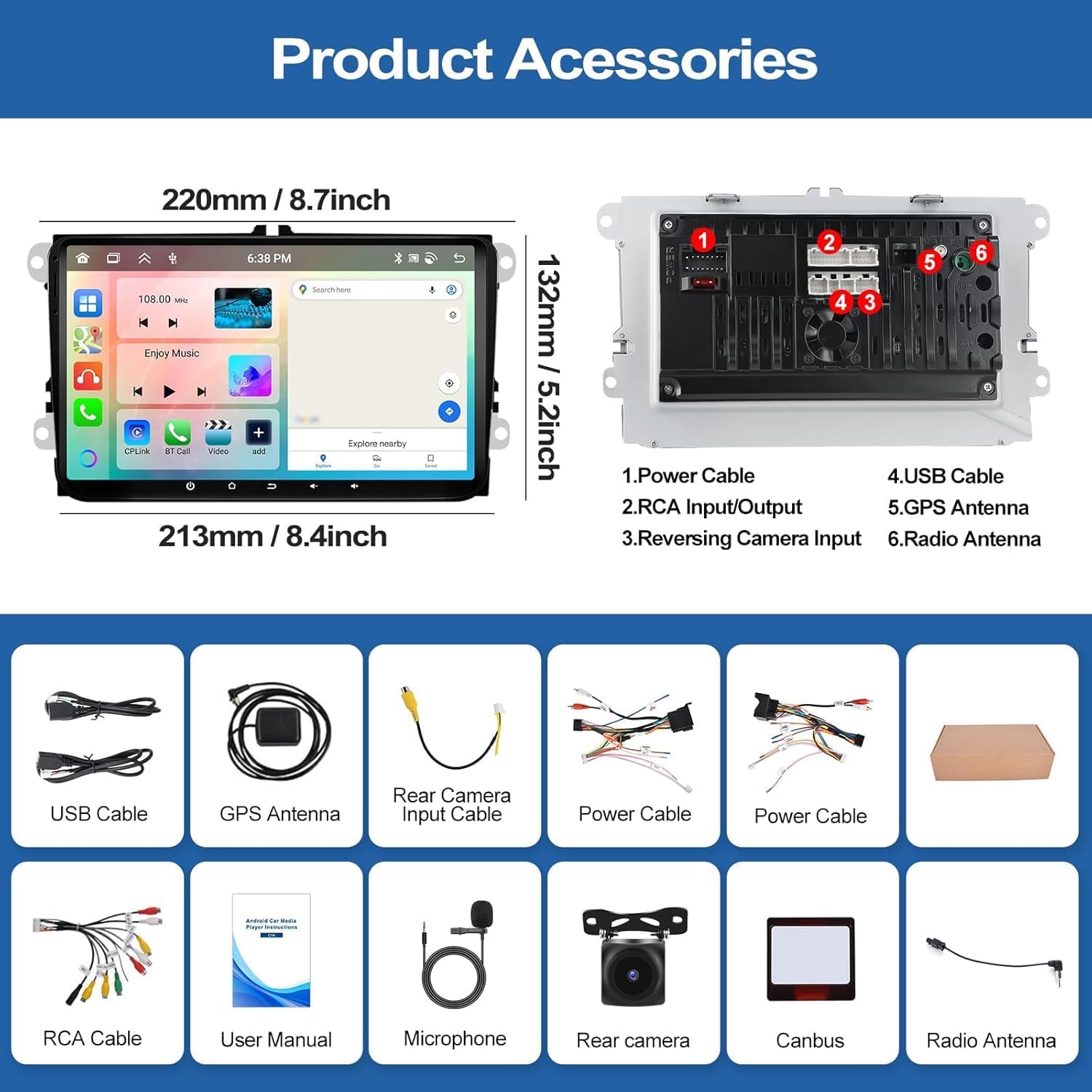
Afbeelding: Een visuele weergave vanview of all accessories included with the CAMECHO car stereo, such as cables, antennas, and the backup camera.
Garantie en ondersteuning
The CAMECHO A4347H1MI2 Android 15 Car Stereo comes with a 1-year warranty. For any support inquiries or issues, please contact CAMECHO customer service. Purchasing directly from the manufacturer's website may offer extended warranty and lifetime support, along with a 30-day price promise.
Video: A seller discussing the differences between models and highlighting the benefits of purchasing directly from Eonon for extended warranty and support.


