1. Inleiding en voorbijview
The Jectse BT 6.0 Audio Transmitter Receiver is a versatile device designed to enhance your audio experience by converting wired audio systems into wireless ones. It supports both Bluetooth transmission and reception, offering high-definition sound with low latency. Its portable design and long battery life make it suitable for various applications, from personal use with headphones to professional settings like guided tours.
This manual provides detailed instructions for setting up, operating, and maintaining your device to ensure optimal performance.
2. Inhoud van het pakket
Controleer of alle hieronder vermelde artikelen in uw pakket zijn opgenomen:
- 1 x Jectse BT 6.0 Receiver Transmitter Unit
- 1 x USB-oplaadkabel
- 1 x oortelefoon
- 1 x 3.5 mm audiokabel
- 1 x 3.5 mm audioadapter
- 1 x Gebruikershandleiding
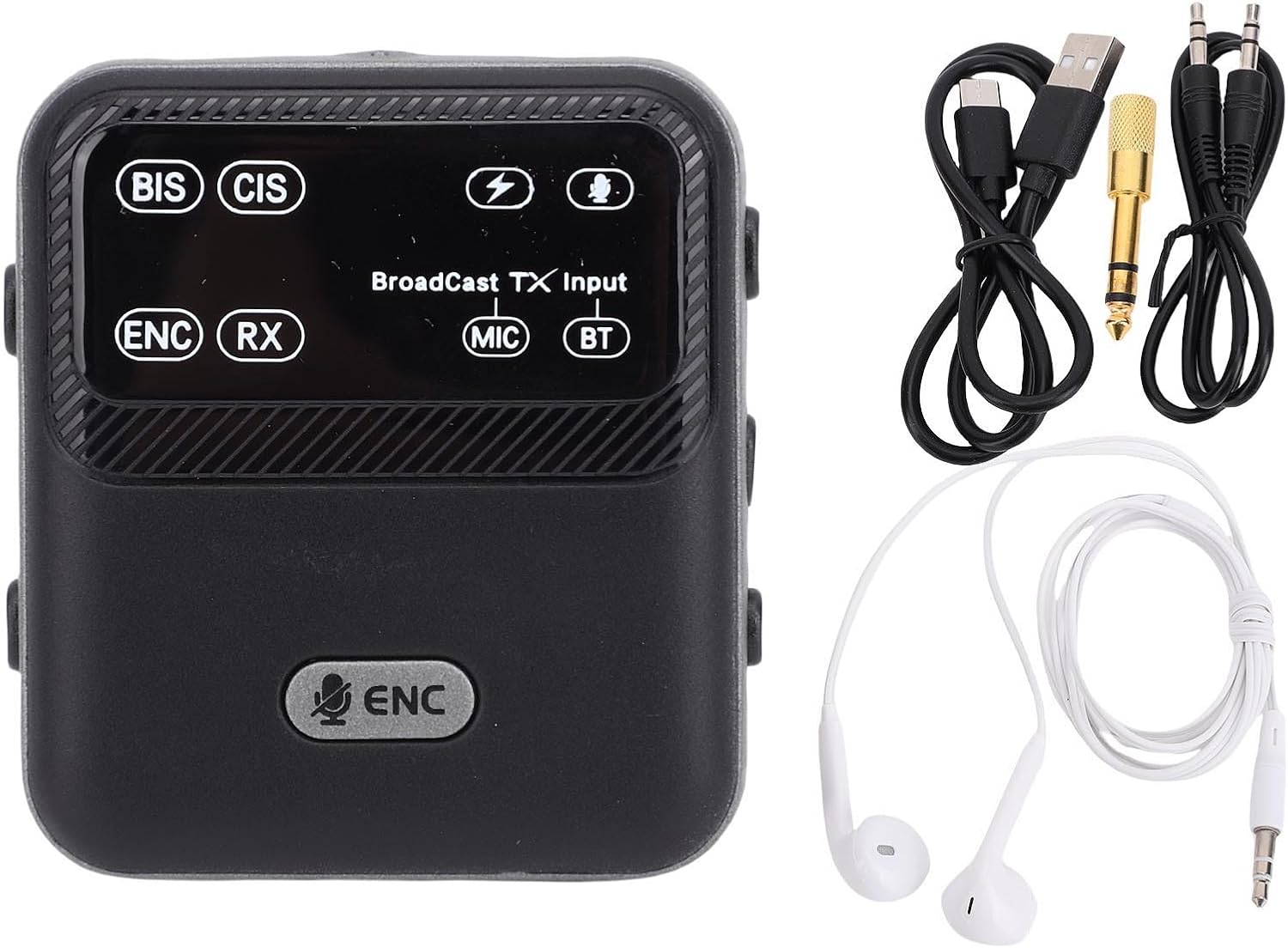
Image: The Jectse BT 6.0 Audio Transmitter Receiver unit shown alongside its included accessories: a USB charging cable, a 3.5mm audio cable, a 3.5mm audio adapter, and a pair of earphones.
3. Belangrijkste kenmerken
- Dual BT Modes: Seamlessly switch between Bluetooth receiver (RX) and transmitter (TX) modes to suit your audio needs.
- Advanced Audio Codec Support: Supports SBC and AAC codecs for clear, HiFi sound quality.
- ENC-ruisonderdrukking: Equipped with Environmental Noise Cancellation (ENC) technology for clear sound quality in various environments.
- Mute-functie: Provides added versatility for managing audio output.
- Lange batterijduur: Features a built-in 550 mAh rechargeable battery, offering up to 6 hours in BT receiver mode and up to 20 hours in broadcast mode.
- 3.5mm AUX Connectivity: Supports both 3.5mm auxiliary output and input for broad compatibility with various devices.
- Draagbaar ontwerp: Designed with a convenient clip for easy attachment to clothing, bags, or belts.
- Broadcast Technology: Supports one-to-many broadcast for applications like guided tours, teaching, or meetings.
- Ultra-Long Transmission Distance: Achieves a transmission distance of over 100 meters in clear, unobstructed environments.

Image: The Jectse BT 6.0 Audio Transmitter Receiver unit is displayed with graphical icons highlighting its professional features, including 100-meter transmission, one-click wireless shutdown, multi-source input, TX/RX 2-in-1, ENC noise reduction, intelligent networking, and one-to-multiple broadcast capability.
4. Instellen
4.1 Het apparaat opladen
- Sluit de meegeleverde USB-oplaadkabel aan op de oplaadpoort van het apparaat.
- Plug the other end of the USB cable into a standard USB power adapter (5V/1A recommended) or a computer's USB port.
- The charging indicator light will illuminate. The device is fully charged when the light changes or turns off (refer to the device's display for specific indicators). Charging typically takes approximately 2 hours.
4.2 In-/uitschakelen
- Om het apparaat in te schakelen, schuift u de aan/uit-schakelaar naar de stand 'AAN'.
- Om het apparaat uit te schakelen, schuift u de aan/uit-schakelaar naar de 'UIT'-stand.

Image: A close-up of the Jectse BT 6.0 Audio Transmitter Receiver showing a finger sliding the power switch to the 'ON' position, indicating a 'one-click wireless shutdown' for easy management.
4.3 Audiokabels aansluiten
The device features 3.5mm AUX input and output ports. Use the provided audio cables to connect to your desired audio source or receiving device.
- For Transmitter (TX) Mode: Connect the 3.5mm audio cable from your audio source (e.g., TV, computer) to the device's Ingang (IN) haven.
- For Receiver (RX) Mode: Connect the 3.5mm audio cable from the device's Uitgang (UIT) port to your wired headphones, speakers, or car stereo.

Afbeelding: Een gedetailleerde view of the Jectse BT 6.0 Audio Transmitter Receiver's top panel, highlighting the 3.5mm input (IN) and output (OUT) ports, a microphone, and the power button, indicating its 'multi-source input broadcast' capability.
5. Gebruiksaanwijzing
5.1 Switching Between Modes (TX/RX)
The device typically has a switch or button to toggle between Transmitter (TX) and Receiver (RX) modes. Refer to the device's display or indicators to confirm the current mode.
5.2 Bluetooth-koppeling (ontvangermodus - RX)
In RX mode, the device acts as a Bluetooth receiver, allowing you to stream audio wirelessly from your smartphone, tablet, or laptop to wired headphones or speakers.
- Ensure the device is in RX mode.
- Connect your wired headphones or speakers to the device's 3.5mm OUT port.
- Schakel Bluetooth in op je smartphone of ander apparaat met Bluetooth en zoek naar beschikbare apparaten.
- Select "Jectse BT 6.0" (or similar name) from the list of found devices to pair.
- Once paired, audio from your source device will play through the connected headphones/speakers.
5.3 Bluetooth-koppeling (zendmodus - TX)
In TX mode, the device acts as a Bluetooth transmitter, allowing you to send audio wirelessly from non-Bluetooth devices (like TVs, PCs) to Bluetooth headphones or speakers.
- Ensure the device is in TX mode.
- Connect your audio source (e.g., TV's audio out) to the device's 3.5mm IN port.
- Zet je Bluetooth-koptelefoon of -luidsprekers in de koppelingsmodus.
- The Jectse device will automatically search for and connect to nearby Bluetooth receiving devices.
- Zodra de verbinding tot stand is gebracht, wordt het geluid van uw bron naar uw Bluetooth-hoofdtelefoon/luidsprekers verzonden.
5.4 Using Broadcast Technology (One-to-Many)
The device supports a broadcast mode, enabling one transmitter to send audio to multiple receivers simultaneously. This is ideal for group tours, teaching, or meetings.
- Set the main Jectse unit to Broadcast Transmitter mode.
- Distribute other Jectse units (or compatible receivers) to participants and set them to Broadcast Receiver mode.
- Ensure all units are within the effective transmission range (up to 100m in clear space).
- The audio from the transmitter will be simultaneously heard on all connected receivers.

Image: An illustration showing the Jectse BT 6.0 Audio Transmitter Receiver broadcasting audio wirelessly to multiple pairs of headphones, demonstrating its 'one to many Broadcast Technology' capability.
5.5 Omgevingsgeluidsdemping (ENC)
The integrated ENC technology actively reduces ambient noise, ensuring clearer voice transmission and reception, especially useful in noisy environments.
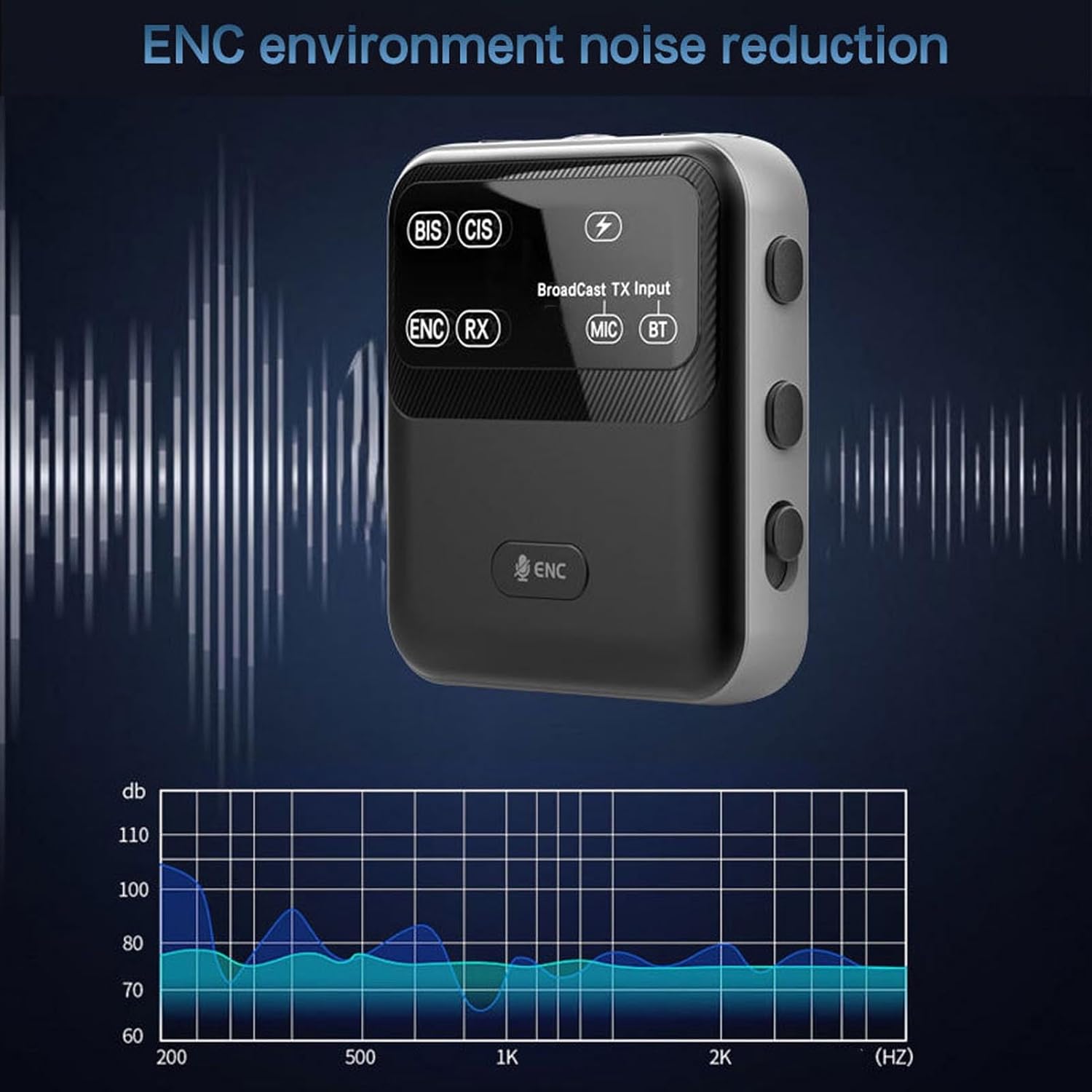
Image: The Jectse BT 6.0 Audio Transmitter Receiver is shown with a graphic representing sound waves and a frequency spectrum, illustrating the effectiveness of its 'ENC environment noise reduction' feature.
6. Onderhoud
- Schoonmaak: Reinig het apparaat met een zachte, droge doek. Vermijd het gebruik van agressieve chemicaliën of schurende materialen.
- Opslag: Bewaar het apparaat op een koele, droge plaats, uit de buurt van direct zonlicht en extreme temperaturen.
- batterij zorg: Om de levensduur van de batterij te verlengen, dient u te voorkomen dat u de batterij regelmatig volledig ontlaadt. Laad het apparaat regelmatig op, zelfs als u het langere tijd niet gebruikt.
- Blootstelling aan water: Dit apparaat is niet waterdicht. Vermijd blootstelling aan water of hoge luchtvochtigheid.
7. Probleemoplossing
- Geen stroom: Zorg ervoor dat het apparaat is opgeladen. Sluit het aan op een stroombron met behulp van de USB-kabel.
- Kan niet koppelen: Ensure the device is in the correct mode (TX or RX) and in pairing mode. Make sure the other Bluetooth device is also in pairing mode and within range. Turn both devices off and on again.
- Geen geluid: Check all cable connections (3.5mm AUX). Ensure volume levels are adjusted on both the Jectse device and the connected audio source/receiver. Verify that the correct audio input/output is selected on your external devices.
- Slechte geluidskwaliteit/interferentie: Ensure the device is within the effective transmission range. Avoid obstacles between the device and the connected Bluetooth unit. Reduce interference from other wireless devices.
- Korte batterijduur: Ensure the device is fully charged. Battery life can vary based on usage volume and mode.
8. Specificaties
| Merk | Jekt |
| Modelnummer | Jectsezogukcnm1f |
| Artikeltype | Ontvanger zender |
| Materiaal | ABS |
| Bluetooth-versie | V6.0 |
| Transmissie afstand | >100 m (straight and unobstructed) |
| Ingebouwde batterij | 550mAh Li-polymeer batterij |
| Usage Time (BT Receiver Mode) | Tot 6 uur |
| Usage Time (Broadcast Mode) | Tot 20 uur |
| Oplaadtijd | Ongeveer 2 uur |
| Audio-uitgang | 3.5 mm-interface |
| Audio-ingang | AUX, MIC, BT |
| Pakket afmetingen | 17x9x2cm |
| Artikelgewicht | 117 gram |
| Land/regio van herkomst | China |

Image: The Jectse BT 6.0 Audio Transmitter Receiver is depicted with arrows indicating an 'Ultra long distance transmission' range of 50m and 100m, highlighting its extended connectivity capabilities.
9. Garantie en ondersteuning
For warranty information or technical support, please refer to the documentation provided with your purchase or contact the manufacturer directly. Keep your purchase receipt as proof of purchase for any warranty claims.