1. Inleiding
Bedankt voor uw aankoopasing the LG 43 inch UHD AI UA73 4K Smart TV. This television combines stunning 4K Ultra High Definition visuals with advanced Artificial Intelligence features and the intuitive webOS25 platform. Enjoy vibrant colors, sharp details, and smart functionalities including AI-powered search and voice control. This manual provides essential information for setting up, operating, and maintaining your new television.
2. Veiligheidsinformatie
Lees alle veiligheidsinstructies zorgvuldig door voordat u uw tv gebruikt. Bewaar deze handleiding voor toekomstig gebruik.
2.1 Elektrische veiligheid
- Overbelast stopcontacten en verlengsnoeren niet.
- Zorg ervoor dat het netsnoer goed is aangesloten op de tv en het stopcontact.
- Raak de stekker niet aan met natte handen.
2.2 Plaatsing
- Place the TV on a stable, level surface or mount it securely to a wall using a compatible VESA mount.
- Zorg voor voldoende ventilatie rondom de tv om oververhitting te voorkomen.
- Houd de tv uit de buurt van direct zonlicht, warmtebronnen en vocht.
2.3 Reinigen
- Haal de stekker van de tv uit het stopcontact voordat u hem schoonmaakt.
- Use a soft, dry cloth to clean the screen and exterior. Do not use liquid cleaners or sprays directly on the TV.
3. Inhoud van het pakket
Controleer of alle artikelen in de doos aanwezig zijn:
- LG 43 inch UHD AI 4K Smart TV (Model 43UA73006LA)
- AI Magic Remote Control
- Stroomkabel
- TV-standaard (2 stuks) en schroeven
- User Manual and Regulatory Information
- Batteries for Remote Control (AA x 2)
4. Instellen
4.1 Uitpakken en installatie van de standaard
- Haal de tv voorzichtig uit de verpakking. Het is aan te raden dit met twee personen te doen.
- Leg de tv met het scherm naar beneden op een zachte, vlakke ondergrond om schade te voorkomen.
- Attach the stand pieces to the TV using the provided screws, ensuring they are securely fastened. Refer to the diagram in the quick setup guide for specific screw locations.
- Alternatively, if wall-mounting, follow the instructions provided with your VESA-compatible wall mount kit.
4.2 Randapparatuur aansluiten
Connect external devices such as Blu-ray players, game consoles, or soundbars to the appropriate ports on the back of the TV.
- HDMI-poorten: Voor video en audio in hoge definitie.
- USB-poorten: Voor het aansluiten van USB-opslagapparaten.
- Antenne-/kabelingang: Voor het aansluiten van een antenne of kabeltelevisie.
- Optische digitale audio-uitgang: Voor aansluiting op een soundbar of audio-ontvanger.
4.3 Eerste inschakeling en netwerkverbinding
- Sluit het netsnoer aan op de tv en vervolgens op een stopcontact.
- Druk op de aan/uit-knop op de afstandsbediening of op de tv.
- Follow the on-screen instructions for the initial setup wizard. This will guide you through language selection, time zone, and network connection.
- Selecteer je wifi-netwerk en voer het wachtwoord in, of sluit een ethernetkabel aan voor een bekabelde verbinding.
5. Bediening
5.1 AI Magic Remote Control
The AI Magic Remote allows for intuitive control of your TV, including point-and-click navigation and voice commands.
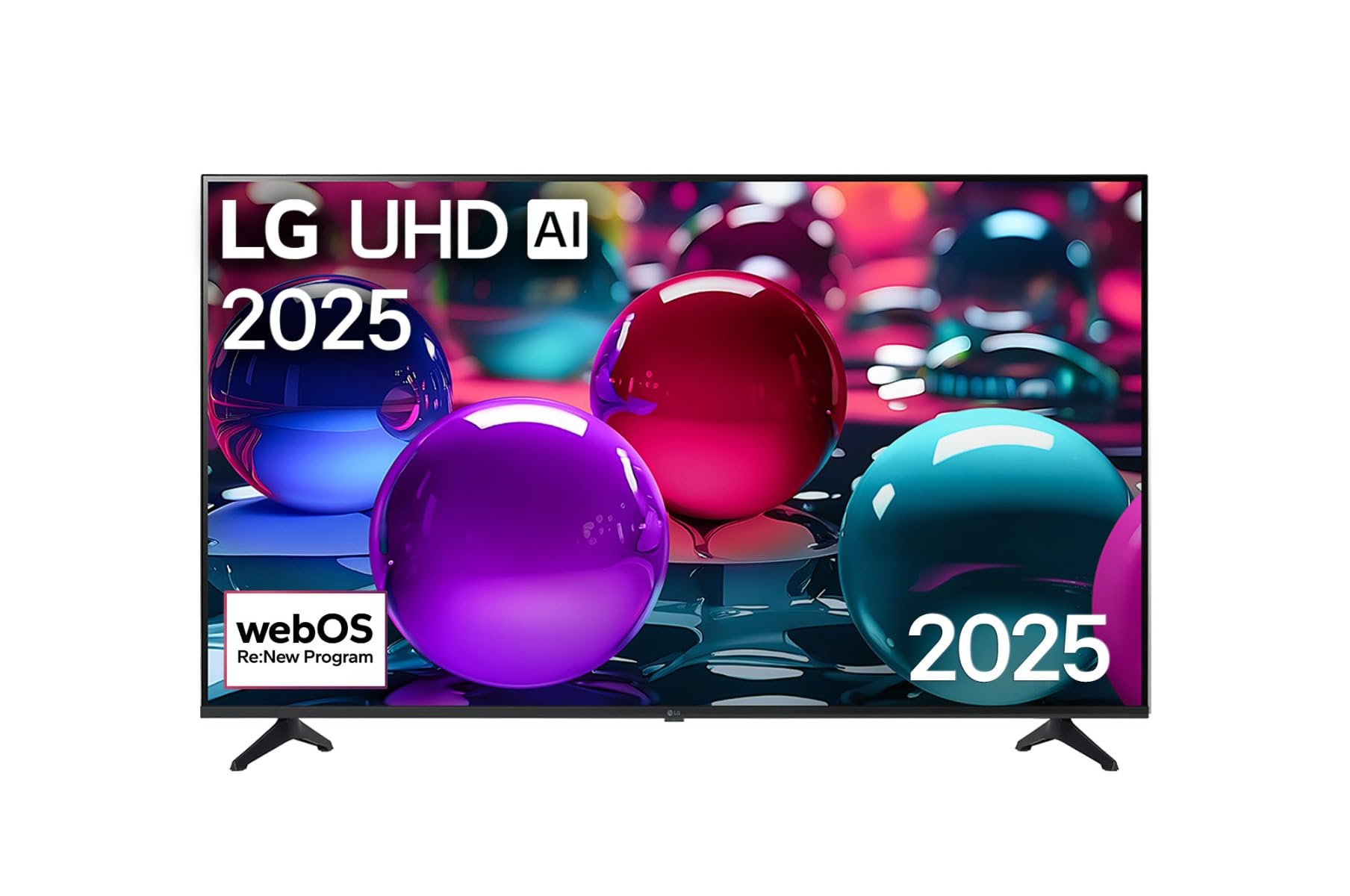
This image displays the LG 43 inch UHD AI 4K Smart TV, highlighting its webOS Re:New Program and Artificial Intelligence features. The accompanying AI Magic Remote is shown with a speech bubble indicating 'Just speak!', emphasizing its voice control capabilities.
- Aan/uit-knop: Hiermee zet u de televisie aan of uit.
- Scrollwiel/OK-knop: Navigeert door menu's en bevestigt selecties.
- Spraakopdrachtknop: Press and hold to activate AI Search, AI Chatbot, or AI Concierge. Speak your command into the remote.
- Thuis knop: Toegang tot de webStartscherm van het besturingssysteem.
- Terugknop: Keert terug naar het vorige scherm.
- Volume omhoog/omlaag: Past het volume aan.
- Kanaal omhoog/omlaag: Verandert kanalen.
5.2 webOS-interface
De webOS Home screen provides quick access to apps, inputs, and settings. Use the Magic Remote to point and click on desired options or navigate with the directional buttons.
- App-launcher: Customize and access your favorite streaming services and applications.
- Invoerselector: Switch between HDMI inputs, USB, or live TV.
- Instellingen: Adjust picture, sound, network, and general TV settings.
5.3 AI-functies
Leverage the power of AI for enhanced TV experience:
- AI-zoekopdracht: Use voice commands to find content, information, or apps quickly.
- AI-chatbot: Interact with the TV for assistance or information.
- AI-concierge: Receive personalized content recommendations and smart home integration.
6. Onderhoud
6.1 Uw televisie schoonmaken
To maintain the TV's appearance and performance:
- Haal altijd de stekker van de tv uit het stopcontact voordat u hem schoonmaakt.
- Gebruik een zachte, pluisvrije doek om het scherm voorzichtig schoon te vegen. Voor hardnekkige vlekken, lichtjes afnemen.ampSpoel de doek af met water en droog hem daarna meteen af.
- Maak het frame en de standaard van de tv schoon met een zachte, droge doek.
- Gebruik geen schurende reinigingsmiddelen, alcohol, benzeen of verdunners, aangezien deze het scherm of de afwerking kunnen beschadigen.
6.2 Software-updates
Your LG Smart TV periodically receives software updates to improve performance and add new features. Ensure your TV is connected to the internet to receive these updates automatically. You can also manually check for updates in the TV's settings menu.
7. Probleemoplossing
Als u problemen ondervindt met uw tv, raadpleeg dan de volgende veelvoorkomende oplossingen:
| Probleem | Mogelijke oplossing |
|---|---|
| Geen stroom | Check if the power cord is securely plugged in. Try a different power outlet. |
| Geen beeld, maar wel geluid | Zorg ervoor dat de juiste invoerbron is geselecteerd. Controleer de kabelaansluitingen naar externe apparaten. |
| Geen geluid, maar wel beeld | Controleer het volume en de mute-instellingen. Controleer de audio-uitvoerinstellingen in het tv-menu. |
| Afstandsbediening werkt niet | Replace batteries. Ensure there are no obstructions between the remote and the TV. Re-pair the Magic Remote if necessary (refer to TV settings). |
| Kan geen verbinding maken met wifi | Herstart je router en modem. Controleer het wifi-wachtwoord. Zorg ervoor dat de tv zich binnen het bereik van de router bevindt. |
| Problemen met de beeldkwaliteit (bijv. wazig, vervormd) | Check the resolution of the input source. Adjust picture settings in the TV menu. |
If the problem persists, please contact LG customer support.
8. Specificaties
| Functie | Detail |
|---|---|
| Merk | LG |
| Modelnaam | 43UA73006LA |
| Schermgrootte | 43 inch |
| Weergavetechnologie | LED |
| Oplossing | 4K UHD (3840 x 2160) |
| Beeldverhouding | 16:9 |
| Besturingssysteem | webOS25 |
| Speciale kenmerken | AI Processor, AI Magic Remote, HDR10, Sleep Timer |
| Kleur | Zwart |
| Artikelgewicht | 6.8 kilogram (14.96 pond) |
| Productafmetingen | 37.68 x 37.68 x 21.97 inch |
| Datum eerste beschikbaarheid | 28 november 2025 |
9. Garantie en ondersteuning
9.1 Productgarantie
Your LG 43 inch UHD AI UA73 4K Smart TV is covered by a limited manufacturer's warranty. Please refer to the warranty card included in your package for specific terms, conditions, and duration of coverage. Keep your proof of purchase for warranty claims.
9.2 Klantenservice
Voor technische ondersteuning, het oplossen van problemen die verder gaan dan wat in deze handleiding staat beschreven, of garantieservice, kunt u contact opnemen met de klantenservice van LG.
- Webwebsite: Bezoek de officiële LG-ondersteuning website for FAQs, downloads, and service requests.
- Telefoon: Refer to your warranty card or LG's official website voor regionale contactnummers.