1. Inleiding
Thank you for choosing the acer OHR516 Wireless Over-Ear Headphones. These headphones are designed to provide a comfortable and immersive audio experience with advanced Active Noise Cancellation (ANC) technology, long battery life, and versatile connectivity options. This manual will guide you through the setup, operation, and maintenance of your new headphones.

Image: The acer OHR516 Wireless Over-Ear Headphones, highlighting their sleek design and over-ear form factor.
2. Veiligheidsinformatie
Lees alle veiligheidswaarschuwingen en instructies aandachtig door voordat u dit product gebruikt, om een veilige werking te garanderen en schade te voorkomen. Bewaar deze handleiding voor toekomstig gebruik.
- Stel hoofdtelefoons niet bloot aan extreme temperaturen, vochtigheid of vloeistoffen.
- Zorg ervoor dat de hoofdtelefoon niet valt en dat hij niet wordt blootgesteld aan harde stoten.
- Probeer de hoofdtelefoon niet te demonteren of aan te passen.
- Alleen reinigen met een droge, zachte doek.
- Langdurig luisteren op een hoog volume kan gehoorbeschadiging veroorzaken.
3. Inhoud van het pakket
Controleer of alle artikelen in uw pakket aanwezig zijn:
- 1x acer OHR516 Wireless Over-Ear Headphones
- 1x USB-C oplaadkabel
- 1x 3.5mm audiokabel
- 1x Gebruikershandleiding (dit document)

Image: The complete package contents of the acer OHR516 headphones.
4. Product voorbijview en bedieningselementen
Maak uzelf vertrouwd met de knoppen en poorten op uw hoofdtelefoon:

Image: Labeled diagram of the headphone controls and ports.
- ANC-knop: Activates/deactivates Active Noise Cancellation. Double-click for Low-Latency Gaming Mode.
- USB-C-oplaadpoort: Om de koptelefoon op te laden.
- 3.5 mm audio-aansluiting: Voor bekabelde verbinding.
- Volume Down / Next Track: Short press for volume down, long press for next track.
- Power On/Off / Play/Pause / Answer Call / End Call / Reject Call: Multifunctionele knop.
- Volume Up / Previous Track: Short press for volume up, long press for previous track.
5. De hoofdtelefoon opladen
Laad je hoofdtelefoon volledig op voordat je hem voor de eerste keer gebruikt. Een volledige lading duurt ongeveer 2.5 uur.
- Connect the USB-C charging cable to the headphone's USB-C port and a power source (e.g., computer USB port or USB wall adapter).
- De LED-indicator geeft de laadstatus aan.
- Met 5 minuten opladen kunt u ongeveer 5 uur lang luisteren.
- Enjoy up to 60 hours of playtime with ANC off, or 40 hours with ANC on, on a full charge.

Image: Battery life and charging details for the headphones.
6. Instellen en koppelen
6.1 Bluetooth-koppeling
- Zorg ervoor dat de hoofdtelefoon is opgeladen en uitgeschakeld.
- Press and hold the Power On/Off button until the LED indicator flashes blue and red, indicating pairing mode.
- Schakel Bluetooth in op uw apparaat (smartphone, tablet, laptop) en zoek naar beschikbare apparaten.
- Select "OHR516" from the list of devices.
- Zodra de verbinding tot stand is gebracht, zal de LED-indicator een continu blauw lichtje laten zien.
6.2 Koppelen van twee apparaten
The OHR516 headphones support simultaneous connection to two Bluetooth devices.
- Koppel de hoofdtelefoon aan het eerste apparaat zoals hierboven beschreven.
- Schakel Bluetooth uit op het eerste apparaat.
- Zet de hoofdtelefoon weer in de koppelingsmodus en koppel deze met het tweede apparaat.
- Schakel Bluetooth op het eerste apparaat weer in. De hoofdtelefoon zou nu automatisch verbinding moeten maken met beide apparaten.
- You can switch between devices with a single click on the multi-function button.

Image: Headphones connected to multiple devices via Bluetooth.
7. Gebruiksaanwijzing
7.1 In-/uitschakelen
- Inschakelen: Houd de aan/uit-knop 3 seconden ingedrukt.
- Uitschakelen: Houd de aan/uit-knop 3 seconden ingedrukt.
7.2 Muziek afspelen
- Afspelen/Pauzeren: Druk kort op de aan/uit-knop.
- Volgende nummer: Houd de knop Volume omlaag lang ingedrukt.
- Vorig nummer: Houd de knop Volume omhoog lang ingedrukt.
- Volume omhoog: Druk kort op de knop Volume omhoog.
- Volume verminderen: Druk kort op de knop Volume omlaag.
7.3 Oproepbeheer
- Oproep beantwoorden/beëindigen: Druk kort op de aan/uit-knop.
- Oproep afwijzen: Houd de aan/uit-knop lang ingedrukt.
7.4 Actieve ruisonderdrukking (ANC)
The ANC feature reduces ambient noise for a more focused listening experience.
- ANC activeren/deactiveren: Short press the ANC button.

Image: Active Noise Cancellation in action, reducing ambient sounds.
Video: Een overview of the acer Active Noise Cancelling Headphones, demonstrating key features and benefits.
Video: A short demonstration highlighting the active noise cancellation feature of the acer headphones.
7.5 Low-Latency Gaming Mode
For an optimized gaming experience with reduced audio delay:
- Activeer de gamingmodus: Double-click the ANC button.
- Deactiveer de gamemodus: Double-click the ANC button again.
7.6 Bedrade modus
Use the included 3.5mm audio cable for a wired connection, which does not require battery power.
- Plug one end of the 3.5mm audio cable into the headphone's 3.5mm audio jack.
- Plug the other end into your audio source's 3.5mm audio output.
8. Onderhoud
8.1 Reinigen
- Veeg de hoofdtelefoon af met een zachte, droge doek.
- Gebruik geen agressieve chemicaliën of schurende materialen.
8.2 Opslag
The headphones feature a foldable design for easy storage and portability.
- Fold the earcups inward to minimize space.
- Bewaar op een koele, droge plaats, uit de buurt van direct zonlicht.
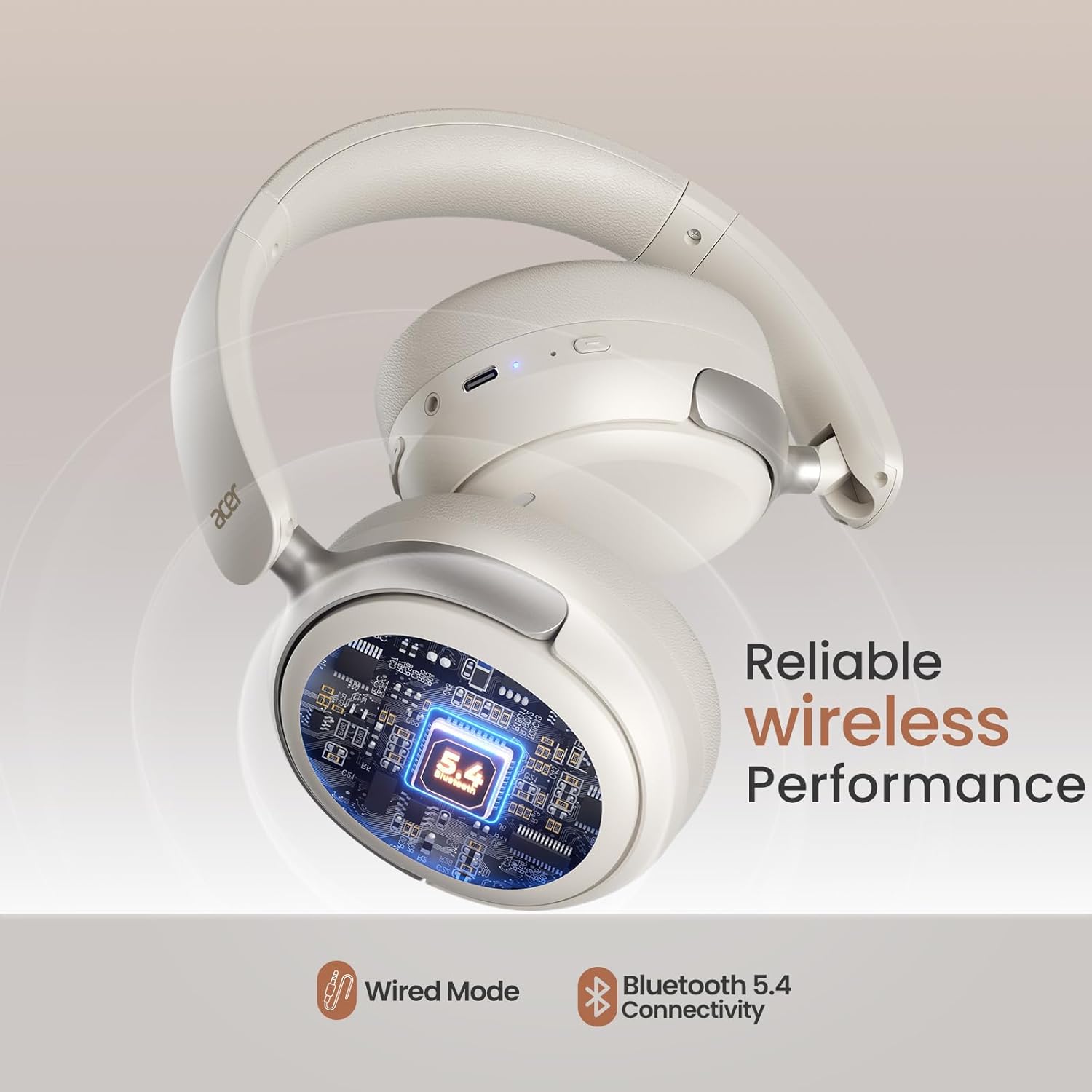
Image: The comfortable and foldable design of the headphones.
9. Probleemoplossing
Als u problemen ondervindt, raadpleeg dan de volgende veelvoorkomende problemen en oplossingen:
| Probleem | Oplossing |
|---|---|
| De koptelefoon gaat niet aan. | Zorg ervoor dat de hoofdtelefoon volledig is opgeladen. |
| Kan geen koppeling maken met een apparaat. | Ensure headphones are in pairing mode (flashing blue/red LED). Disable and re-enable Bluetooth on your device. Move closer to the device. |
| Geen geluid of slechte geluidskwaliteit. | Check volume levels on both headphones and connected device. Ensure headphones are properly paired. If using wired mode, check cable connection. |
| ANC is niet effectief. | Ensure ANC is activated. Adjust headphone fit to ensure a good seal around your ears. |
10. Specificaties
| Functie | Detail |
|---|---|
| Modelnaam | acer-OHR516 |
| Geluidsbeheersing | Actieve ruisonderdrukking |
| Connectiviteitstechnologie | Draadloos (Bluetooth), bedraad (3.5 mm-aansluiting) |
| Draadloze communicatietechnologie | Bluetooth 5.4 |
| Bluetooth-bereik | 10 meter |
| Audiodrivergrootte | 40 millimeter |
| Levensduur van de batterij | Tot 60 uur (ANC uit), 40 uur (ANC aan) |
| Oplaadtijd | 2.5 uur |
| Audio-latentie | 20 milliseconden |
| Gewicht | 11.3 ons |
| Materiaal | Acrylonitril-butadieen-styreen (ABS) |
| Kleur | Wit |
11. Garantie en ondersteuning
Your acer OHR516 Wireless Over-Ear Headphones come with a standard manufacturer's warranty. For detailed warranty information, product support, or to contact customer service, please visit the official acer webwebsite of raadpleeg de garantiekaart die in uw pakket is bijgesloten.
U kunt ook de acer Store on Amazon voor aanvullende productinformatie en ondersteuningsbronnen.


