1. Inleiding
This manual provides essential information for the proper use and maintenance of your HOTWAV R9 Ultra 5G Rugged Tablet. Please read it thoroughly before operating the device to ensure optimal performance and longevity. The HOTWAV R9 Ultra is designed for durability and high performance, featuring 5G connectivity, a large display, and robust construction.
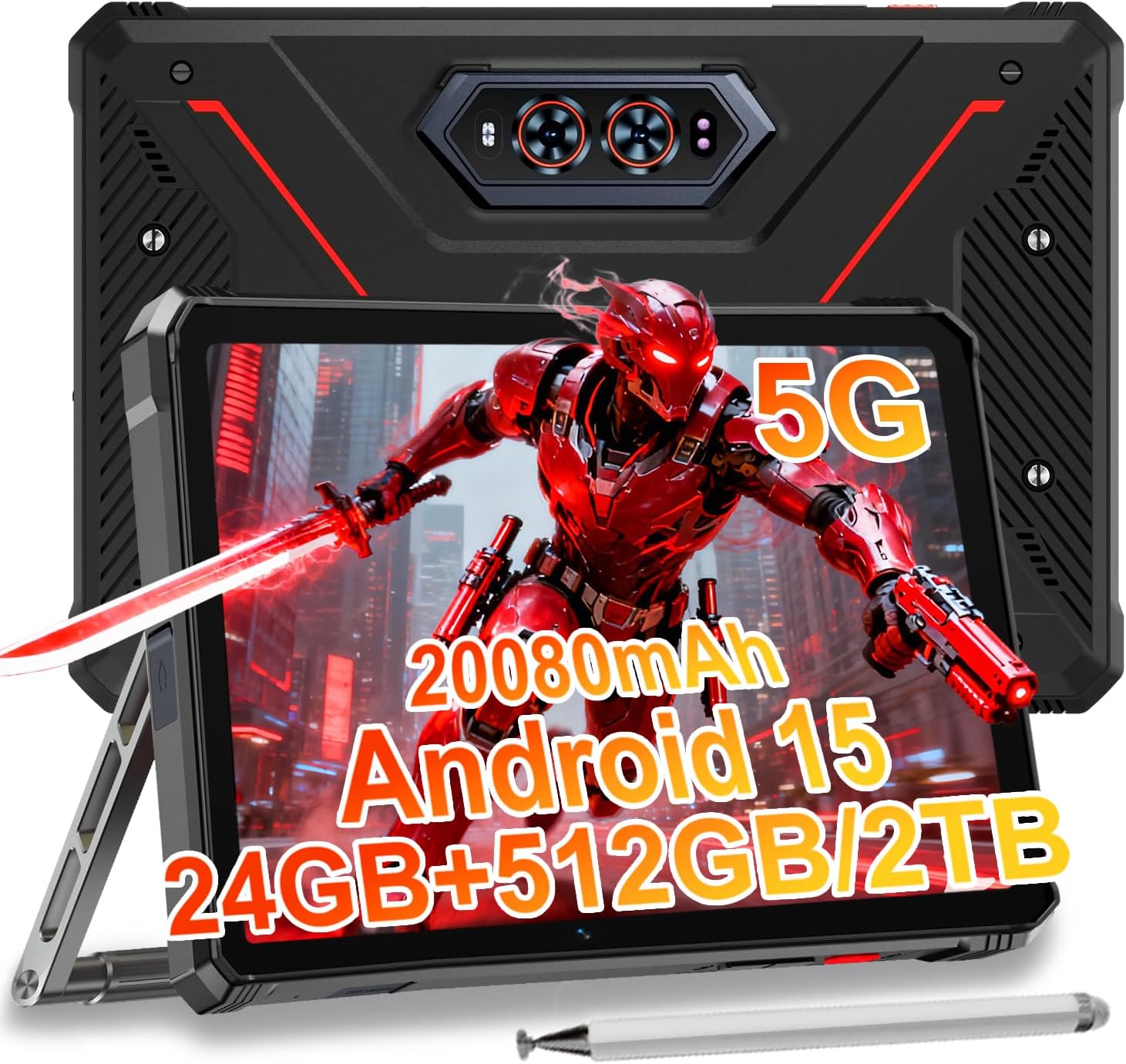
Image 1.1: The HOTWAV R9 Ultra 5G Rugged Tablet with its included stylus and stand.
2. Wat zit er in de doos?
Controleer bij het uitpakken of alle artikelen aanwezig zijn:
- 1 x R9 Ultra Tablet
- 1 x Gebruiksaanwijzing
- 1 x Tablet Protective Film (pre-installed or separate)
- 1 x Tablet Charger Accessory
- 1 x Tablet Stand + Strap + Electronic Pen
3. Apparaat voorbijview
Maak uzelf vertrouwd met de fysieke onderdelen van uw tablet.
3.1 Fysieke componenten
- Weergave: 11-inch FHD+ 2K screen.
- Voorcamera: 16 MP voor videogesprekken en selfies.
- Achtercamera's: 64MP main camera, 20MP night vision camera.
- Havens: USB-C charging/data port, Dual SIM/MicroSD card slot.
- Knoppen: Aan/uit-knop, volumeknoppen (omhoog/omlaag).
- Sprekers: Geïntegreerde stereoluidsprekers.
- CampLicht: Integrated high-performance light on the rear.

Afbeelding 3.1: Achterkant view of the tablet highlighting the camera system and integrated camplicht.
4. Instellen
4.1 SIM-kaart en MicroSD-installatie
- Zoek de SIM-/MicroSD-kaartsleuf aan de zijkant van de tablet.
- Gebruik het meegeleverde hulpmiddel om de simkaarthouder te verwijderen.
- Carefully place your Nano-SIM cards (up to two) and/or a MicroSD card (up to 2TB) into the tray, ensuring correct orientation.
- Plaats de lade terug in de tablet totdat deze vastklikt.
Important Notice Before Purchase: HOTWAV rugged tablets are not compatible with AT&T, Cricket, or Verizon networks. They fully support T-Mobile, Mint, Boost, and Google Fi. Verify your carrier compatibility to ensure seamless connectivity.
4.2 Eerste keer inschakelen en Android 15-installatie
- Press and hold the Power button until the HOTWAV logo appears.
- Volg de instructies op het scherm om de eerste installatie te voltooien, waaronder het selecteren van de taal, het maken van een Wi-Fi-verbinding, het aanmelden bij een Google-account en het instellen van de beveiliging.
- The tablet runs on Android 15, offering enhanced features and security.

Afbeelding 4.1: voorbijview van de interface van het Android 15-besturingssysteem.
5. De tablet bedienen
5.1 Basisnavigatie
- Aanraakbewegingen: Use taps, swipes, and pinches to interact with the screen.
- Startscherm: Access apps and widgets.
- Meldingen: Veeg omlaag vanaf de bovenkant van het scherm om view meldingen en snelle instellingen.
5.2 Connectiviteit
- 5G-netwerk: Insert a compatible 5G SIM card for high-speed mobile data.
- Wifi 5: Maak verbinding met draadloze netwerken voor internettoegang.
- Bluetooth 5.0: Koppelen met Bluetooth-apparaten zoals hoofdtelefoons of luidsprekers.
- GPS-functie: Utilize multi-system navigation (Beidou, GPS, Galileo, Glonass) and a geomagnetic sensor for accurate positioning.

Image 5.1: The tablet's GPS functionality in use for navigation.
5.3 Cameragebruik
The tablet features a versatile camera system:
- 64MP hoofdcamera: Voor foto's met een hoge resolutie.
- 20MP nachtzichtcamera: For clear images in low-light conditions.
- 16MP camera aan de voorkant: For video calls and self-portraits.
Camera modes include Night Mode, Pro Mode, Panorama Mode, and Underwater Mode for diverse shooting scenarios.

Image 5.2: Demonstrating the tablet's underwater and night vision camera capabilities.
5.4 Batterijbeheer
The tablet is equipped with a 20080mAh battery for extended use.
- Opladen: Use the included 20W fast charger for efficient power replenishment.
- OTG-omgekeerd opladen: The tablet can act as a power bank to charge other devices.

Image 5.3: Visual representation of the 20080mAh battery and 20W fast charging.
5.5 Gebruik van de stylus
The included stylus allows for precise interaction with the screen, ideal for drawing, note-taking, or navigating with gloves on.

Image 5.4: The stylus pen, designed for precise input.
5.6 Speciale functies
- CampLicht: Activate the rear camping light for illumination in dark environments.
- Gemini AI: Utilize Gemini AI for advanced reasoning, creative solutions, and deeper conversations.
- Handschoenmodus: The display supports operation while wearing gloves.
- Gezichts-ID: Unlock your tablet using facial recognition.
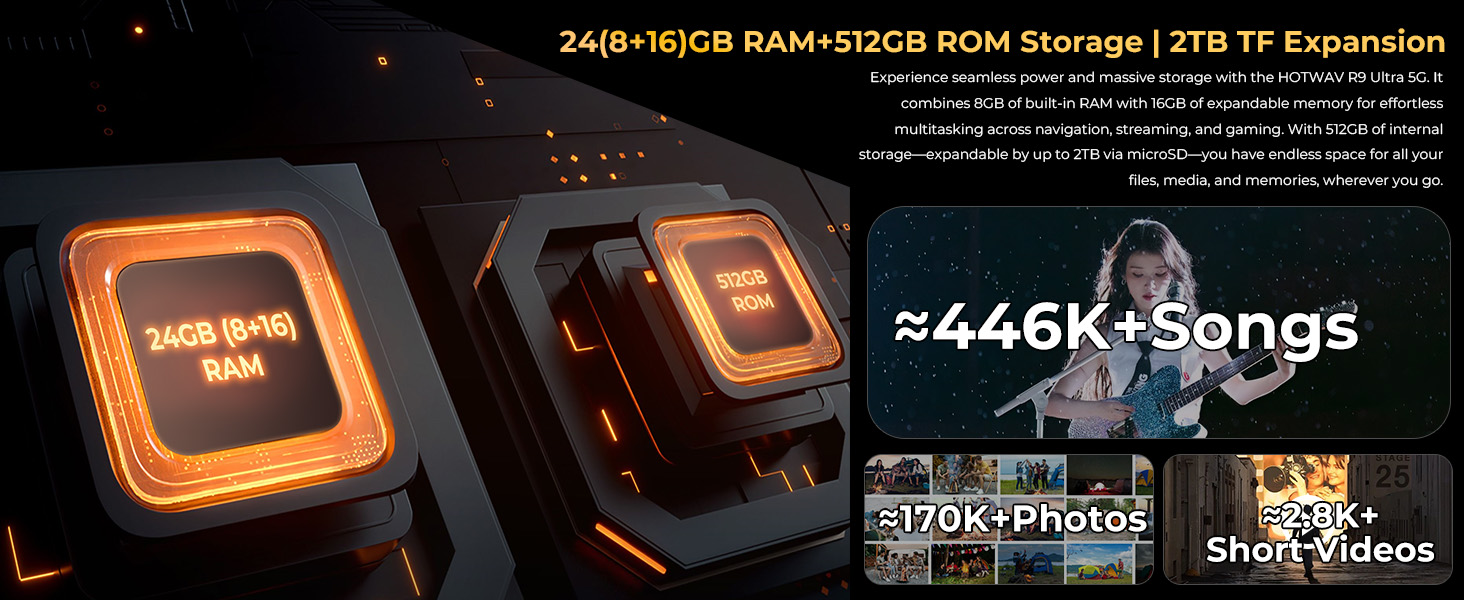
Image 5.5: The tablet's integrated camping light providing illumination.
5.7 Duurzaamheidskenmerken
The HOTWAV R9 Ultra is built to withstand challenging conditions:
- IP68- en IP69K-gecertificeerd: Fully dust-tight and protected against high-pressure, high-temperature water jets.
- MIL-STD-810H gecertificeerd: Meets military standards for shock and drop resistance.
- Corning Gorilla Glass 3: Provides enhanced screen protection against scratches and impacts.

Image 5.6: The tablet's robust design, highlighting its resistance to drops, water, and dust.
6. Onderhoud
6.1 Reinigen
To clean your tablet, use a soft, lint-free cloth. For stubborn dirt, slightly dampMaak de doek schoon met water. Vermijd het gebruik van agressieve chemicaliën of schurende materialen.
6.2 Software-updates
Regularly check for and install software updates to ensure your tablet has the latest features, security patches, and performance improvements. Navigate to Instellingen > Systeem > Systeemupdate om te controleren op beschikbare updates.
6.3 Opslagbeheer
Periodiek opnieuwview your tablet's storage. Delete unnecessary files, ongebruikte apps verwijderen en grote mediabestanden overzetten. files to external storage or cloud services to maintain optimal performance. The tablet supports up to 2TB of expandable storage via MicroSD.
7. Probleemoplossing
Als u problemen ondervindt met uw tablet, raadpleeg dan de volgende veelvoorkomende oplossingen:
- Tablet gaat niet aan: Zorg ervoor dat de batterij is opgeladen. Sluit de tablet aan op de oplader en wacht een paar minuten voordat u hem opnieuw probeert aan te zetten.
- Trage prestaties: Close unused applications, clear cache, or restart the tablet. Check for available software updates.
- Verbindingsproblemen (Wi-Fi/5G): Toggle Wi-Fi or mobile data off and on. Restart your router for Wi-Fi issues. Verify SIM card installation and carrier compatibility for 5G issues.
- Scherm reageert niet: Voer een geforceerde herstart uit door de aan/uit-knop ongeveer 10-15 seconden ingedrukt te houden.
- Apps die crashen: Wis de cache en gegevens van de app in Instellingen > Apps, or reinstall the app.
Neem bij aanhoudende problemen contact op met de klantenservice.
8. Specificaties
| Functie | Specificatie |
|---|---|
| Merk | HOTWAV |
| Modelnaam | R9 Ultra |
| Besturingssysteem | Androïde 15 |
| Schermgrootte | 11 inch |
| Schermresolutie | 1200 x 1920 Pixels (2K FHD+) |
| Processormerk | Unisoc |
| Grafische coprocessor | Mali-G57 MC2 |
| RAM | 24 GB (8 GB fysiek + 16 GB virtueel) |
| Interne opslag | 512GB |
| Uitbreidbare opslag | Tot 2 TB via MicroSD-kaart |
| Achterkant Webcam-resolutie | 64 MP (Main) + 20 MP (Nightvision) |
| Voorkant Webcam-resolutie | 16 MP |
| Batterijcapaciteit | 20080mAh |
| Opladen | 20W snelladen, OTG omgekeerd opladen |
| Duurzaamheidsclassificaties | IP68, IP69K, MIL-STD-810H |
| Connectiviteit | 5G, Wi-Fi 5, Bluetooth 5.0, GPS (Beidou, Galileo, Glonass) |
| Artikelgewicht | 2.64 pond |
| Productafmetingen | 10.6 x 7.1 x 0.7 inch |
9. Garantie en ondersteuning
9.1 Garantie-informatie
The HOTWAV R9 Ultra comes with a comprehensive 2-year hardware warranty. This warranty covers manufacturing defects and ensures the reliability of your device. Please retain your proof of purchase for warranty claims.
9.2 Klantenservice
For technical assistance, troubleshooting, or warranty inquiries, please contact HOTWAV customer support. Support options typically include:
- 24/7 online ondersteuning
- Levenslange technische ondersteuning
Refer to the official HOTWAV webwebsite of uw aankoopdocumentatie voor specifieke contactgegevens.

Image 9.1: Representation of HOTWAV's customer support services.


