1. Product voorbijview
The Baseus Picogo Power Bank is a compact, lightweight, and versatile magnetic portable charger designed for convenience and efficiency. Featuring Qi2 certification for 15W wireless charging and a 20W USB-C output, it provides reliable power for your devices on the go. Its ultra-slim design includes a built-in kickstand for hands-free viewind.
Belangrijkste kenmerken:
- Ultracompact ontwerp: Smaller than a credit card and weighing approximately 0.3 lbs (138g), making it highly portable.
- Qi2-gecertificeerd draadloos opladen: Delivers up to 15W fast wireless charging for compatible devices.
- 20W USB-C bedraad opladen: Provides rapid wired charging for devices via the USB-C port.
- 5000mAh batterijcapaciteit: Offers approximately 1.5 full charges for most iPhone models.
- Geïntegreerde standaard: Maakt handsfree gebruik mogelijk viewin zowel portret- als landschapsoriëntatie.
- Sterke magnetische uitlijning: Equipped with 11 reinforced N52 magnets for a secure attachment to MagSafe-compatible devices.
- Premium materialen: Crafted with an aluminum alloy shell and a soft-touch silicone coating for durability and grip.
- Verbeterde veiligheid: Features NTC Smart Temperature Control and multiple protection mechanisms (over-voltage, onder-voltage, over-charge, over-discharge, over-current, short circuit, over-power).

Image: The Baseus Picogo Power Bank attached to the back of an iPhone, demonstrating its ultra-compact size and the integrated kickstand in use. The image emphasizes its portability and hands-free viewvermogen.
2. Wat zit er in de doos?
Upon opening your Baseus Picogo Power Bank package, you should find the following items:
- Baseus Picogo Power Bank (Model: PPKPC-0520S)
- USB-C naar USB-C oplaadkabel
- Gebruikershandleiding (dit document)

Image: The Baseus Picogo Power Bank, its retail packaging, and the included USB-C charging cable, illustrating the complete product contents.
3. Instellen
Eerste keer opladen van de powerbank:
- Connect the provided USB-C cable to the USB-C port on the Baseus Picogo Power Bank.
- Sluit het andere uiteinde van de USB-C-kabel aan op een compatibele USB-C-stroomadapter (niet meegeleverd).
- The LED indicators on the power bank will light up to show the charging status. A full charge is indicated when all four LEDs are solid.
- Allow approximately 1 hour and 54 minutes for a full recharge using a 20W or higher power adapter.

Image: The Baseus Picogo Power Bank connected to a wall adapter via a USB-C cable, illustrating the process of recharging the power bank.
Batterijniveau controleren:
Druk eenmaal op de aan/uit-knop om view Het huidige batterijniveau wordt aangegeven door de ledlampjes:
- 1 leds: 0-25%
- 2 LED's: 25-50%
- 3 LED's: 50-75%
- 4 LED's: 75-100%

Image: A visual guide explaining how the LED indicators on the Baseus Picogo Power Bank correspond to its remaining battery charge levels.
4. Gebruiksaanwijzing
Wireless Charging (MagSafe Compatible):
- Ensure your device is MagSafe compatible (iPhone 12-17 series) or has a MagSafe-compatible case.
- Align the Baseus Picogo Power Bank with the back of your device. The strong magnets will snap it into place.
- Wireless charging will begin automatically. The power bank delivers up to 15W for fast wireless charging.
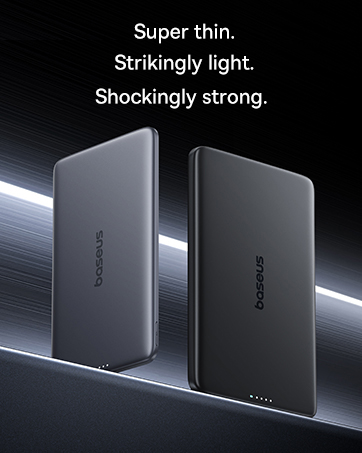
Image: The Baseus Picogo Power Bank magnetically attached to an iPhone, demonstrating active wireless charging with the Qi2 logo visible.
Wired Charging (USB-C Output):
- Connect a USB-C cable (provided or your own) to the USB-C port on the Baseus Picogo Power Bank.
- Sluit het andere uiteinde van de kabel aan op de oplaadpoort van uw apparaat.
- Wired charging will commence. The power bank supports up to 20W output for rapid charging.

Image: The Baseus Picogo Power Bank connected via a USB-C cable to one iPhone while wirelessly charging another, showcasing its dual-device charging capability.
De ingebouwde standaard gebruiken:
- Gently pull out the integrated aluminum kickstand from the back of the power bank.
- Position your device (with the power bank attached) on a flat surface.
- Stel de standaard in op de gewenste stand. viewing angle for hands-free use in portrait or landscape mode.
Image: The Baseus Picogo Power Bank attached to an iPhone, with its kickstand extended to support the phone in an upright position for hands-free viewind.
Verenigbaarheid:
The Baseus Picogo Power Bank is compatible with:
- iPhone 12-17 Series (MagSafe wireless charging)
- MagSafe-compatible cases
- AirPods 3 / Pro 2
- Other USB-C powered devices (via wired connection)
Het is niet compatibel with non-magnetic cases, Samsung phones (for wireless charging), or other Android phones (for wireless charging).
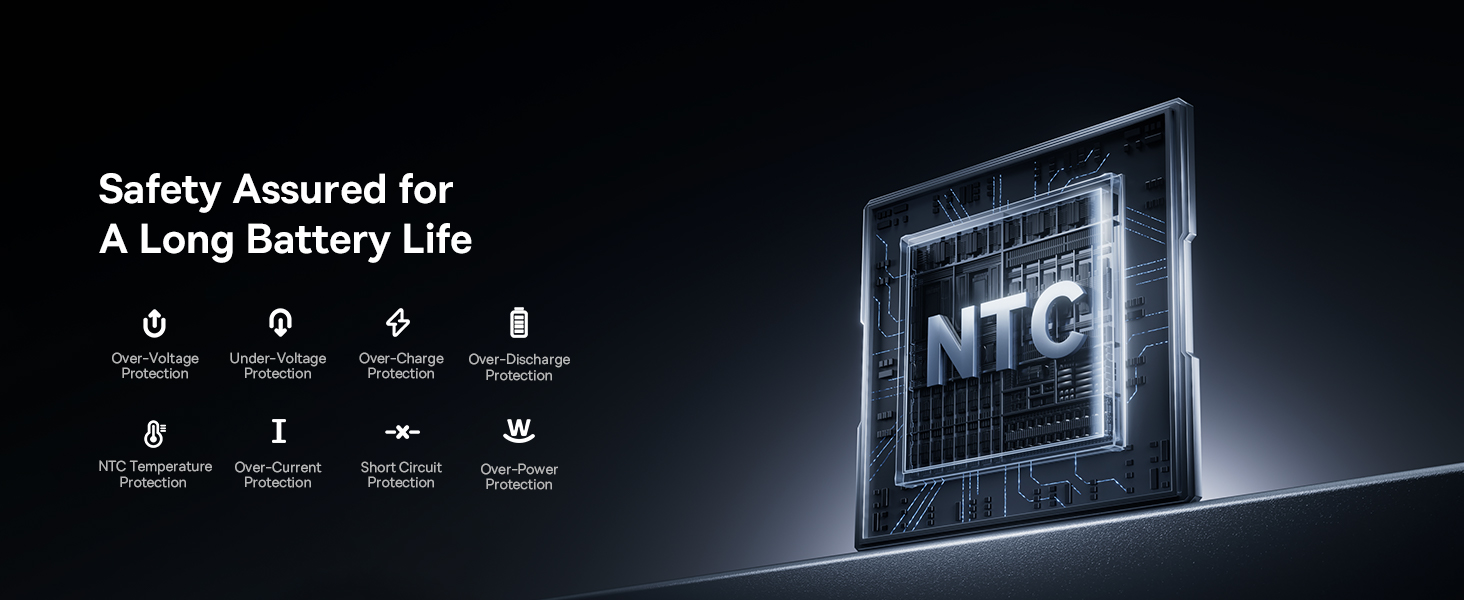
Image: A visual chart detailing compatible and incompatible devices for the Baseus Picogo Power Bank, including various iPhone models, AirPods, and other USB-C devices.
5. Onderhoud
- Schoonmaak: Gebruik een zachte, droge doek om de powerbank schoon te maken. Vermijd het gebruik van agressieve chemicaliën of schurende materialen.
- Opslag: Bewaar de powerbank op een koele, droge plaats, uit de buurt van direct zonlicht en extreme temperaturen.
- batterij zorg: Om de batterijduur te verlengen, dient u de powerbank niet regelmatig volledig te ontladen. Laad hem op wanneer de batterij bijna leeg is.
- Vermijd druppels: While durable, avoid dropping the power bank to prevent internal damage.
6. Probleemoplossing
- Apparaat laadt niet draadloos op:
- Zorg ervoor dat uw apparaat MagSafe-compatibel is of dat u een MagSafe-compatibel hoesje heeft.
- Check for proper alignment between the power bank and your device.
- Controleer of de powerbank voldoende is opgeladen.
- Langzaam opladen:
- Ensure you are using a compatible cable and power adapter for optimal charging speeds.
- Charging may slow down at 80% to protect the battery, especially if the device gets warm. Moving to a cooler area may help.
- Powerbank laadt niet op:
- Controleer de USB-C-kabel en de stroomadapter op schade.
- Zorg ervoor dat de voedingsadapter correct functioneert.
- Magnetic Connection is Weak:
- Ensure your device or case is genuinely MagSafe compatible.
- Remove any non-magnetic accessories or thick cases that may interfere with the magnetic connection.
7. Specificaties
| Functie | Detail |
|---|---|
| Modelnummer | PPKPC-0520S |
| Batterijcapaciteit | 5000 milliamp Uren (mAh) |
| Draadloze uitgang | 5W / 7.5W / 15W (Qi2 Certified) |
| USB-C-uitgang | 20W Max |
| USB-C-ingang | 5V=3A; 9V=2.22A |
| Totale output | 20W Max (when charging two devices simultaneously) |
| Productafmetingen | 3.4 x 2.3 x 0.5 inch |
| Artikelgewicht | 0.3 lbs (approximately 138g) |
| Batterijtype | Lithium-polymeer |
| Materiaal | Siliconen, aluminiumlegering |
| Kleur | Grijs |
8. Garantie en ondersteuning
Baseus biedt een 2 jaar vervangingsgarantie for this product. For any issues or support, please contact Baseus customer service. Details can typically be found on the product packaging or the official Baseus webplaats.
9. Belangrijke veiligheidsinformatie
- Stel de powerbank niet bloot aan extreme temperaturen, direct zonlicht of vuur.
- U mag het apparaat niet zelf demonteren, wijzigen of repareren.
- Buiten bereik van kinderen houden.
- Zorg ervoor dat u het apparaat niet laat vallen en blootstelt aan sterke schokken.
- Gebruik uitsluitend originele of gecertificeerde kabels en adapters.
- Als de powerbank opzwelt, een geur afgeeft of extreem heet wordt, stop dan onmiddellijk met het gebruik ervan.
10. Productvideo voorbijview
Video: Een officiële overview of the Baseus Picogo Power Bank, highlighting its ultra-mini size, 15W Qi2 wireless charging, strong magnetic attachment, and built-in kickstand. It demonstrates the product's key features and portability.


