1. Inleiding
This manual provides essential information for the proper use and maintenance of your Baseus Inspire XH1 Adaptive Active Noise Cancelling Headphones. Please read this manual thoroughly before using the product to ensure optimal performance and longevity.

Image 1.1: Baseus Inspire XH1 Headphones
2. Inhoud van het pakket
Controleer of alle artikelen in het pakket aanwezig zijn:
- Baseus Inspire XH1 Active Noise Cancelling Headphones ×1
- Aux Cable ×1
- USB-C-kabel ×1
- Draagtas ×1

Afbeelding 2.1: Inhoud van de verpakking
3. Productdiagram en bedieningselementen
Familiarize yourself with the headphone's physical controls and ports.
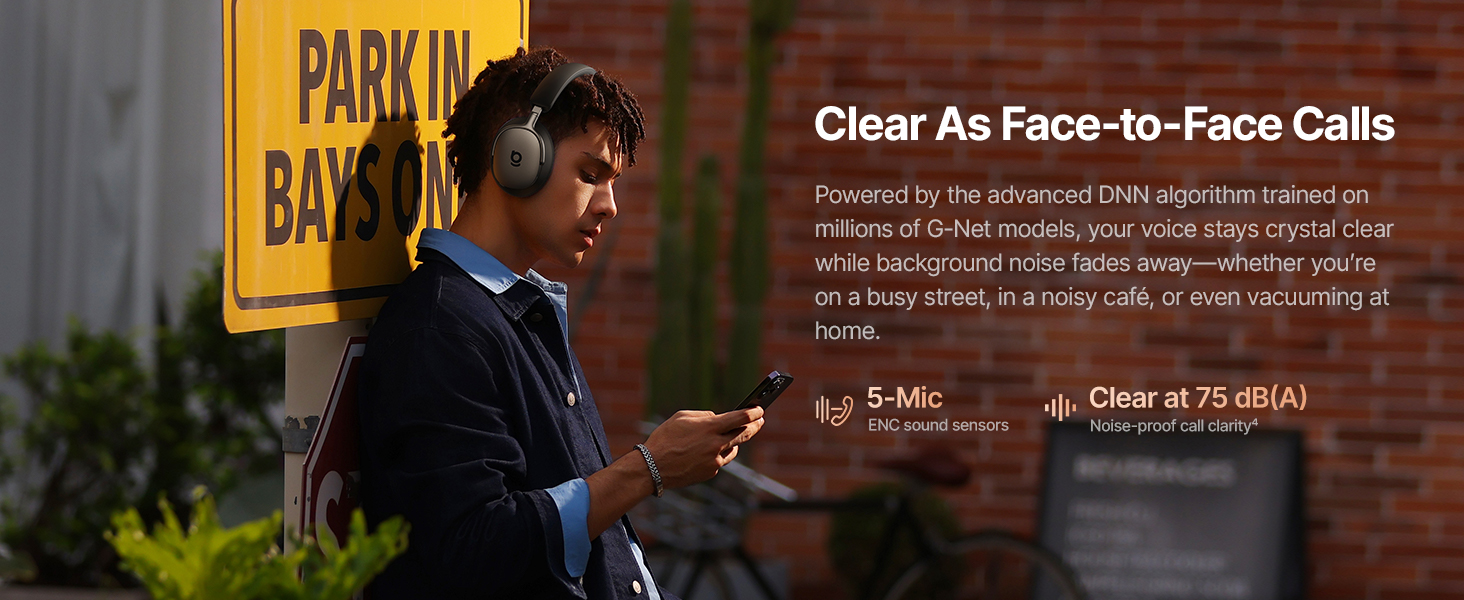
Image 3.1: Headphone Controls Overview
Knopfuncties:
- ANC-knop:
- Press once: Toggle ANC Mode (ANC On / ANC Off / Transparency).
- Press and hold for 2 seconds: Activate Quick Attention (one-press transparency and volume down).
- Multifunctionele knop:
- Press once: Play or pause audio.
- Press once: Answer or end calls.
- Press twice: Toggle Dolby Audio off or on.
- Press twice: Reject calls.
- Press three times: Activate Low Latency mode.
- Volumeknoppen (+/-):
- Press once (+): Volume up.
- Press once (-): Volume down.
- Press and hold (+) for 2 seconds: Previous track.
- Press and hold (-) for 2 seconds: Next track.
4. Instellen
4.1 Eerste keer opladen
Before first use, fully charge the headphones. Connect the supplied USB-C cable to the charging port on the headphones and to a compatible USB power source. The charging indicator will show the charging status.
4.2 In-/uitschakelen
- Inschakelen: Press and hold the Multifunction Button until the indicator light illuminates.
- Uitschakelen: Press and hold the Multifunction Button until the indicator light turns off.
4.3 Bluetooth-koppeling
- Zorg ervoor dat de hoofdtelefoon is uitgeschakeld.
- Press and hold the Multifunction Button for approximately 5 seconds until the indicator light flashes rapidly, indicating pairing mode.
- Schakel Bluetooth in op uw apparaat (smartphone, laptop, enz.) en zoek naar beschikbare apparaten.
- Select "Baseus Inspire XH1" from the list of devices.
- Eenmaal aangesloten, stopt het indicatielampje met knipperen en blijft het continu branden.
4.4 Installatie van de Baseus-app
For full functionality, including SoundFit hearing personalization, advanced EQ settings, and noise reduction modes, download and install the Baseus App (V2.8.9+) from your device's app store. Ensure your headphone firmware (V1.1.07+) is updated via the app for the best experience.

Image 4.1: Baseus App Interface
5. Bediening
5.1 Actieve ruisonderdrukking (ANC)-modi
The Baseus Inspire XH1 features Adaptive ANC. Press the ANC button to cycle through modes:
- ANC aan: Reduces external noise by up to -48 dB. Ideal for noisy environments.
- Transparantiemodus: Laat omgevingsgeluiden door, zodat u zich bewust blijft van uw omgeving.
- ANC uit: Standaard audioweergave zonder ruisonderdrukking.

Image 5.1: Adaptive ANC in Action
5.2 Oproepbeheer
The headphones feature 5-Mic ENC and AI-powered noise reduction for clear calls.
- Oproep beantwoorden/beëindigen: Druk eenmaal op de multifunctionele knop.
- Oproep afwijzen: Press the Multifunction Button twice.

Image 5.2: Clear Call Functionality
5.3 Muziek afspelen
Control your audio playback directly from the headphones:
- Afspelen/Pauzeren: Druk eenmaal op de multifunctionele knop.
- Volgende nummer: Houd de knop Volume omlaag (-) 2 seconden ingedrukt.
- Vorig nummer: Houd de volume omhoog-knop (+) 2 seconden ingedrukt.
- Volume omhoog/omlaag: Press the respective Volume button once.
5.4 Multipoint-verbinding
The headphones support simultaneous connection to two devices via Bluetooth 6.1. This allows for seamless switching between audio sources. Enable multipoint connection through the Baseus App.
5.5 Opladen en batterijduur
The Inspire XH1 offers extended battery life:
- Tot wel 100 uur speeltijd met ANC uitgeschakeld.
- Up to 65 hours of playtime with ANC on.
- A 10-minute fast charge provides approximately 12 hours of playtime.
- Full charge time is approximately 1.5 hours.

Image 5.3: Battery Performance
6. Geluidsfuncties
The Baseus Inspire XH1 headphones are engineered for a premium audio experience.
- Geluid van Bose: Delivers a signature premium audio experience.
- Dolby Spatial Audio: Provides immersive 360° sound. Can be toggled via the Multifunction Button or Baseus App.
- Hi-Res audio en LDAC: Certified for high-resolution audio, with LDAC support for 3 times the audio detail of standard Bluetooth.
- SuperBass 3.0 & SuperBalance 3.0: Optimized acoustic chambers and angled drivers provide deep bass and balanced sound.
- SoundFit Hearing Personalization: Available via the Baseus App, this feature customizes the sound profile based on your unique hearing.

Image 6.1: Sound by Bose Integration

Image 6.2: Internal Audio Components
7. Comfort en ontwerp
The Inspire XH1 headphones are designed for extended wear.
- Velvet-Like CloudComfort: Ergonomic over-ear design with protein leather and resilient memory foam padding for comfort.
- Travel-Friendly Portability: Foldable design and included carrying case for easy transport.

Image 7.1: CloudComfort Earcup

Image 7.2: Travel-Friendly Carrying Case
8. Onderhoud
Volg deze onderhoudsrichtlijnen om de levensduur en optimale prestaties van uw hoofdtelefoon te garanderen:
- Schoonmaak: Use a soft, dry cloth to clean the exterior surfaces of the headphones. Do not use abrasive cleaners or solvents.
- Opslag: When not in use, store the headphones in their protective carrying case to prevent damage from dust, scratches, and impacts.
- Vermijd vocht: Stel de hoofdtelefoon niet bloot aan water of overmatige vochtigheid. Als hij nat wordt, droog hem dan grondig af voordat u hem gebruikt of opbergt.
- Temperatuur: Avoid exposing the headphones to extreme temperatures (hot or cold) as this can affect battery life and internal components.
- Kabelonderhoud: Handle the Aux and USB-C cables gently. Avoid sharp bends or excessive pulling to prevent damage.
9. Probleemoplossing
If you encounter issues with your Baseus Inspire XH1 headphones, refer to the following common solutions:
| Probleem | Mogelijke oplossing |
|---|---|
| De koptelefoon gaat niet aan. | Zorg ervoor dat de hoofdtelefoon is opgeladen. Sluit hem aan op een stroombron met de USB-C-kabel. |
| Koppelen via Bluetooth is niet mogelijk. | Ensure headphones are in pairing mode (rapidly flashing indicator light). Turn off and on Bluetooth on your device. Forget the device in your Bluetooth settings and try pairing again. |
| Geen geluid of zacht volume. | Check headphone and device volume levels. Ensure headphones are properly connected. Try restarting both devices. |
| ANC werkt niet effectief. | Ensure ANC mode is activated (not Transparency or Off). Check for proper fit of earcups to create a seal. Update headphone firmware via the Baseus App. |
| Problemen met de gesprekskwaliteit. | Ensure microphone is not obstructed. Check for strong Bluetooth connection. Move to a quieter environment if possible. |
| Baseus App not connecting or features not working. | Ensure Bluetooth is enabled and headphones are connected. Update the Baseus App to the latest version (V2.8.9+). Update headphone firmware (V1.1.07+) via the app. |
Als het probleem aanhoudt, neem dan contact op met de klantenservice van Baseus voor verdere hulp.
10. Specificaties
| Functie | Detail |
|---|---|
| Modelnaam | Baseus Inspire XH1 |
| Geluidsbeheersing | Adaptive Active Noise Cancellation (-48dB) |
| Connectiviteitstechnologie | Draadloos (Bluetooth 6.1) |
| Audiostuurprogrammatype | Dynamic Driver |
| Audiodrivergrootte | 35 millimeter |
| Frequentiebereik | 20Hz - 40kHz |
| Impedantie | 16 Ohm |
| Controletype | Button Control / APP Control |
| Materiaal | Leather, Foam, Plastic/Silicone |
| Batterijduur (ANC uit) | Tot 100 uur |
| Levensduur batterij (ANC aan) | Tot 65 uur |
| Snel opladen | 10 minuten voor 12 uur speeltijd |
| Volledige oplaadtijd | Ongeveer 1.5 uur |
| Productafmetingen | 8.07 x 3.14 x 6.57 inch |
| Artikelgewicht | 1.87 pond |
| Meegeleverde componenten | Headphones, Aux Cable, USB-C Cable, Carrying Case |
11. Garantie en ondersteuning
Voor garantie-informatie en klantenondersteuning kunt u de garantiekaart raadplegen die in de verpakking van uw product is bijgevoegd of een bezoek brengen aan de officiële Baseus-website. webwebsite. Bewaar uw aankoopbewijs als aankoopbewijs voor garantieclaims.
Fabrikant: Basis
Officieel Webwebsite: Officiële Baseus-winkel op Amazon


