Invoering
This manual provides essential instructions for the setup, operation, maintenance, and troubleshooting of your Swann 4 Channel 1080p HD Security System. This system is designed to provide 24/7 surveillance with crystal-clear 1080p Full HD video, audio recording, and advanced detection features for comprehensive property protection.
Wat zit er in de doos?
Carefully unpack the contents and ensure all items listed below are present:
- 1 x 4 Channel DVR with 64GB Micro SD Card
- 4 x 1080p Audio/Video Bullet Cameras (PRO-1080MQB)
- 4 x Extension Cables (60ft/18m)
- 1 x Ethernet-kabel
- 1 x HDMI-kabel
- 1 x Power Adapter & Splitter
- 1 x Muis
- Montageschroeven en pluggen
- Snelstartgids
- Theft Deterrent Sticker

Image: All components included in the Swann 4 Channel 1080p HD Security System package.
Installatie-instructies
- Uitpakken en inspecteren: Remove all components from the packaging and inspect for any damage.
- Camera's aansluiten op DVR: Use the provided extension cables to connect each camera to the corresponding video input ports on the back of the DVR. Ensure connections are secure.
- Sluit DVR aan op monitor: Connect the DVR to a monitor using the supplied HDMI cable.
- Muis aansluiten: Sluit de USB-muis aan op een USB-poort op de DVR.
- Verbinding maken met netwerk (optioneel): Voor afstandsbediening: viewSluit de DVR aan op uw router met behulp van de Ethernet-kabel.
- Inschakelen: Connect the power adapter to the DVR and then to a power outlet. The system will power on automatically.
- Initiële installatiewizard: Follow the on-screen instructions to complete the initial setup, including setting up a password and configuring basic settings.
- Swann Security App Setup: Download the free Swann Security app on your iOS or Android device. Follow the in-app instructions to pair your DVR for remote access and control.
Gebruiksaanwijzing
Viewing Live Footage
Zodra het systeem is ingesteld, kunt u: view live camera feeds directly on your connected monitor or remotely via the Swann Security app. Use the mouse to navigate the DVR interface for various viewopties.
Bewegingsdetectie en waarschuwingen
The system utilizes Swann's True Detect™ PIR Heat-Sensing Detection technology to accurately detect heat and motion, minimizing false alarms. When motion is detected, the system can trigger recording and send push notifications or email alerts to your connected devices via the Swann Security app.

Image: Illustration of True Detect™ / PIR Heat-Sensing Detection in action, highlighting detected movement.
Nachtzichtmogelijkheden
The cameras feature advanced night vision, providing clear surveillance in low-light conditions. They offer infrared night vision up to 100ft (30m) in black and white, and color night vision up to 32ft (10m) in suitable ambient light conditions.
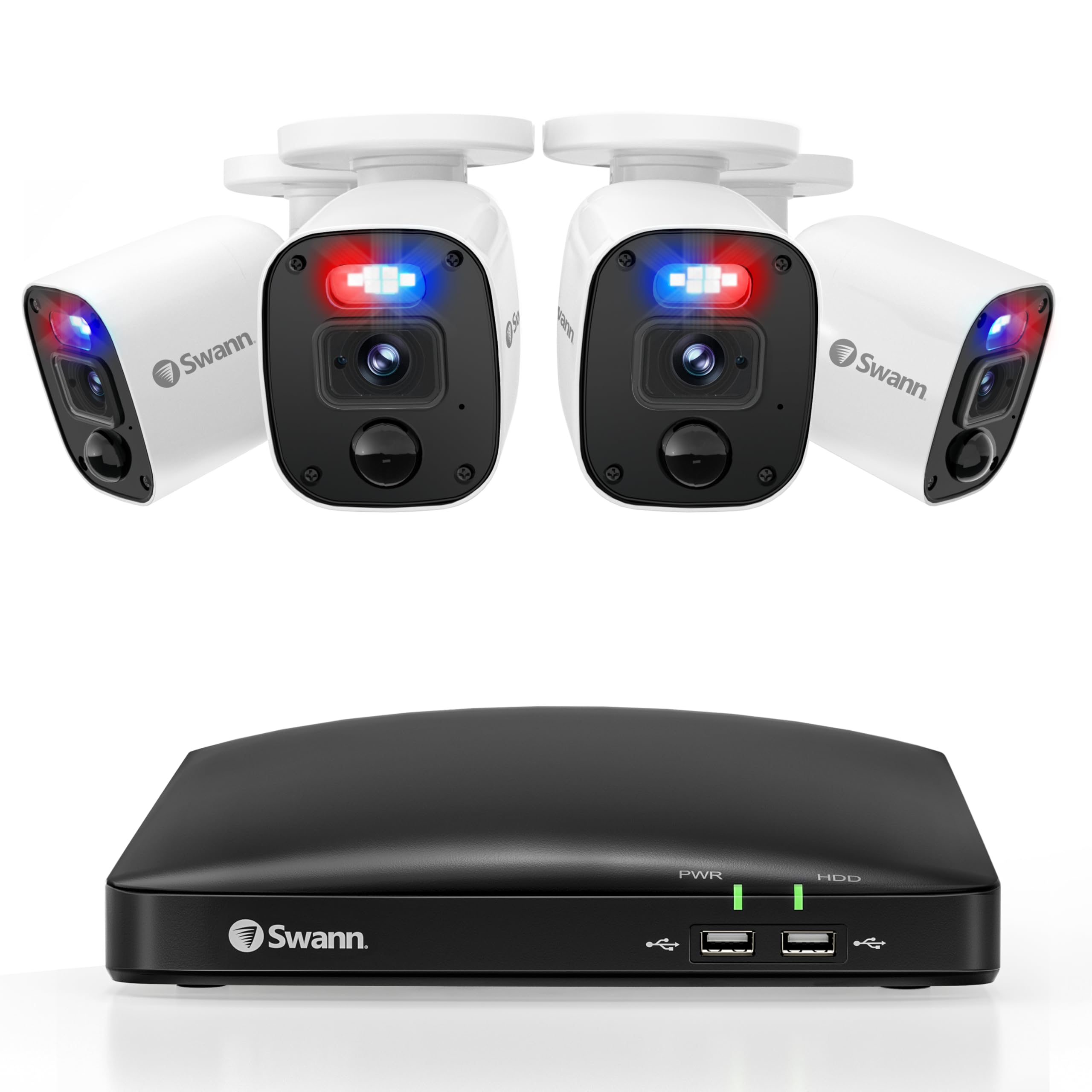
Image: Demonstration of Color Night Vision versus standard Night Vision capabilities.
Deterrent Features
The cameras are equipped with controllable sensor spotlights and deterrent red & blue flashing lights, which can be activated upon detection to deter potential intruders.

Image: Visual representation of the camera's red and blue flashing lights acting as a deterrent.
Opname en opslag
The DVR includes a pre-installed 64GB Micro SD Card for recording. Storage can be expanded up to 8TB for extended recording periods. Manage recording settings and review footage through the DVR interface or the Swann Security app.
Onderhoud
Regelmatig onderhoud zorgt voor optimale prestaties en een lange levensduur van uw beveiligingssysteem:
- Camerareiniging: Reinig de cameralenzen regelmatig met een zachte doek.amp doek om stof en vuil te verwijderen dat de doorgang kan belemmeren viewVermijd schurende reinigingsmiddelen.
- Controleer verbindingen: Ensure all cables (power, video, network) are securely connected to prevent signal loss.
- Firmware-updates: Check the Swann Security app or Swann website for available firmware updates for your DVR and cameras. Keeping firmware updated ensures the latest features and security patches.
- Weerbescherming: The cameras are IP66 weatherproof, designed to withstand various weather conditions. However, ensure they are mounted securely to prevent damage from strong winds or impacts.
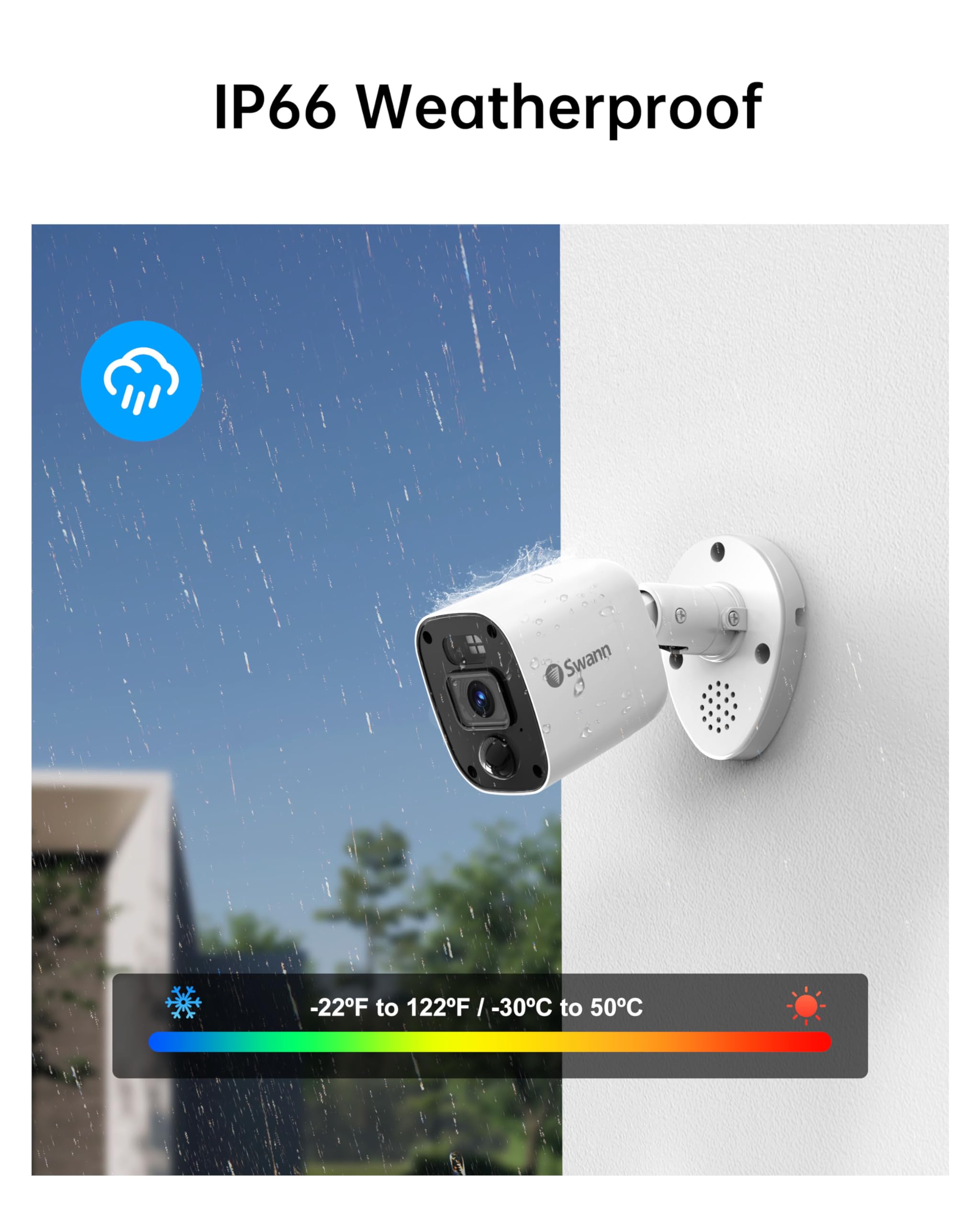
Image: Swann camera demonstrating its IP66 weatherproof design in rainy conditions.
Probleemoplossing
If you encounter issues with your Swann security system, refer to the following common solutions:
- Geen videoweergave:
Rekening: Ensure the DVR is powered on and connected to the monitor via HDMI. Verify the monitor input source is correct. - Geen opname:
Rekening: Confirm the 64GB Micro SD Card is properly inserted. Verify recording schedules and motion detection settings in the DVR menu or app. - Bewegingsdetectie wordt niet geactiveerd:
Rekening: Adjust motion detection sensitivity settings. Ensure the camera's view is vrij en niet belemmerd. - Problemen met externe toegang:
Rekening: Ensure the DVR is connected to the internet via Ethernet. Verify your mobile device has a stable internet connection. Re-pair the DVR with the Swann Security app if necessary. - Slecht nachtzicht:
Rekening: Ensure the camera lens is clean. Remove any obstructions near the camera that might reflect infrared light.
Specificaties
| Functie | Detail |
|---|---|
| Merk | Zwaan |
| Modelnummer | SWDVK-446854MQB |
| Connectiviteitstechnologie | Bedraad |
| Resolutie video-opname | 1080p volledige HD |
| Speciale kenmerken | Night Vision, Weatherproof, Heat & Motion Detection, Flashing Warning Lights |
| Aantal kanalen | 4 |
| Geheugenopslagcapaciteit | 64 GB (Micro SD Card, expandable up to 8TB) |
| Kleur | Wit/Zwart |
| Energiebron | Elektrische kabel |
| Artikelafmetingen (L x B x H) | 7.68 x 14.76 x 11.61 inch |
| Compatibiliteit met besturingssystemen | iOS, Android, Windows |
| Aanbevolen toepassingen | Binnen, Buiten |
| Nachtzichtbereik | 100 voet (zwart-wit), 32 voet (kleur) |
| Viewhoek: | 85 graden |
| UPC | 840236142682 |
Garantie en ondersteuning
Your Swann 4 Channel 1080p HD Security System is backed by Swann's manufacturer warranty. For detailed warranty information, product support, and additional resources, please visit the official Swann website or contact Swann customer service.
Online hulp: www.swann.com/us/support
Product registratie: Registreer uw product online om updates en ondersteuning te ontvangen.


