Invoering
This manual provides detailed instructions for the New Bee M53 Bluetooth Headset. Please read this manual carefully before using the product to ensure proper operation and to maximize its performance and lifespan. Keep this manual for future reference.
Inhoud van het pakket
Controleer of alle artikelen in het pakket aanwezig zijn:
- Bluetooth Earpiece (1 unit)
- 500mAh Charging Case (1 unit)
- Ear Tips (3 sizes: S/M/L)
- Type-C Cable (1 unit, AC adapter not included)
- Gebruikershandleiding (1 eenheid)
Product voorbijview
The New Bee M53 Bluetooth Headset features an ergonomic design for comfortable wear and intuitive controls. Below is a general view of the headset and its charging case.
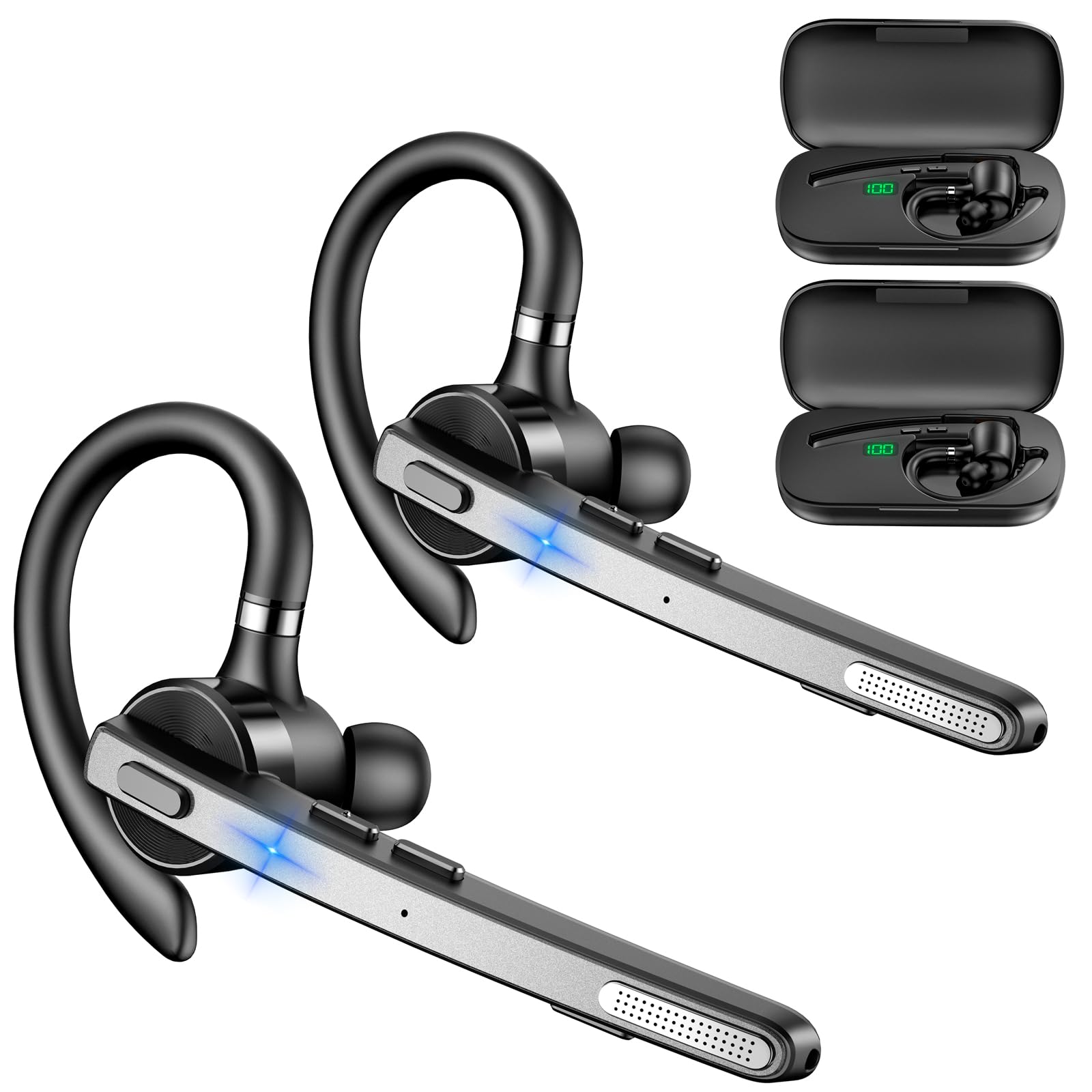
Image: New Bee M53 Bluetooth Headset with its charging case and included ear tips.

Image: Diagram illustrating the various buttons and their functions on the New Bee M53 Bluetooth Headset, including power, volume, call control, mute, and Type-C charging port.
Instellen
1. De headset en de oplaadcase opladen
Before first use, fully charge the headset and its charging case. The charging case has a digital display to indicate the remaining power.
- Connect the provided Type-C cable to the charging port on the case and to a USB power source (e.g., computer, wall adapter).
- Plaats de headset in het oplaadhoesje.
- Het duurt ongeveer 2 uur om de batterij volledig op te laden.
- The 500mAh charging case provides approximately 72 hours of total playtime for the headset.
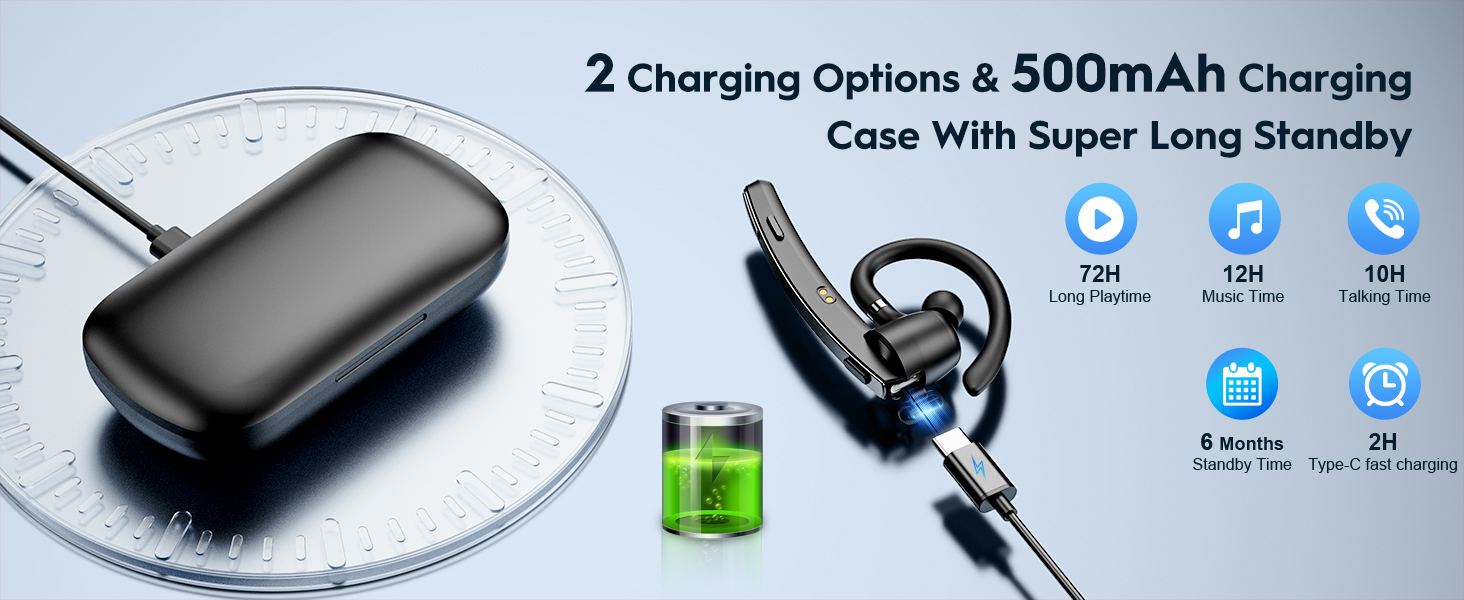
Image: The New Bee M53 charging case displaying battery level, with the headset inside, illustrating its long battery life capabilities.
2. De headset dragen
The headset is designed for comfortable and secure fit. It can be worn on either the left or right ear.
- The flexible ear hook can be rotated 180° to fit either ear.
- The earphone arm can be rotated 270° to adjust the microphone position.
- Choose from the three included ear tip sizes (S, M, L) for the best fit and comfort.
- The headset weighs only 13.6 grams, ensuring comfort during extended wear.

Image: Illustration of the headset's adjustable ear hook for left/right ear use and the three available ear tip sizes (S, M, L).
3. Bluetooth-koppeling
The headset uses Bluetooth 5.1 technology for quick and stable connections.
- Zorg ervoor dat de headset is opgeladen en uitgeschakeld.
- Press and hold the Power button for 3-5 seconds until the indicator light flashes blue and red, indicating pairing mode.
- Schakel Bluetooth in op uw apparaat (smartphone, laptop, enz.) en zoek naar beschikbare apparaten.
- Selecteer "M53" uit de lijst met apparaten.
- Zodra de verbinding tot stand is gebracht, zal het indicatielampje langzaam blauw knipperen.
The headset supports connecting to two devices simultaneously within a 15-meter (49 feet) range.

Image: The headset shown connecting to a mobile phone, demonstrating Bluetooth 5.1 quick connection and dual device capability.
Gebruiksaanwijzing
Basisfuncties
- Aan/uit: Press and hold the Power button for 3 seconds to power on, 5 seconds to power off.
- Afspelen/Pauzeren: Druk één keer op de knop Afspelen/Pauze.
- Volumeregeling: Use the Volume +/- buttons to adjust the sound level.
- Volgend/vorig nummer: Press and hold Volume + for next song, Volume - for previous song (3 seconds).
Call Management
- Oproep beantwoorden/ophangen: Press the Answer/Hang Up button once.
- Oproep afwijzen: Press and hold the Answer/Hang Up button for 2 seconds.
- Laatste nummer opnieuw kiezen: Double-press the Answer/Hang Up button.
- Microfoon dempen: Press the Mic Mute button once during a call to mute/unmute the microphone.
The headset features dual-mic noise reduction and CVC8.0 technology for clear calls by reducing ambient noise and echo.

Image: Illustration of the headset's one-button call answering and mute features for hands-free communication.

Image: Visual representation of the dual-mic noise cancelling technology, showing how external background noise is reduced for clear calls.
Onderhoud
To ensure the longevity and optimal performance of your New Bee M53 Bluetooth Headset, follow these maintenance guidelines:
- Schoonmaak: Use a soft, dry, lint-free cloth to clean the headset and charging case. Do not use abrasive cleaners, solvents, or aerosol sprays.
- Opslag: Store the headset in its charging case when not in use to protect it from dust and damage. Avoid extreme temperatures.
- Blootstelling aan water: The headset is not waterproof. Avoid exposure to water, moisture, or excessive humidity.
- Opladen: Always use the provided Type-C cable for charging. Do not attempt to disassemble or modify the device.
Probleemoplossing
Als u problemen ondervindt met uw headset, raadpleeg dan de volgende veelvoorkomende oplossingen:
| Probleem | Oplossing |
|---|---|
| Headset gaat niet aan. | Zorg ervoor dat de headset volledig is opgeladen. Plaats hem in de oplaadcase en sluit de case aan op een stroombron. |
| Kan geen koppeling maken met het apparaat. |
|
| Geen geluid of zacht volume. |
|
| De gesprekskwaliteit is slecht. |
|
Specificaties
| Functie | Detail |
|---|---|
| Modelnaam | M53 |
| Bluetooth-versie | 5.1 |
| Bluetooth-bereik | Tot 15 meter (49 voet) |
| Battery Life (Talktime/Music) | Ongeveer 12 uur per lading |
| Totale speeltijd met oplaadcase | Tot 72 uur |
| Capaciteit van de oplaadcase | 500mAh |
| Oplaadtijd | Approximately 2 hours (Type-C) |
| Gewicht | 13.6 grams (earpiece) |
| Geluidsbeheersing | Dual-Mic Noise Reduction, CVC8.0 |
| Verenigbaarheid | iOS, Android, Windows (Cellphones, Laptops, Desktops) |
| Controletype | Knopbediening |

Image: The headset demonstrating its wide compatibility with devices such as tablets, cellphones, laptops, PCs, and Kindles.
Garantie en ondersteuning
New Bee provides a 3-year customer support service for this product. If you encounter any issues or have questions, please contact our customer support team. Refer to the contact information provided with your purchase or visit the official New Bee website voor hulp.
Bewaar uw aankoopbewijs voor garantieclaims.


