1. Inleiding
The KinetCam CAM-A is a 4G LTE cellular security camera designed for monitoring locations without Wi-Fi access. It provides 2K HD video, automatic night vision, and intelligent motion detection, making it suitable for various off-grid environments such as cabins, RVs, barns, and remote properties. This manual provides detailed instructions for setting up, operating, and maintaining your camera.

Image 1.1: KinetCam CAM-A 4G LTE Cellular Security Camera.
2. Inhoud van het pakket
Controleer het pakket op de volgende items:
- KinetCam CAM-A 4G LTE Cellular Security Camera
- Pre-installed SIM Card (with 100MB trial data)
- Bevestigingsschroef/schroeven
- USB-oplaadkabel
- Gebruikershandleiding (dit document)

Image 2.1: KinetCam CAM-A camera, highlighting its compact size and 4G SIM card functionality.
3. Product voorbijview
The KinetCam CAM-A features a compact design with essential components for cellular surveillance.
3.1 Belangrijkste componenten
- Cameralens: Legt 2K HD-video vast.
- Infrarood LED's: Enable automatic night vision.
- PIR-sensor: Detects motion from people and pets.
- SIM-kaartsleuf: Voor 4G LTE-connectiviteit.
- MicroSD-kaartsleuf: Ondersteunt maximaal 128 GB voor lokale opslag.
- USB-laadpoort: Voor het opladen van de interne batterij.
- Aan/uit-knop/indicatielampje: For device control and status.

Image 3.1: KinetCam CAM-A mounted, illustrating its discreet placement capability.
4. Installatiehandleiding
4.1 Eerste keer opladen
Before first use, fully charge the camera using the provided USB cable and a standard 5V/1A USB power adapter (not included). The indicator light will show charging status and turn off when fully charged.
4.2 SIM Card Activation and Installation
The camera comes with a pre-installed SIM card and 100MB trial data. This SIM card is compatible with AT&T, T-Mobile, and Verizon networks and will automatically connect to the strongest 4G LTE signal. No manual SIM card installation is typically required for initial setup.
- Ensure the camera is powered off before handling the SIM card slot.
- If replacing the SIM card, carefully insert the new 4G LTE SIM card into the designated slot with the gold contacts facing down.
- After using the trial data, you will need to top up cellular data via the companion mobile application.
4.3 MicroSD-kaartinstallatie (optioneel)
For local video storage, a MicroSD card (up to 128GB, not included) can be installed.
- Schakel de camera uit.
- Zoek de sleuf voor de microSD-kaart.
- Plaats de microSD-kaart voorzichtig totdat u een klik hoort.
- Format the MicroSD card via the mobile application after powering on the camera for optimal performance.

Image 4.1: Illustration of MicroSD card and SIM card insertion points on the KinetCam CAM-A.
4.4 Mobile Application Download and Pairing
Om toegang te krijgen tot live view, recordings, and settings, download the KinetCam mobile application from your device's app store.
- Zoeken naar "KinetCam" in the App Store (iOS) or Google Play Store (Android).
- Download en installeer de applicatie.
- Maak een account aan of log in.
- Follow the in-app instructions to add your KinetCam CAM-A device. This typically involves scanning a QR code on the camera or entering its serial number.
4.5 De camera monteren
The camera can be placed on a flat surface or mounted using the included mounting screws.
- Kies een locatie die de gewenste viewing angle and is within 4G LTE signal range.
- Ensure the camera is positioned to avoid direct sunlight or strong light sources that could affect image quality.
- For wall mounting, use the provided screws to secure the camera bracket.

Image 4.2: KinetCam CAM-A demonstrating flexible placement and mounting options.
5. Gebruiksaanwijzing
5.1 In-/uitschakelen
Press and hold the power button for a few seconds to power the camera on or off. The indicator light will confirm the status.
5.2 Levend View
Open the KinetCam mobile application and select your camera from the device list to access the live 2K HD video feed. You can view the feed remotely via the 4G LTE connection.
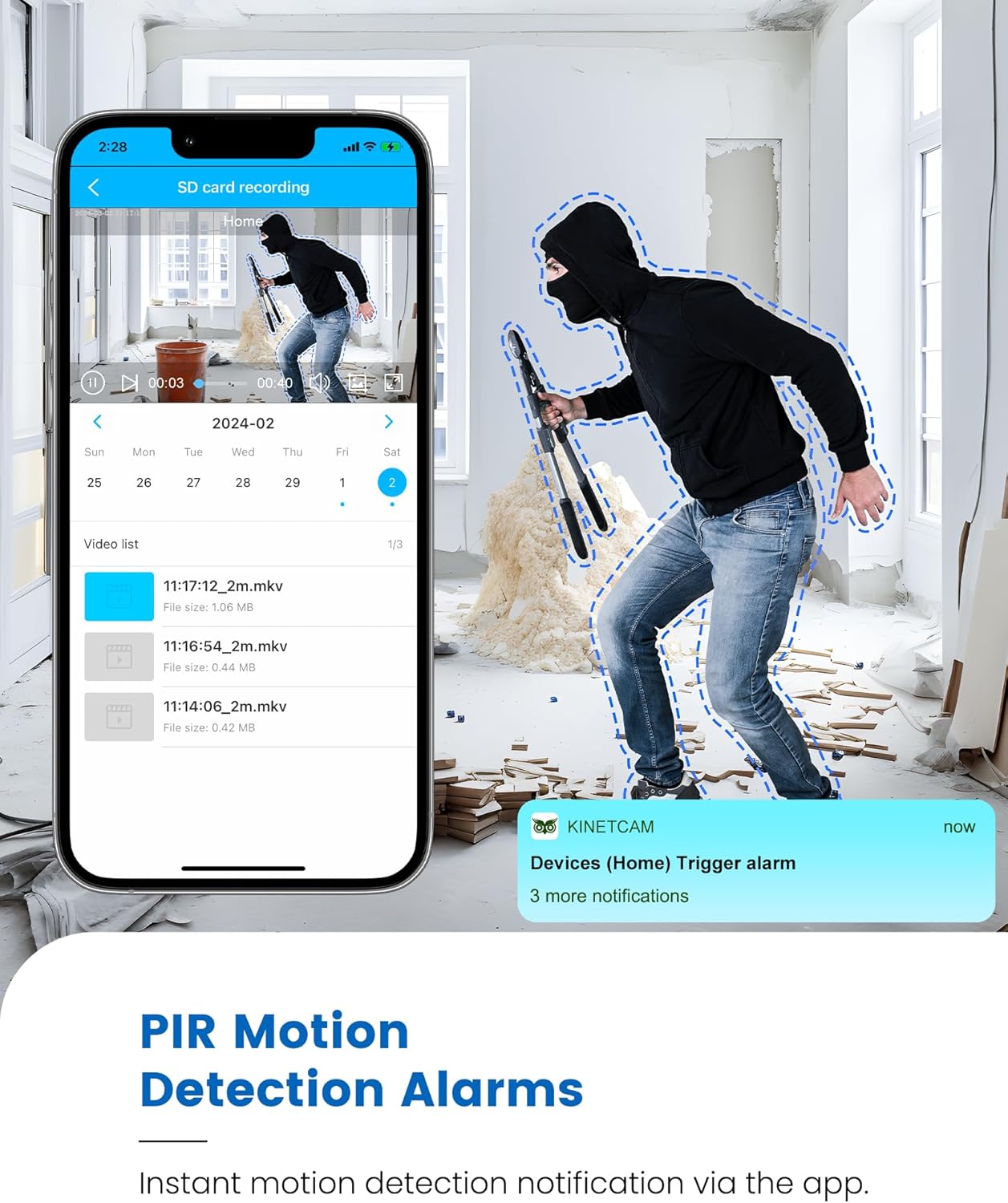
Image 5.1: Live 2K video feed and automatic night vision capability of the KinetCam CAM-A.
5.3 Bewegingsdetectie en waarschuwingen
The camera uses an advanced PIR sensor for accurate motion detection, primarily identifying people and pets.
- Enabling/Disabling: Adjust motion detection sensitivity and enable/disable alerts within the app settings.
- Realtime waarschuwingen: When motion is detected, the camera sends real-time notifications to your paired smartphone.
- Belangrijke opmerking: PIR sensors do not detect motion through glass. Avoid placing the camera behind windows if motion detection is critical for that area.

Image 5.2: Smartphone displaying a motion detection alert from the KinetCam CAM-A.
5.4 Nachtzicht
The camera automatically activates infrared night vision in low-light conditions, providing clear footagtot 20 voet.
5.5 Video-opname en -opslag
The KinetCam CAM-A supports two primary storage methods:
- MicroSD-kaart: Records footage directly to an installed MicroSD card (up to 128GB). Recordings can be accessed and managed via the mobile app.
- Cloudopslag: An optional cloud storage service is available for secure off-site backup of your video recordings. Details and subscription options are available within the KinetCam application.
5.6 Batterijbeheer
The camera features a rechargeable battery offering up to 30 days of standby time with motion-activated recording or 10+ hours of continuous operation. Battery status can be monitored through the mobile application.
Image 5.3: Visual representation of the KinetCam CAM-A's 30-day battery life.
6. Onderhoud
6.1 Reinigen
Veeg de cameralens en -behuizing voorzichtig af met een zachte, droge doek. Vermijd het gebruik van agressieve chemicaliën of schurende materialen die de camera kunnen beschadigen.
6.2 Batterijonderhoud
- Charge the camera regularly, especially if it will be stored for an extended period.
- Vermijd blootstelling van de camera aan extreme temperaturen, aangezien dit de levensduur van de batterij kan beïnvloeden.
6.3 firmware-updates
Periodically check the KinetCam mobile application for available firmware updates. Keeping your camera's firmware updated ensures optimal performance and access to new features.
7. Probleemoplossing
7.1 Camera Not Connecting to 4G LTE
- Ensure the camera is in an area with good 4G LTE signal coverage.
- Check if the SIM card has active data. Top up data via the app if necessary.
- Start de camera opnieuw op.
7.2 No Motion Detection Alerts
- Verify that motion detection is enabled and sensitivity settings are appropriate in the app.
- Zorg ervoor dat de camera's view niet wordt belemmerd.
- Remember that PIR sensors do not detect motion through glass.
- Controleer de instellingen voor app-meldingen op uw smartphone.
7.3 Slechte videokwaliteit
- Maak de cameralens schoon.
- Ensure adequate lighting during the day.
- Check 4G LTE signal strength, as poor signal can affect streaming quality.
7.4 De batterij loopt snel leeg
- Frequent motion detection events and continuous live viewing will consume more battery. Adjust settings to optimize.
- Zorg ervoor dat de camera volledig is opgeladen.
- Extreme temperatures can reduce battery efficiency.
8. Specificaties
| Functie | Detail |
|---|---|
| Modelnaam | CAM-A |
| Connectiviteit | 4G LTE Mobiel |
| Videoresolutie | 2K HD |
| Nachtzichtbereik | Tot 20 voet |
| Bewegingsdetectie | AI PIR Sensor |
| Levensduur batterij (stand-by) | Tot 30 dagen |
| Batterijcapaciteit | 2800mAh |
| Lokale opslag | MicroSD-kaart (tot 128 GB, niet inbegrepen) |
| Cloudopslag | Optioneel |
| Afmetingen | 1.5 x 1.2 x 1.2 inch |
| Gewicht | 4.2 ons |
| Binnen-/buitengebruik | Binnen |
9. Garantie en ondersteuning
KinetCam products are designed for reliability and performance. For specific warranty details, please refer to the warranty card included with your product or visit the official KinetCam webplaats.
For technical support, troubleshooting assistance, or any questions regarding your KinetCam CAM-A, please contact KinetCam customer service through the mobile application or the official website. Please have your model number (CAM-A) and purchase information ready when contacting support.


