1. Inleiding
This instruction manual provides detailed guidance for the safe and effective use of the Eujgoov AS803 Digital Lux Meter. This compact device is designed for accurate measurement of illuminance (light intensity) in both Lux and Foot-Candle (FC) units, and also measures ambient temperature. Please read this manual thoroughly before operation and retain it for future reference.
2. Veiligheidsinformatie
- Do not attempt to disassemble or modify the device. Unauthorized modifications may void the warranty and pose safety risks.
- Keep the device away from water, high humidity, and extreme temperatures to prevent damage.
- Laat het apparaat niet vallen en stel het niet bloot aan sterke schokken.
- Verwijder de batterijen als u het apparaat gedurende langere tijd niet gebruikt, om lekkage te voorkomen.
- Gooi gebruikte batterijen weg volgens de plaatselijke voorschriften.
- Reinig het apparaat met een zachte, droge doek. Gebruik geen schuurmiddelen of oplosmiddelen.
3. Product voorbijview
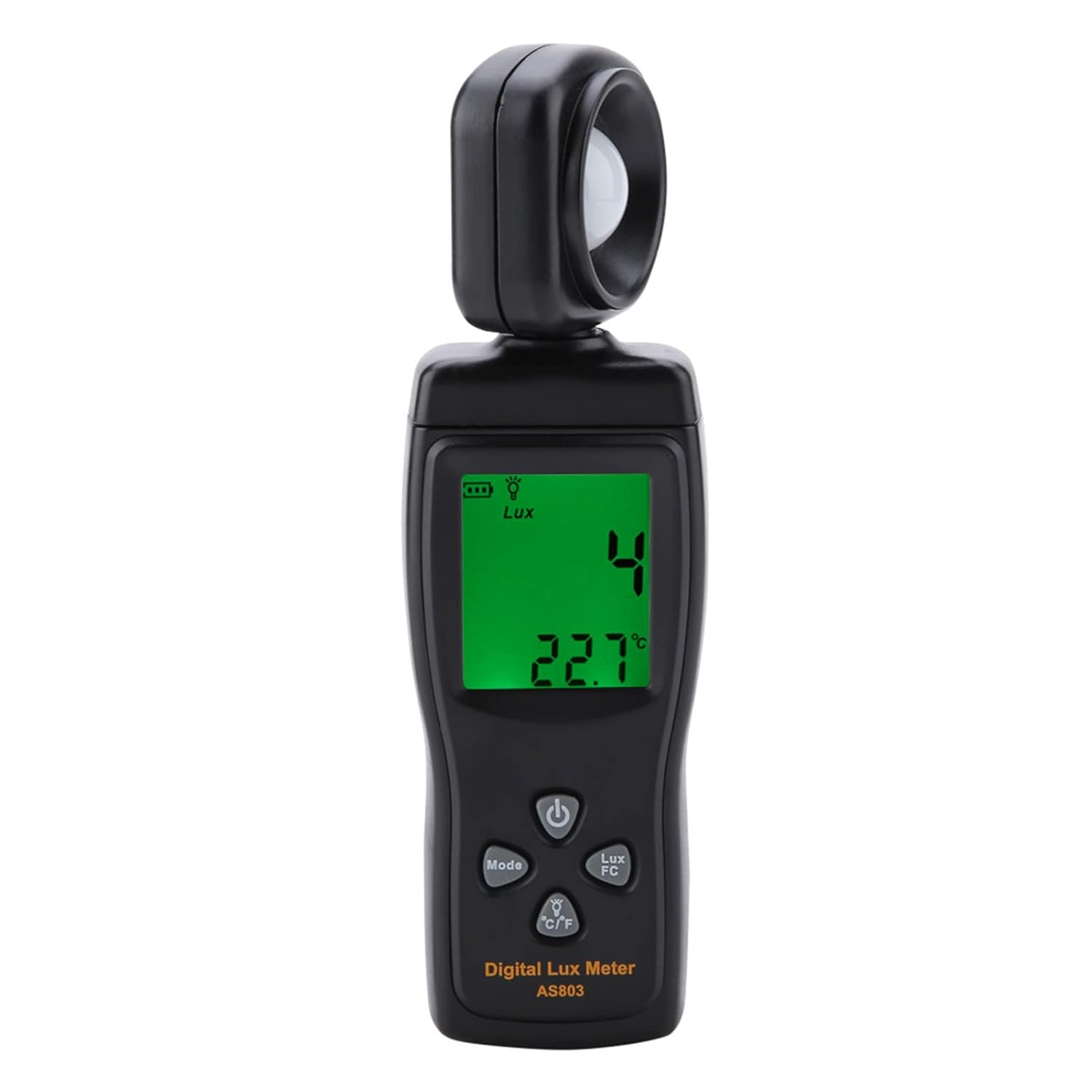
The Eujgoov AS803 Digital Lux Meter is a portable instrument featuring a rotatable illuminance probe and an LCD display with backlight. Key components are identified below:

Figuur 3.1: Voorkant view of the AS803 Digital Lux Meter with labeled components. The image shows the illuminance probe at the top, the LCD display in the middle, and control buttons below it. Labels point to the illuminance probe, LCD display, numerical lock maximum and minimum buttons, backlight control and temperature unit buttons, power switch, and photometric unit conversion key.
- Illuminance Probe: Sensor for detecting light intensity. Can be adjusted 180 degrees.
- LCD-scherm: Shows illuminance readings, temperature, battery status, and unit indicators.
- Aan/uit-schakelaar (⏻): Hiermee schakelt u het apparaat in of uit.
- Modusknop: Activates data hold (MAX/MIN) functions.
- Lux/FC Button: Toggles between Lux and Foot-Candle measurement units.
- °C/°F-toets: Toggles between Celsius and Fahrenheit temperature units and controls backlight.
4. Instellen
4.1 Batterij installatie
The AS803 Lux Meter requires three (3) 1.5V AAA batteries (not included) for operation.
- Zoek het batterijklepje aan de achterkant van het apparaat.
- Schuif het deksel naar beneden om het vak te openen.
- Insert three AAA batteries, ensuring correct polarity (+ and -) as indicated inside the compartment.
- Plaats het batterijklepje terug door het terug te schuiven totdat het goed vastklikt.

Figuur 4.1: Achterkant view of the AS803 Digital Lux Meter with the battery compartment open, showing slots for three AAA batteries.
5. Gebruiksaanwijzing
5.1 In-/uitschakelen
Druk op de ⏻ (Power) button to turn the device on. Press and hold the ⏻ button for approximately 2 seconds to turn the device off. The device also features an automatic shutdown function to conserve battery power.
5.2 Illuminance Measurement (Lux/FC)
- Zet het apparaat aan.
- Point the illuminance probe towards the light source or area you wish to measure.
- The current illuminance reading will be displayed on the LCD screen.
- Druk op de Lux/FC button to switch between Lux and Foot-Candle units. The selected unit will be indicated on the display.
5.3 Temperatuurmeting
The AS803 automatically displays the ambient temperature in real-time. Press the ° C / ° F button to toggle between Celsius (°C) and Fahrenheit (°F) temperature units.
5.4 Achtergrondverlichting
Houd de ° C / ° F button for approximately 2 seconds to turn the LCD backlight on or off. This feature enhances readability in low-light conditions.
5.5 Data Hold (MAX/MIN)
The device can record maximum and minimum illuminance values:
- Druk op de Modus button once to activate the MAX hold function. The display will show "MAX" and the maximum measured value since activation.
- Druk op de Modus button again to activate the MIN hold function. The display will show "MIN" and the minimum measured value since activation.
- Druk op de Modus button a third time to exit the MAX/MIN hold mode and return to real-time measurement.
5.6 Probe Adjustment
The illuminance probe can be rotated up to 180 degrees to the right. This allows for flexible positioning to measure light from various angles without repositioning the entire device.
Figuur 5.1: The AS803 Digital Lux Meter with its illuminance probe rotated 180 degrees, demonstrating its adjustable feature for versatile light measurement.
6. Onderhoud
- Schoonmaak: Use a soft, dry cloth to clean the device. Do not use liquid cleaners or solvents. Ensure the illuminance probe is kept clean and free of dust for accurate readings.
- Opslag: Bewaar het apparaat op een koele, droge plaats, uit de buurt van direct zonlicht en extreme temperaturen.
- Batterij vervangen: When the low battery indicator appears on the display, replace all three AAA batteries promptly to ensure continuous accurate operation.
7. Probleemoplossing
- Apparaat gaat niet aan:
- Controleer of de batterijen correct en met de juiste polariteit zijn geplaatst.
- Vervang oude of lege batterijen door nieuwe.
- Onjuiste metingen:
- Ensure the illuminance probe is clean and unobstructed.
- Verify that the measurement unit (Lux/FC) is set correctly.
- Ensure the device is within its specified operating temperature range.
- Het scherm is donker of leeg:
- Controleer het batterijniveau en vervang het indien het laag is.
- Ensure the backlight is turned on if operating in low light.
8. Specificaties
| Functie | Specificatie |
|---|---|
| Model | AS803 |
| Meetbereik | 0-200,000 Lux |
| Eenheidsselectie | Lux / FC |
| Nauwkeurigheid | ±5% rdg ±10dgts |
| Temperatuurbereik | -10~50°C / 14~122°F |
| Temperatuurresolutie | 0.1°C |
| Sampleng tarief | 2 Times/Sec |
| Herhaalbaarheid van metingen | ±2% |
| Stroomvoorziening | 3 * 1.5V AAA Battery (Not Included) |
| Werktemperatuur | 0-40°C (≤ 80% Rh Without Condensation) |
| Opslagtemperatuur | -10-60°C (≤ 70% Rh Without Condensation) |
| Afmetingen | Approx. 16.3 * 4.7 * 2.5cm / 6.4 * 1.9 * 1.0in |
| Gewicht | Ongeveer 123 g / 4.3 oz |
9. Inhoud van het pakket
The standard package for the Eujgoov AS803 Digital Lux Meter includes:
- 1 x Eujgoov AS803 Digital Lux Meter
- 1 x Rope (Lanyard)
- 1 x Beschermhoes
- 1 x Gebruiksaanwijzing (Dit document)

Figuur 9.1: The AS803 Digital Lux Meter shown with its included rope lanyard and protective sensor cover.
10. Garantie en ondersteuning
For warranty information, technical support, or service inquiries, please refer to the contact information provided by your retailer or visit the official Eujgoov website. Bewaar uw aankoopbewijs als bewijs van aankoop voor garantieclaims.