1. Inleiding
This manual provides essential information for the setup, operation, and maintenance of your iFFALCON 55-Inch Class U85 Series QD-Mini LED 4K UHD Google Smart TV. Please read this manual thoroughly before using your television to ensure proper and safe operation. Keep this manual for future reference.
The iFFALCON U85 Series TV features advanced display technologies including QD-Mini LED for precise lighting, QLED for vibrant colors, 4K UHD resolution, HDR 1000 nits peak brightness, and a 144Hz native refresh rate. It integrates Google TV for smart entertainment and offers enhanced audio with Dolby Atmos and DTS Virtual X. Gaming is optimized with features like 240Hz DLG and FreeSync Premium Pro.
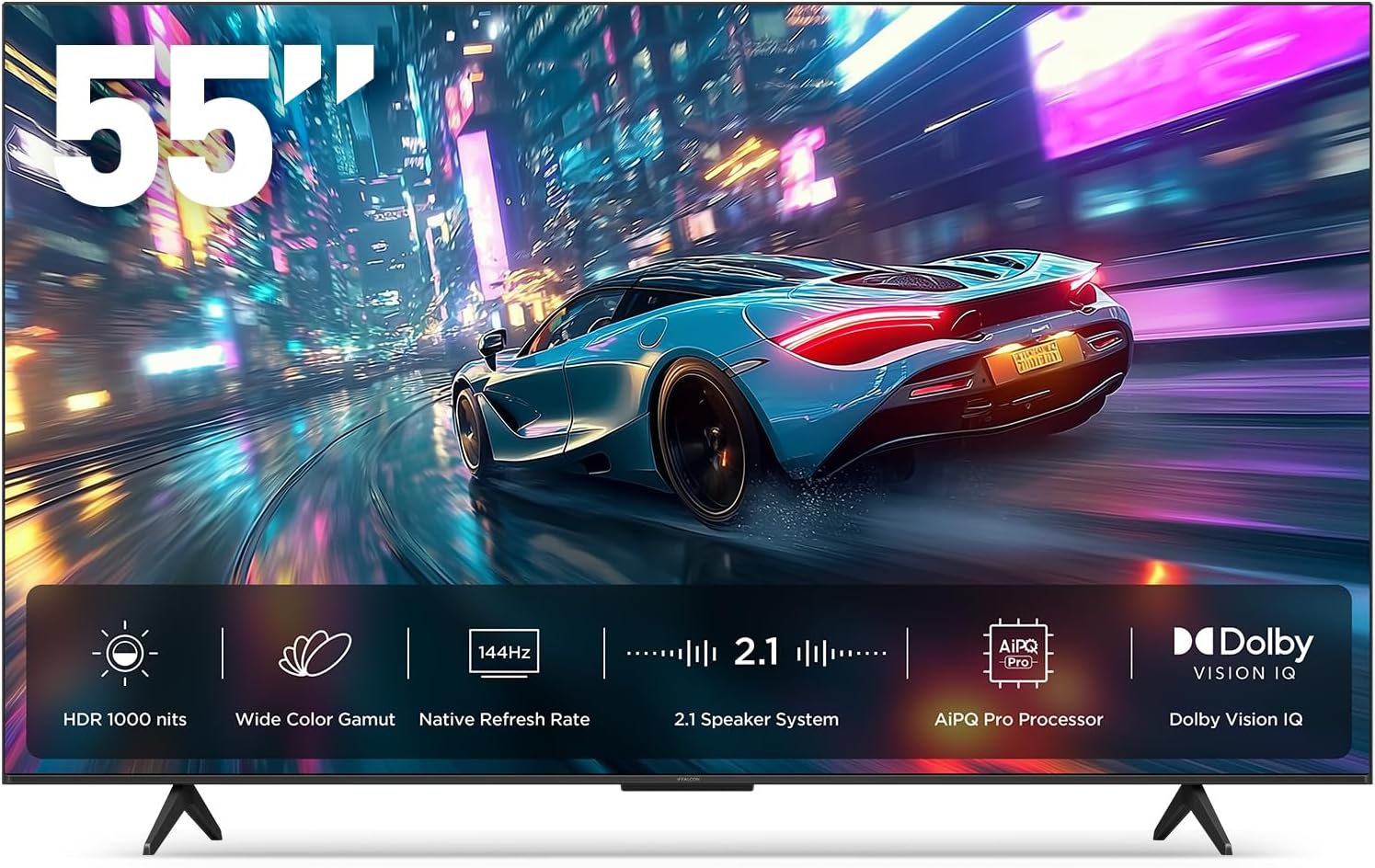
Afbeelding 1.1: Voorkant view of the iFFALCON 55-Inch U85 Series TV, showcasing its display with a vibrant image of a car on a city street.
2. Wat zit er in de doos?
Carefully unpack your television and ensure all items are present. If any items are missing or damaged, contact your retailer.
- Mini led-tv
- Stroomkabel
- 2 x AAA-batterijen voor afstandsbediening
- 6 x standaard schroeven
- Tafelonderstellen (2 stuks)
- 5 x kabelklemmen
- Snelstartgids
- afstandsbediening
3. Instellen
3.1 Fysieke opstelling
Before proceeding, ensure the TV is placed on a stable, flat surface or securely mounted to a wall. Refer to the Quick Start Guide for detailed instructions on attaching the table stands or mounting the TV to a wall bracket (wall mount sold separately).
3.2 Randapparatuur aansluiten
Connect your external devices such as cable boxes, gaming consoles, or Blu-ray players to the TV's HDMI ports. Ensure the power cable is securely connected to the TV and a power outlet.
3.3 Eerste keer inschakelen en Google TV-installatie
- Steek de stroomkabel in een stopcontact.
- Druk op de aan/uit-knop op de afstandsbediening of de tv.
- Volg de instructies op het scherm om de eerste installatie te voltooien, inclusief netwerkverbinding, aanmelden met uw Google-account en het scannen van kanalen.
4. De tv bedienen
4.1 Functies afstandsbediening
The included remote control allows you to navigate menus, adjust volume, change channels, and access smart features. Familiarize yourself with the button layout for optimal use.
4.2 Smart Features: Google TV, Google Assistant, and Alexa
Your iFFALCON U85 TV is equipped with Google TV, providing access to a wide range of streaming services and apps. Use the built-in Google Assistant or connect to an Alexa-enabled device for hands-free voice control.
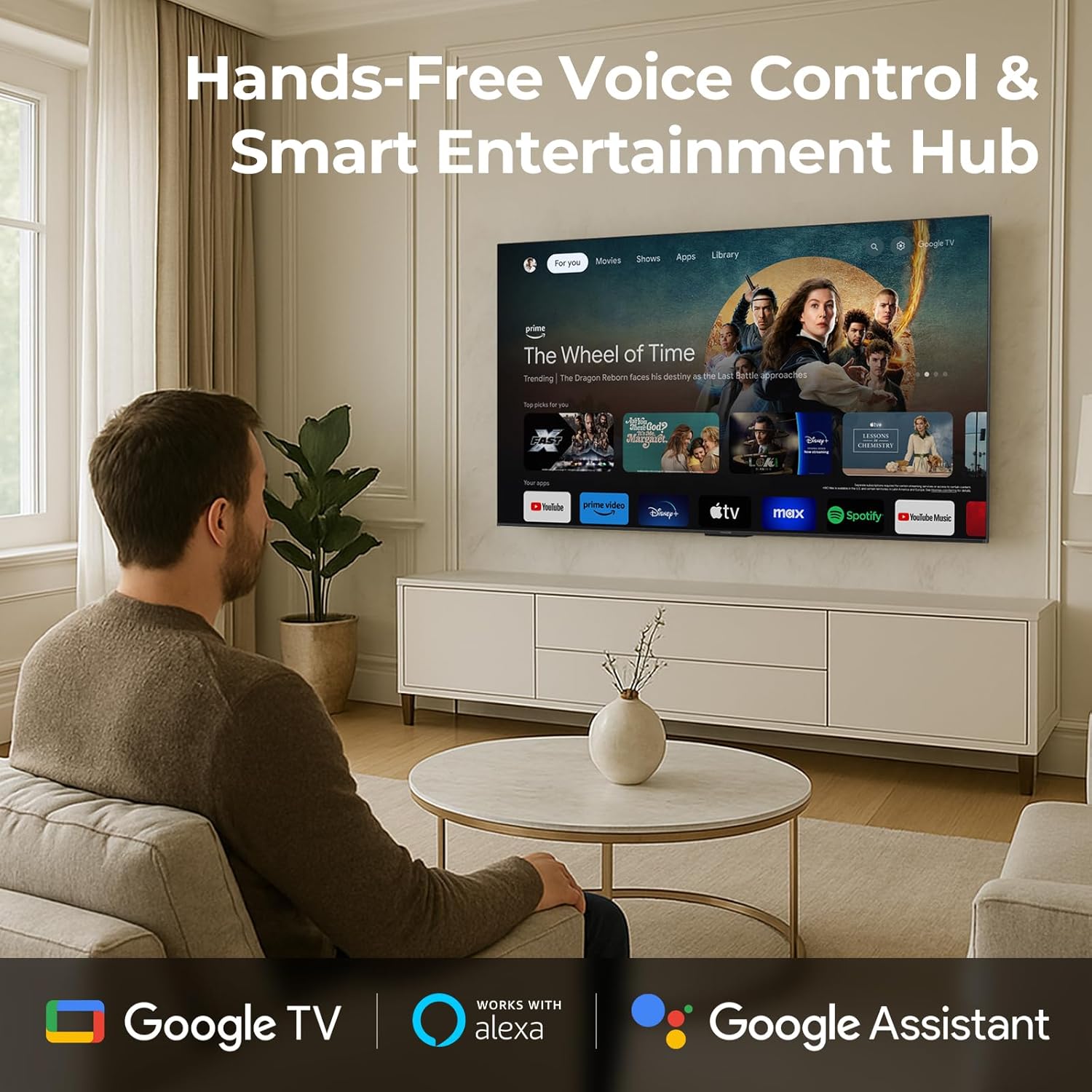
Image 4.1: A man interacting with the iFFALCON TV using voice commands, demonstrating the hands-free control feature.
4.3 Beeldinstellingen en -kwaliteit
The U85 Series TV offers exceptional picture quality through several advanced technologies:
- QD-Mini LED: Provides precise lighting control with up to 144 local dimming zones and 1000 nits peak brightness for bright highlights and deep blacks.
- QLED Wide Color: Quantum Dot technology delivers a 93% DCI-P3 wide color gamut for true-to-life images.
- AiPQ Pro-processor: Optimizes brightness, contrast, and detail in real-time for enhanced visual performance.
- Dolby Visie IQ: Automatically adjusts HDR brightness based on ambient light conditions.
- 6000:1 contrastverhouding: Achieves deep blacks and vibrant colors with enhanced contrast.

Image 4.2: Visual comparison illustrating how Mini-LED technology enhances bright highlights and deep blacks compared to conventional TVs.
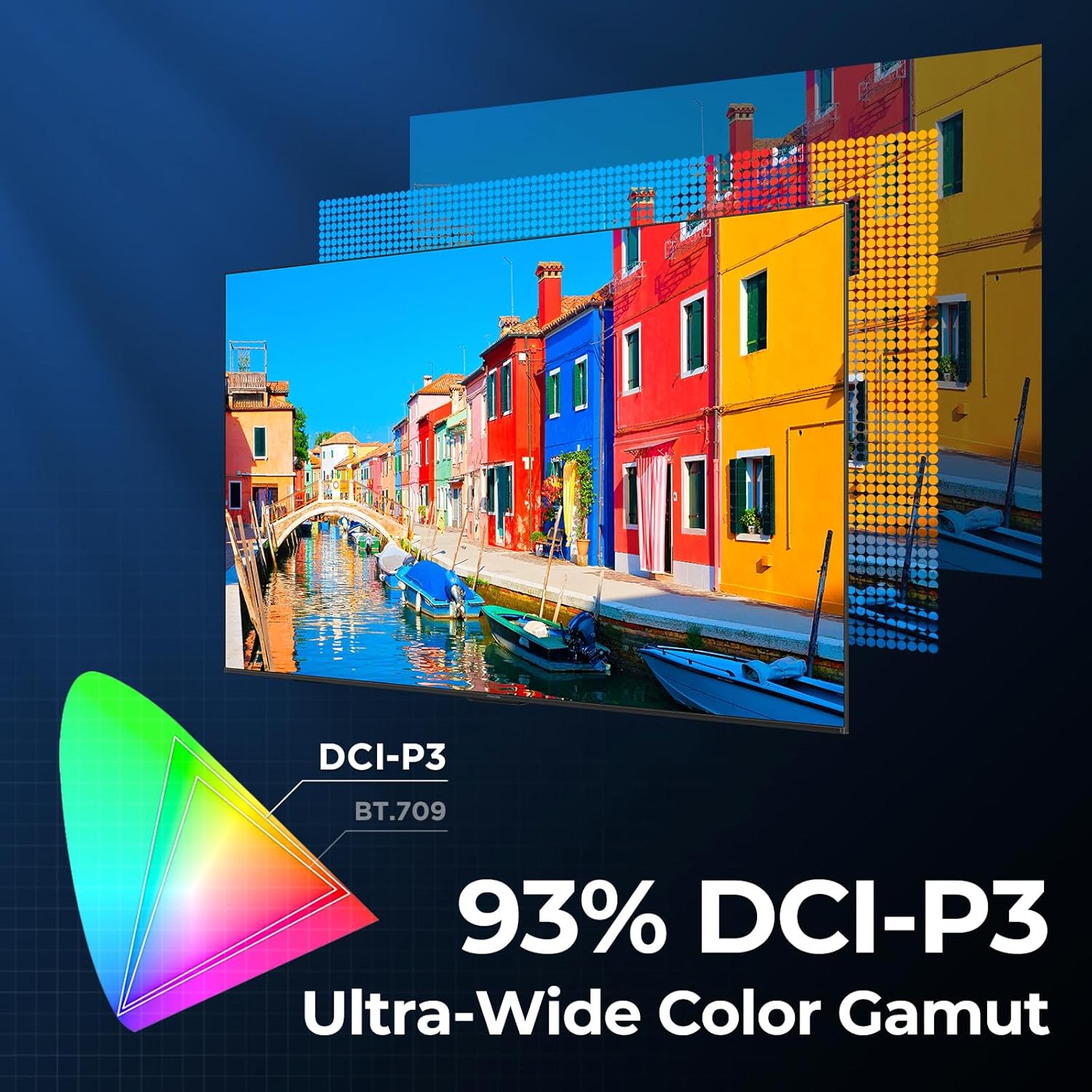
Image 4.3: Diagram showing the 93% DCI-P3 ultra-wide color gamut, indicating the TV's ability to display a broad spectrum of colors.
4.4 Audio Settings and Quality
Experience immersive sound with the TV's integrated audio features:
- 2.1-channel 50W Sound System: Delivers powerful stereo sound with deep bass.
- Dolby Atmos: Biedt multidimensionaal geluid dat om je heen en boven je heen stroomt.
- DTS Virtual X: Creates expansive, room-filling sound with virtual height and surround effects.
- IMAX verbeterd: Optimizes audio and visual performance for a cinematic experience.

Image 4.4: A couple enjoying a movie on the iFFALCON TV, illustrating the immersive audio experience with sound waves emanating from the screen.
4.5 Gamingfuncties
The iFFALCON U85 TV is designed for an optimal gaming experience:
- 4K 144Hz Panel with VRR: Ensures smooth, crystal-clear motion and reduces screen tearing.
- 240Hz DLG Acceleration: Boosts refresh rates for ultra-smooth action.
- FreeSync Premium Pro: Provides tear-free, low-latency HDR gaming.
- Spelmodus en spelbalk: Dedicated settings and on-screen overlay for quick adjustments during gameplay.
- ALLM (Automatische lage latentiemodus): Automatically switches to a low-latency mode for responsive gameplay.

Image 4.5: A gaming console connected to the iFFALCON TV, highlighting the 144Hz refresh rate and other gaming features.
4.6 Oogcomfortfuncties
Voor verlengde viewing comfort, the TV incorporates multiple eye-care technologies:
- Laag blauw licht: Vermindert schadelijke blauwe lichtemissies.
- Flicker Reduction: Minimizes screen flicker for a more comfortable viewervaring.
5. Onderhoud
To ensure the longevity and optimal performance of your iFFALCON U85 TV, follow these maintenance guidelines:
- Het scherm schoonmaken: Veeg het scherm voorzichtig af met een zachte, droge, pluisvrije doek. Bij hardnekkige vlekken lichtjes afnemen.ampReinig de doek met water of een speciale schermreiniger. Vermijd agressieve chemicaliën of schurende materialen.
- Het frame schoonmaken: Gebruik een zachte, droge doek om het tv-frame en de standaard schoon te maken.
- Ventilatie: Zorg voor voldoende ventilatie rondom de tv. Blokkeer de ventilatieopeningen niet.
- Stroomkabel: Controleer het netsnoer regelmatig op eventuele schade. Stop het gebruik als het beschadigd is en neem contact op met de klantenservice.
- Vermijd direct zonlicht: Do not expose the TV to direct sunlight or excessive heat.
6. Probleemoplossing
Als u problemen ondervindt met uw tv, raadpleeg dan de volgende veelvoorkomende oplossingen. Als het probleem aanhoudt, neem dan contact op met de klantenservice.
| Probleem | Mogelijke oorzaak | Oplossing |
|---|---|---|
| Geen stroom | Stroomkabel niet aangesloten; Stopcontact werkt niet | Zorg ervoor dat het netsnoer goed is aangesloten; test het stopcontact met een ander apparaat. |
| Geen beeld, maar wel geluid | Onjuiste ingangsbron; losse HDMI-kabel | Select correct input source; Reconnect HDMI cable securely |
| Geen geluid, maar wel beeld | Volume gedempt of te laag; probleem met extern audioapparaat | Unmute or increase volume; Check connections to external audio devices |
| Afstandsbediening werkt niet | Batterijen leeg; Obstructie tussen afstandsbediening en tv | Vervang de batterijen; verwijder eventuele obstakels. |
| Problemen met de netwerkverbinding | Wi-Fi signal weak; Router issue | Move TV closer to router or use Ethernet; Restart router |
7. Specificaties
| Functie | Detail |
|---|---|
| Merk | iFFALCON |
| Modelnummer | 55U85 |
| Schermgrootte | 55 inch |
| Weergavetechnologie | Mini-LED, QLED |
| Oplossing | 4K UHD |
| Vernieuwingsfrequentie | 120 Hz (Native), 144Hz Game Mode Pro, 240Hz DLG |
| Piekhelderheid | 1000 neten |
| Contrastverhouding | 6000:1 |
| Lokale dimzones | 144 |
| Speciale kenmerken | Dynamic Contrast Enhancer, Eye Comfort Mode, Game Mode, Intelligent Voice Recognition, Local Dimming, Dolby Vision IQ, Dolby Atmos, DTS Virtual X, IMAX Enhanced, Google TV, Google Assistant, Alexa Compatibility, FreeSync Premium Pro, ALLM |
| Connectiviteitstechnologie | Bluetooth wifi |
| Productafmetingen (D x B x H) | 10.8" x 48.3" x 30.2" |
| Artikelgewicht | 27.3 pond |
| Batterijen vereist | 2 AAA-batterijen (voor afstandsbediening) |
8. Garantie en ondersteuning
Your iFFALCON 55-Inch Class U85 Series QD-Mini LED 4K UHD Google Smart TV is covered by a manufacturer's warranty. For specific warranty details and duration, please refer to the warranty card included with your product or visit the official iFFALCON support webplaats.
For technical assistance, troubleshooting beyond this manual, or to inquire about warranty service, please contact iFFALCON customer support. Contact information can typically be found on the manufacturer's website of in de Snelstartgids.
Bewaar uw aankoopbewijs voor garantieclaims.


