1. Inleiding
Thank you for choosing the havit OWS915 Open Ear Headphones. These headphones are designed to provide a comfortable and secure listening experience while maintaining awareness of your surroundings. Featuring Bluetooth 5.4 connectivity, 64 hours of total playtime with the charging case, IPX5 water resistance, and Environmental Noise Cancellation (ENC) for clear calls, the OWS915 is suitable for various activities.
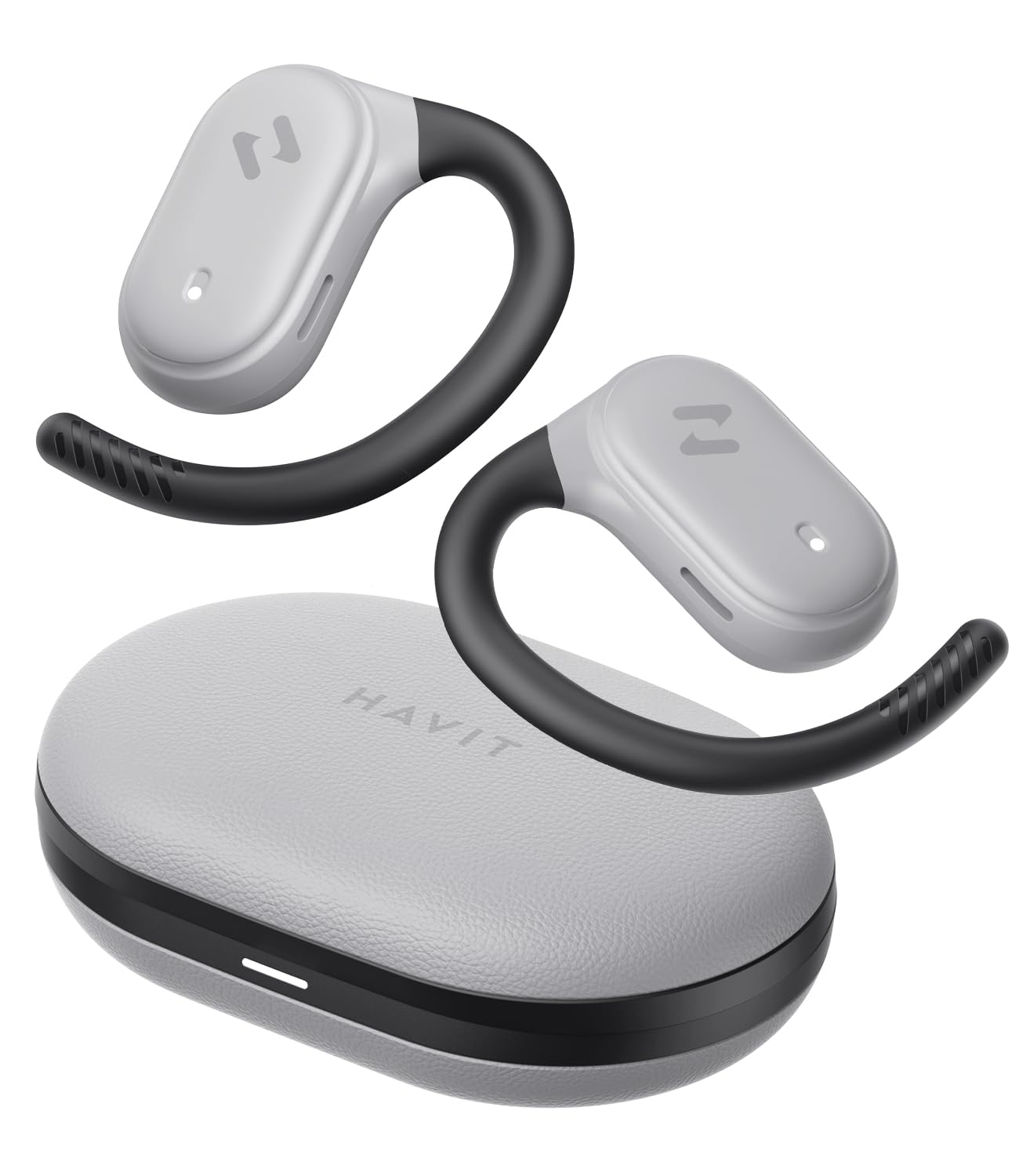
Image: havit OWS915 Open Ear Headphones and their charging case, showcasing het ontwerp van het product.
2. Wat zit er in de doos?
- havit OWS915 Open Ear Headphones (Left and Right)
- Oplaadcase
- USB-C-oplaadkabel
- Gebruiksaanwijzing

Image: A visual representation of all items included in the havit OWS915 product packaging.
3. Draaginstructies
For optimal comfort and sound quality, ensure the headphones are worn correctly.
- Open de oplaadcassette en verwijder de oordopjes.
- Place the earhook over the top of your ear.
- Adjust the earbud so that the speaker rests comfortably outside your ear canal, directing sound towards your ear.

Image: A three-step visual guide demonstrating the proper way to position the open-ear headphones on the ear.
4. Instellen
4.1 Eerste koppeling
- Zorg ervoor dat de hoofdtelefoon is opgeladen.
- Open de oplaadcase. De oordopjes gaan automatisch in de koppelingsmodus, wat wordt aangegeven door een knipperend ledlampje.
- Schakel Bluetooth in op uw apparaat (smartphone, tablet, computer) en zoek naar beschikbare apparaten.
- Select "havit OWS915" from the list of devices.
- Zodra de verbinding tot stand is gebracht, stopt het LED-lampje op de oordopjes met knipperen.
4.2 De hoofdtelefoon en het hoesje opladen
The headphones provide up to 8.5 hours of playtime on a single charge, with the charging case extending this to a total of 64 hours.
- Oordopjes opladen: Plaats de oordopjes in het oplaadhoesje. Ze beginnen automatisch met opladen. De indicatielampjes op de oordopjes geven de laadstatus aan.
- Oplaadcase: Connect the provided USB-C cable to the charging port on the case and to a power source. The indicator light on the case will show charging progress.

Image: The havit OWS915 headphones in their charging case, highlighting the 8.5 hours of playtime per charge and 64 hours total with the case.
5. Gebruiksaanwijzing
5.1 Aanraakbediening
The havit OWS915 headphones feature intuitive touch controls on each earbud.
| Functie | Actie |
|---|---|
| Afspelen/Pauzeren | Tik twee keer op een van de oordopjes |
| Vorig lied | Touch and hold left earbud for 1 second |
| Volgende liedje | Touch and hold right earbud for 1 second |
| Oproep beantwoorden/beëindigen | Tik twee keer op een van de oordopjes |
| Oproep afwijzen | Touch and hold either earbud for 1 second |
| Spraakassistent | Tik drie keer op het linkeroordopje |
| Spelmodus/Muziekmodus | Tik drie keer op het rechteroordopje |

Image: A visual guide detailing the various touch control functions on the havit OWS915 earbuds.
5.2 HAVIT LIFE APP
Enhance your listening experience by downloading the HAVIT LIFE APP. The app allows you to:
- Customize EQ settings to match your audio preferences.
- Adjust touch control functions.
- Monitor headphone battery levels.
- Switch between game and music modes.

Image: Screenshots of the HAVIT LIFE APP, demonstrating options for equalizer settings and other customizations.
6. Functies en technologie
6.1 Open-Ear Design and Comfort
The OWS915 headphones feature an open-ear design with lightweight (7.9 grams) and soft TPU materials, ensuring a comfortable and secure fit for extended wear without fatigue. This design allows you to remain aware of your surroundings.

Image: A person wearing the havit OWS915 headphones, illustrating the comfortable and secure open-ear design.
6.2 Powerful Sound Performance
Equipped with advanced 14.2mm dynamic drivers and bass enhancement technology, these headphones deliver rich bass and vibrant 3D surround sound for an immersive audio experience.

Image: An illustration of the 14.2mm dynamic drivers, highlighting their role in delivering powerful bass.
6.3 Crystal Clear Calls with 4-Microphone ENC
The integrated 4-microphone Environmental Noise Cancellation (ENC) technology ensures your voice is transmitted clearly during calls, even in noisy environments.
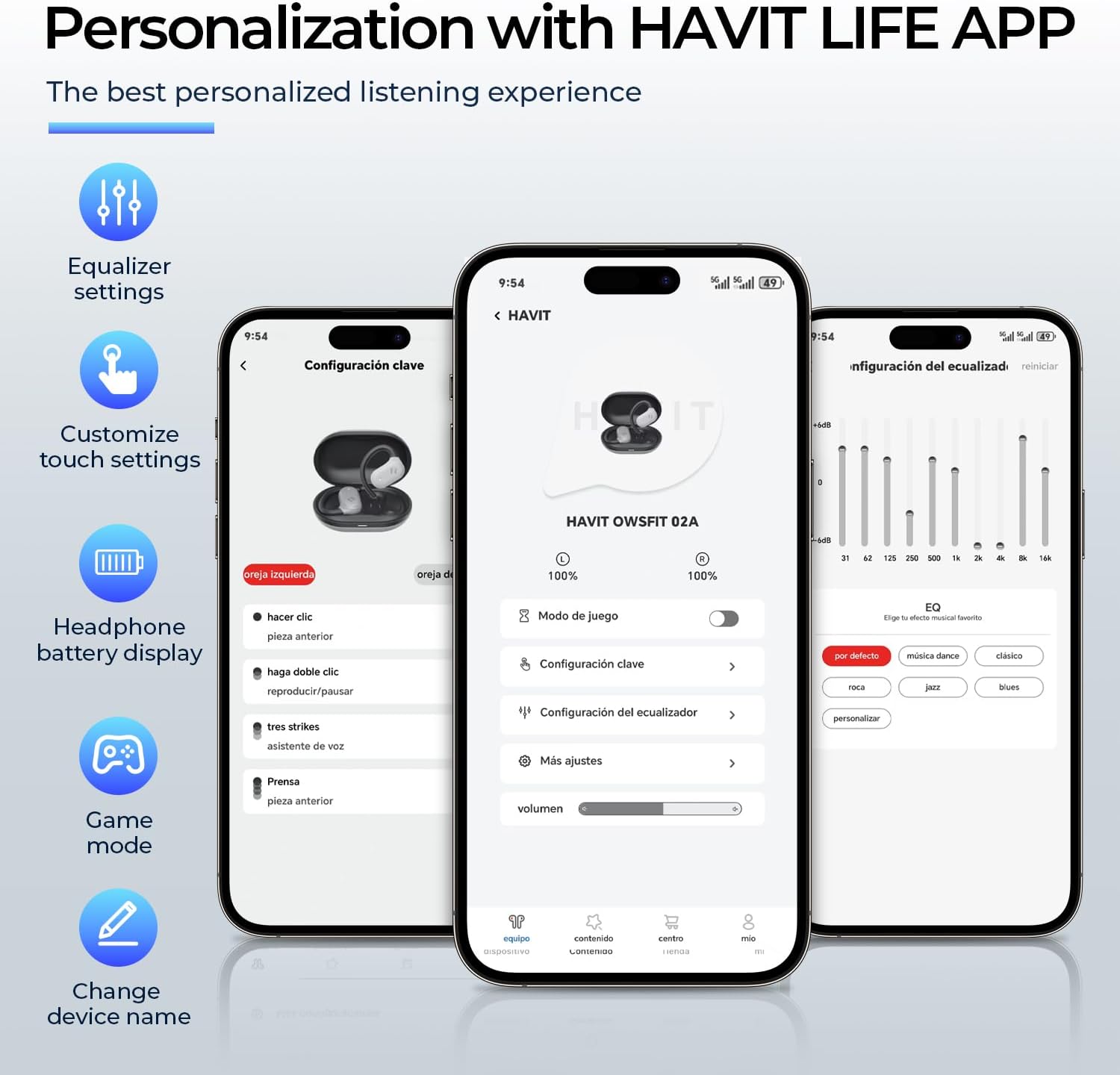
Image: A person using the havit OWS915 headphones for a call, illustrating the clear communication provided by 4-microphone ENC technology.
6.4 Cutting-Edge Directional Audio Technology
Innovative directional audio technology provides precise sound placement, minimizing sound leakage while improving bass quality. This allows you to enjoy your audio without disturbing others and without compromising your awareness.

Image: A visual representation of the directional audio technology, showing sound waves directed towards the ear with minimal leakage.
6.5 IPX5 waterbestendigheid
With an IPX5 rating, the OWS915 headphones are resistant to sweat and splashes, making them suitable for workouts, outdoor activities, and light rain.
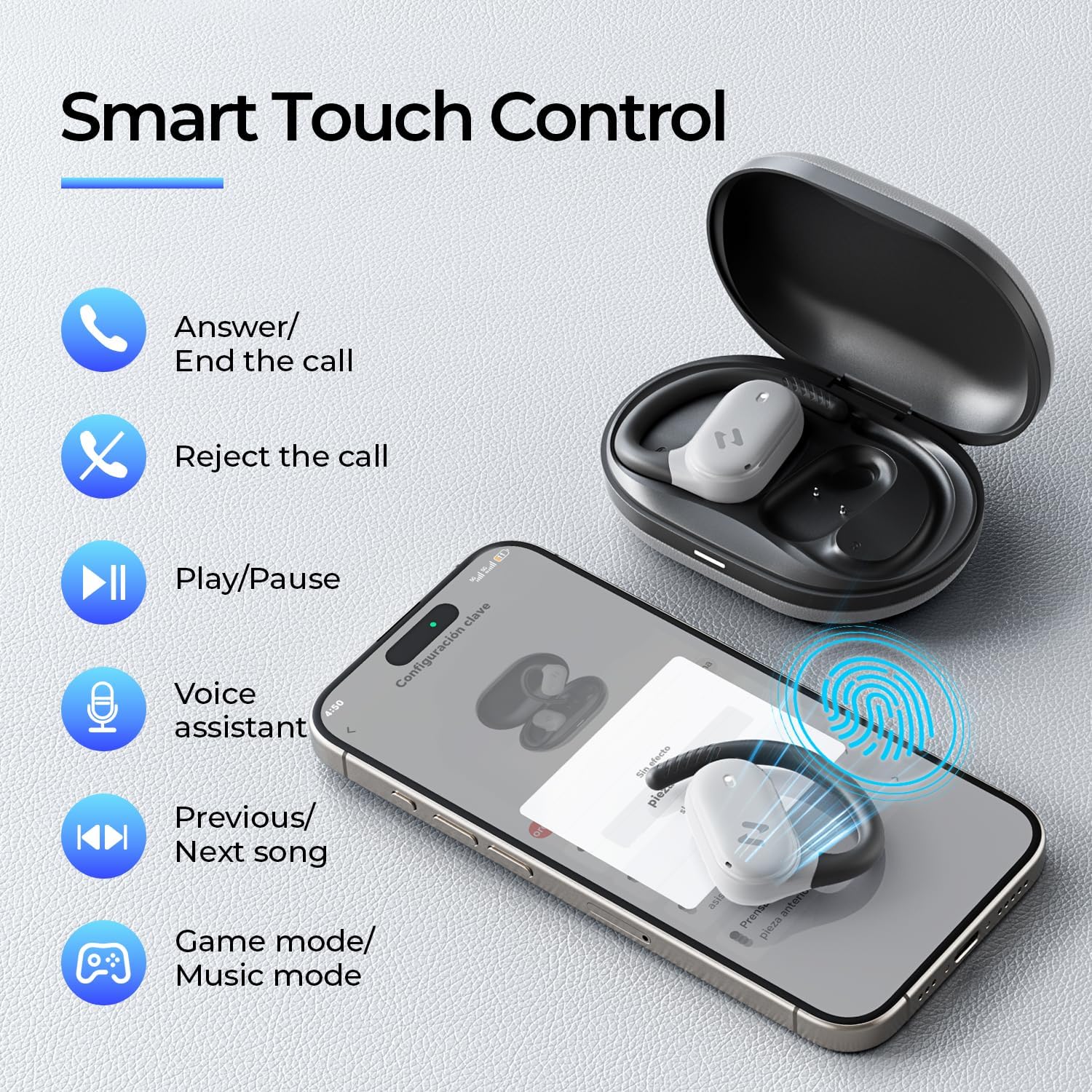
Image: The havit OWS915 headphones partially submerged in water, demonstrating their IPX5 water and sweat resistance.
7. Onderhoud
- Schoonmaak: Veeg de oordopjes en de oplaadcase regelmatig schoon met een zachte, droge doek. Gebruik geen schurende materialen of agressieve chemicaliën.
- Blootstelling aan water: While IPX5 rated, avoid submerging the headphones in water. If exposed to sweat or splashes, wipe them dry before placing them back in the charging case.
- Opslag: Store the headphones in their charging case when not in use to protect them and ensure they remain charged.
- batterij zorg: To prolong battery life, avoid fully discharging the headphones or charging case frequently. Charge them regularly.
8. Probleemoplossing
- Geen stroom: Zorg ervoor dat de oordopjes en het oplaadhoesje volledig zijn opgeladen.
- Koppelingsfout:
- Zorg ervoor dat Bluetooth op uw apparaat is ingeschakeld.
- Ensure the earbuds are in pairing mode (flashing LED).
- Schakel Bluetooth uit op andere apparaten in de buurt die mogelijk verbinding proberen te maken.
- Try resetting the earbuds (refer to the full manual for specific reset instructions if needed).
- Geen geluid:
- Controleer het volumeniveau op zowel uw apparaat als de hoofdtelefoon.
- Zorg ervoor dat de hoofdtelefoon goed op uw apparaat is aangesloten.
- Probeer audio af te spelen vanaf een andere toepassing of bron.
- Slechte gesprekskwaliteit:
- Zorg ervoor dat de microfoons niet geblokkeerd worden.
- Ga naar een plek met minder achtergrondgeluid.
- Controleer de netwerkverbinding van uw apparaat.
9. Specificaties
| Functie | Specificatie |
|---|---|
| Modelnaam | OWS915 |
| Connectiviteitstechnologie | Draadloos (Bluetooth 5.4) |
| Bluetooth-bereik | 10 meter |
| Batterijduur (oordopjes) | 8.5 uur (één keer opladen) |
| Totale speeltijd (met koffer) | 64 uur |
| Waterbestendigheidsniveau | IPX5 (waterdicht) |
| Audiodrivergrootte | 14.2 millimeter |
| Controlemethode | App, aanraken |
| Meegeleverde componenten | Microfoon |
| Gewicht van het artikel (oordopjes) | 7.9 gram (elk) |
| Gewicht van de draagtas | 77.8 gram |
| Materiaal | PC + ABS + TPU |
| Frequentierespons | 20 kHz |
| Gevoeligheid | 118dB |
| Impedantie | 32 Ohm |
10. Videogids
Bekijk deze officiële video voor een visuele impressie.view of the havit OWS915 Open Ear Headphones.
Video: An official product video from HAVIT Direct showcasing the havit OWS915 Open Ear Headphones, including their design and features.
11. Garantie en ondersteuning
havit products come with a standard warranty. For detailed warranty information, technical support, or customer service inquiries, please refer to the warranty card included in your product packaging or visit the official havit webU kunt ook rechtstreeks contact opnemen met de verkoper voor hulp.
Online hulp: www.havit.com/support


