1. Inleiding
Thank you for choosing the Hama Ultimate Pro Portable Bluetooth Speaker. This manual provides essential information for the safe and efficient use of your device. Please read it carefully before use and keep it for future reference.
Inhoud van het pakket:
- 1x Hama Ultimate Pro Portable Bluetooth Speaker
- 1x USB-C oplaadkabel
- 1x Carrying Strap
- 1x Gebruiksaanwijzing
2. Veiligheidsinstructies
- Do not open the device. Incorrect assembly can lead to electric shock, fire, or damage.
- Keep the device away from extreme temperatures, direct sunlight, and humidity.
- This speaker is rated IPX6, meaning it is protected against strong continuous rain and splashing water. Do not submerge the speaker in water.
- Gebruik uitsluitend de meegeleverde USB-C-kabel om op te laden.
- Gebruik het apparaat niet als het zichtbaar beschadigd is.
- Protect the battery from overheating.
3. Product voorbijview
Familiarize yourself with the speaker's features and connections.

The Hama Ultimate Pro speaker highlights its key features: 24-hour battery life, IPX6 waterproof rating, Bluetooth connectivity, and 120W sound output.
Configuratiescherm:

Gedetailleerd view of the speaker's top control panel, showing buttons for power, volume adjustment, play/pause, mode selection, and equalizer settings.
- Aan/uit-knop: Press and hold to turn on/off. Short press to check battery status.
- Volume verminderen (-): Volume verlagen.
- Afspelen/Pauzeren-knop: Audio afspelen of pauzeren.
- Volume omhoog (+): Verhoog het volume.
- Modusknop (M): Schakel tussen ingangsmodi (Bluetooth, AUX, USB).
- Equalizer Button (EQ): Cycle through equalizer presets (Bass Sound, Power Sound, Balanced Sound).
Poorten en aansluitingen:

The speaker's rear port panel includes a USB-C charging port, a USB-A port for external devices, a reset button, and a 6.3mm jack input.
- USB-C-poort: For charging the speaker and for Power Bank output.
- USB-A-poort: For playing music from USB storage devices or for Power Bank output.
- AUX-ingang (3.5 mm-aansluiting): Voor het aansluiten van externe audioapparaten via een 3.5 mm audiokabel.
- Microphone/Guitar Input (6.3mm Jack): Voor het aansluiten van een microfoon of gitaar.
- Resetknop: Use a thin object to press and reset the speaker if needed.
4. Instellen
4.1 De luidspreker opladen
- Connect the supplied USB-C charging cable to the USB-C port on the speaker.
- Connect the other end of the USB-C cable to a suitable USB power adapter (not included). A 30W charger is recommended for fast charging.
- The charging indicator will show the charging status. The speaker is fully charged in approximately 2.5 hours.
4.2 In-/uitschakelen
- To turn on: Press and hold the Power button for a few seconds until you hear an audible prompt.
- To turn off: Press and hold the Power button for a few seconds until you hear an audible prompt.
4.3 Bluetooth-koppeling
- Ensure the speaker is powered on and in Bluetooth mode (indicated by a flashing blue LED). If not, press the Mode button (M) to switch to Bluetooth mode.
- Schakel Bluetooth in op uw apparaat (smartphone, tablet, laptop) en zoek naar beschikbare apparaten.
- Select "Hama Ultimate Pro" from the list of devices.
- Zodra de apparaten gekoppeld zijn, zal de led-indicator continu blauw branden en hoort u een bevestigingsgeluid.
4.4 Aansluiten via AUX-ingang
- Sluit het ene uiteinde van een 3.5 mm audiokabel (niet meegeleverd) aan op de AUX-ingangspoort van de luidspreker.
- Sluit het andere uiteinde aan op de audio-uitgang van uw externe apparaat.
- Press the Mode button (M) on the speaker to switch to AUX mode.
4.5 Connecting USB Storage
- Plaats een USB-stick met audio fileSluit de kabel aan op de USB-A-poort van de luidspreker.
- Press the Mode button (M) to switch to USB mode. The speaker will automatically begin playing audio from the USB drive.
4.6 Connecting Microphone or Guitar
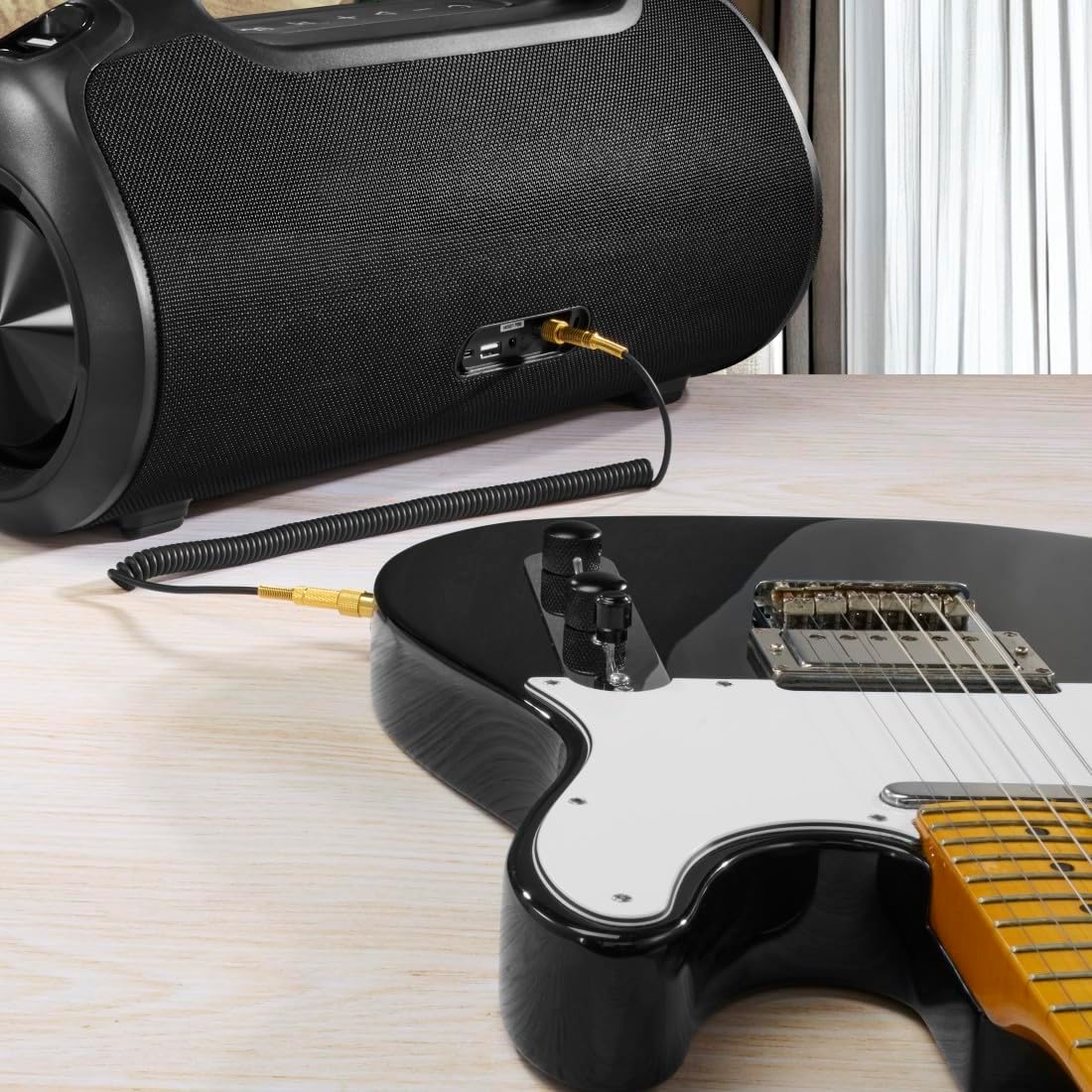
The speaker can be used as an amplifier by connecting an electric guitar via its 6.3mm jack input.
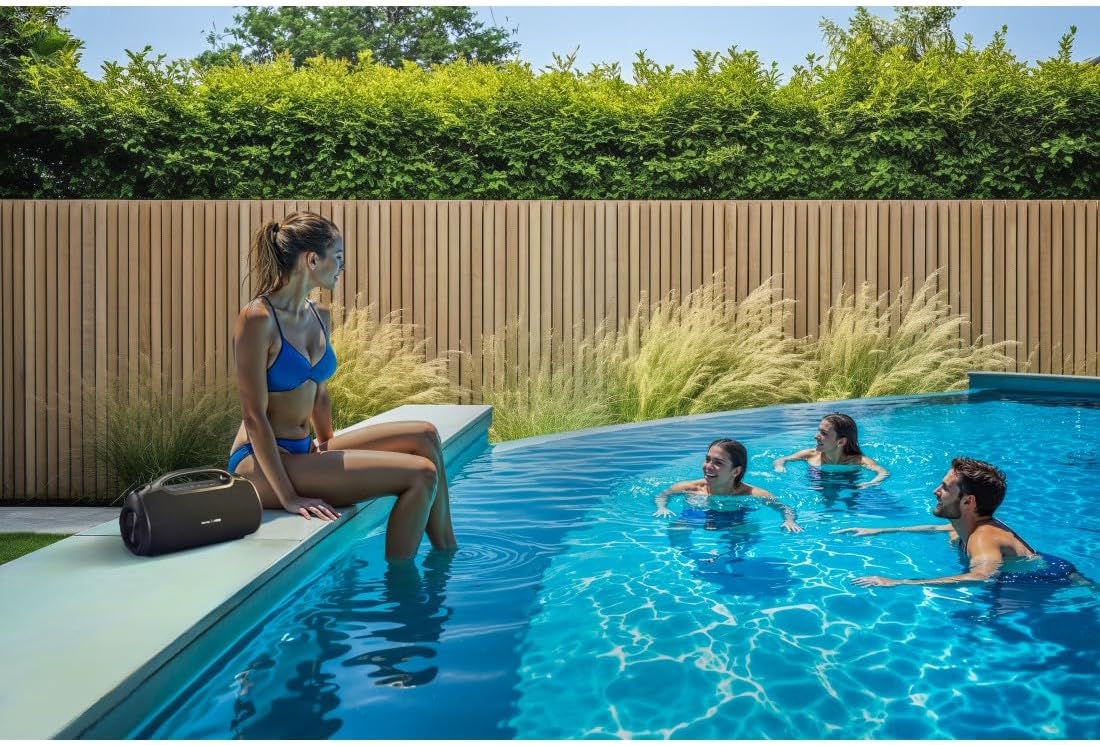
A microphone can be connected to the speaker's 6.3mm jack input for karaoke or public speaking.
- Connect your microphone or guitar to the 6.3mm jack input on the speaker.
- Adjust the volume on your connected device and the speaker as needed.
4.7 True Wireless Stereo (TWS)-koppeling
The Hama Ultimate Pro supports TWS for connecting two speakers for a stereo sound experience. Refer to the specific TWS pairing instructions in the full manual if available, as this feature typically involves pressing a dedicated TWS button on both speakers simultaneously.
5. De luidspreker bedienen
5.1 Basisbediening voor afspelen
- Afspelen/Pauzeren: Druk kort op de knop Afspelen/Pauze.
- Volume omhoog: Druk kort op de knop Volume omhoog (+).
- Volume verminderen: Druk kort op de knop Volume omlaag (-).
- Volgende nummer: Druk lang op de knop Volume omhoog (+).
- Vorig nummer: Druk lang op de knop Volume omlaag (-).
5.2 Equalizer-modi
The speaker offers three distinct equalizer modes to optimize your listening experience:
- basgeluid: Versterkt de lage frequenties voor een diepere basweergave.
- Power Sound: Provides a balanced, powerful sound profile.
- Evenwichtig geluid: Offers a neutral and clear audio output.
To switch between modes, short press the EQ button on the control panel.
5.3 Hama Smart Home App Control

The Hama Smart Home app allows for convenient control and customization of the speaker, including battery status and sound settings.
Download the "Hama Smart Home" app from your device's app store to access additional features:
- Custom equalizer settings.
- Change the speaker's name.
- View precise battery status in percentage.
- Remote control of playback and settings.
5.4 Powerbankfunctie

The speaker's integrated power bank allows you to charge external devices like smartphones via its USB-C or USB-A ports.
The Hama Ultimate Pro speaker features an integrated power bank function, allowing you to charge other devices:
- Connect your smartphone, tablet, or other USB-powered device to the USB-C or USB-A port on the speaker using a compatible charging cable.
- De interne batterij van de luidspreker begint met het opladen van uw aangesloten apparaat.
6. Onderhoud
6.1 Reinigen
The speaker has a resistant and washable surface. To clean:
- Ensure the speaker is turned off and all cables are disconnected.
- Gebruik een zachte, damp cloth to wipe the surface. Do not use harsh cleaning agents or solvents.
- Bij hardnekkig vuil kan een milde zeepoplossing worden gebruikt, waarna met een schone doek wordt afgenomen.amp lap.
- Allow the speaker to dry completely before use.
6.2 Opslag
- Bewaar de luidspreker op een koele, droge plaats, uit de buurt van direct zonlicht en extreme temperaturen.
- Als u de batterij voor een langere periode opbergt, laadt u deze elke paar maanden op tot ongeveer 50% om de batterij in goede conditie te houden.
6.3 Batterijonderhoud
- Zorg ervoor dat de batterij niet te vaak volledig ontladen wordt.
- Stel de batterij niet bloot aan warmtebronnen of direct vuur.
- Gooi batterijen weg volgens de plaatselijke voorschriften.
7. Probleemoplossing
Als u problemen ondervindt met uw luidspreker, raadpleeg dan de volgende veelvoorkomende oplossingen:
- Geen stroom: Zorg ervoor dat de luidspreker is opgeladen. Sluit hem aan op een stroombron met behulp van de USB-C-kabel.
- Kan niet koppelen via Bluetooth:
- Zorg ervoor dat de luidspreker in de Bluetooth-koppelingsmodus staat (knipperend blauw LED-lampje).
- Zorg ervoor dat Bluetooth is ingeschakeld op uw apparaat en dat het zich binnen 10 meter van de luidspreker bevindt.
- Verwijder de speaker uit de Bluetooth-lijst van je apparaat en probeer opnieuw te koppelen.
- Start zowel de luidspreker als uw apparaat opnieuw op.
- Geen geluid:
- Controleer het volume op zowel de luidspreker als het aangesloten apparaat.
- Ensure the correct input mode (Bluetooth, AUX, USB) is selected on the speaker.
- Als u AUX gebruikt, controleer dan of de kabel goed is aangesloten en werkt.
- Problemen met opladen:
- Verify the USB-C cable is not damaged and is properly connected.
- Probeer een andere USB-stroomadapter.
- Speaker Unresponsive: If the speaker becomes unresponsive, use a thin object (like a paperclip) to press the Reset button located on the port panel.
8. Specificaties

Physical dimensions of the Hama Ultimate Pro speaker for reference.
| Modelnummer | 00188232 |
| Merk | Hama |
| Kleur | Zwart |
| Connectiviteitstechnologie | Bluetooth 5.3 |
| Max bereik | 10 meter |
| Audiosysteem | Stereo |
| Max Music Power | 120 W |
| Batterijtype | Geïntegreerde lithium-ion |
| Batterijcapaciteit | 4500mAh |
| Batterijvolumetage | 11.4V |
| Batterijvermogen | 51.3 Wh |
| Maximale batterijduur | 24 uur |
| Oplaadtijd | Ongeveer 2.5 uur |
| USB PD-ondersteuning | Ja |
| IP-classificatie | IPX6 (Protection against strong continuous rain) |
| Afmetingen (L x B x H) | 46.5x19.2x25.4cm |
| Gewicht | 5200 gram (5.2 kg) |
| Compatibele apparaten | MP3 Player, Personal Computer, Smartphone, Tablet, Television |
9. Garantie
Hama GmbH & Co KG provides a warranty for this product. Please refer to the warranty card included in your package or visit the official Hama website voor gedetailleerde garantievoorwaarden die specifiek zijn voor uw regio.
10. Ondersteuning
For technical support, troubleshooting assistance, or further inquiries, please contact Hama customer service. Contact details can typically be found on the official Hama webwebsite of op de productverpakking.
You can also visit the Hama webWebsite met veelgestelde vragen en aanvullende productinformatie: www.hama.com


