1. Inleiding
This manual provides detailed instructions for the safe and effective operation of the Eujgoov DC Voltage Regulator, Model XY-6509. This device is designed for precise voltage and current regulation, featuring a digital display, MPPT solar charging capabilities, and a wide input/output range, making it suitable for various electronics projects and laboratory applications.
2. Veiligheidsinformatie
- Always ensure proper ventilation around the device to prevent overheating.
- Overschrijd het opgegeven ingangsvolume niettage or output current limits. Refer to the Specifications section.
- Ensure all connections are secure before applying power. Loose connections can cause arcing or damage.
- Vermijd contact met interne componenten wanneer het apparaat is ingeschakeld.
- Houd het apparaat uit de buurt van vocht, stof en extreme temperaturen.
- In case of malfunction, disconnect power immediately and consult the troubleshooting guide or contact support.
3. Product voorbijview
The Eujgoov XY-6509 is a versatile DC voltage regulator with a clear digital display and intuitive controls. Key features include:
- Breed ingangsvolumetage range (12.00-72.00V) and adjustable output voltage (0-65.00 V).
- Maximum output current of 9A and power of 585W.
- Digital display showing input/output voltage, current, temperature, power, energy capacity, runtime, and curves.
- Easy setting of voltage en stroomlimieten.
- High conversion efficiency (up to 95%).
- Supports MPPT solar charging technology.
- Includes a buzzer and gradual start-up capability.
3.1. Componentidentificatie

This image displays the front panel of the XY-6509, highlighting the multi-color digital display, control buttons (VSET, SW, ISET), the rotary encoder for adjustments, and the output terminals (red for positive, black for negative).

This image shows the rear panel of the XY-6509, featuring the various input options including an XT60 connector (IN), a USB-C PD port, a DC barrel jack, and screw terminals for power input, along with the cooling fan.
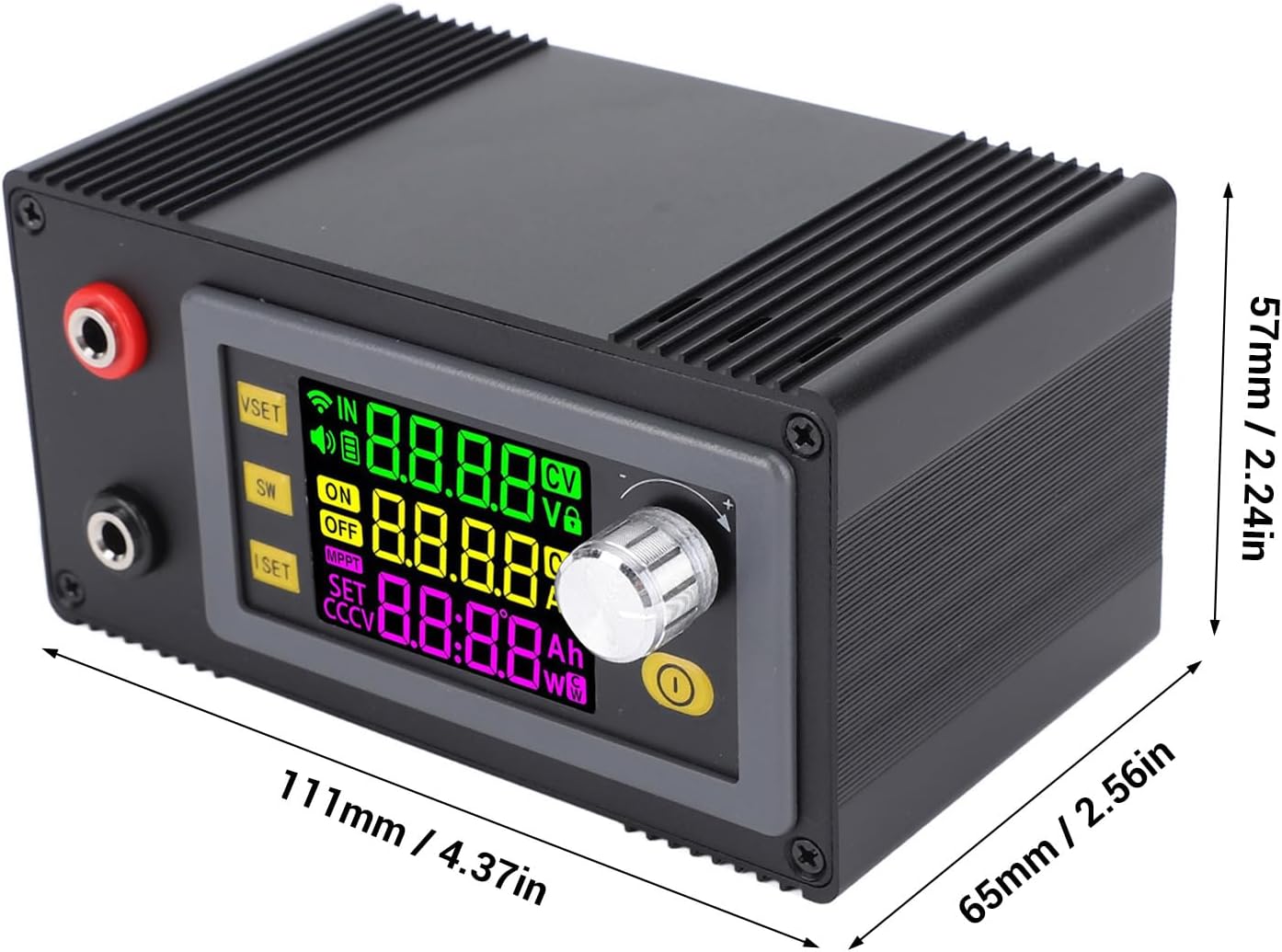
This image illustrates the physical dimensions of the XY-6509, indicating a length of 111mm (4.37in), a width of 65mm (2.56in), and a height of 57mm (2.24in).
Bedieningselementen op het voorpaneel:
- VSET-knop: Used to set the output voltage.
- SW-knop: Toggles the output ON/OFF and switches display modes.
- ISET-knop: Used to set the output current limit.
- Roterende encoder: Adjusts values when setting voltage or current, and navigates menus. Pressing it confirms selections.
- Uitgangsklemmen: Red (+) and Black (-) terminals for connecting the load.
Aansluitingen op het achterpaneel:
- IN (XT60 Connector): Main input for high-current power sources.
- PD (USB-C Port): Power Delivery input for compatible USB-C power sources.
- DC (Barrel Jack): Standard DC barrel jack input.
- Schroefklemmen: Alternative input terminals for bare wire connections.
- Koelventilator: Wordt automatisch geactiveerd om warmte af te voeren tijdens gebruik.
4. Specificaties
| Parameter | Waarde |
|---|---|
| Model | XY-6509 |
| Ingangsvolumetage | 12.00V - 72.00V DC |
| Uitgangsvolumetage | 0 - 65.00V DC |
| Uitgangsstroom | 0 - 9.000A |
| Uitgangsvermogen | 585 W (maximaal) |
| Deeltage Nauwkeurigheid | ±0.5% + 1 cijfer |
| Huidige nauwkeurigheid | ± 0.5% + 3 cijfers |
| Deeltage Resolutie | 0.01V |
| Huidige resolutie | 0.001A |
| Conversie-efficiëntie | Ongeveer 95% |
| Screen Visible Area | Approx. 38x29mm (1.50x1.14in) |
| Data Storage Groups | 10 |
| Zoemer | Ja |
| Gentle Ramp-Omhoog | Ja |
| MPPT-functie | Ondersteunt MPPT-zonneladen |
| Output Ripplewave (Typical) | Vpp-150mV |
| Artikelgewicht | 12.6 ons |
| Pakket afmetingen | 5.91 x 4.33 x 2.76 inch |
5. Instellen
- Power Input Connection:
- Choose an appropriate power source within the 12.00V to 72.00V DC range.
- Connect the power source to one of the input ports on the rear panel (XT60, USB-C PD, DC barrel jack, or screw terminals). Ensure correct polarity for DC connections.
- For solar charging, connect the solar panel to the input, ensuring its voltage ligt binnen het opgegeven bereik.
- Load Output Connection:
- Connect your load to the output terminals on the front panel. The red terminal is positive (+), and the black terminal is negative (-).
- Ensure the load's voltage and current requirements are within the regulator's output capabilities.
- Eerste keer inschakelen:
- Once input and output are securely connected, apply power to the input. The digital display should illuminate.
- The device will typically power on with the output OFF. Press the SW button to toggle the output ON.
6. Gebruiksaanwijzing
6.1. Uitgangsvol. instellentage (VSET)
- Druk op de VSET knop. Het volumetage display will start blinking.
- Draai de Roterende encoder clockwise to increase the voltage or counter-clockwise to decrease it.
- Druk op de Roterende encoder to confirm the setting. The display will stop blinking.
6.2. Setting Output Current Limit (ISET)
- Druk op de ISET button. The current display will start blinking.
- Draai de Roterende encoder clockwise to increase the current limit or counter-clockwise to decrease it.
- Druk op de Roterende encoder to confirm the setting. The display will stop blinking.
6.3. Toggling Output ON/OFF
Druk op de SW button briefly to toggle the output power ON or OFF. When the output is OFF, the display will show 'OFF'.
6.4. Weergavemodi
Houd de SW button to cycle through different display modes, which may include:
- Ingangsvolumetage / Uitgangsvolumetage
- Output Current / Output Power
- Energy Capacity (Ah) / Runtime (h)
- Temperature / System Parameters
- Deeltage and Current Curves
6.5. Data Storage Groups
The device supports 10 data storage groups. Consult the on-screen menu (accessed via rotary encoder press and hold, then rotate) for instructions on saving and recalling settings.
7. MPPT-zonne-energie opladen
The XY-6509 features Maximum Power Point Tracking (MPPT) functionality, optimizing power extraction from solar panels for efficient battery charging or direct power supply.
- Connect your solar panel to the input terminals, ensuring the panel's open-circuit voltage (Voc) is within the regulator's input voltage-bereik (12.00V-72.00V).
- Connect the battery or load to the output terminals.
- The device will automatically detect the maximum power point of the solar panel and adjust its output to deliver optimal power to the load or battery.
- Monitor the display for real-time charging parameters, including input voltage from the panel, output voltage to the battery/load, and charging current.
8. Onderhoud
- Schoonmaak: Gebruik een zachte, droge doek om de buitenkant van het apparaat schoon te maken. Gebruik geen schurende reinigingsmiddelen of oplosmiddelen.
- Ventilatie: Ensure the cooling fan and ventilation slots are free from dust and obstructions. Periodically clean with compressed air if necessary.
- Opslag: Bewaar het apparaat, wanneer het gedurende langere tijd niet wordt gebruikt, op een koele, droge plaats, uit de buurt van direct zonlicht en extreme temperaturen.
9. Probleemoplossing
- Geen weergave/geen stroom:
- Check if the input power source is connected correctly and providing voltage binnen het gespecificeerde bereik.
- Verify all input cables are securely connected.
- Geen uitvoervolumetage/Huidig:
- Ensure the output is toggled ON using the SW knop.
- Controleer of het uitgangsvolumetage setting is above 0V.
- Verify the current limit (ISET) is not set too low for the connected load.
- Check for short circuits or open circuits in the load connection.
- Oververhitting:
- Zorg voor voldoende ventilatie rond het apparaat.
- Check if the cooling fan is operating. If not, ensure it's not obstructed.
- Reduce the load or input voltage if the device consistently overheats.
- Onjuiste metingen:
- Ensure connections are tight and free from corrosion.
- Compare readings with a calibrated multimeter if accuracy is critical.
10. Garantie en ondersteuning
For warranty information and technical support, please refer to the documentation provided at the time of purchase or contact Eujgoov customer service through the retailer where the product was acquired. Please have your model number (XY-6509) and purchase details ready when contacting support.


