Invoering
Thank you for choosing the hOmeLabs 25 Pint Wi-Fi Dehumidifier. This manual provides essential information for the safe operation, maintenance, and troubleshooting of your new appliance. Designed for efficient moisture removal in spaces up to 3,500 sq ft, this dehumidifier features Wi-Fi smart control, quiet operation, and flexible drainage options to enhance your indoor environment.
Belangrijke veiligheidsinstructies
Lees alle instructies aandachtig door voordat u de luchtontvochtiger gebruikt. Het niet opvolgen van deze instructies kan leiden tot een elektrische schok, brand of ernstig letsel.
- Always plug the dehumidifier into a grounded electrical outlet.
- Gebruik het apparaat niet als het netsnoer of de stekker beschadigd is.
- Ensure the unit is placed on a level, stable surface to prevent tipping.
- Blokkeer de luchtinlaten en -uitlaten niet. Houd minimaal 8 centimeter vrije ruimte rondom het apparaat.
- Haal de stekker van de luchtontvochtiger uit het stopcontact voordat u deze reinigt, verplaatst of onderhoudt.
- Do not use the unit in areas where flammable liquids or gases are stored.
- Dit apparaat is uitsluitend bedoeld voor huishoudelijk gebruik.
- Houd kinderen en huisdieren uit de buurt van het apparaat als het in werking is.
Product voorbijview
Familiarize yourself with the components of your hOmeLabs dehumidifier.

The hOmeLabs 25 Pint Wi-Fi Dehumidifier shown alongside its blue and white product packaging, highlighting its compact design and brand.

An illustration showing the dimensions of the dehumidifier: 19.6 inches high, 12.2 inches wide, and 8.2 inches deep, emphasizing its compact form factor.

A close-up of the dehumidifier's control panel, displaying buttons for Wi-Fi, fan speed, timer, comfort mode, and indicators for tank full and filter status.

The dehumidifier positioned in a gym setting next to a yoga mat, illustrating its compact design and emphasizing its ultra-quiet operation at 47 dB.
Belangrijkste componenten:
- Configuratiescherm: Digitaal display en knoppen voor de instellingen.
- Luchtinlaat/uitlaat: De plek waar lucht het apparaat in- en uitgaat.
- Waterreservoir: Removable bucket for collected moisture.
- Continue afvoeruitlaat: Aansluiting voor een afvoerslang voor continu gebruik.
- Caster Wheels & Handle: Voor gemakkelijke draagbaarheid.
- Wasbaar filter: Located at the back for air purification.
Installatie-instructies
- Uitpakken: Haal de luchtontvochtiger voorzichtig uit de verpakking. Bewaar de verpakking voor toekomstige opslag of transport.
- Plaatsing: Place the unit upright on a firm, level surface in the area where dehumidification is desired. Ensure there is at least 8 inches (20 cm) of space around all sides of the unit for proper airflow. Avoid placing it near heat sources or in direct sunlight.
- Stroomaansluiting: Plug the power cord into a grounded 110-120V/60Hz electrical outlet. The unit will beep once, and the display will light up.
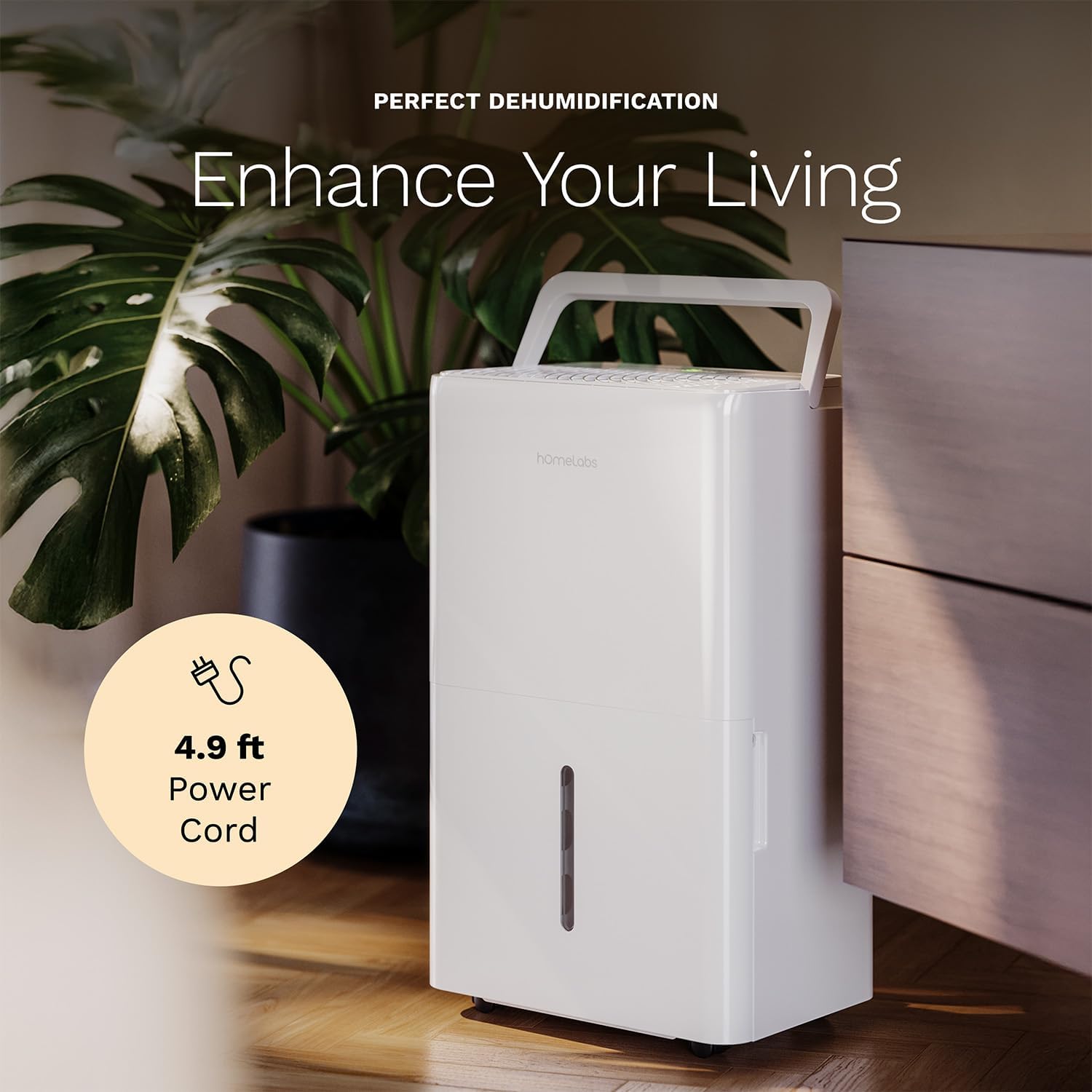
The dehumidifier positioned in a room, highlighting its 4.9 ft power cord for flexible placement.
- Drainage Option (Optional):

An image illustrating the two drainage options: using the built-in tank (manual emptying) or connecting a gravity drain hose for continuous drainage.
- Handmatige afvoer: The unit will collect water in the internal tank. When the tank is full, the unit will automatically shut off and indicate "Tank Full". Empty the tank as described in the Maintenance section.
- Continue drainage: For continuous operation without emptying the tank, attach the included drain hose to the continuous drain outlet. Ensure the hose is sloped downwards to a suitable drain (e.g., floor drain, large bucket) to allow gravity drainage.
Gebruiksaanwijzing
Functies van het bedieningspaneel:
- Aan/uit-knop: Druk op om het apparaat AAN of UIT te zetten.
- Knoppen voor het instellen van de vochtigheid (+/-): Adjust the desired humidity level from 35% to 85% relative humidity (RH) in 5% increments.
- Ventilatorsnelheidsknop: Cycle through High, Medium, and Low fan speeds.
- Timerknop: Set a timer for automatic ON/OFF operation (1-24 hours).
- Comfort Mode Button: Activates a preset humidity level for optimal comfort.
- Wi-Fi-knop: Activates Wi-Fi pairing mode.
Wi-Fi Smart Control:
Your dehumidifier can be controlled remotely via Wi-Fi using a smartphone app, Google Assistant, or Alexa.

The dehumidifier shown with icons indicating compatibility with Google Home and Alexa, along with a smartphone icon representing app control for remote operation.
- Download app: Download the hOmeLabs app from your smartphone's app store (iOS or Android).
- Koppelen: Follow the in-app instructions to pair your dehumidifier with your home Wi-Fi network. This typically involves pressing and holding the Wi-Fi button on the control panel until the indicator light flashes.
- Afstandsbediening: Once paired, you can adjust settings, monitor humidity levels, and set schedules from anywhere using your smartphone.
Onderhoud
Regelmatig onderhoud zorgt voor optimale prestaties en verlengt de levensduur van uw luchtontvochtiger.
Het waterreservoir legen:
- When the water tank is full, the "Tank Full" indicator will illuminate, and the unit will stop operating.
- Trek het waterreservoir voorzichtig uit de voorkant van het apparaat.
- Giet het verzamelde water in een gootsteen of afvoer.
- Schuif de lege tank terug in het apparaat totdat deze vastklikt. Het apparaat zal dan weer in werking treden.
Het luchtfilter reinigen:
The "Filter" indicator light will illuminate after 250 hours of operation, reminding you to clean the filter. Clean the filter every two weeks or more frequently depending on usage and air quality.
- Schakel de luchtontvochtiger uit en haal de stekker uit het stopcontact.
- Verwijder het luchtfilter aan de achterkant van het apparaat.
- Was het filter met warm zeepsop. Spoel het grondig af.
- Laat het filter volledig aan de lucht drogen voordat u het terugplaatst. Gebruik geen wasdroger of directe warmtebron.
- Once the filter is reinstalled, press and hold the "Filter" button for 3 seconds to reset the filter timer.
Algemene schoonmaak:
- Veeg de buitenkant van het apparaat af met een zachte, damp lap.
- Gebruik geen agressieve chemicaliën, schuurmiddelen of oplosmiddelen.
- Reinig het waterreservoir regelmatig om schimmelvorming te voorkomen.
Probleemoplossing
Raadpleeg dit gedeelte voor veelvoorkomende problemen en hun oplossingen.
| Probleem | Mogelijke oorzaak | Oplossing |
|---|---|---|
| Luchtontvochtiger gaat niet aan. | No power; Power cord not plugged in; Tank full. | Check power supply; Plug in power cord securely; Empty water tank. |
| Het apparaat werkt, maar er wordt geen water verzameld. | Humidity setting too high; Room temperature too low; Air filter clogged. | Lower desired humidity setting; Ensure room temperature is above 41°F (5°C); Clean air filter. |
| Eenheid maakt lawaai. | Apparaat staat niet waterpas; Luchtfilter verstopt; Ventilator geblokkeerd. | Plaats het apparaat op een vlakke ondergrond; reinig het luchtfilter; controleer de ruimte rond de ventilator op obstakels. |
| Problemen met de wifi-verbinding. | Onjuist wifi-wachtwoord; Router te ver weg; App-problemen. | Verify Wi-Fi password; Move unit closer to router; Restart app/unit. |
Specificaties
| Functie | Detail |
|---|---|
| Merk | hOmeLabs |
| Modelnaam | hOmelabs - Dehumidifier - 25 Pint - WIFI (HME0088) |
| Ontvochtigingscapaciteit | 25 Pints per Day (at 80°F, 60%RH) / MAX 64 Pints (at 95°F, 90%RH) |
| Dekkingsgebied | Tot 3,500 vierkante voet |
| Tankinhoud | 1 Gallon |
| Productafmetingen (D x B x H) | 8.2"D x 12.2"B x 19.6"H |
| Artikelgewicht | 27.1 pond |
| Werkingsmodus | Automatisch |
| Speciale kenmerken | Adjustable Humidity Control, Automatic Defrost, Automatic Moisture Removal, Automatic Shutoff, Bucket Storage, Digital Display, Portable, Quiet Operation, Removable Tank, Timer, Washable Filter, Wi-Fi Enabled |
| Energie-efficiëntie | Energy Star Most Efficient 2024 Certified |
Garantie en ondersteuning
Your hOmeLabs 25 Pint Wi-Fi Dehumidifier comes with a standard manufacturer's warranty. For detailed warranty information, please refer to the official warranty document provided with your purchase or visit the hOmeLabs webplaats.
Garantiebewijs: Download Garantie (PDF)
For technical support, troubleshooting assistance, or to inquire about replacement parts, please contact hOmeLabs customer service. Contact information can typically be found on the hOmeLabs webwebsite of in de verpakking van uw product.