Invoering
This manual provides essential information for the safe and efficient use of your Qubo X-10BL mobile phone. Designed with ease of use in mind, this phone is particularly suitable for elderly users, featuring a clear 2.4-inch screen, a robust design, and essential communication functions. Please read this manual thoroughly before operating your device.
Belangrijkste kenmerken:
- Model: X-10BL
- Scherm: 2.4-inch display (6.1 cm diagonal)
- RAM: 32 MB
- Batterij: Capaciteit van 900 mAh
- Connectiviteit: Bluetooth
- Havens: 3.5mm Jack, Micro USB
- Ontwerp: Includes a protective cover
- Kleur: Blauw
Product voorbijview
The Qubo X-10BL is a compact and user-friendly mobile phone. Below is an image illustrating the device's general appearance.
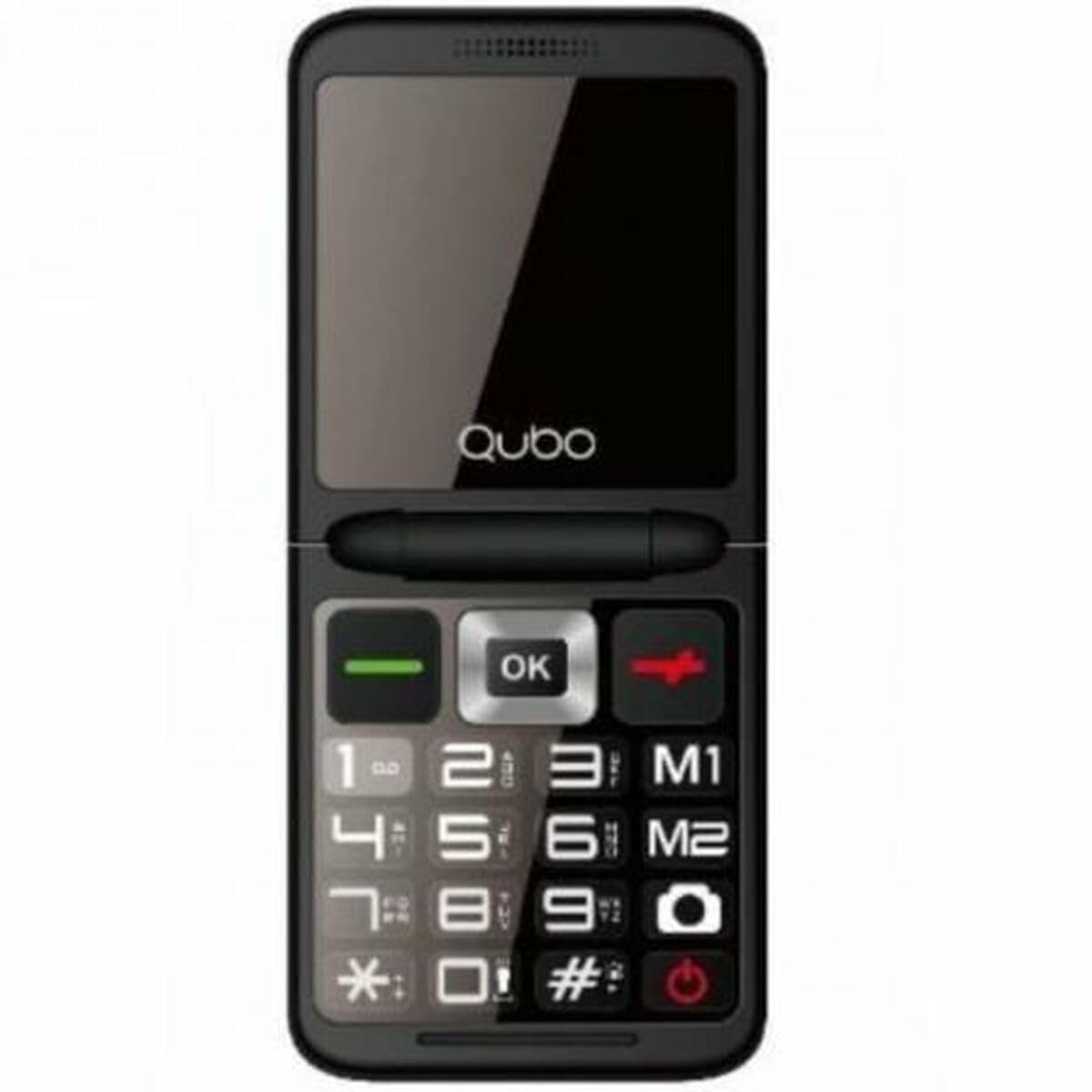
Figuur 1: Voorkant view of the Qubo X-10BL mobile phone. The image displays the phone in blue, featuring a clear screen, a numerical keypad, and navigation buttons. The phone is designed for straightforward operation.
Familiarize yourself with the phone's buttons and ports before proceeding with setup. Typically, these include a power button, call/end call buttons, navigation keys, a numerical keypad, and charging/headphone ports.
Instellen
1. SIM-kaart en batterij installeren
- Verwijder voorzichtig de achterkant van de telefoon.
- Plaats uw simkaart in het daarvoor bestemde slot. Zorg ervoor dat deze correct is georiënteerd, zoals aangegeven op het diagram naast het slot.
- Place the battery into its compartment, aligning the contacts.
- Plaats de achterklep terug totdat deze stevig vastklikt.
2. Laad het apparaat op
- Connect the Micro USB cable to the charging port on your phone.
- Plug the other end of the cable into the provided European plug adapter, then into a wall outlet.
- Allow the phone to charge fully before first use. The charging indicator on the screen will show the battery status.
3. Aan/uit
- Inschakelen: Houd de aan/uit-knop/gesprek beëindigen ingedrukt totdat het scherm oplicht.
- Uitschakelen: Press and hold the Power/End Call button until the power-off options appear, then select 'Power Off' or continue holding until the device shuts down.
Gebruiksaanwijzing
Bellen en gebeld worden
- Om te bellen: Enter the phone number using the keypad and press the Call button (usually a green phone icon).
- Een oproep beantwoorden: Druk op de belknop als de telefoon rinkelt.
- Een gesprek beëindigen: Press the End Call button (usually a red phone icon).
Sms-berichten verzenden en ontvangen
- Ga naar het menu 'Berichten'.
- Selecteer 'Nieuw bericht' of 'Bericht schrijven'.
- Voer het nummer van de ontvanger in of selecteer een nummer uit uw contacten.
- Typ uw bericht met behulp van het toetsenbord.
- Druk op 'Verzenden'.
Bluetooth-connectiviteit
The Qubo X-10BL supports Bluetooth for connecting to compatible devices such as headsets or other phones.
- Ga naar 'Instellingen' en vervolgens naar 'Bluetooth'.
- Schakel Bluetooth in.
- Selecteer 'Zoeken naar devices' or 'Pair new device'.
- Choose the desired device from the list and follow the on-screen prompts to pair.
Using the Phone Cover
The phone comes with a protective cover. Ensure the phone is securely placed within the cover to protect it from minor impacts and scratches. The cover may also feature cutouts for easy access to buttons and ports.
Onderhoud
Schoonmaak
- Gebruik een zachte, droge doek om het scherm en de behuizing van de telefoon schoon te maken.
- Vermijd het gebruik van vloeibare reinigingsmiddelen, spuitbussen of agressieve chemicaliën, aangezien deze het apparaat kunnen beschadigen.
Batterijverzorging
- Om de levensduur van de batterij te verlengen, moet u voorkomen dat de telefoon wordt blootgesteld aan extreme temperaturen.
- Laat de telefoon niet te lang aan de oplader liggen nadat hij volledig is opgeladen.
- Als u de telefoon gedurende een langere periode niet gebruikt, laadt u deze voor ongeveer 50% op voordat u deze opbergt.
Opslag
Bewaar de telefoon op een koele, droge plaats, uit de buurt van direct zonlicht en vocht, wanneer u hem niet gebruikt.
Probleemoplossing
If you encounter issues with your Qubo X-10BL, refer to the table below for common problems and solutions.
| Probleem | Mogelijke oorzaak | Oplossing |
|---|---|---|
| Telefoon gaat niet aan | Lage batterij; Batterij niet correct geplaatst | Charge the battery; Reinstall the battery |
| Geen netwerksignaal | SIM card issue; Out of network coverage | Check SIM card installation; Move to an area with better coverage |
| Kan geen oproepen maken/ontvangen | No network; Incorrect number dialed; Call barring activated | Check network signal; Verify number; Check call settings |
| Batterij laadt niet op | Charger faulty; Charging port damaged | Try a different charger; Contact support if port is damaged |
Specificaties
Detailed technical specifications for the Qubo X-10BL mobile phone.
| Functie | Detail |
|---|---|
| Merk | Qubo |
| Modelnaam | X-10BL |
| Artikelmodelnummer | S9914467 |
| Producttype | Bar Telefoon |
| Vormfactor | Bar |
| Schermgrootte | 6.1 centimeter (2.4 inch) |
| Geïnstalleerde RAM-grootte | 32 MB |
| Draadloze netwerktechnologie | Bluetooth |
| Fabrikant | Qubo |
| Land van herkomst | Spanje |
| Datum waarop het product voor het eerst beschikbaar is op Amazon.com.be | 11 januari 2025 |
| Beschikbaarheid reserveonderdelen | Informatie niet beschikbaar |
| Software-updates gegarandeerd tot | Informatie niet beschikbaar |
Garantie en ondersteuning
Voor garantie-informatie en klantenservice kunt u de bijgeleverde documentatie raadplegen of contact opnemen met de winkel waar u uw aankoop heeft gedaan. Bewaar uw aankoopbewijs voor eventuele garantieclaims.