1. Inleiding
Thank you for choosing the POGOLAB MK-2 37 Keys Kids Keyboard Piano. This portable electronic keyboard is designed for beginners and young musicians, offering a wide range of sounds, rhythms, and features to inspire musical creativity. Its compact size and versatile power options make it ideal for learning and playing anywhere.

Image 1: The POGOLAB MK-2 37 Keys Kids Keyboard Piano.
2. Inhoud van het pakket
- POGOLAB MK-2 37 Keys Kids Keyboard Piano
- USB Type-C-voedingskabel
- Gebruiksaanwijzing (dit document)
Note: 4 AA batteries are required for battery operation and are not included in the package.
3. Product voorbijview
The POGOLAB MK-2 features a user-friendly control panel and a compact design. Familiarize yourself with the layout:
Afbeelding 2: Gedetailleerd view van het bedieningspaneel.
- Aan/uit-knop: Turns the keyboard on/off.
- Volumeknop: Past het hoofdvolume aan.
- Led scherm: Shows current settings for songs, rhythms, and sounds.
- Functieknoppen: Access various modes and settings (e.g., Chord, Sustain, Metronome, Transpose, Octave).
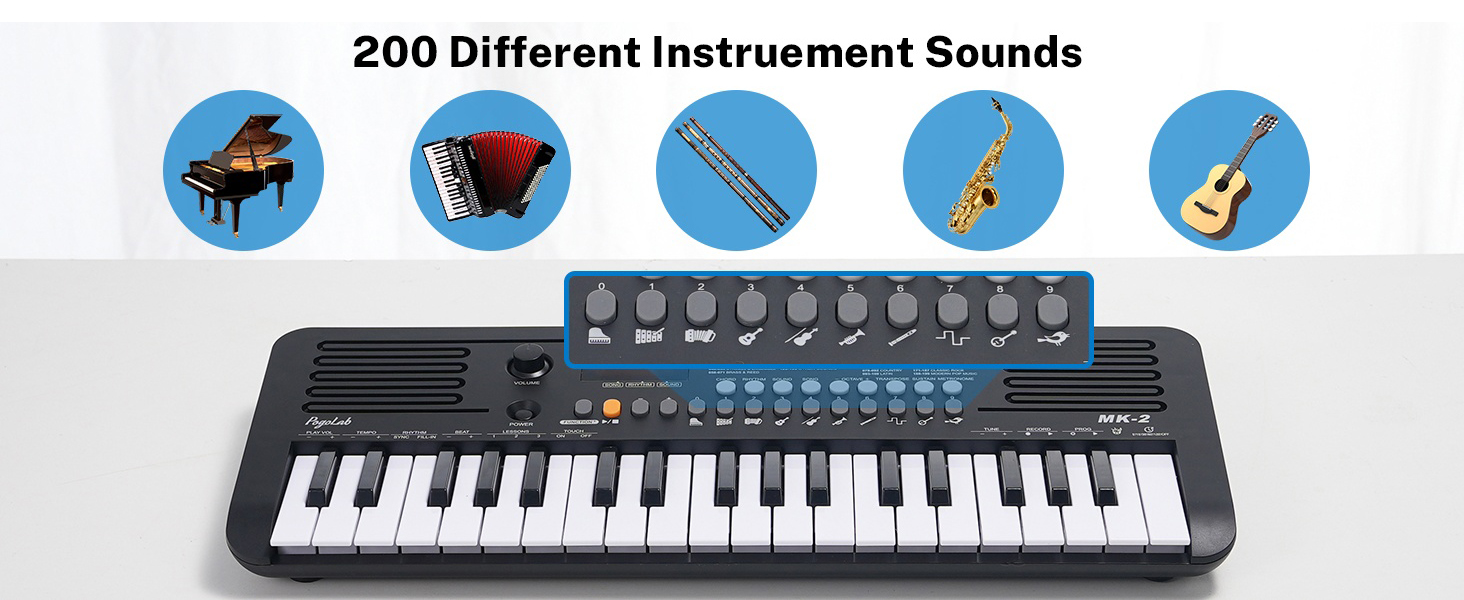
- Cijfertoetsen (0-9): Used to select specific songs, rhythms, or sounds.
- Sprekers: Dual built-in speakers for audio output.
- 37 Mini Keys: Velocity-sensitive keys for musical input.
4. Instellen
4.1 Voeding
The MK-2 keyboard offers two power options:
- Usb vermogen: Connect the provided USB Type-C cable to the keyboard's USB port and to a compatible USB power adapter (not included) or a computer's USB port.
- Batterijvermogen: Insert 4 AA batteries (not included) into the battery compartment located on the underside of the keyboard. Ensure correct polarity.
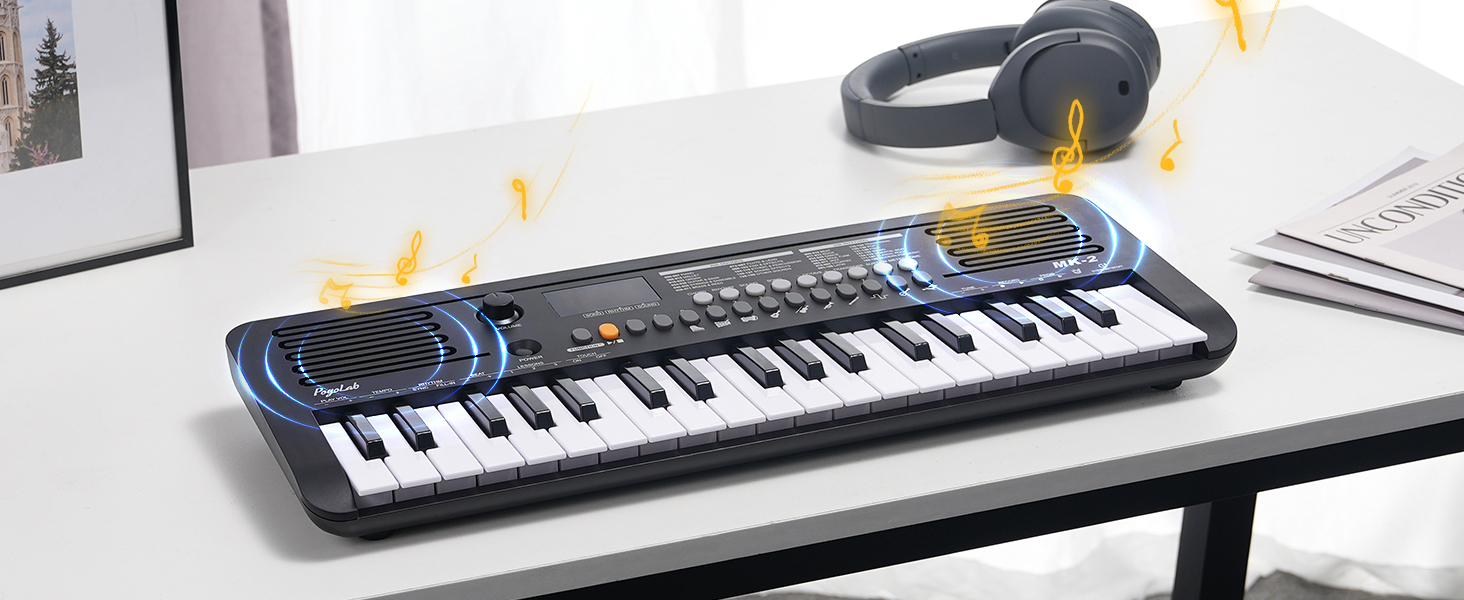
Image 3: Power supply options (USB and battery).
4.2 Eerste inschakeling
Druk op de STROOM button to turn on the keyboard. The LED display will illuminate, indicating the device is ready for use. Adjust the VOLUME Draai de knop naar het gewenste volume.
5. Gebruiksaanwijzing
5.1 Volumeregeling
De VOLUME knob on the left side of the control panel allows you to adjust the overall output volume. The keyboard retains the last volume setting when powered off and on.

Image 4: Volume control and LED display.
5.2 Sound, Rhythm, and Song Selection
The MK-2 includes 40 built-in songs, 200 sounds (tones), and 200 rhythms. Use the dedicated LIEDJE, RITME, En GELUID buttons along with the number pad (0-9) to select your desired option. The LED display will show the current selection.

Afbeelding 5: voorbijview of available sounds, rhythms, and songs.
5.3 Transpose and Octave Functions
Expand your musical range beyond the 37 physical keys using the TRANSPONEREN En OCTAAF buttons. These functions allow you to shift the pitch of the entire keyboard up or down.

Image 6: Transpose and Octave controls.
5.4 MIDI-functionaliteit
The keyboard features a USB-MIDI transmission function, allowing connection to a computer or mobile device for music production or interactive piano games.
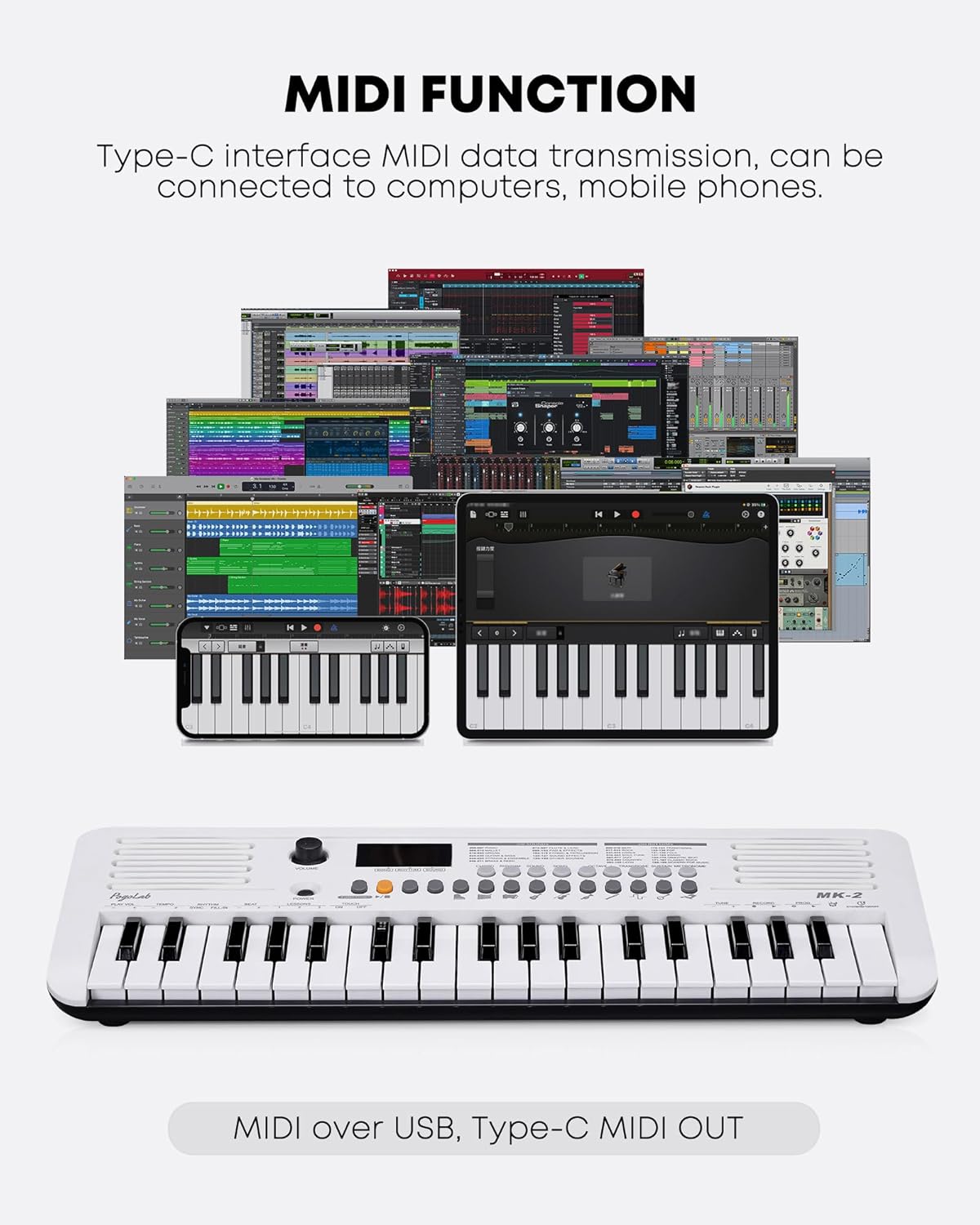
Image 7: MIDI connectivity via USB-C.
5.5 Fingering Exercises (Simulated Weighted Keys)
The MK-2 simulates weighted keys, meaning the intensity of your key press affects the volume produced. This feature is beneficial for beginners to develop proper piano fingering and dynamics.

Image 8: Fingering exercise feature.
5.6 hoofdtelefoonaansluiting
A 3.5mm headphone jack is included for private practice sessions, allowing you to enjoy music without disturbing others.

Image 9: Headphone jack for private listening.
5.7 Officiële productvideo's
Video 1: Overview and demonstration of the POGOLAB MK-2 37 Mini Keys Keyboard Piano.
Video 2: Unboxing, demonstration, and review of the POGOLAB MK-2 37 Mini Keys Keyboard.
6. Onderhoud
- Schoonmaak: Gebruik een zachte, droge doek om het toetsenbordoppervlak schoon te maken. Vermijd schurende reinigingsmiddelen of oplosmiddelen.
- Opslag: Bewaar het toetsenbord op een koele, droge plaats, uit de buurt van direct zonlicht en extreme temperaturen.
- batterij zorg: If not using the keyboard for an extended period, remove the batteries to prevent leakage.
7. Probleemoplossing
7.1 Geen geluid
- Zorg ervoor dat het toetsenbord is ingeschakeld.
- Check the volume knob and increase if necessary.
- If using headphones, ensure they are properly connected and test without them.
- If using batteries, check if they are depleted or inserted correctly.
7.2 Toetsen reageren niet
- Zorg ervoor dat het toetsenbord is ingeschakeld.
- Start het toetsenbord opnieuw op door het uit en weer aan te zetten.
- Neem contact op met de klantenondersteuning als het probleem zich blijft voordoen.
7.3 MIDI Connection Issues
- Ensure the USB-C cable is securely connected to both the keyboard and the computer/device.
- Check the settings on your computer or music software to ensure the MIDI input is recognized and selected.
- Probeer een andere USB-poort of -kabel.
8. Specificaties
| Functie | Detail |
|---|---|
| Modelnaam | MK-2 |
| Merk | POGOLAB |
| Aantal sleutels | 37 |
| Geluiden | 200 |
| Ritmes | 200 |
| Liedjes | 40 |
| Speciale kenmerken | Built-In Speaker, MIDI Function, Transpose, Octave, Simulated Weighted Keys, LED Display, Headphone Jack |
| Energiebron | Battery Powered (4 AA, not included), USB Type-C |
| Connectiviteitstechnologie | USB |
| Koptelefoonaansluiting | 3.5 mm-aansluiting |
| Artikelgewicht | 2.84 pond |
| Pakket afmetingen | 20.25 x 8.25 x 2.81 inch |
| Lichaamsmateriaal | Plastic |
| Kleur | Wit |
9. Garantie en ondersteuning
For warranty information and customer support, please refer to the product packaging or contact POGOLAB directly through their official channels. Keep your purchase receipt for any warranty claims.


