Invoering
This manual provides detailed instructions for the installation, operation, and troubleshooting of your J-Tech Digital 4K HDMI Multiviewer Switch (JTECH-MV41AE). Please read this manual thoroughly before using the product to ensure proper functionality and to maximize your experience.

Image: J-Tech Digital 4K HDMI Multiviewer Switch (JTECH-MV41AE) with remote and a display showing multiple video inputs.
Veiligheidsinformatie
- Zorg voor voldoende ventilatie rond het apparaat.
- Stel het apparaat niet bloot aan water of overmatige vochtigheid.
- Gebruik uitsluitend de meegeleverde stroomadapter.
- Plaats geen zware voorwerpen op het apparaat.
- Houd het apparaat uit de buurt van warmtebronnen.
Inhoud van het pakket
Controleer of alle artikelen in uw pakket aanwezig zijn:
- 1x J-Tech Digital 4K HDMI Multiviewer Switch (JTECH-MV41AE)
- 1x IR-afstandsbediening
- 1x 5V DC-voedingsadapter
- 1x Gebruiksaanwijzing
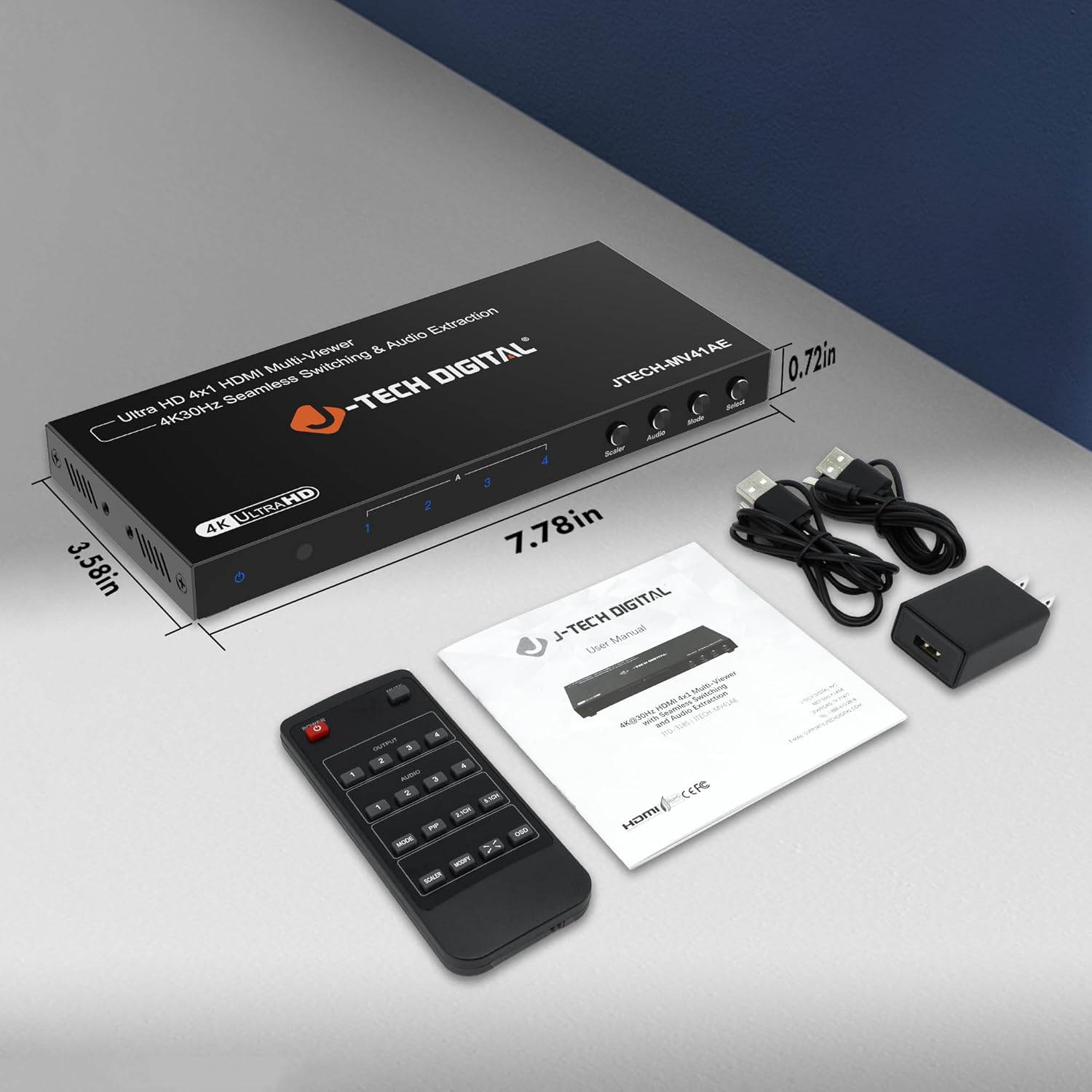
Image: Package contents of the JTECH-MV41AE.
Product voorbijview
Front and Rear Panel Interface

Image: Detailed diagram of the multiviewer switch's front and rear panels.
Voorpaneel:
- Voedings-LED: Geeft de energiestatus aan.
- IR ontvanger: Voor signalen voor afstandsbediening.
- HDMI 1-4 Input Indicators: LEDs show active HDMI inputs.
- Input 1-4 Selection Buttons: Select individual HDMI inputs.
- Scaler Button: Adjusts output resolution.
- Audioknop: Controls audio output settings.
- Modusknop: Cycles through viewmodi.
- Selecteer knop: Confirms selections or activates PiP.
Achter paneel:
- HDMI 1-4 Input: Sluit uw HDMI-bronapparaten aan.
- HDMI-uitgang: Connect to your display (TV, monitor, projector).
- Audio-uitgang (stereo): 3.5mm jack for analog audio extraction.
- Audio Output (TOSLINK): Optical port for digital audio extraction.
- Micro USB (RS-232 Control): For advanced control via PC.
- gelijkstroom 5V: Voedingsingang.
- Aan / uit knop: Power toggle.
Belangrijkste kenmerken
- Supports up to 4 HDMI sources on a single display.
- Seamless switching between source devices without delay or black screen.
- Supports 4K@30Hz resolution.
- Bevat 6 verschillende viewing modes, including Picture-in-Picture (PiP) with custom location control.
- Audio extraction via Optical (TOSLINK) and 3.5mm stereo outputs.
- Control via remote control, front panel buttons, or RS232.
Instellen en installeren
Follow these steps to set up your J-Tech Digital 4K HDMI Multiviewer Schakelaar:
- HDMI-bronnen aansluiten: Connect up to four HDMI source devices (e.g., PC, game console, Blu-ray player, STB) to the HDMI Input 1-4 ports on the rear panel of the multivieweh schakelaar.
- HDMI-scherm aansluiten: Connect an HDMI cable from the HDMI Output port on the multiviewer switch to the HDMI input of your display (TV, monitor, or projector).
- Audio-uitgang aansluiten (optioneel): If you wish to extract audio to an external sound system, connect an optical cable to the TOSLINK port or a 3.5mm stereo cable to the Stereo port on the rear panel.
- Sluit stroom aan: Plug the provided 5V DC power adapter into the DC 5V port on the rear panel, then plug the adapter into a power outlet.
- Inschakelen: Flip the ON/OFF switch on the rear panel to the 'ON' position. The Power LED on the front panel should illuminate.

Image: Connection diagram for the JTECH-MV41AE.
Bediening
Aan/uitzetten
Use the ON/OFF switch on the rear panel to power the device. The front panel Power LED indicates the power status.
Invoerselectie
You can select the desired HDMI input using the front panel buttons (Input 1-4) or the corresponding number buttons on the IR remote control.
Viewing-modi
de meervoudigeviewer switch offers 6 different viewing modes. Press the Modus button on the front panel or remote to cycle through these modes:
- Single Display Mode
- Dual Side Mode (Side by Side)
- Dual Side Mode (Up and Down)
- 4 Equal Display Mode
- 1 Big, 3 Small Display Mode
- Picture-in-Picture (PiP) Mode (1 Big, 1 Small)

Image: Six display modes supported by the JTECH-MV41AE.
Picture-in-Picture (PiP) Function
In PiP mode, you can customize the location of the small window. Press the Pip button on the remote control to adjust its position on the screen.
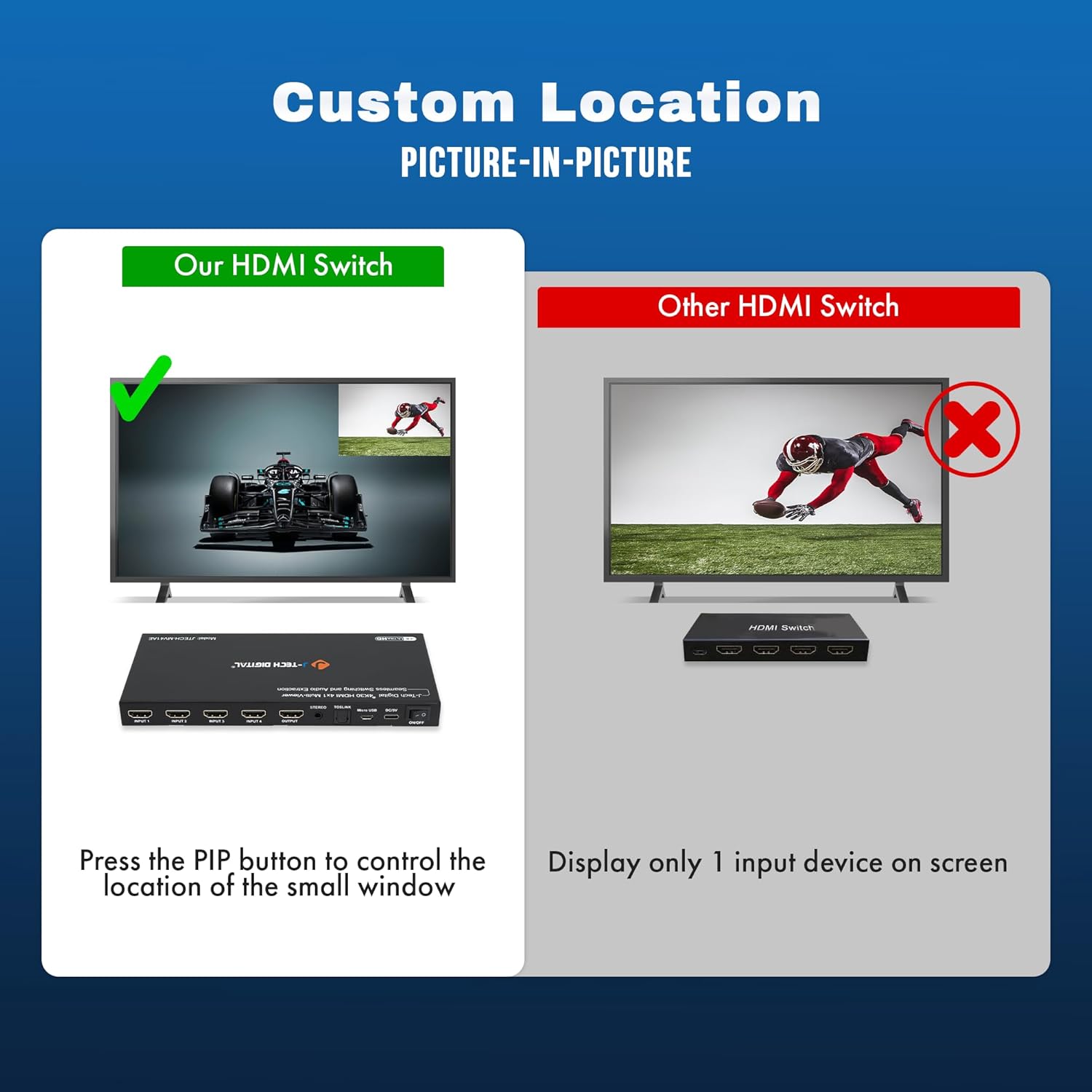
Image: Custom Picture-in-Picture location control feature.
Naadloze overschakeling
The device features seamless switching, meaning there is no black screen or delay when transitioning between different source devices. This ensures a smooth viewervaring.

Image: Seamless switching functionality.
Audio-extractie
Audio from any of the incoming HDMI signals can be extracted to an external sound system using the Optical (TOSLINK) or 3.5mm analog audio outputs on the rear panel.
RS232-besturing
For advanced control and integration into professional setups, the device can be controlled via RS232 using the Micro USB port and appropriate software.
Onderhoud
To ensure the longevity and optimal performance of your J-Tech Digital 4K HDMI Multiviewer Switch, follow these maintenance guidelines:
- Schoonmaak: Gebruik een zachte, droge doek om de buitenkant van het apparaat schoon te maken. Vermijd het gebruik van agressieve chemicaliën of schurende reinigingsmiddelen.
- Ventilatie: Zorg ervoor dat de ventilatieopeningen niet geblokkeerd zijn om oververhitting te voorkomen.
- Opslag: Wanneer u het apparaat gedurende langere tijd niet gebruikt, bewaar het dan op een koele, droge plaats, uit de buurt van direct zonlicht en extreme temperaturen.
- Kabelbeheer: Keep cables neatly organized and avoid sharp bends or excessive tension to prevent damage.
Probleemoplossing
If you encounter issues with your multiviewer switch, refer to the following common problems and solutions:
| Probleem | Mogelijke oorzaak | Oplossing |
|---|---|---|
| No video output or flickering screen. | Loose cable connections, incompatible resolution, power issue. | Check all HDMI and power cable connections. Ensure they are secure. Try a different HDMI cable. Verify that your display supports the output resolution (4K@30Hz). Cycle power to the device and display. |
| Geen audio-uitgang. | Incorrect audio settings, loose audio cable, incompatible audio format. | Check audio cable connections (Optical/3.5mm). Ensure your external sound system is correctly configured. Press the 'Audio' button on the device or remote to adjust audio settings. |
| Afstandsbediening werkt niet. | Dead batteries, obstructed IR path. | Replace batteries in the remote. Ensure there are no obstructions between the remote and the device's IR receiver. |
| Device defaults to 2K resolution on startup. | Default setting behavior. | Press the 'Scaler' button multiple times to cycle to the desired 4K resolution. This setting may need to be reapplied after each power cycle. |
| Cannot switch between inputs. | No signal from source, faulty button/remote. | Ensure all source devices are powered on and sending a signal. Try using both the front panel buttons and the remote control. |
Specificaties
- Model: JTECH-MV41AE
- Productafmetingen: 3.58 x 7.78 x 0.72 inch
- Artikelgewicht: 1.4 pond
- Kleur: Zwart
- Aansluittype: HDMI
- Kabeltype: HDMI
- Input Poorten: 4x HDMI
- Uitvoerpoorten: 1x HDMI, 1x Optical (TOSLINK), 1x 3.5mm Stereo
- Resolutieondersteuning: Tot 4K@30Hz
- Controlemethoden: IR-afstandsbediening, knoppen op het voorpaneel, RS232
- Compatibele apparaten: Blu-Ray Player, Gaming Console, Laptop, Projector, Television

Image: Wide compatibility of the JTECH-MV41AE.
Garantie en ondersteuning
All J-Tech Digital products include a one-year manufacturer replacement warranty. Additionally, J-Tech Digital provides free lifetime technical support from their customer support team located in Stafford, TX.
Technische ondersteuningsuren: Maandag t/m vrijdag, 9:00 - 18:00 uur CST.
Contact information is available on the J-Tech Digital seller page or official webplaats.


