Invoering
Bedankt voor uw aankoopasing the Jectse Digital Camera. This compact and portable camera is designed to capture high-quality photos and videos, offering features such as 5K video resolution, 80MP photo resolution, and 18X digital zoom. This manual provides detailed instructions on how to set up, operate, and maintain your camera to ensure optimal performance and longevity.
Veiligheidsinformatie
- Stel de camera niet bloot aan water of overmatige vochtigheid.
- Laat de camera niet vallen en stel hem niet bloot aan harde stoten.
- Houd de camera uit de buurt van direct zonlicht en hoge temperaturen.
- Gebruik uitsluitend de aangegeven oplaadkabel en stroomadapter.
- Probeer de camera niet zelf te demonteren of te repareren. Neem contact op met de klantenservice voor hulp.
- Buiten bereik van kleine kinderen houden.
Inhoud van het pakket
Controleer of alle artikelen in uw pakket aanwezig zijn:
- 1 x Jectse Digital Camera
- 1 x Type-C oplaadkabel
- 1 x Handriem
- 1 x Gebruikershandleiding
- Note: Small Memory Card is not included.

Image: The Jectse Digital Camera shown alongside its included Type-C charging cable and hand strap, illustrating the complete package contents.
Product voorbijview
Familiarize yourself with the various parts and controls of your Jectse Digital Camera.

Afbeelding: Voorzijde view of the Jectse Digital Camera, highlighting the lens and flash.

Afbeelding: Achterkant view of the Jectse Digital Camera, showing the 2.8-inch display screen and control buttons.
Belangrijkste componenten:
- Lens: F/2.2 f=3.83mm wide angle lens with 18X digital zoom capability.
- Flash: Ingebouwde flitser voor omstandigheden met weinig licht.
- Beeldscherm: 2.8-inch screen for framing shots and reviewinhoud.
- W/T Key: Used for zooming in (W) and out (T).
- Shutter Key: Press to capture photos or start/stop video recording.
- OK/Mode Button: Confirms selections and switches between modes.
- Menuknop: Geeft toegang tot camera-instellingen en -opties.
- DISP-knop: Changes display information on the screen.
- Batterijcompartiment: Houses the built-in 750mAh rechargeable battery.
- Type-C poort: Voor het opladen van de camera.
- Geheugenkaartsleuf: Supports Small Memory Cards up to 256GB (not included).
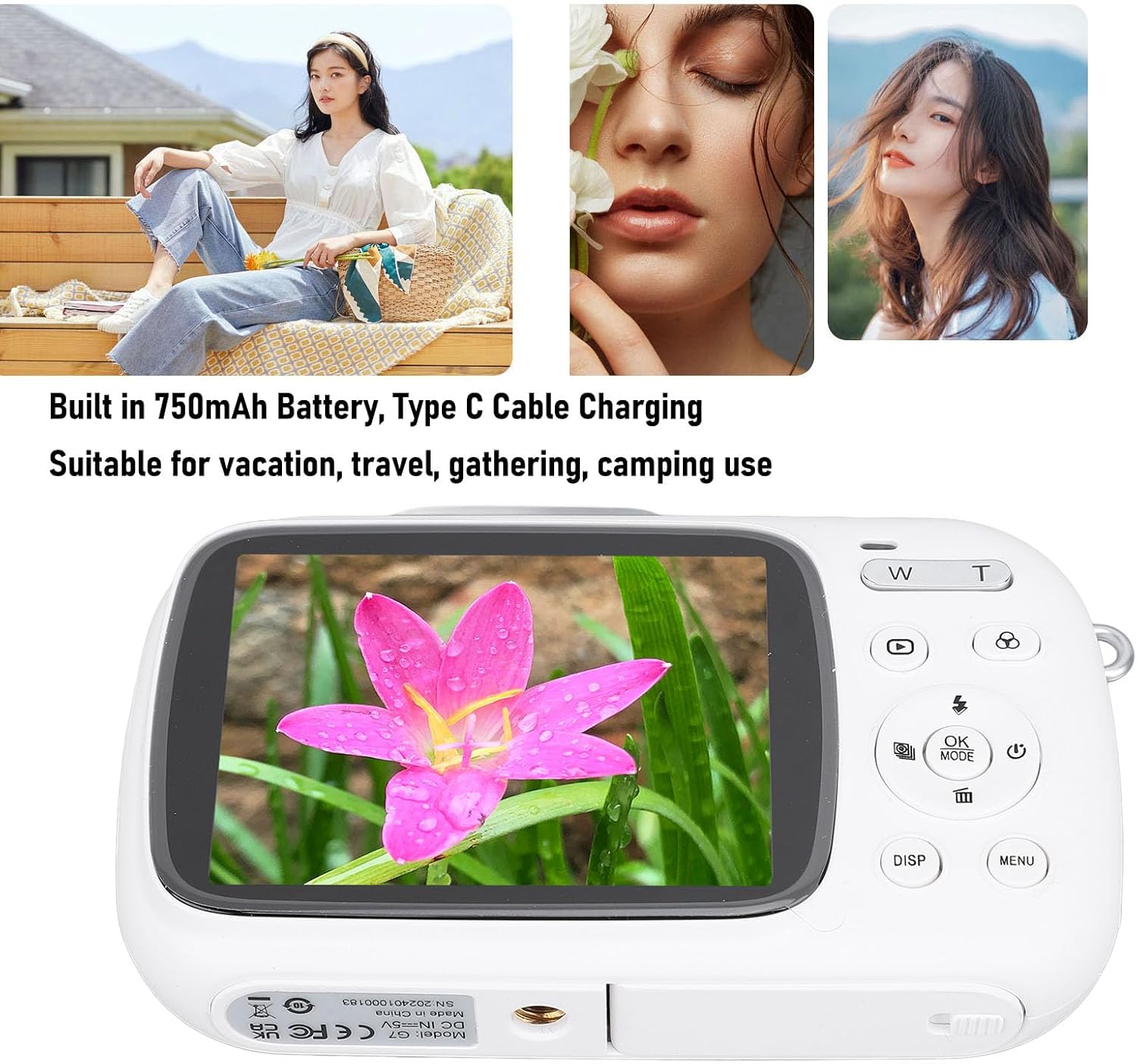
Image: Visual representation of key camera features including 80MP photo pixels, 5K HD video recording, 18X digital zoom, auto focusing, beauty filter, smiling selfie, continuous photo taking, built-in flash, and 2.8-inch display.
Instellen
1. De batterij opladen
The camera has a built-in 750mAh rechargeable lithium-ion battery. Before first use, ensure the battery is fully charged.
- Connect the provided Type-C charging cable to the camera's Type-C port.
- Sluit het andere uiteinde van de kabel aan op een USB-stroomadapter (niet meegeleverd) of op een USB-poort van een computer.
- The charging indicator light will illuminate. Charging typically takes about 3 hours.
- Once fully charged, the indicator light may change or turn off. Disconnect the cable.
2. Een geheugenkaart plaatsen
A Small Memory Card (up to 256GB) is required to store photos and videos. It is not included in the package.
- Locate the memory card slot on the side or bottom of the camera.
- Insert the Small Memory Card into the slot with the metal contacts facing the correct direction (refer to the diagram near the slot if available).
- Duw de kaart voorzichtig aan tot hij vastklikt.
- Om de kaart te verwijderen, duw je hem er weer in tot hij iets terugveert, en trek je hem er vervolgens uit.
3. Het handriempje bevestigen
Attach the included hand strap to prevent accidental drops.
- Thread the thin loop of the hand strap through the strap eyelet on the camera body.
- Pass the larger end of the strap through the loop you just created and pull tight to secure it.
Gebruiksaanwijzing
1. In-/uitschakelen
- Om het apparaat in te schakelen, houdt u de aan/uit-knop ingedrukt (deze is meestal gemarkeerd met een cirkel en een verticale streep).
- Om het apparaat uit te schakelen, houdt u de aan/uit-knop opnieuw ingedrukt totdat het scherm uitgaat.
2. Foto's maken
- Turn on the camera. It will typically default to photo mode. If not, press the MODUS button to switch to photo mode.
- Frame your shot using the 2.8-inch display screen.
- Gebruik de W/T keys to zoom in or out (18X digital zoom).
- Druk op de Sluiter key halfway down to focus (if applicable).
- Druk op de Sluiter key fully down to capture the 80MP photo.
3. Video's opnemen
- Turn on the camera. Press the MODUS knop om over te schakelen naar de video-opnamemodus.
- Frame your video using the display screen.
- Druk op de Sluiter key to start recording 5K video. A recording indicator will appear on the screen.
- Druk op de Sluiter toets nogmaals om de opname te stoppen.
4. Using Special Functions
The camera offers several creative functions:
- Continuous Photography: Allows you to take multiple photos in quick succession. Access this setting via the MENU.
- Time Lapse Photography: Captures images at set intervals to create a time-lapse video. Configure in MENU.
- Loop Video: Records video in segments, overwriting older footage when the memory card is full. Useful for continuous recording.
- Compositielijnen: Displays grid lines on the screen to help with framing and composition. Toggle with DISP button or in MENU.
- Gezichtsherkenning: Automatically detects and focuses on faces in the frame. Enable/disable in MENU instellingen.
- Ingebouwde flitser: The flash will automatically activate in low-light conditions or can be manually controlled via the flash button or MENU.
5. Afspelen en opnieuw afspelenview
- Druk op de Afspelen Druk op de knop (vaak aangegeven met een driehoekje) om de afspeelmodus te activeren.
- Gebruik de navigatieknoppen om door je foto's en video's te bladeren.
- Pers OK naar view een video bekijken of inzoomen op een foto.
- Druk op de Afspelen Druk nogmaals op de knop om de afspeelmodus te verlaten.
Onderhoud
De camera schoonmaken
- Use a soft, lint-free cloth to wipe the camera body. Do not use liquid cleaners or solvents.
- For the lens and screen, use a specialized lens cleaning cloth or air blower to remove dust. Avoid touching the lens directly with your fingers.
- Zorg ervoor dat de camera is uitgeschakeld voordat u deze schoonmaakt.
Opslag
- Bewaar de camera op een koele, droge plaats, uit de buurt van direct zonlicht en extreme temperaturen.
- Als u het apparaat voor langere tijd opbergt, zorg er dan voor dat de batterij gedeeltelijk is opgeladen (ongeveer 50%) en laad deze om de paar maanden volledig op om de levensduur van de batterij te verlengen.
Probleemoplossing
| Probleem | Mogelijke oorzaak / oplossing |
|---|---|
| De camera gaat niet aan. |
|
| Cannot take photos/record videos. |
|
| De beelden zijn wazig. |
|
| De batterijduur is kort. |
|
Specificaties
| Functie | Detail |
|---|---|
| Productmateriaal | ABS |
| Videoresolutie | 5K (Maximum), 15FPS |
| Fotoresolutie | 80MP (Maximum) |
| Lens | F/2.2 f=3.83mm Wide Angle Lens |
| Digitale zoom | 18X |
| Weergavescherm | 2.8 inch |
| Opslag | Small Memory Card, up to 256GB (not included) |
| Batterij | 750mAh Lithium Ion Battery (built-in) |
| Oplaadpoort | Type-C |
| Oplaadtijd | Ongeveer 3 uur |
| Uithoudingsduur | Approx. 2 hours (usage dependent) |
| Artikelgewicht | 9.1 ons |
| Modelnummer | Jectsesikcd0et3w-11 |
Garantie en ondersteuning
Jectse products are manufactured to the highest quality standards. For information regarding warranty coverage, technical support, or service inquiries, please refer to the contact information provided with your purchase or visit the official Jectse webplaats.
Bewaar uw aankoopbewijs voor garantieclaims.


