Invoering
The Technoline WT175 is a compact and versatile quartz alarm clock designed for convenience and portability. It features a clear digital display and offers multiple functions including time, date, temperature, humidity, and various alarm settings. Its magnetic casing makes it suitable for travel and everyday use.

Figuur 1: Voorkant view of the Technoline WT175 Mini Travel Alarm Clock, displaying the time and control buttons.
Belangrijkste kenmerken
- 12/24 uur tijdweergave
- Datumweergave
- Temperature display (in Celsius)
- Weergave van de vochtigheid
- Alarm met snooze-functie
- Configurable alarm settings: Weekday, Weekend, or Daily
- Timer with countdown and stop function
- Indicator voor lage batterij
- Magnetische casing for versatile placement
Inhoud van het pakket
- Technoline WT175 Mini Travel Alarm Clock
- Gebruikershandleiding (dit document)
- Let op: Batterijen zijn niet inbegrepen en moeten apart worden aangeschaft.

Figuur 2: Product packaging for the Technoline WT175, detailing specifications and features.
Instellen
1. Batterij installatie
- Zoek het batterijvakje aan de achterkant van de wekker.
- Open het batterijklepje.
- Insert 1x AAA Micro LR03 battery, ensuring correct polarity (+/-).
- Sluit het batterijklepje goed.
2. Eerste keer inschakelen
Upon successful battery installation, the display will activate. You may need to press the SET button to begin initial time and date configuration.
Gebruiksaanwijzing
The Technoline WT175 features several control buttons: SET, START/STOP/RESET, ZZ (Snooze/Light), AL SET ON-OFF, +, En MODUS.
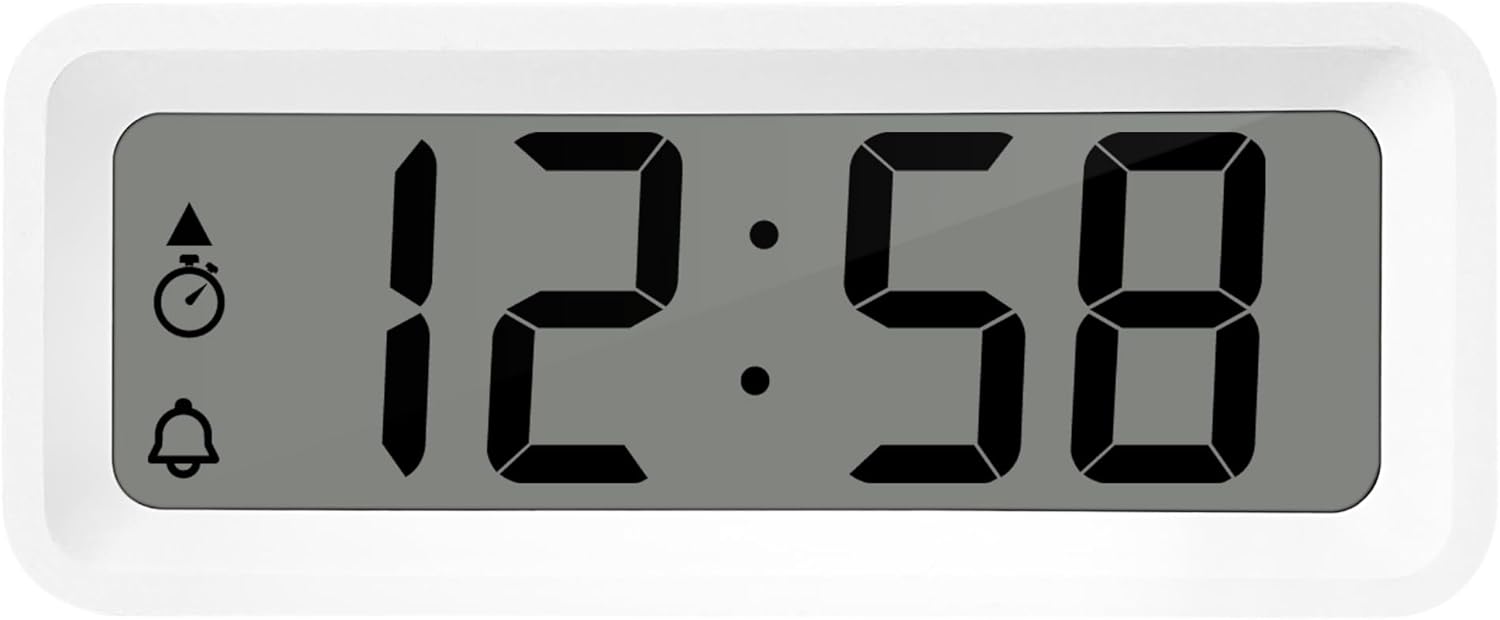
Figuur 3: Gedetailleerd view of the alarm clock's display and control buttons.
1. Tijd en datum instellen
- Houd de SET Houd de knop ingedrukt totdat de tijdweergave begint te knipperen.
- Gebruik de + or - knoppen om het uur aan te passen.
- Pers SET om het uur te bevestigen en naar de minuten te gaan.
- Gebruik + or - om de minuten aan te passen.
- Blijf drukken op SET om door de opties te bladeren en het jaar, de maand en de dag in te stellen met behulp van de + or - knoppen.
- Pers SET om de instellingenmodus nog een laatste keer te verlaten.
2. Keuze tussen 12-uurs en 24-uurs formaat
Terwijl u zich in de normale tijdweergavemodus bevindt, drukt u op de MODUS knop om te schakelen tussen de 12-uurs en 24-uurs tijdnotatie.
3. Het alarm instellen
- Druk op de AL SET ON-OFF button once to enter alarm setting mode. The alarm time will flash.
- Gebruik de + or - knoppen om het alarmuur aan te passen.
- Pers AL SET ON-OFF again to confirm the hour and move to alarm minutes.
- Gebruik + or - om de alarmminuten aan te passen.
- Pers AL SET ON-OFF Bevestig nogmaals en verlaat de alarminstelmodus.
4. Activating/Deactivating Alarm and Snooze
- Om het alarm uit te zetten ON or UIT, druk op de AL SET ON-OFF button while in normal time display mode. An alarm icon will appear/disappear on the display.
- Als het alarm afgaat, drukt u op de ZZ (Snooze) button to activate the snooze function. The alarm will temporarily stop and sound again after a few minutes.
- Om het alarm volledig uit te schakelen, drukt u op een willekeurige andere knop (bijvoorbeeld...). SET or MODUS).
5. Weekday/Weekend/Daily Alarm Settings
The WT175 allows for flexible alarm scheduling. While in alarm setting mode (after pressing AL SET ON-OFF), you can cycle through alarm types by pressing the + or - buttons after setting the alarm time. Look for indicators on the display for:
- Dagelijks alarm: Het alarm gaat elke dag af.
- Weekday Alarm: Het alarm gaat af van maandag tot en met vrijdag.
- Weekend Alarm: Zaterdag en zondag gaat het alarm af.
6. Timer and Countdown Function
- Druk op de MODUS button repeatedly until the timer display appears (often indicated by a stopwatch icon).
- To set the countdown timer, press and hold SET. Gebruik + or - to set the desired hours, minutes, and seconds. Press SET om elk segment te bevestigen.
- Pers START/STOP/RESET om te beginnen met aftellen.
- Pers START/STOP/RESET Om het aftellen te pauzeren/hervatten, klikt u nogmaals.
- Houd ingedrukt om de timer opnieuw in te stellen START/STOP/RESET.
7. Temperatuur- en vochtigheidsweergave
The Technoline WT175 continuously displays the current indoor temperature (in Celsius) and humidity levels. These readings are typically shown alongside the time and date on the main display.

Figuur 4: The WT175 alarm clock displaying time, temperature, and humidity in a bedroom setting.
Onderhoud
1. Batterij vervangen
When the low battery indicator appears on the display, it is time to replace the battery. Follow the battery installation steps outlined in the Instellen section. Ensure to dispose of old batteries responsibly according to local regulations.
2. Schoonmaken
To clean the alarm clock, use a soft, dry cloth. Do not use abrasive cleaners, solvents, or immerse the device in water. Avoid spraying cleaning solutions directly onto the unit.
Probleemoplossing
- Het scherm is leeg of donker:
- Controleer of de batterij correct is geplaatst.
- Vervang de batterij door een nieuwe.
- Alarm gaat niet af:
- Ensure the alarm is activated (alarm icon visible on display).
- Controleer of de alarmtijd correct is ingesteld.
- Check the alarm type (Daily, Weekday, Weekend) matches your desired schedule.
- Onjuiste tijd of datum:
- Re-enter the time and date following the instructions in the Gebruiksaanwijzing sectie.
- Ensure the 12/24 hour format is set as desired.
- Knoppen reageren niet:
- Verwijder de batterij en plaats deze opnieuw om een soft reset uit te voeren.
- Ensure the device is not in a specific setting mode that locks other buttons.
Specificaties
| Functie | Detail |
|---|---|
| Model | WT175 |
| Merk | Technolijn |
| Afmetingen (L x B x H) | 8.8x3.81x3.7cm |
| Gewicht | 120 gram |
| Energiebron | 1x AAA Micro LR03 Battery (not included) |
| Weergavetype | Digitaal |
| Speciale kenmerken | Alarm, Snooze, Temperature, Humidity, Date, Timer, Countdown, Magnetic Casing, Low Battery Indicator |
| Kleur | White (as per current product variant) |
| Binnen-/buitengebruik | Binnen |

Figuur 5: Dimensions of the Technoline WT175 alarm clock.
Garantie en ondersteuning
For warranty information or technical support regarding your Technoline WT175 Mini Travel Alarm Clock, please refer to the warranty card included with your purchase or visit the official Technoline webplaats.
Official Technoline Webwebsite: http://www.technoline.de


