1. Inleiding
This manual provides essential information for the operation and maintenance of your HOTWAV R8 Rugged Tablet. The HOTWAV R8 is designed for durability and performance, featuring a 10.1-inch HD+ display, Android 14 operating system, 12GB RAM, 128GB internal storage (expandable up to 1TB), a 10800mAh battery, and IP68/IP69K ratings for water and dust resistance. It is equipped with a Unisoc T606 Octa-Core processor, 4G Dual SIM support, 5G WiFi, Face ID, and OTG functionality.
Lees deze handleiding aandachtig door voordat u het apparaat gebruikt, om een goede werking en een lange levensduur te garanderen.

Afbeelding 1.1: Voor- en achterkant view of the HOTWAV R8 Rugged Tablet, showcasing dankzij het robuuste ontwerp en de weergave.
2. Inhoud van het pakket
Controleer of alle artikelen in het pakket aanwezig zijn:
- 1x HOTWAV R8 Rugged Tablet
- 1x Gebruikershandleiding/Garantiekaart
- 1x Oplader
- 1x USB Type-C-kabel
- 1x OTG Cable
- 1x Explosion-proof Film (Screen Protector)

Image 2.1: All items included in the HOTWAV R8 Tablet package, laid out on a wooden surface.
3. Eerste installatie
3.1. De tablet opladen
Before first use, fully charge the tablet using the provided charger and USB Type-C cable. Connect the USB cable to the tablet's charging port and the charger to a power outlet. The charging indicator will show the charging status.
3.2. SIM-kaarten en microSD-kaart plaatsen
The HOTWAV R8 supports Dual SIM cards and a MicroSD card for expanded storage (up to 1TB). Locate the SIM card tray on the side of the tablet. Use the provided SIM ejector tool (if applicable, otherwise carefully open the tray) to open the tray. Insert your SIM cards and MicroSD card into the designated slots, ensuring correct orientation. Close the tray securely.

Image 3.1: Illustration of inserting SIM cards and a MicroSD card into the tablet's tray.
3.3. In-/uitschakelen
- Inschakelen: Press and hold the Power button until the HOTWAV logo appears.
- Uitschakelen: Houd de aan/uit-knop ingedrukt en selecteer vervolgens 'Uitschakelen' uit de opties op het scherm.
- Herstarten: Houd de aan/uit-knop ingedrukt en selecteer vervolgens 'Opnieuw opstarten' uit de opties.
4. Gebruiksaanwijzing
4.1. Weergave en navigatie
The tablet features a 10.1-inch HD+ display with 800 x 1200 pixels resolution. Navigate the Android 14 interface using touch gestures: tap, swipe, pinch-to-zoom. The display supports glove mode for operation in various conditions.

Image 4.1: The HOTWAV R8 tablet displaying the Android 14 operating system interface.
4.2. Prestaties en opslag
Powered by a Unisoc T606 Octa-Core processor and 12GB RAM (4GB physical + 8GB virtual), the tablet handles multitasking efficiently. It comes with 128GB of internal storage, expandable up to 1TB via a MicroSD card.

Image 4.2: Diagram illustrating the Unisoc T606 Octa-Core processor, 12GB RAM, and 128GB ROM (expandable to 1TB).
4.3. Camerafuncties
The tablet is equipped with a 13MP rear camera and a 5MP front camera. Open the Camera application to capture photos and videos. Various modes and settings are available within the app.

Image 4.3: Visual representation of the 13MP rear camera and 5MP front camera on the HOTWAV R8 tablet.
4.4. Connectiviteit
- 4G Dual SIM: Supports 4G LTE connectivity for mobile data and calls. Note: Not compatible with AT&T.
- 5G-wifi: Connect to wireless networks using 2.4GHz and 5GHz Wi-Fi bands.
- Bluetooth 5.1: Pair with Bluetooth accessories such as headphones and speakers.
- GPS-functie: Integrated Beidou, Galileo, Glonass, and GPS for accurate navigation.

Image 4.4: The HOTWAV R8 tablet displaying a GPS map, highlighting its navigation capabilities.
4.5. Battery and OTG Functionality
The 10800mAh battery provides extended usage time. The tablet also supports OTG (On-The-Go) reverse charging, allowing it to act as a power bank to charge other devices using the provided OTG cable.

Image 4.5: Diagram illustrating the large 10800mAh battery capacity of the HOTWAV R8 tablet.

Image 4.6: The HOTWAV R8 tablet demonstrating its OTG reverse charging capability, charging a smartphone.
5. Onderhoud en duurzaamheid
The HOTWAV R8 is built to withstand challenging environments, featuring IP68/IP69K water and dust resistance and MIL-STD-810H compliance for drop protection.
- Waterbestendigheid: The tablet can be submerged in up to 2 meters of water for at least 30 minutes. Ensure all ports are securely sealed before exposure to water.
- Stofbestendigheid: Het apparaat is beschermd tegen het binnendringen van stof.
- Valbeveiliging: Ontworpen om vallen van maximaal 1.2 meter te weerstaan.
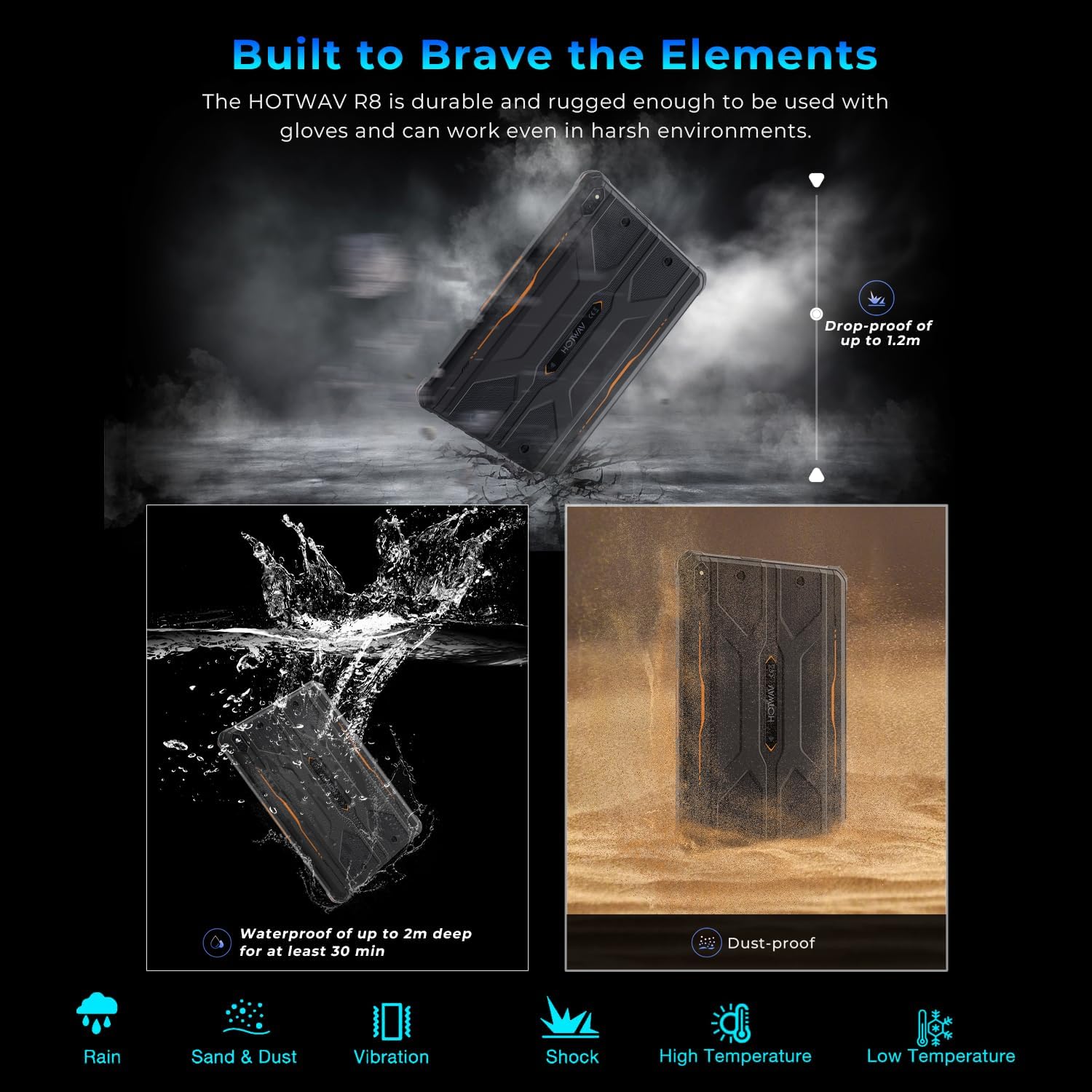
Image 5.1: Visual representation of the HOTWAV R8 tablet's resistance to drops, water immersion, and dust.
5.1. Schoonmaken
Gebruik een zachte, damp cloth to clean the tablet's surface. Avoid harsh chemicals or abrasive materials that could damage the device or its protective coatings.
5.2. Opslag
Store the tablet in a cool, dry place away from direct sunlight and extreme temperatures when not in use for extended periods.
6. Probleemoplossing
6.1. Apparaat start niet op
- Zorg ervoor dat de batterij is opgeladen. Sluit de tablet minimaal 30 minuten aan op de oplader.
- Houd de aan/uit-knop 10-15 seconden ingedrukt om een geforceerde herstart uit te voeren.
6.2. Slechte netwerkverbinding
- Controleer of de simkaarten correct zijn geplaatst en geactiveerd.
- Verify Wi-Fi connection settings and router functionality.
- Restart the tablet and try connecting again.
6.3. Touchscreen reageert niet
- Start de tablet opnieuw op.
- Ensure the screen is clean and free of debris or excessive moisture.
6.4. Batterij raakt snel leeg
- Verminder de helderheid van het scherm.
- Sluit ongebruikte applicaties die op de achtergrond draaien.
- Schakel Wi-Fi, Bluetooth en GPS uit wanneer u ze niet gebruikt.
7. Specificaties
| Functie | Detail |
|---|---|
| Modelnaam | R8 |
| Besturingssysteem | Androïde 14 |
| Schermgrootte | 10.1 inch |
| Schermresolutie | 800 x 1200 pixels |
| Verwerker | Unisoc T606 Octa-Core |
| RAM | 12 GB (4 GB fysiek + 8 GB virtueel) |
| Interne opslag | 128GB |
| Uitbreidbare opslag | Tot 1 TB via MicroSD-kaart |
| Achteruitrijcamera | 13 MP |
| Voorcamera | 5 MP |
| Batterijcapaciteit | 10800mAh |
| Draadloos type | 802.11ax (5G WiFi), Bluetooth 5.1 |
| Mobiele connectiviteit | 4G Dual SIM (Note: Not compatible with AT&T) |
| Navigatie | Beidou, Galileo, Glonass, GPS |
| Duurzaamheidsclassificaties | IP68, IP69K, MIL-STD-810H |
| Artikelgewicht | 2.72 pond (ongeveer 1.23 kg) |
| Productafmetingen | 9.9 x 6.6 x 0.6 inch (ongeveer 25.1 x 16.8 x 1.5 cm) |
8. Garantie en ondersteuning
The HOTWAV R8 Rugged Tablet typically comes with a manufacturer's warranty. Please refer to the included Warranty Card in your package for specific terms and conditions. For technical support or warranty claims, please contact HOTWAV customer service.
- Klantenservice: Refer to the contact information provided on the Warranty Card or the official HOTWAV webplaats.
- Beschermingsplannen: Mogelijk zijn er afzonderlijk aanvullende beschermingsplannen verkrijgbaar.
- Retourneren: Standard return policies apply. Please check with your retailer for details.

Image 8.1: HOTWAV customer support shield logo, indicating 24-hour customer service, 30-day return policy, and 2-year warranty.


