Invoering
This manual provides essential information for the safe and efficient operation of your Panasonic TV-65Z80AEZ 65-inch 4K Ultra HD OLED Smart TV. Please read these instructions thoroughly before using your television and retain them for future reference. This 4K OLED television from the Z80 series features integrated Fire TV, offering a comprehensive entertainment experience.
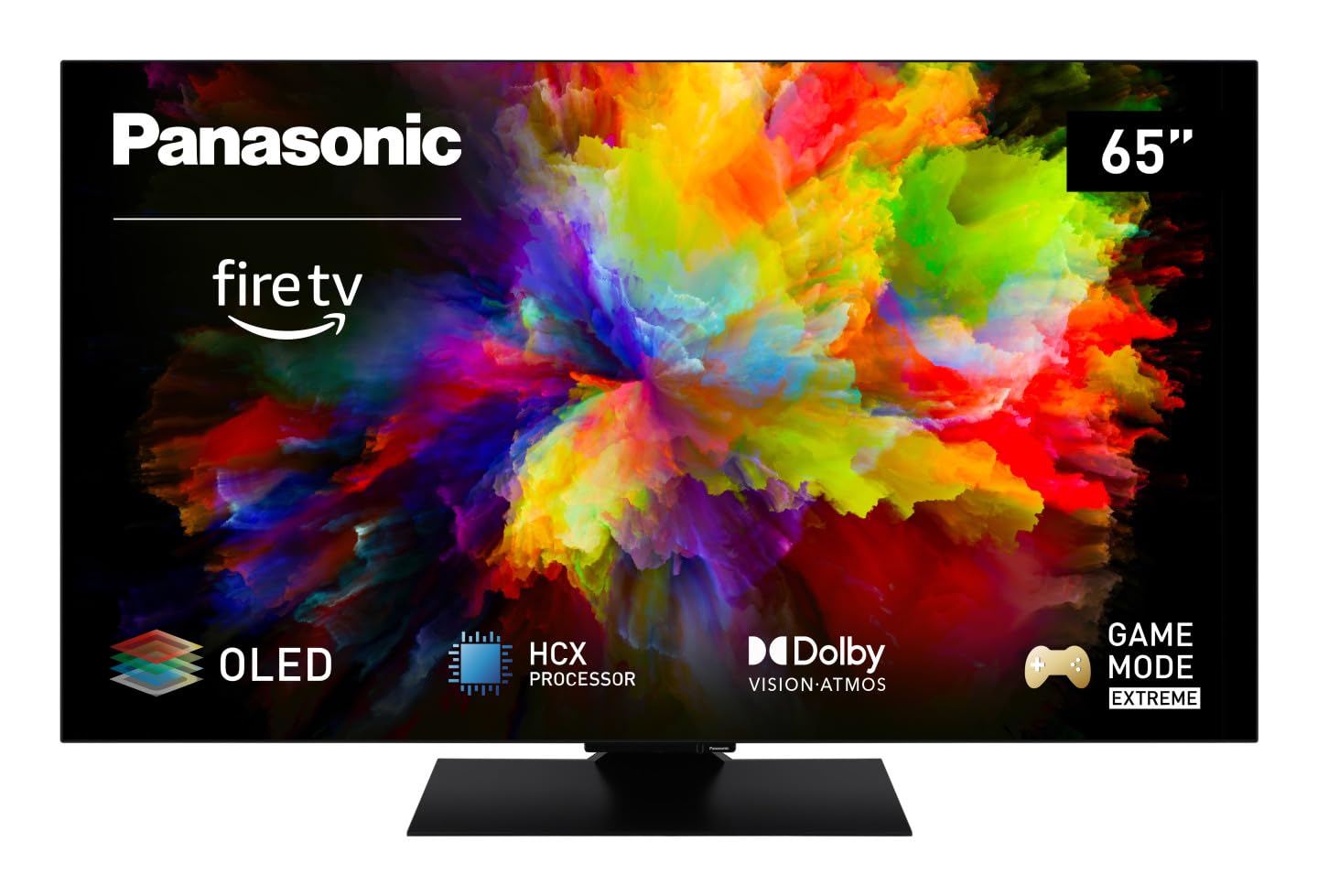
Afbeelding: Voorzijde view of the Panasonic TV-65Z80AEZ 65-inch 4K OLED Smart TV.
Veiligheidsinformatie
Always follow basic safety precautions when using this television to reduce the risk of fire, electric shock, and injury. Keep the television away from water and moisture. Do not block ventilation openings. Use only attachments/accessories specified by the manufacturer. Refer all servicing to qualified service personnel.
- Voeding: Zorg ervoor dat de voeding voltage komt overeen met het classificatielabel op de tv.
- Ventilatie: Do not cover or block any ventilation openings. Allow adequate space around the TV for proper airflow.
- Schoonmaak: Haal de stekker van de tv uit het stopcontact voordat u hem schoonmaakt. Gebruik een zachte, droge doek. Gebruik geen vloeibare reinigingsmiddelen of spuitbussen.
- Montage: If wall-mounting, ensure the wall mount is compatible with the TV's VESA standards and can support its weight. Follow the wall mount manufacturer's instructions carefully.
Inhoud van het pakket
Controleer of alle artikelen in de verpakking aanwezig zijn:
- Panasonic TV-65Z80AEZ 65-inch 4K OLED Smart TV
- Afstandsbediening
- AAA-batterijen (2x) voor de afstandsbediening
- Stroomkabel
- TV-standaardcomponenten (indien van toepassing)
- Snelstartgids (dit document dient als een uitgebreide handleiding)
Instellen
1. Fysieke installatie
Standinstallatie: If using the included stand, carefully attach it to the television according to the diagrams in the quick start guide. Ensure all screws are securely fastened. Place the TV on a stable, level surface.
Wandmontage: If wall-mounting, consult a professional installer. Ensure the wall mount is rated for the TV's weight and size. Do not attempt to wall-mount the TV without proper tools and expertise.
2. Apparaten aansluiten
Connect your external devices such as cable boxes, Blu-ray players, gaming consoles, and sound systems to the appropriate ports on the back of the TV.

Afbeelding: Zijkant view of the Panasonic TV-65Z80AEZ, illustrating the slim profile en connectiviteitspoorten.
- HDMI: For high-definition video and audio. This TV supports HDMI 2.1 for advanced gaming features.
- USB-poort: For connecting USB storage devices or other peripherals. This TV has 2 USB ports.
- Ethernet: Voor een bekabelde internetverbinding.
- Antenne/Kabel: Voor het aansluiten van een antenne of kabeltelevisie.
3. Eerste keer inschakelen en netwerkconfiguratie
- Insert the included AAA batteries into the remote control.
- Sluit het netsnoer aan op de televisie en vervolgens op een stopcontact.
- Druk op de aan/uit-knop op de afstandsbediening of op de tv.
- Follow the on-screen instructions to select your language, region, and connect to your Wi-Fi network. You can also use a wired Ethernet connection.
4. Fire TV Setup
Your Panasonic TV-65Z80AEZ comes with Fire TV built-in. During the initial setup, you will be prompted to sign in with your Amazon account or create a new one. This enables access to streaming services, apps, and personalized recommendations.
De tv bedienen
1. Basisbedieningen
Use the remote control to navigate the TV's interface. The remote includes standard buttons for power, volume, channel, input selection, and navigation within the Fire TV interface.
2. Smart TV-functies
- Vuur TV: The intuitive 4K Fire TV home screen provides instant access to live TV, streaming apps, and personalized recommendations for up to 6 user profiles.
- Alexa-spraakbesturing: Control your Smart TV using voice commands through the integrated Alexa. Press the microphone button on your remote and speak your command.
- AirPlay: Easily share content from your Apple devices (iPhone, iPad, Mac) to your TV for a seamless viewervaring.
3. Beeldkwaliteit
- OLED & HCX Processor: Experience deep blacks and natural colors. The HCX processor ensures a cinematic experience with stunning image quality.
- Multi HDR Support: Enjoy optimized brightness, contrast, and colors scene by scene with support for Dolby Vision, HLG, HDR10, and HDR10+, ensuring exceptional images.
4. Audiofuncties
- Surround Sound Pro & Dolby Atmos: Verhoog uw viewing experience with immersive Dolby Atmos and Surround Sound Pro technology, including an integrated subwoofer, for a cinema-worthy audio experience.
5. Extreme Game Mode
This mode is designed for gamers, offering ultra-low latency, Variable Refresh Rate (VRR), 120 Hz refresh rate, and Auto Low Latency Mode (ALLM) via HDMI 2.1. It also supports AMD FreeSync Premium and NVIDIA G-SYNC for fluid and responsive gameplay.
Onderhoud
Proper maintenance ensures the longevity and performance of your television.
- Schermreiniging: Veeg het scherm voorzichtig af met een zachte, pluisvrije doek. Voor hardnekkige vlekken, lichtjes afnemen.ampReinig de doek met water of een speciale schermreiniger. Spuit nooit vloeistof rechtstreeks op het scherm.
- Kastreiniging: Gebruik een zachte, droge doek om de kast van de tv schoon te maken.
- Afstoffen: Stof de ventilatieopeningen regelmatig af om oververhitting te voorkomen.
- Stroomkabel: Periodically check the power cord for any damage. If damaged, replace it immediately with an authorized part.
Probleemoplossing
Als u problemen ondervindt met uw tv, raadpleeg dan de volgende veelvoorkomende oplossingen:
| Probleem | Mogelijke oplossing |
|---|---|
| Geen stroom | Zorg ervoor dat het netsnoer goed is aangesloten op zowel de tv als het stopcontact. Controleer of het stopcontact werkt door een ander apparaat aan te sluiten. |
| Geen beeld, maar wel geluid | Check the input source. Press the 'Input' or 'Source' button on your remote to cycle through inputs. Ensure connected devices are powered on. |
| Geen geluid, maar wel beeld | Check the volume level. Ensure 'Mute' is not activated. Check audio cables if using external speakers. Verify audio output settings in the TV menu. |
| Afstandsbediening werkt niet | Vervang de batterijen. Zorg ervoor dat er geen obstakels zijn tussen de afstandsbediening en de IR-sensor van de tv. |
| Kan geen verbinding maken met wifi | Zorg ervoor dat uw wifi-router is ingeschakeld en werkt. Voer het wifi-wachtwoord opnieuw in. Probeer zowel de tv als de router opnieuw op te starten. |
Als het probleem blijft bestaan nadat u deze oplossingen hebt geprobeerd, neem dan contact op met de klantenservice.
Specificaties
| Functie | Detail |
|---|---|
| Merk | Panasonic |
| Modelnummer | TV-65Z80AEZ |
| Schermgrootte | 65 inch |
| Weergavetechnologie | OLED |
| Oplossing | 4K Ultra-HD |
| Vernieuwingsfrequentie | 120Hz |
| Besturingssysteem | FireOS |
| Connectiviteitstechnologie | Bluetooth, HDMI, Wi-Fi |
| Connectiviteitspoorten | Ethernet, HDMI, USB |
| Totaal aantal USB-poorten | 2 |
| Speciale kenmerken | OLED, Dolby Vision, Dolby Atmos, Fire TV, Extreme Game Mode |
| Compatibele apparaten | Laptop, Gaming Console, Smartphone, Tablet, Speakers |
| Beeldverhouding | 16:9 |
| Productafmetingen (DxBxH) | 4.7D x 144.4W x 82.4H centimeter |
| Meegeleverde componenten | Television, Remote Control, Batteries |
Garantie en ondersteuning
Your Panasonic TV-65Z80AEZ is covered by a manufacturer's warranty. Please refer to the warranty card included with your product for specific terms and conditions, including the warranty period and coverage details. For technical support, service, or further assistance, please visit the official Panasonic support website or contact their customer service helpline. Keep your purchase receipt as proof of purchase for warranty claims.


