1. Inleiding
The EZAIoT EZ-TP3W WiFi Thermostat Plug is an intelligent temperature control device designed for precise climate management in various environments. It supports both heating and cooling applications, offering versatile control options through a dedicated mobile application, voice commands, or direct device interaction. This manual provides comprehensive instructions for the safe and efficient use of your EZ-TP3W thermostat plug.

Figure 1: EZAIoT EZ-TP3W Thermostat Plug with its mobile application interface and included temperature sensor.
2. Veiligheidsinformatie
Please read all safety instructions carefully before using the EZAIoT EZ-TP3W WiFi Thermostat Plug. Failure to follow these instructions may result in electric shock, fire, or other hazards.
- Stroom loskoppelen: Always disconnect the device from the power supply before performing any maintenance, cleaning, or repair.
- Vermijd vocht: Do not expose the device to moisture or use it in wet environments. This includes direct water contact or high humidity.
- Controleer op schade: Do not use the device if it is damaged, shows signs of electrical problems, or if the power cord or plug is frayed.
- Professionele reparatie: All repairs must be performed by qualified service personnel. Do not attempt to disassemble or repair the device yourself.
- Juiste voltage: Zorg ervoor dat het apparaat is aangesloten op een voeding binnen het gespecificeerde volumetage range (AC 100-240V; 50-60 Hz).
- Maximale belasting: Do not exceed the maximum load capacity of 16A / 3680W to prevent overheating and potential fire hazards.
- Veiligheid voor kinderen: Keep the device out of reach of children. Utilize the child lock function available through the app for added safety.
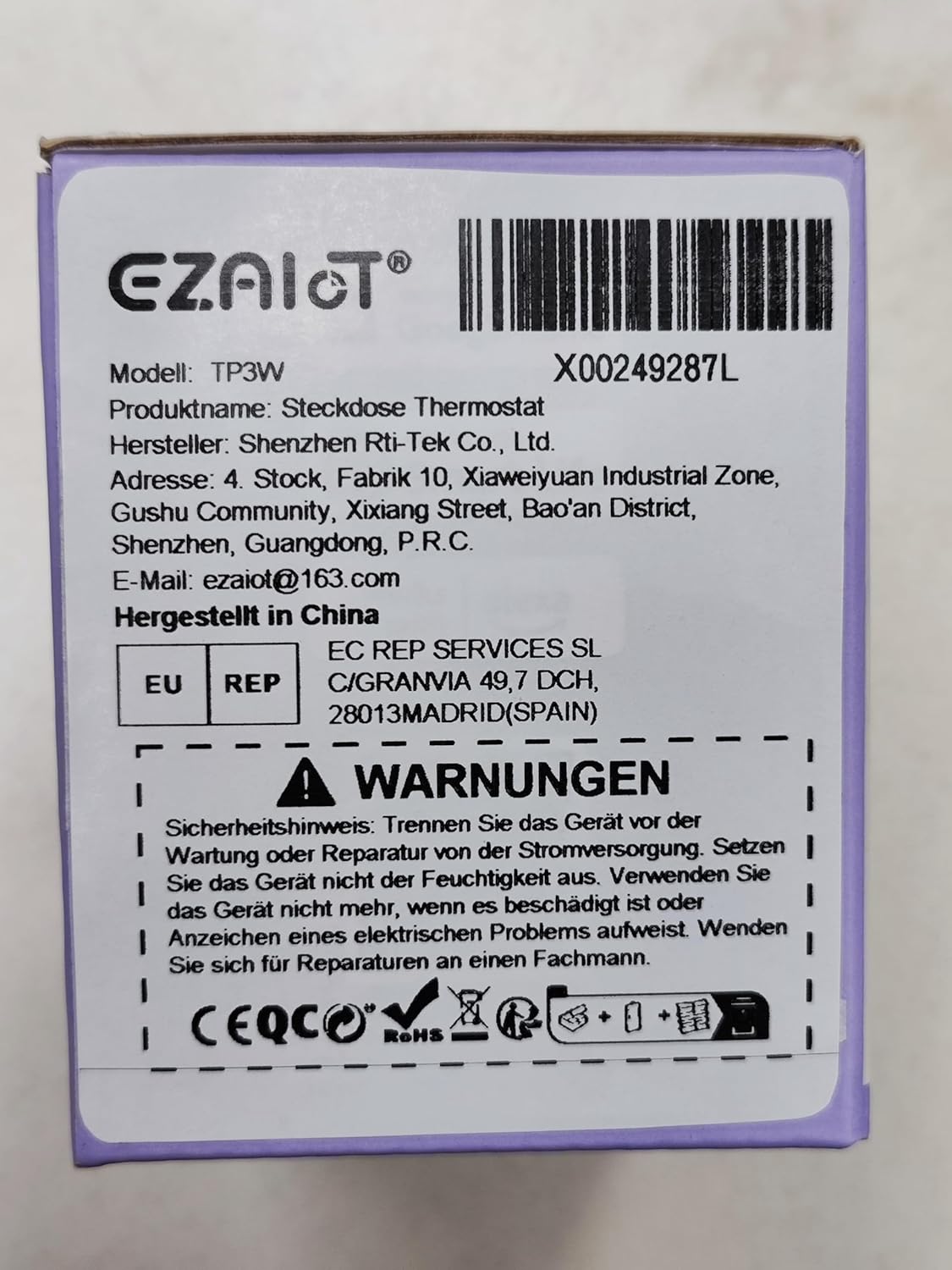
Figure 2: Product packaging displaying important safety warnings and manufacturer information.
3. Product voorbijview
3.1 Pakketinhoud
Controleer of alle componenten in het pakket aanwezig zijn:
- 1 x EZAIoT EZ-TP3W Thermostat Plug
- 1 x 3-meter Temperature Sensor (waterproof)
- 1 x 5-cm Temperature Sensor (waterproof)
3.2 Belangrijkste kenmerken
- Plug-and-play-ontwerp: Eenvoudige installatie zonder ingewikkelde bedrading.
- Veelzijdige bedieningsmodi: Supports heating, cooling, weekly scheduling, cycle timer, and countdown timer.
- Breed temperatuurbereik: Measures from -9.5°C to 99.5°C (device display) and -30°C to 110°C (app display).
- Waterproof Sensors: Includes 3m and 5cm sensors for diverse applications.
- Smart Control: Remote control via TUYA Smart Life app, voice control with smart speakers (Google Assistant, Amazon Alexa).
- Handmatige bediening: Interactive buttons on the device for offline operation.
- Veiligheidsfuncties: Child lock, temperature alarm, sensor error alarm, and anti-freeze function.
- Robuuste constructie: Made from flame-retardant PC material.

Figuur 3: Overview of EZAIoT EZ-TP3W features, highlighting precision and safety.
3.3 Productspecificaties
| Specificatie | Waarde |
|---|---|
| Modelnaam | EZ-TP3W |
| Aansluitingstype | DIN VDE 0620-1 |
| Maximale belasting | 16 Een |
| Maximaal vermogen | 3680 W |
| Stroomvoorziening | AC 100-240 V; 50-60 Hz |
| Device Display Temp. Range | -9.5 °C tot 99.5 °C |
| App Display Temp. Range | -30 °C tot 110 °C |
| Productafmetingen | 7.8 x 5.4 x 7.65 cm; 190 g |
| Controller-type | iOS (and Android via Smart Life app) |
| Speciale kenmerken | Audible Alert, Fan Control, Temperature Indicator, Removable Interface, Programmable |

Figure 4: The EZAIoT EZ-TP3W featuring its LED display and key functionalities.
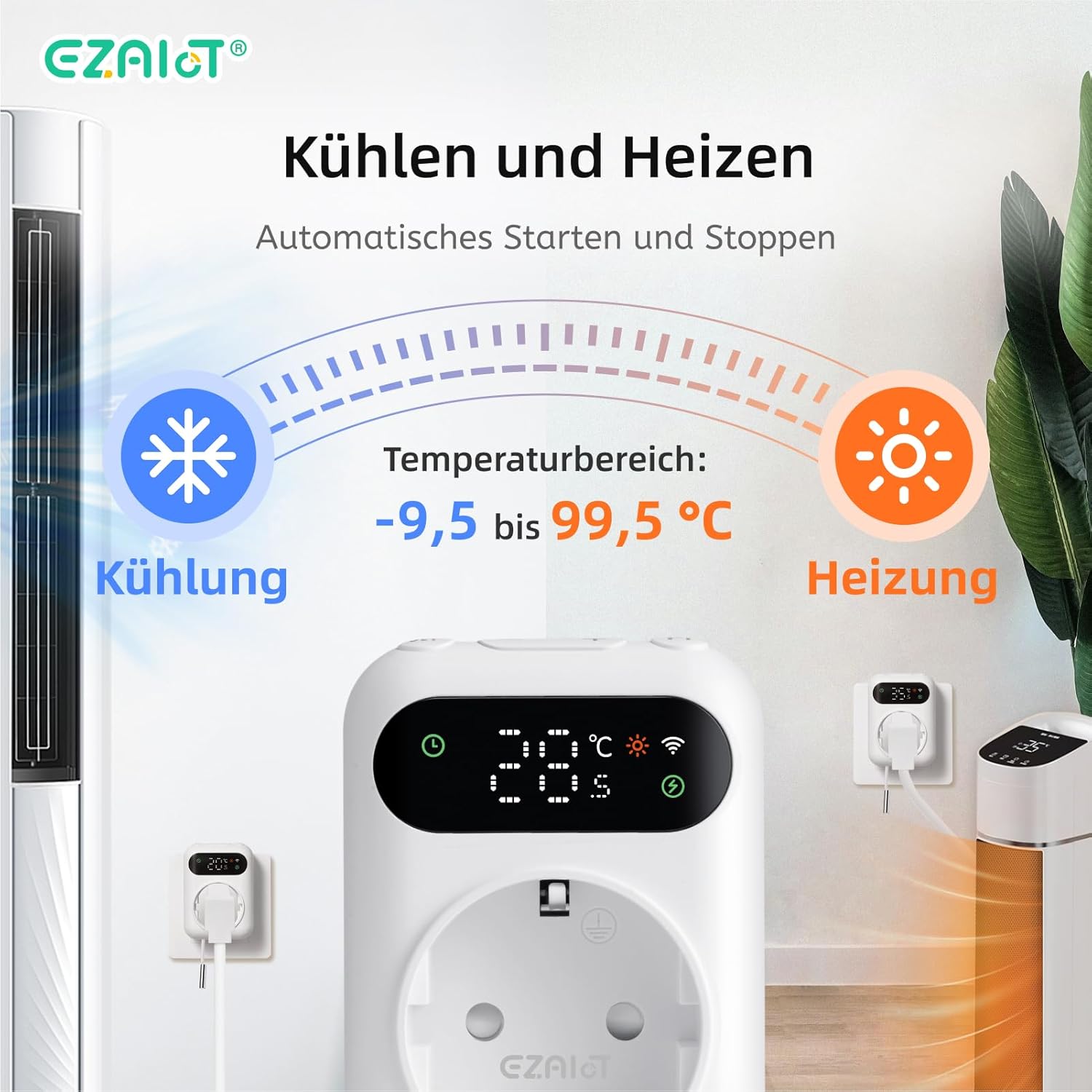
Figure 5: Visual representation of the heating and cooling capabilities of the thermostat plug, showing its operational temperature range.
4. Instellen
The EZAIoT EZ-TP3W is designed for easy plug-and-play installation.
4.1 fysieke installatie
- Sensor aansluiten: Insert one of the provided temperature sensors into the designated port on the bottom of the thermostat plug.
- Positiesensor: Place the sensor in the area where you wish to monitor and control the temperature. Ensure it is not directly exposed to heat sources or drafts that could skew readings.
- Plug-in-apparaat: Plug the EZAIoT EZ-TP3W thermostat into a standard electrical outlet.
- Apparaat aansluiten: Plug your heating or cooling appliance (e.g., heater, fan, incubator) into the socket on the front of the thermostat plug.
Figure 6: The thermostat plug, highlighting its plug-and-play design and the QR code for accessing the online manual.
For detailed setup instructions and app pairing, scan the QR code above or visit the official online manual: EZAIoT EZ-TP3W Online Manual
Afbeelding 7: Gedetailleerd view of the thermostat plug, showing its dimensions and the interchangeable temperature sensors.
4.2 App Pairing (TUYA Smart Life)
- Download app: Download the "TUYA Smart Life" app from your smartphone's app store (iOS or Android).
- Registreren/Inloggen: Open de app en maak een nieuw account aan of log in met een bestaand account.
- Apparaat toevoegen: Tik op het "+"-pictogram in de rechterbovenhoek van de app om een nieuw apparaat toe te voegen.
- Selecteer apparaattype: Choose "Electrical" -> "Socket (Wi-Fi)" or search for "Thermostat Plug".
- Voer Wi-Fi-gegevens in: Follow the on-screen instructions to connect the device to your 2.4GHz Wi-Fi network. Ensure your phone is connected to the same Wi-Fi network.
- Koppeling bevestigen: The device's Wi-Fi indicator will flash during pairing and become solid once connected.
5. Gebruiksaanwijzing
5.1-bedrijfsmodi
The EZ-TP3W offers several operating modes to suit various temperature control needs:
- Verwarmingsmodus: Maintains a minimum temperature by activating the connected appliance when the temperature drops below the set point.
- Koelmodus: Maintains a maximum temperature by activating the connected appliance when the temperature rises above the set point.
- Wekelijks schema: Allows you to program different temperature settings for specific times and days of the week.
- Cyclustimer: Configures the device to turn on and off in repeating cycles.
- Afteltimer: Sets a specific duration for the device to operate before turning off.
5.2 App Control (TUYA Smart Life)
The TUYA Smart Life app provides comprehensive control and monitoring capabilities:
- Op afstand bewaken: View current temperature, set temperature, and device status from anywhere.
- Modusselectie: Easily switch between heating, cooling, and other programmed modes.
- Planningbeheer: Create, edit, and activate weekly schedules and timers.
- Temperatuuralarmen: Set high and low-temperature alerts to receive notifications on your smartphone.
- Kinderslot: Activate the child lock function to prevent accidental changes to settings on the device.
- Stembesturing: Integrate with smart speakers like Google Assistant or Amazon Alexa for hands-free control.
- Example: "OK Google, set the EZ-TP3W to auto."
- Example: "Alexa, what's the temperature of EZ-TP3?"

Figure 8: Demonstrates remote control via the app and voice commands, alongside local manual control.
5.3 Handmatige bediening
The device features interactive buttons for direct control, even without an internet connection:
- Aan/uit-knop: Hiermee schakelt u het apparaat in of uit.
- Modusknop: Blader door de beschikbare bedrijfsmodi.
- Omhoog/omlaag-knoppen: Adjusts temperature set points or timer values.
- Bevestigingsknop: Bevestigt selecties of opent instellingenmenu's.
6. Toepassingen
The EZAIoT EZ-TP3W is suitable for a wide range of temperature control applications:
- Home Heating/Cooling: Optimize room temperature.
- Kassen: Maintain ideal growing conditions for plants.
- Aquaria: Reguleer de watertemperatuur voor het leven in het water.
- Reptielenverblijven: Ensure stable temperatures for reptiles.
- Broedmachines: Precise temperature control for hatching eggs.
- Home Brewing/Fermentation: Maintain specific temperatures for brewing processes.
- Wijnkelders: Control temperature for optimal wine storage.
- Overige apparaten: Can be used with attic fans, evaporative coolers, window air conditioners, etc.
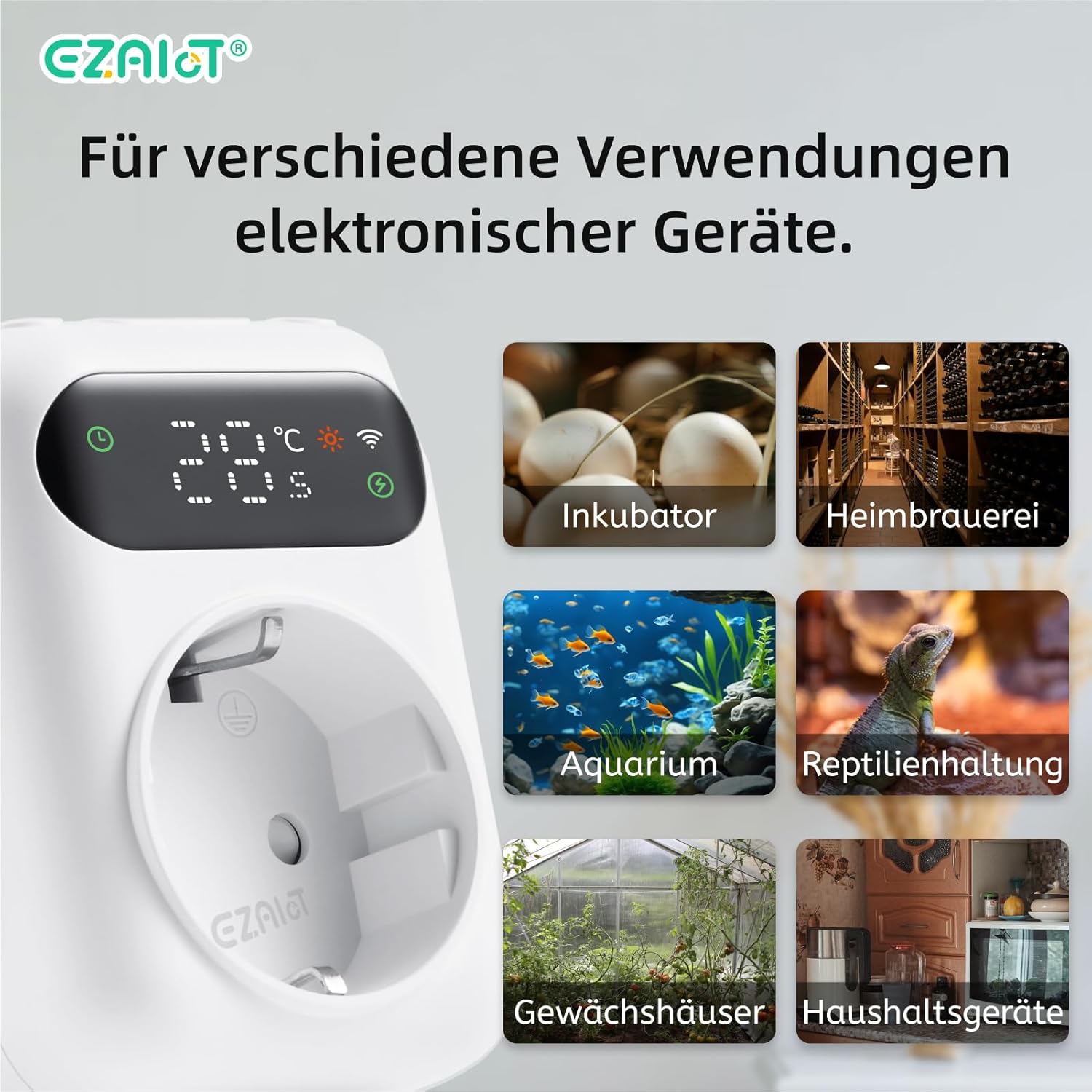
Afbeelding 9: Examples of diverse applications for the EZAIoT EZ-TP3W thermostat plug.
7. Onderhoud
Regelmatig onderhoud zorgt voor optimale prestaties en een lange levensduur van uw apparaat.
- Schoonmaak: Disconnect the device from power before cleaning. Wipe the exterior with a soft, dry cloth. Do not use abrasive cleaners or solvents.
- Sensorverzorging: Ensure the temperature sensors are clean and free from debris. Avoid bending or damaging the sensor cables.
- Firmware-updates: Periodically check the TUYA Smart Life app for any available firmware updates for the device to ensure you have the latest features and bug fixes.
8. Probleemoplossing
If you encounter issues with your EZAIoT EZ-TP3W, refer to the following common problems and solutions:
| Probleem | Mogelijke oorzaak | Oplossing |
|---|---|---|
| Apparaat gaat niet aan. | No power from outlet; device damaged. | Check the power outlet with another appliance. Ensure the device is not damaged. |
| Kan geen verbinding maken met wifi. | Onjuist wifi-wachtwoord; 5GHz-netwerk; apparaat te ver van de router. | Ensure correct 2.4GHz Wi-Fi password. Move device closer to router. Reset device and try pairing again. |
| De temperatuurmeting is onnauwkeurig. | Sensor improperly placed; sensor damaged; sensor error alarm. | Reposition the sensor away from direct heat/cold sources. Check sensor connection. Replace sensor if damaged. |
| Het apparaat gaat niet aan/uit. | Incorrect mode/settings; appliance not working; exceeding max load. | Verify operating mode and set points in the app. Test the appliance directly. Ensure total load is below 3680W. |
| Het scherm van het apparaat is uitgeschakeld. | Display timeout setting. | The display may turn off after a set period (e.g., 120 seconds) to save power. This setting can usually be adjusted in the app, though a permanent "always on" option might not be available. |
9. Garantie en ondersteuning
EZAIoT products are designed for reliability and performance. For warranty information, please refer to the documentation provided with your purchase or contact your retailer.
For technical support or inquiries, you may contact the manufacturer directly:
- Fabrikant: Shenzhen Rti-Tek Co., Ltd.
- E-mailadres: ezaiot@163.com
- Online Manual & Support: https://manual.rti-tek.org/en/TP3
Please have your model number (EZ-TP3W) and purchase details ready when contacting support.


