Invoering
Thank you for choosing the Hiseeu 12-inch LCD Monitor Integrated NVR Wireless Security Camera System. This system provides high-resolution 5MP video, two-way audio, and advanced AI motion detection for comprehensive indoor and outdoor surveillance. This manual will guide you through the installation, configuration, and operation of your new security system.
The system features a 12-inch LCD monitor integrated with the NVR, offering a compact and convenient setup. With 8 wireless cameras and a built-in 3TB HDD, you can record continuously for over 60 days (with 8 cameras). Remote viewing is available via PC software (EseeCloud) and smartphone app (EseeCloud), allowing you to monitor your property from anywhere.
Paklijst
Controleer de inhoud van uw pakket aan de hand van onderstaande lijst. Als er artikelen ontbreken of beschadigd zijn, neem dan contact op met de klantenservice.
- 1 x 12-inch LCD Monitor Integrated NVR (with 3TB HDD)
- 8 x 5MP draadloze IP-camera's
- 8 x Camera Power Adapters (12V1A)
- 1 x NVR Power Adapter (12V2A)
- 1 x USB-muis
- 1 x LAN-kabel
- 1 x HDMI-kabel
- 1 x Gebruiksaanwijzing
- 2 x Waarschuwingsstickers
- Montageschroeven en ankers

Afbeelding: Overview van de componenten van het Hiseeu-beveiligingscamerasysteem.
Instellen
1. Eerste verbinding
- NVR aansluiten: Plug the NVR power adapter into the NVR's DC 12V port and then into a power outlet.
- Camera's aansluiten: Plug each camera's power adapter into the camera's power input and then into a power outlet. The cameras will automatically pair with the NVR.
- Muis aansluiten: Sluit de USB-muis aan op een van de USB-poorten van de NVR.
- Optional: Connect to Router for Remote Viewind: Connect the NVR to your home router using the provided LAN cable. This is necessary for remote access via the mobile app or PC software.
- Optional: External Display: If you wish to use an external monitor or TV, connect it to the NVR via the HDMI or VGA port.
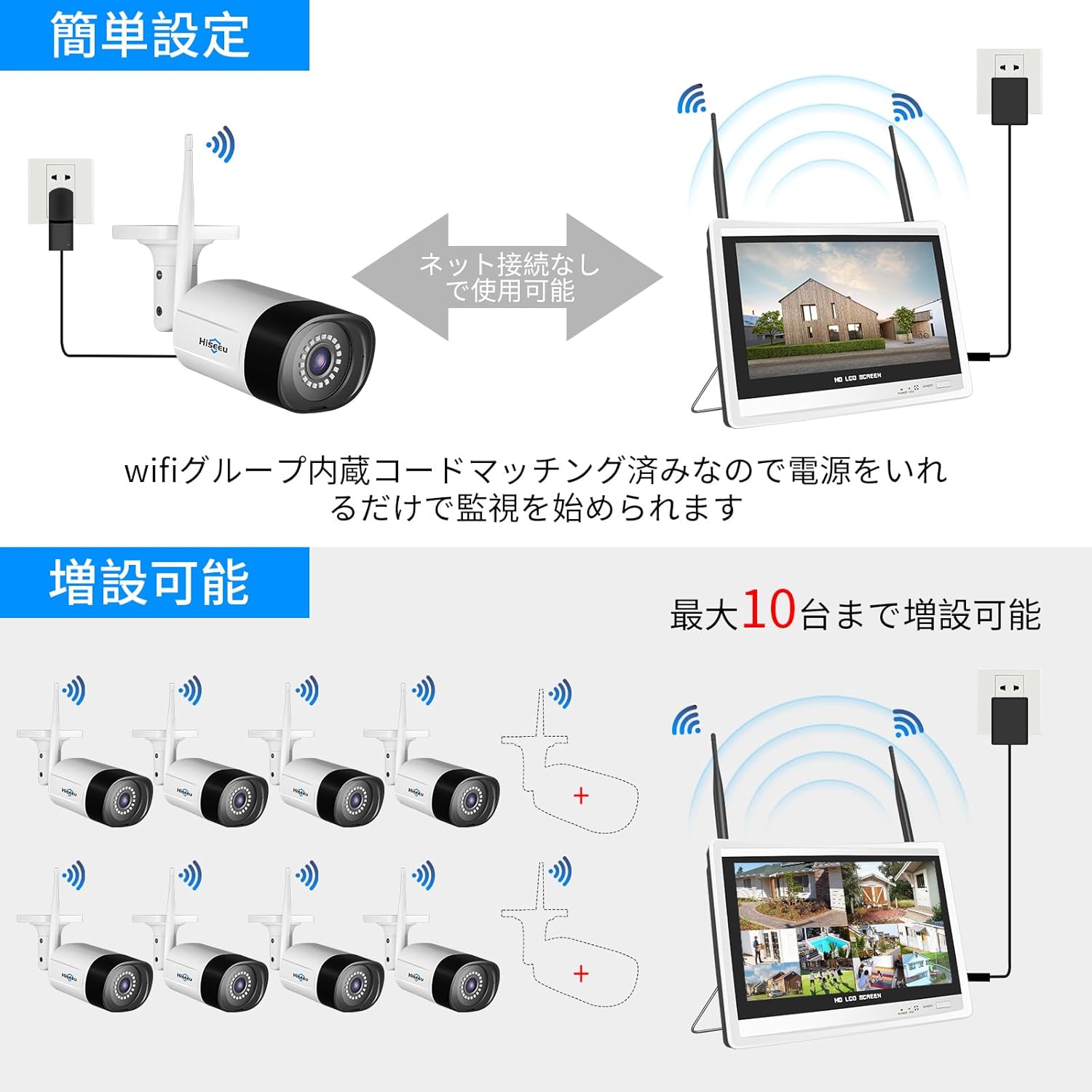
Image: Diagram showing the easy setup process for the Hiseeu wireless security camera system, including NVR and camera power connections.
2. Initiële systeemconfiguratie
Once powered on, the NVR will boot up. Follow the on-screen wizard for initial setup:
- Taalselectie: Select your preferred language (e.g., English). The system may restart.
- Wachtwoord instellen: Set a strong password for the 'admin' user.
- Netwerk configuratie: If connected to a router, the NVR will attempt to obtain an IP address automatically.
- Camera zoeken: The NVR will automatically search for and connect to the wireless cameras. This may take a few moments.
Video: Detailed guide on the initial operation procedure for the security camera system, covering language selection and basic setup.
Video: Step-by-step instructions for connecting and setting up the OHWOAI wireless security camera system, including network configuration.
Het systeem bedienen
1. Leven View en opname
- Scherm met hoge resolutie: The 5MP cameras provide 1920P ultra-high-definition video, ensuring clear and detailed images day and night.
- Opnamemodi: The system supports continuous recording, scheduled recording, and motion-triggered recording. You can configure these settings via the NVR interface.
- H.265+ Compressie: Advanced H.265+ video compression technology saves more than twice the storage space compared to H.264, allowing for longer recording times on the 3TB HDD.
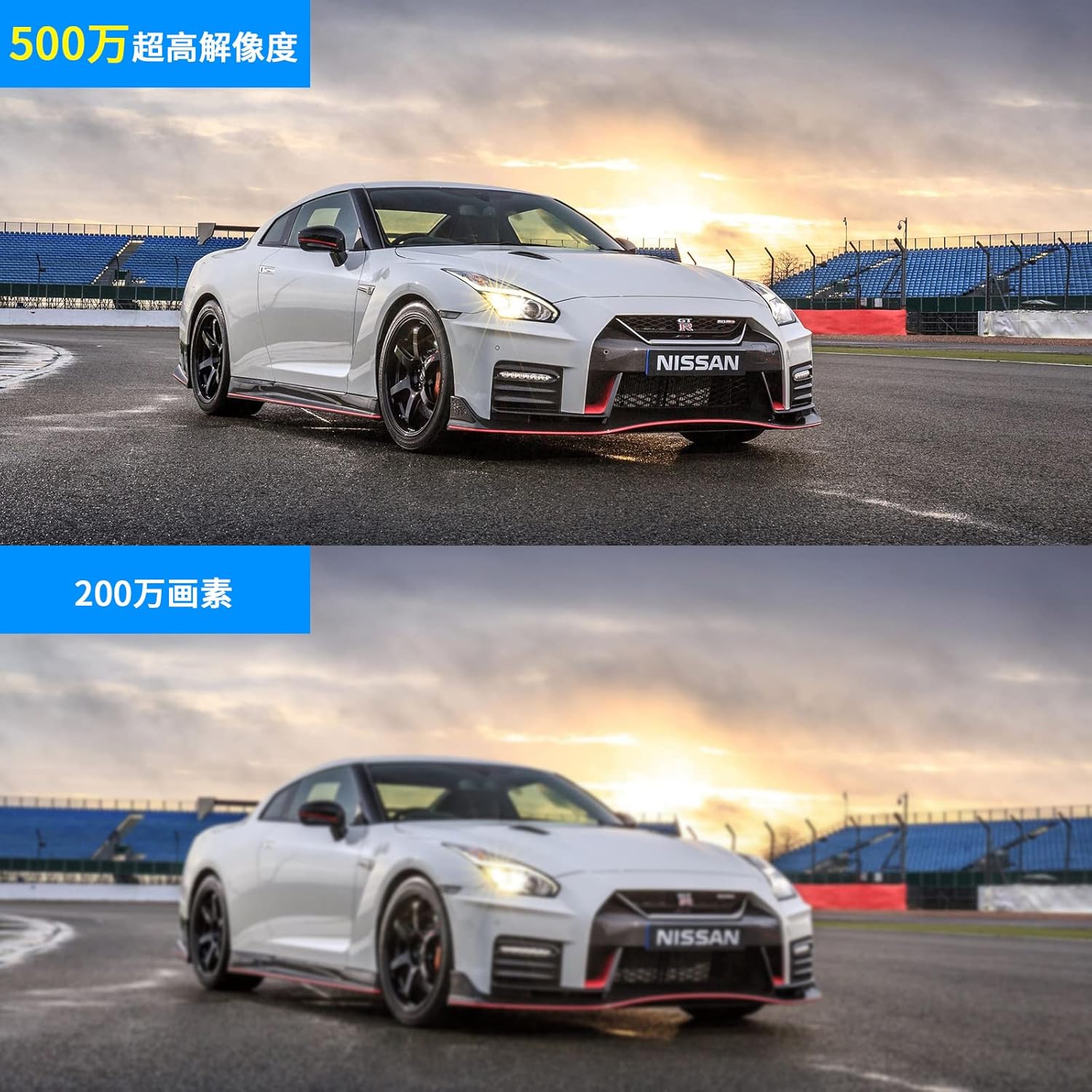
Image: Comparison of 5MP ultra-high-definition image quality versus lower resolution, highlighting clarity.

Image: Illustrates various recording modes (continuous, scheduled, motion detection) and alarm notifications for motion events.
2. Bewaking op afstand
- EseeCloud App/Software: Download de
Gerelateerde documenten - WK-12V-8HB315-CT

Hiseeu WiFi CCTV Kits Snelle handleiding A017-V5.0
Beknopte handleiding voor Hiseeu WiFi CCTV-kits, model A017-V5.0. Biedt informatie over installatie, veiligheid en probleemoplossing voor Hiseeu-bewakingssystemen.
Hiseeu Draadloze Batterij CCTV Kits Gebruikershandleiding
Uitgebreide gebruikershandleiding voor Hiseeu Wireless Battery CCTV Kits, met informatie over NVR-installatie, camera-installatie, systeemconfiguratie, app-gebruik en probleemoplossing. Inclusief modelinformatie en veiligheidsrichtlijnen.
Hiseeu B004-V2.0 PoE-beveiligingscamerasysteem: snelstartgids
Uitgebreide snelstartgids voor het Hiseeu B004-V2.0 PoE-beveiligingscamerasysteem met 5MP H.265 8CH NVR-functionaliteit. Deze gids behandelt de inhoud van de verpakking en de productinformatie.view, systeemverbinding, live view installatie, toegang tot mobiele apps en pc-clients, bewegingsdetectie en procedures voor het herstellen van de fabrieksinstellingen.
Hiseeu Wireless Video Recorder System Gebruikershandleiding
Uitgebreide gebruikershandleiding voor het draadloze videorecordersysteem van Hiseeu, met gedetailleerde informatie over de installatie, configuratie en bediening van het systeem voor bewaking thuis en op kantoor.
Hiseeu C009-V2.0 Batterijbeveiligingscamera Gebruikershandleiding
Gebruikershandleiding voor de Hiseeu C009-V2.0 batterijbeveiligingscamera, met installatie-instructies, veiligheidsrichtlijnen en productinformatie voor verschillende Hiseeu-cameramodellen.
Hiseeu WKIT-4HB612-1T Gebruikershandleiding: Installatie-, functies- en probleemoplossingsgids
Uitgebreide gebruikershandleiding voor het Hiseeu WKIT-4HB612-1T draadloze beveiligingscamerasysteem op batterijen. Bevat informatie over installatie, configuratie, netwerkconfiguratie, functies en veelgestelde vragen voor optimale systeemprestaties.