1. Inleiding
Bedankt voor uw aankoopasing the Timex TW14 Alarm Clock with Wireless Charger. This compact device combines a digital alarm clock with a convenient 15W wireless charging pad, suitable for various smartphones and earbuds. This manual provides essential information for setting up, operating, and maintaining your new alarm clock.
2. Inhoud van het pakket
Controleer of alle artikelen in het pakket aanwezig zijn:
- Timex TW14 Alarm Clock with Wireless Charger
- USB-A naar USB-C-voedingskabel
- Gebruikershandleiding (dit document)
Opmerking: A 18W QC3.0 adapter and 2 AAA batteries for backup are niet inbegrepen en moet afzonderlijk worden aangeschaft.
3. Product voorbijview
Familiarize yourself with the components and controls of your Timex TW14 alarm clock.

Afbeelding 3.1: Bovenkant view of the Timex TW14 alarm clock, highlighting the control buttons and the wireless charging pad. The display shows "10:09". A USB power cable is also shown.
Voorpaneel:
- Led scherm: Shows time, alarm status, and PM indicator.
Bovenpaneel:
- Draadloos oplaadstation: Voor het opladen van compatibele apparaten.
- "M"-knop: Mode/Set button for time and alarm settings, also functions as snooze.
- "-" Knop: Decrease value, navigate backward, also functions as snooze.
- "+" knop: Increase value, navigate forward, also functions as snooze.
Achter paneel:
- USB-C-stroomingang: Wordt aangesloten op de stroomkabel.
Onderste paneel:
- Batterijcompartiment: For 2 AAA backup batteries.
4. Instellen
4.1 Stroomaansluiting
- Connect the supplied USB-A to USB-C power cable to the USB-C input port on the rear of the alarm clock.
- Connect the USB-A end of the cable to a compatible 18W QC3.0 USB power adapter (not included).
- Plug the power adapter into a standard wall outlet. The clock display will illuminate.
4.2 Installatie van batterijback-up
The battery backup system maintains time and alarm settings during a temporary power outage. It does not power the clock display or wireless charging function.
- Zoek het batterijvak aan de onderkant van het apparaat.
- Open het batterijklepje.
- Insert 2 new AAA batteries (not included), observing the correct polarity (+ and -) as indicated inside the compartment.
- Sluit het batterijklepje goed.
5. Gebruiksaanwijzing
5.1 De tijd instellen
- Houd de M Druk op de knop totdat de uurcijfers beginnen te knipperen.
- Gebruik de - or + Knoppen om het uur aan te passen. Let op de PM-indicator als u de 12-uursnotatie gebruikt.
- Druk op de M Druk nogmaals op de knop om het uur te bevestigen, waarna de minuten zullen knipperen.
- Gebruik de - or + knoppen om de minuten aan te passen.
- Druk op de M button once more to confirm the minutes and exit time setting mode.
5.2 Het alarm instellen
- Druk op de M button once (do not hold) to enter alarm setting mode. The alarm time will be displayed, and the alarm icon will flash.
- Houd de M Druk op de knop totdat de cijfers van het alarmuur beginnen te knipperen.
- Gebruik de - or + knoppen om het alarmuur aan te passen.
- Druk op de M button again to confirm the alarm hour, and the alarm minute digits will flash.
- Gebruik de - or + Knoppen om de alarmminuten aan te passen.
- Druk op de M button once more to confirm the alarm minutes and exit alarm setting mode. The alarm icon will remain lit, indicating the alarm is active.
- Om het alarm in/uit te schakelen, drukt u op de knop. M button briefly when the current time is displayed. The alarm icon will appear or disappear.
5.3 Snooze-functie
When the alarm sounds, press any of the M, -, of + buttons to activate the snooze function. The alarm will temporarily stop and sound again after approximately 9 minutes.
To turn off the alarm completely, allow the alarm to ring for its full duration or turn off the alarm via the M button when not ringing.
5.4 Weergavedimmer
Om de helderheid van het led-display aan te passen, drukt u herhaaldelijk op de knop. M button (when not in setting mode) to cycle through High, Low, and Off brightness levels.
5.5 Draadloos opladen
The Timex TW14 features a 15W wireless charging pad compatible with Qi-enabled devices such as iPhone, Android smartphones, and AirPods.

Afbeelding 5.1: An iPhone placed on the wireless charging pad of the Timex TW14 alarm clock, indicating active charging.
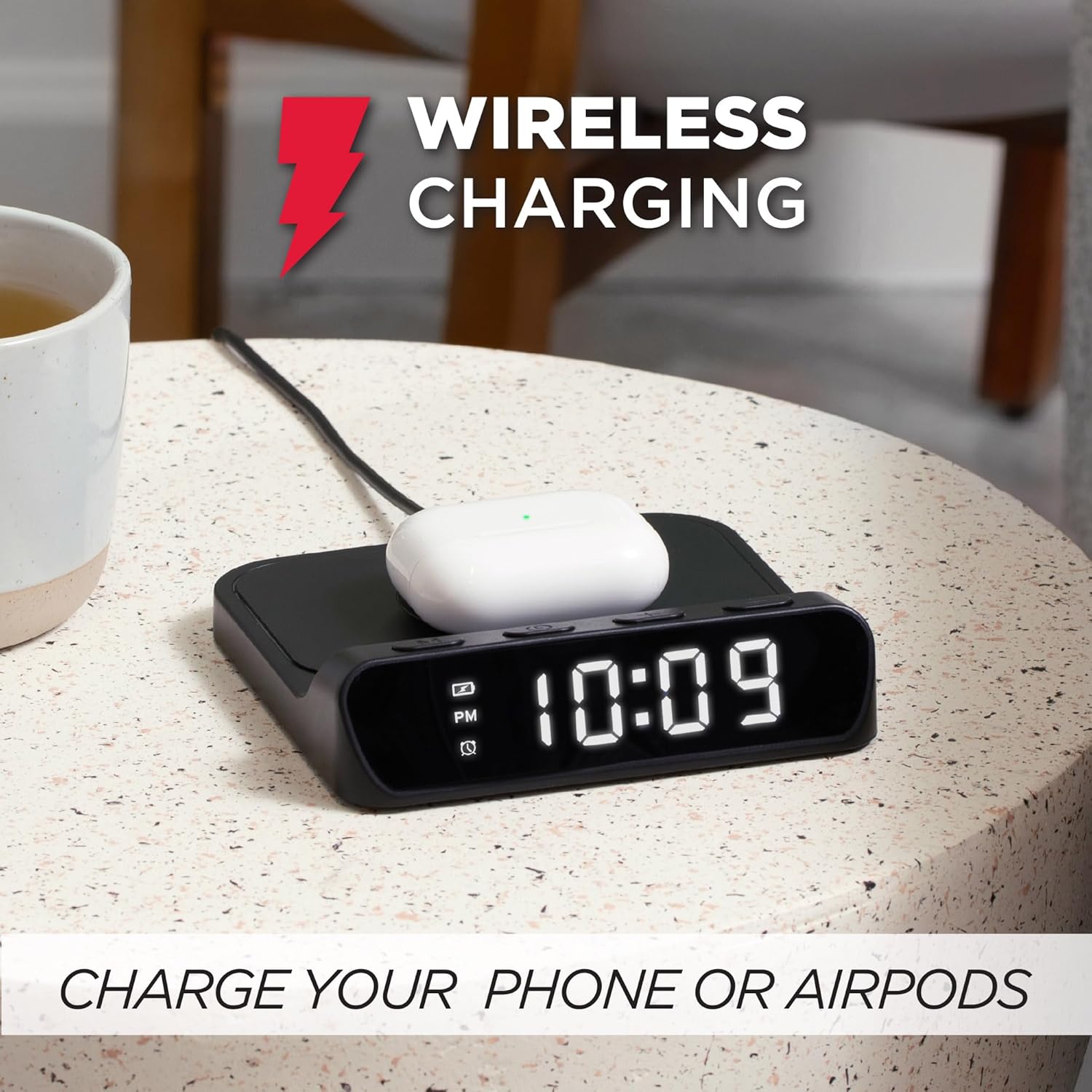
Afbeelding 5.2: AirPods case placed on the wireless charging pad of the Timex TW14 alarm clock, indicating active charging.
- Place your Qi-enabled device (e.g., smartphone, AirPods case) directly onto the center of the wireless charging pad on the top of the alarm clock.
- Ensure the device is properly aligned with the charging coil. A charging indicator (if available on your device) will confirm charging has begun.
- If charging does not start, slightly reposition your device on the pad.
Belangrijke overwegingen:
- For optimal charging performance, use an 18W QC3.0 power adapter.
- Thick phone cases or cases containing metal may interfere with wireless charging. Remove such cases if charging issues occur.
- Charging speed may vary depending on the device, its battery level, and environmental factors.
6. Onderhoud
6.1 Reinigen
To clean the unit, gently wipe the surfaces with a soft, dry cloth. Do not use liquid cleaners, abrasive materials, or chemical sprays, as these may damage the finish or internal components.
6.2 Batterij vervangen
Replace the 2 AAA backup batteries annually or if you notice settings are not retained during power outages. Always use new batteries and dispose of old batteries responsibly.
7. Probleemoplossing
If you experience issues with your Timex TW14 alarm clock, please refer to the following common problems and solutions:
| Probleem | Mogelijke oorzaak | Oplossing |
|---|---|---|
| Het klokdisplay is uit of werkt niet. | No power, loose connection, or display dimmer set to "Off". | Ensure the USB-C power cable is securely connected to the clock and a functional power adapter. Check if the adapter is plugged into a live outlet. Press the M button to cycle through display brightness settings (High/Low/Off). |
| Draadloos opladen werkt niet. | Device not Qi-compatible, improper alignment, phone case interference, insufficient power adapter. | Verify your device supports Qi wireless charging. Reposition the device on the center of the charging pad. Remove thick or metallic phone cases. Ensure you are using an 18W QC3.0 power adapter. |
| Draadloos opladen is traag. | Power adapter not powerful enough, device alignment, background apps on device. | Use an 18W QC3.0 power adapter for optimal speed. Ensure perfect alignment of the device on the charging pad. Close unnecessary apps on your device. |
| Alarm settings are lost after power outage. | De back-upbatterijen zijn leeg of niet geïnstalleerd. | Plaats 2 nieuwe AAA-batterijen in het batterijcompartiment en let op de juiste polariteit. Vervang de oude batterijen indien nodig. |
| Difficulty setting time/alarm. | Onjuiste volgorde van knopdrukken. | Refer to sections 5.1 and 5.2 for detailed instructions on setting the time and alarm. Ensure you press and hold the M button at the correct steps. |
8. Specificaties
| Merk | Tijdstip |
| Modelnummer | TW14 |
| Kleur | Zwart |
| Weergavetype | Digital LED (0.8" white) |
| Speciale kenmerken | Alarm, 15W Wireless Charging, Display Dimmer, Battery Backup |
| Productafmetingen | 5" (Width) x 5" (Depth) x 1.2" (Height) |
| Energiebron | USB-A to USB-C power cable (included), requires 18W QC3.0 adapter (not included) |
| Batterij back-up | 2 x AAA-batterijen (niet inbegrepen) |
| Framemateriaal | Plastic |
| Artikelgewicht | 0.2 kilogram (7 ounces) |

Afbeelding 8.1: Timex TW14 alarm clock with its dimensions (5"W x 5"D x 1.2"H) clearly indicated.
9. Garantie en ondersteuning
Timex products are manufactured to high quality standards. For information regarding warranty coverage, technical support, or customer service, please refer to the warranty card included with your purchase or visit the official Timex webwebsite. Bewaar uw aankoopbewijs voor garantieclaims.


