1. Inleiding
Thank you for choosing the Hiicam Speed 10 Action Camera. This manual provides essential information for setting up, operating, and maintaining your camera to ensure optimal performance and longevity. The Speed 10 is designed to capture high-quality 5K 30FPS video and 30MP photos, featuring Electronic Image Stabilization (EIS), Wi-Fi connectivity, and waterproof capabilities up to 131 feet (40 meters) with its included housing. It is ideal for various activities including sports, travel, and underwater adventures.
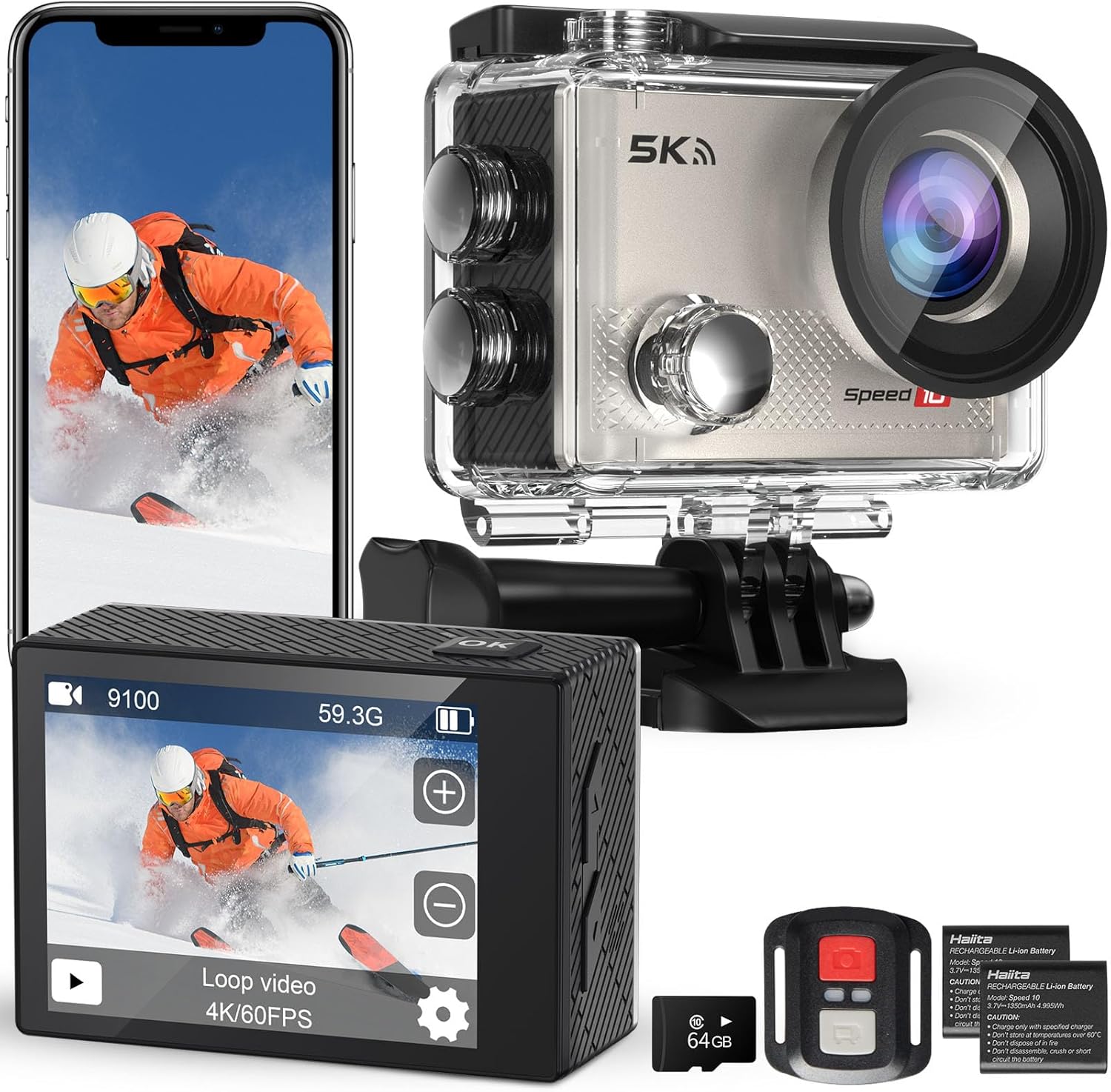
Figure 1.1: Hiicam Speed 10 Action Camera and included accessories.
2. Inhoud van het pakket
Please check the package contents upon unboxing to ensure all items are present.
- Hiicam Speed 10 Actiecamera
- Waterdichte behuizing
- Afstandsbediening
- 2 x 1350mAh Rechargeable Lithium-Ion Batteries
- Batterijlader
- Montageset met accessoires (diverse bevestigingsmaterialen, riemen, kleefmiddelen)
- USB-oplaadkabel
- Gebruikershandleiding (dit document)
- (Note: Memory card may or may not be included depending on the specific product variant purchased.)
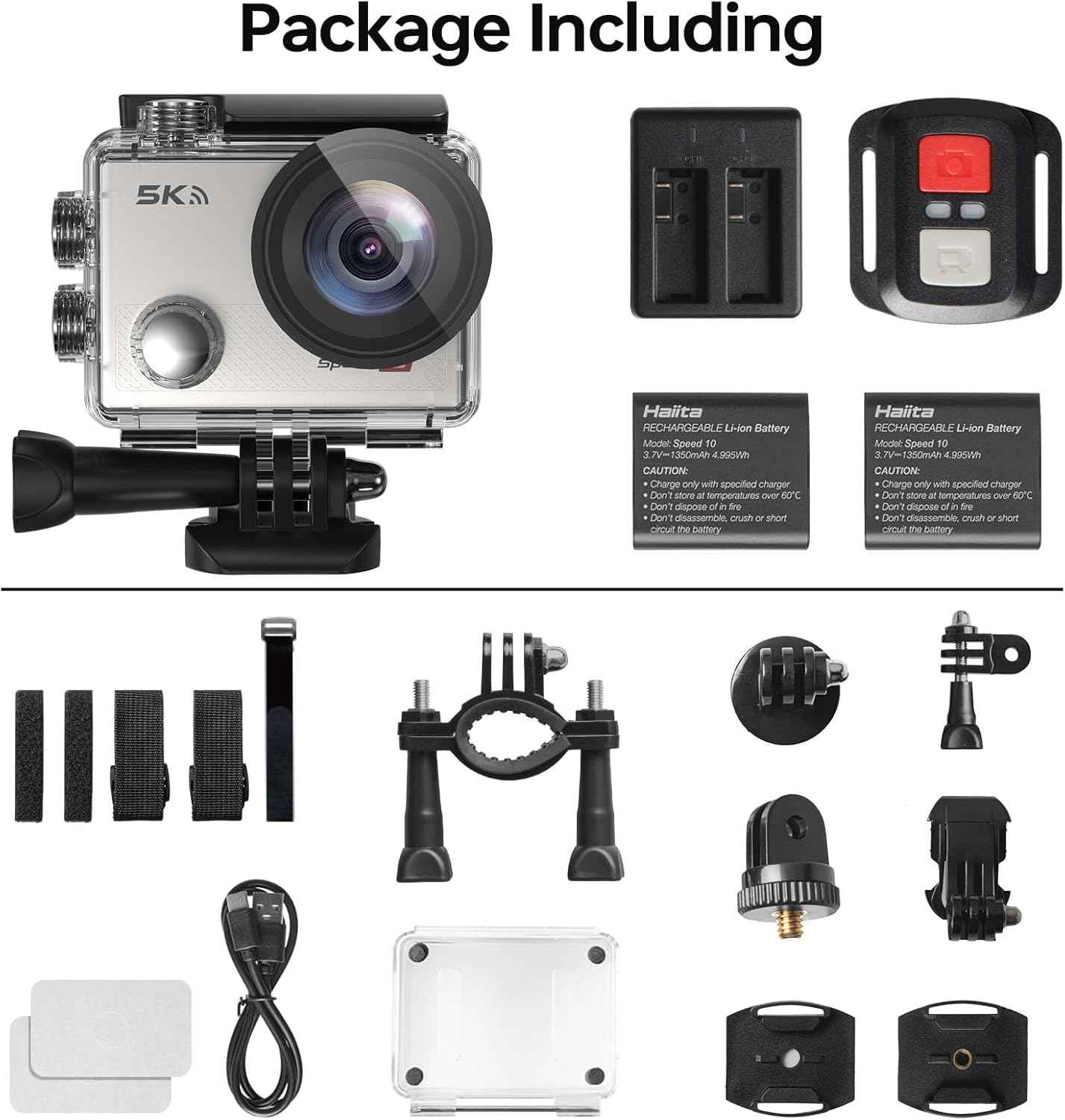
Figure 2.1: All components included in the standard package.
3. Cameracomponenten
Familiarize yourself with the main parts of your Hiicam Speed 10 Action Camera.
| Onderdeel | Beschrijving |
|---|---|
| Lens | Captures images and videos. Features a 170° wide-angle view. |
| Voorscherm | Displays camera status, mode, and can be used for selfies. |
| Rear Touch Screen | Main display for live view, afspelen en menunavigatie. |
| Aan/uit-/modusknop | Powers the camera on/off and switches between shooting modes. |
| Sluiter/OK-knop | Start/stopt de opname, maakt foto's en bevestigt de selecties. |
| Knoppen omhoog/omlaag | Navigation in menus, zoom control. |
| MicroSD-kaartslot | For inserting a microSD card (up to 256GB, Class 10 or higher recommended). |
| Batterijcompartiment | Bevat de oplaadbare batterij. |
| USB-poort | Voor opladen en gegevensoverdracht. |
4. Instellen
4.1. Batterij installeren en opladen
- Open het batterijklepje aan de onderkant van de camera.
- Insert a fully charged 1350mAh battery, ensuring the contacts align correctly.
- Sluit het batterijklepje goed.
- To charge, insert the battery into the provided battery charger and connect the charger to a USB power source using the USB cable. The indicator light will show charging status.
- Alternatively, you can charge the battery inside the camera by connecting the camera directly to a USB power source.

Figure 4.1: Charging batteries with the external charger.

Figure 4.2: The camera supports extended recording time with two included batteries.
4.2. MicroSD-kaart plaatsen
A microSD card (not always included) is required to store photos and videos.
- Zorg ervoor dat de camera is uitgeschakeld.
- Locate the microSD card slot on the side of the camera.
- Insert a Class 10 or higher microSD card (up to 256GB) with the contacts facing the correct direction until it clicks into place.
- Om de kaart te verwijderen, duwt u voorzichtig op de kaart totdat deze eruit springt.
4.3. Waterproof Housing Usage
The waterproof housing allows the camera to be used underwater up to 131 feet (40 meters).
- Before each use, inspect the waterproof housing for any dirt, debris, or damage to the O-ring seal.
- Place the camera inside the housing, ensuring it fits snugly.
- Close the latch securely. Perform a dry test (without the camera) in water before first use to confirm no leaks.
- After underwater use, rinse the housing with fresh water and allow it to air dry.

Figure 4.3: The camera is waterproof up to 131 feet (40 meters) with the housing.
5. De camera bedienen
5.1. Aan/uit
- To power on: Press and hold the Power/Mode button for a few seconds.
- To power off: Press and hold the Power/Mode button again until the camera shuts down.
5.2. Modi wisselen
Druk herhaaldelijk op de aan/uit-/modusknop om door de verschillende modi te bladeren: Video, Foto, Afspelen en Instellingen.
5.3. Recording Video / Taking Photos
- In Video mode: Press the Shutter/OK button to start recording. Press again to stop.
- In Photo mode: Press the Shutter/OK button to take a photo.

Figure 5.1: Capture ultra-sharp 5K 30FPS video and 30MP photos.
5.4. Menu-instellingen
Access the settings menu to customize camera parameters.
- From any mode, navigate to the Settings icon (gear icon) using the Mode button or touch screen.
- Use the Up/Down buttons or touch screen to navigate through options.
- Press the Shutter/OK button or tap to select an option.
- De belangrijkste instellingen zijn onder andere:
- Videoresolutie: Select from 5K/30FPS, 4K/60FPS, 4K/30FPS, 2.7K/30FPS, 1080P/120FPS, 1080P/60FPS, 720P/240FPS.
- Fotoresolutie: Adjust photo size up to 30MP.
- Elektronische beeldstabilisatie (EIS): Enable or disable for smoother footage.
- Wijde hoek: Pas het veld van aan view (170° ultra-wide angle available).
- Loop Recording, Time-Lapse, Slow Motion, Burst Photo: Explore various shooting modes.

Figure 5.2: Electronic Image Stabilization (EIS) ensures steady and smooth footage.

Figure 5.3: The 170° wide-angle lens captures a broad field of view.
6. Geavanceerde functies
6.1. Wi-Fi & Smart App Control
Connect your camera to a smartphone or tablet via Wi-Fi for remote control, live preview, En file overdracht.
- Download the "iSmart DV" app (or specified app in camera manual) from your device's app store.
- On the camera, enable Wi-Fi from the settings menu. The camera's Wi-Fi name (SSID) and password will be displayed.
- Ga op je smartphone naar de wifi-instellingen en maak verbinding met het wifi-netwerk van de camera.
- Open the app. You can now control the camera, view leef fotage, and download content to your device.

Figure 6.1: Share your moments instantly with Wi-Fi and app control.
6.2. Afstandsbediening
De meegeleverde afstandsbediening maakt een gemakkelijke bediening op afstand mogelijk.
- Zorg ervoor dat de batterij van de afstandsbediening werkt.
- Pair the remote with the camera (refer to the camera's settings menu for remote pairing instructions if needed).
- Use the dedicated buttons on the remote to start/stop video recording or take photos.

Figure 6.2: Wireless remote control for effortless capture.
7. Onderhoud en verzorging
- Keep the camera and its accessories clean and dry.
- Use a soft, lint-free cloth to clean the lens and screens. Avoid abrasive materials.
- Wanneer u de camera niet gebruikt, bewaart u deze op een koele, droge plaats, uit de buurt van direct zonlicht en extreme temperaturen.
- Verwijder de batterijen als de camera gedurende langere tijd niet wordt gebruikt.
- Maak regelmatig een back-up van uw footage and format the microSD card to maintain optimal performance.
8. Probleemoplossing
| Probleem | Mogelijke oplossing |
|---|---|
| De camera gaat niet aan. | Zorg ervoor dat de batterij volledig is opgeladen en correct is geplaatst. Probeer een andere, opgeladen batterij. |
| Kan geen video opnemen/foto's maken. | Check if a microSD card is inserted and has sufficient free space. Ensure the card is Class 10 or higher. Format the card if necessary (this will erase all data). |
| Footage is wazig/schokkerig. | Ensure EIS (Electronic Image Stabilization) is enabled in settings. Check if the lens is clean. |
| Problemen met de wifi-verbinding. | Ensure Wi-Fi is enabled on the camera and your smartphone. Re-enter the Wi-Fi password. Restart both devices. Ensure you are using the correct app. |
| De camera loopt vast. | Remove and reinsert the battery to reset the camera. Update firmware if available. |
| Water leakage in housing. | Immediately remove the camera. Inspect the O-ring seal for dirt, hair, or damage. Ensure the latch is fully secured. Do not use if the housing is damaged. |
9. Technische specificaties
| Functie | Specificatie |
|---|---|
| Modelnaam | Snelheid 10 |
| Videoresolutie | Tot 5K 30FPS |
| Fotoresolutie | Tot 30MP |
| Beeldstabilisatie | Elektronische beeldstabilisatie (EIS) |
| Waterdichte diepte | 131FT / 40M (with waterproof housing) |
| Lenshoek | 170° groothoek |
| Weergave | 2-inch Rear Touch Screen, Front Screen |
| Batterij | 2 x 1350mAh Lithium-Ion (included) |
| Opslag | MicroSD card, up to 256GB (Class 10 or higher) |
| Connectiviteit | Wi-Fi, USB |
| Afmetingen | 2.2 x 0.95 x 1.61 inch |
| Gewicht | 1.1 pond |
10. Garantie en klantenondersteuning
The Hiicam Speed 10 Action Camera typically comes with a manufacturer's warranty. Please refer to the warranty card included in your package or visit the official Hiicam website voor gedetailleerde garantievoorwaarden.
For technical support, troubleshooting assistance, or warranty claims, please contact Hiicam customer service through their official channels.
- Hiicam Store on Amazon: Visit the Hiicam Store
- Raadpleeg de contactgegevens op de verpakking van uw product.


