1. Inleiding
1.1 Productoverschotview
The SCS Sentinel AAA0045 Wireless Code Keypad is designed to provide secure and convenient access control for your automated gate or garage door motorization system. This keypad allows users to open your gate partially or totally by entering a personalized 8-digit code. It operates wirelessly at a frequency of 433.92 MHz and offers a range of up to 50 meters.
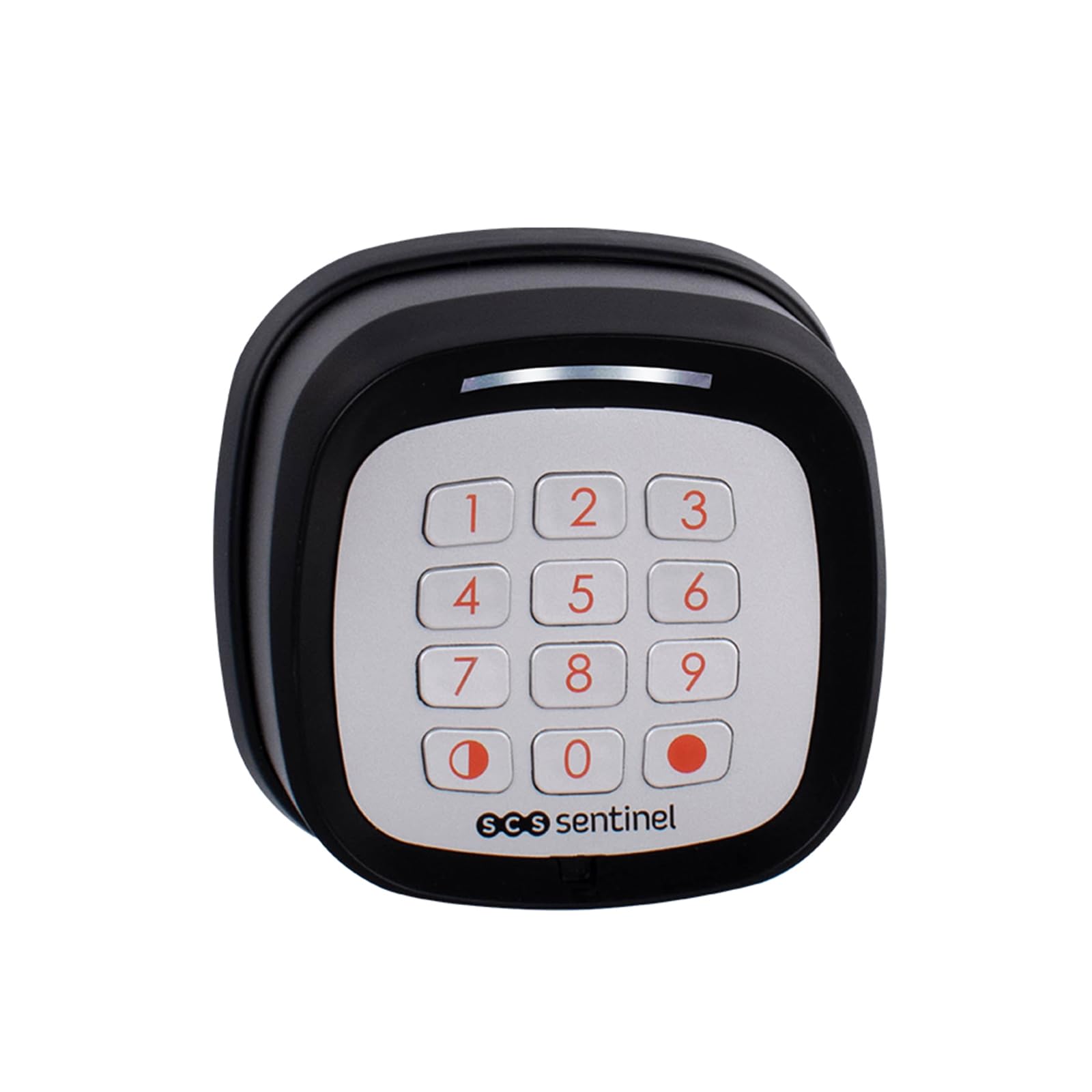
Image 1.1: SCS Sentinel AAA0045 Wireless Code Keypad in operation.
1.2 Belangrijkste kenmerken
- Draadloze bediening: Easy installation without the need for complex wiring.
- Verenigbaarheid: Designed for use with SCS Sentinel motorizations.
- Frequentie: Operates at 433.92 MHz.
- Toegangscontrole: Supports both total and partial gate opening functions.
- Secure Code: Features a customizable 8-digit rolling code for enhanced security.
- Energiebron: Requires 2 CR2032 batteries (not supplied).
- Weerbestendigheid: IP55 protection rating, safeguarding against water splashes.
- Waarschuwing voor lage batterij: Includes an audible warning for low battery levels.
- Bereik: Effective operating range of up to 50 meters.
2. Veiligheidsinformatie
Please read all safety instructions carefully before installing and operating the keypad. Failure to follow these instructions may result in damage to the product or personal injury.
- Do not expose the keypad to extreme temperatures, direct sunlight for prolonged periods, or corrosive substances.
- Zorg ervoor dat de batterijen met de juiste polariteit worden geplaatst. Gebruik geen oude en nieuwe batterijen door elkaar, en ook geen verschillende soorten batterijen.
- Houd batterijen buiten het bereik van kinderen. Bij inslikken onmiddellijk medische hulp inroepen.
- The IP55 rating protects against water splashes, but the device is not designed for submersion in water.
- Only use the keypad with compatible SCS Sentinel motorizations.
3. Inhoud van het pakket
Controleer of alle onderdelen in het pakket aanwezig zijn voordat u met de installatie begint:
- SCS Sentinel AAA0045 Wireless Code Keypad
- Bevestigingsmateriaal (schroeven en pluggen)
- Gebruiksaanwijzing

Image 3.1: Package contents of the AAA0045 Wireless Code Keypad.
4. Installatie en installatie
4.1 Batterij installatie
The keypad requires two CR2032 batteries (not included) for operation.
- Carefully open the battery compartment located on the back of the keypad.
- Insert two CR2032 batteries, ensuring the correct polarity (+/-) as indicated inside the compartment.
- Sluit het batterijvak goed af.
4.2 Het toetsenbord monteren
The keypad is designed for surface mounting. Choose a suitable location near your gate or entrance, ensuring it is within the 50-meter operating range of your SCS Sentinel motorization.
- Mark the desired mounting points on the wall or surface using the keypad as a template.
- Boor geleidegaten op de gemarkeerde plaatsen.
- Insert the provided wall plugs into the drilled holes (if mounting on masonry).
- Secure the keypad to the surface using the provided screws. Ensure it is firmly attached.

Afbeelding 4.1: Zijkant view of the keypad, illustrating its design for surface mounting.
4.3 Pairing with Motorization
To enable the keypad to control your gate or garage door, it must be paired with your SCS Sentinel motorization. The exact pairing procedure may vary slightly depending on your specific motorization model. Refer to your motorization's instruction manual for detailed pairing steps. Generally, the process involves:
- Activating the learning mode on your SCS Sentinel motorization's control board.
- Entering a specific sequence or pressing a button on the keypad within a short timeframe.
- Confirming successful pairing, usually indicated by a light or sound from the motorization.
5. Gebruiksaanwijzing
5.1 Entering a Code for Access
The keypad allows for both total and partial opening of your gate or garage door, depending on how it was programmed with your motorization.
- To activate the keypad, gently press any key. The keypad will illuminate.
- Enter your personalized 8-digit access code.
- Press the designated confirmation key (e.g., the red dot key or a specific number key, as per your programming).
- The gate or garage door will perform the programmed action (total or partial opening).

Image 5.1: Operating the keypad by entering an access code.
5.2 Changing the Access Code
The AAA0045 keypad features a customizable 8-digit code. The procedure for changing the code is typically performed through the motorization's control unit or via a specific sequence on the keypad after entering a master code. Refer to your SCS Sentinel motorization manual for detailed instructions on how to modify or personalize your access code.
6. Onderhoud
6.1 Batterij vervangen
The keypad will emit an audible warning when the batteries are low. Replace the batteries promptly to ensure continuous operation.
- Open the battery compartment on the back of the keypad.
- Verwijder de oude CR2032-batterijen.
- Plaats twee nieuwe CR2032-batterijen en let daarbij op de juiste polariteit.
- Sluit het batterijvak goed af.
6.2 Reinigen
Om het toetsenbord schoon te maken, gebruikt u een zachte, damp cloth. Do not use abrasive cleaners, solvents, or harsh chemicals, as these can damage the keypad's surface or internal components.
7. Probleemoplossing
If you encounter issues with your SCS Sentinel AAA0045 Wireless Code Keypad, consider the following:
- Toetsenbord reageert niet: Controleer of de batterijen correct zijn geplaatst en voldoende lading hebben. Vervang ze indien nodig.
- Beperkt bereik: Ensure there are no significant obstructions between the keypad and the motorization's receiver. Check for sources of interference (e.g., other wireless devices).
- Onjuiste code-invoer: Ensure you are entering the correct 8-digit code. The keypad has sensitive keys; a light press is sufficient.
- Keypad not controlling motorization: Verify that the keypad is correctly paired with your SCS Sentinel motorization. If unsure, repeat the pairing process as described in your motorization's manual.
- Intermitterende werking: This could indicate low battery power or environmental interference.
For more complex issues or if troubleshooting steps do not resolve the problem, please contact SCS Sentinel technical support.
8. Specificaties
| Functie | Specificatie |
|---|---|
| Merk | SCS-sentinel |
| Modelnummer | AAA0045 |
| Kleur | Zwart |
| Connectiviteitstechnologie | Draadloze |
| Compatibele apparaten | SCS Sentinel Motorizations |
| Energiebron | 2 x CR2032 Batteries (not supplied) |
| Maximaal bereik | 50 meter |
| Beschermingsclassificatie | IP55 (Protected against water splashes) |
| Artikelgewicht | 117 gram |
| Controlemethode | Drukknop |
| Alert Type | Audio Only (Low battery) |
9. Garantie en ondersteuning
9.1 Fabrieksgarantie
The SCS Sentinel AAA0045 Wireless Code Keypad comes with a 2 jaar fabrieksgarantieBewaar uw aankoopbewijs voor garantieclaims.
9.2 Technische ondersteuning
SCS Sentinel offers technical assistance to help you with the installation and use of your product. Our technical team, based in France, is available to provide expert and personalized advice. Your satisfaction is our priority.
For support, please refer to the contact information provided with your product or visit the official SCS Sentinel webplaats.


