1. Inleiding
This manual provides detailed instructions for the proper use and maintenance of your Sandberg Pocket Radio FM+AM Recharge, Model 421-02. Please read this manual thoroughly before operating the device to ensure optimal performance and longevity.
2. Product voorbijview
The Sandberg Pocket Radio is a compact, portable device designed for receiving FM and AM radio broadcasts. It features a built-in rechargeable battery and a digital display for easy tuning.
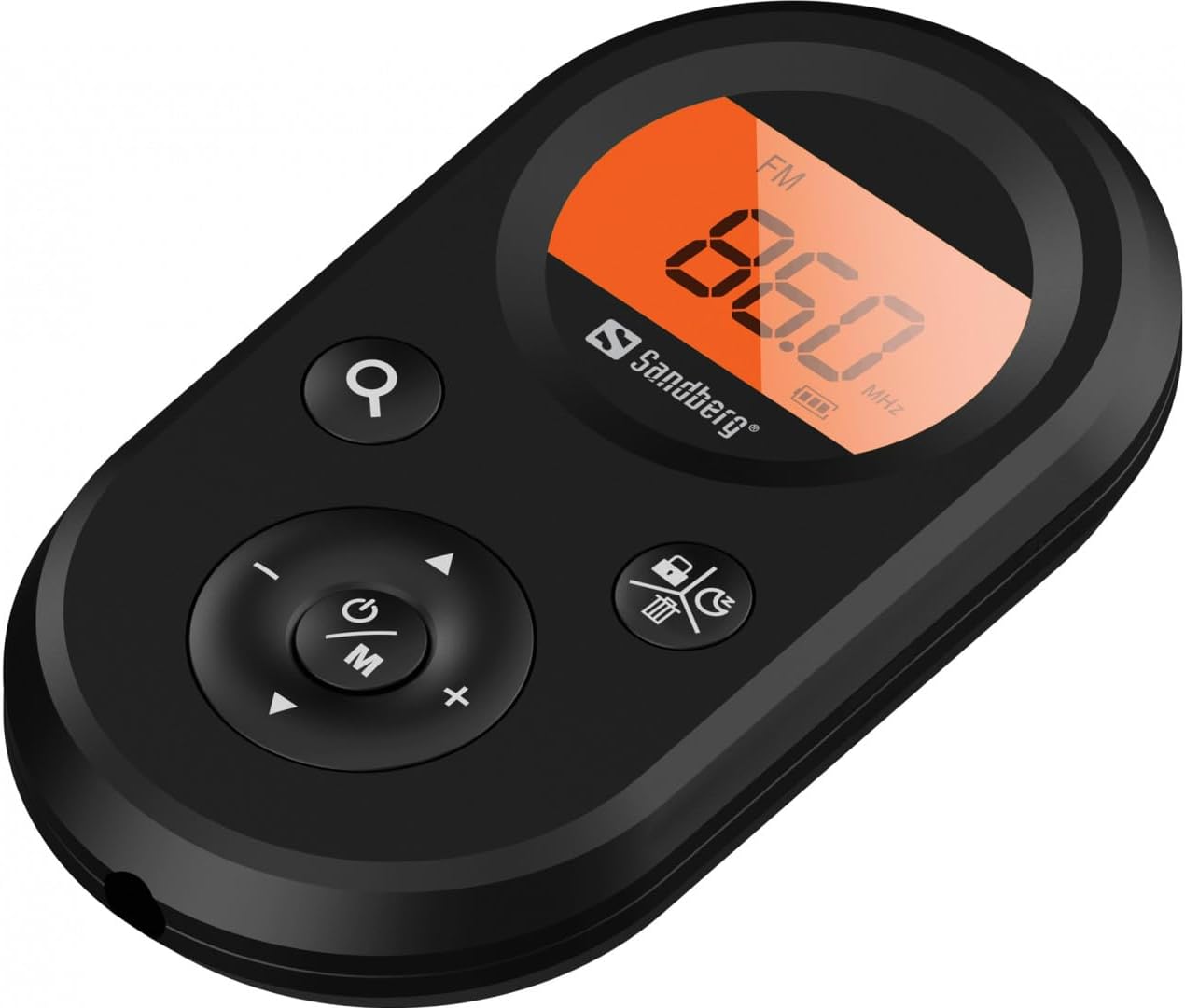
Figuur 1: Voorzijde view of the Sandberg Pocket Radio, displaying the frequency and controls.
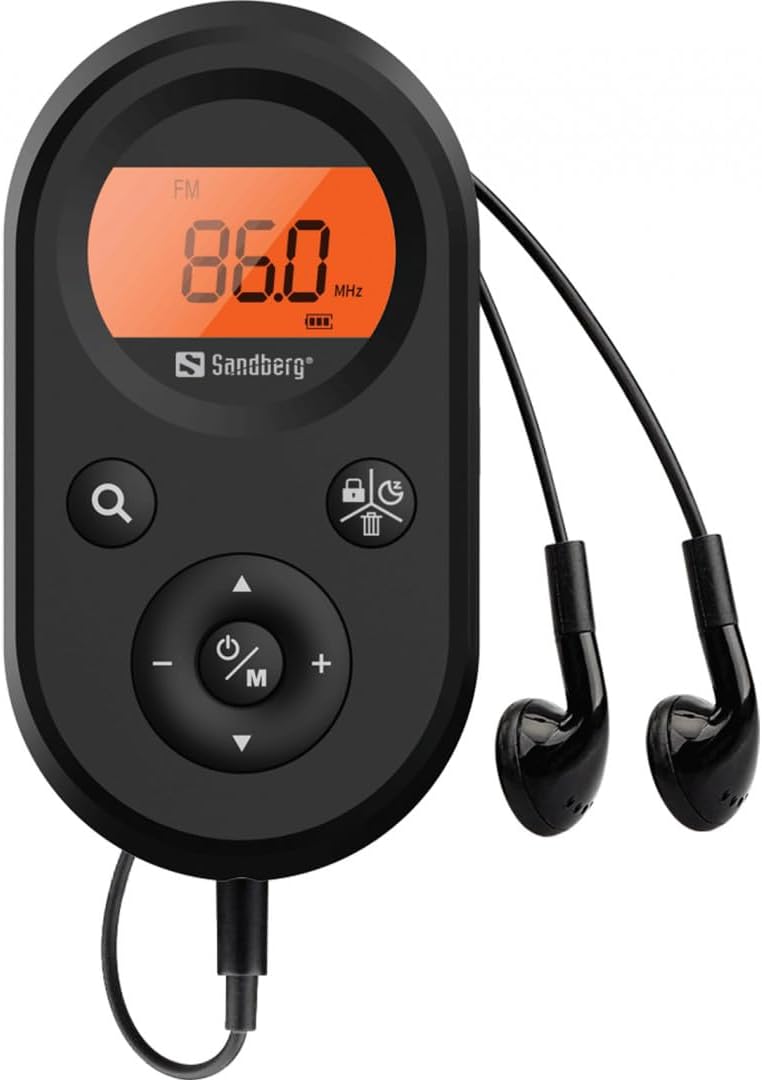
Figure 2: The radio connected to the included earphones, which also function as the FM antenna.
Inhoud van het pakket:
- 1 x Sandberg Pocket Radio FM+AM Recharge (Model 421-02)
- 1 x oortelefoon
- 1 x Charging cable (USB-A to USB-C, 50 cm)
3. Instellen
3.1 De batterij opladen
- Connect the small end of the included USB-C charging cable to the charging port on the radio.
- Sluit het standaard USB-A-uiteinde van de kabel aan op een USB-voedingsadapter (niet meegeleverd) of een USB-poort van een computer.
- The radio's display will indicate charging status. A full charge typically takes a few hours.
- Disconnect the charging cable once the battery is fully charged.
3.2 De oordopjes aansluiten
The included earphones are essential for operation as they serve as the antenna for FM reception. Without them, FM reception will be severely limited or non-existent.
- Insert the 3.5mm jack of the earphones into the earphone port on the radio.
- Zorg ervoor dat de verbinding veilig is.
4. Gebruiksaanwijzing
4.1 In-/uitschakelen
- Om de radio in te schakelen, houdt u de Power/Mode (ⓘ/M) button for approximately 2-3 seconds. The display will light up.
- Om de radio uit te schakelen, houdt u de knop ingedrukt. Power/Mode (ⓘ/M) button again for approximately 2-3 seconds. The display will turn off.
4.2 Modusselectie (FM/AM)
- While the radio is powered on, short press the Power/Mode (ⓘ/M) button to switch between FM and AM radio bands. The current band will be indicated on the display.
4.3 Afstemstations
- Automatisch scannen: To automatically scan for and store available stations, press and hold the Search (⌕) button. The radio will scan through the frequency range and save stations with strong signals.
- Handmatig afstemmen: To manually tune to a specific frequency, short press the Omhoog (▲) or Omlaag (▼) buttons to adjust the frequency incrementally.
4.4 Volumeregeling
- Om het volume te verhogen, drukt u op de Volume omhoog (+) knop.
- Om het volume te verlagen, drukt u op de Volume verminderen (-) knop.
4.5 Informatie weergeven
The digital display shows the current radio band (FM or AM), the tuned frequency, and the battery level indicator.
5. Onderhoud
5.1 Reinigen
- Veeg de buitenkant van de radio af met een zachte, droge doek.
- Do not use abrasive cleaners, solvents, or strong chemicals, as these can damage the surface.
- Zorg ervoor dat er geen vocht in de openingen terechtkomt.
5.2 Batterijonderhoud
- Om de levensduur van de batterij te verlengen, moet u voorkomen dat u de batterij te vaak volledig ontlaadt.
- Bewaar de radio op een koele, droge plaats wanneer u deze gedurende langere tijd niet gebruikt.
- Laad de batterij regelmatig op als deze lange tijd is opgeslagen om diepe ontlading te voorkomen.
6. Probleemoplossing
- Geen stroom: Ensure the battery is charged. Connect the radio to a power source using the USB-C cable.
- Geen geluid: Check that the earphones are securely plugged in. Adjust the volume using the Volume omhoog (+) knop.
- Slechte FM-ontvangst: Ensure the earphones are fully plugged in, as they function as the FM antenna. Try repositioning the radio or the earphone cable for better signal.
- Cannot Save Favorite Stations: This model does not support saving favorite radio stations. Stations are found via automatic scan or manual tuning each time.
- Scherm werkt niet: If the display is blank or flickering, try recharging the battery. If the issue persists, contact customer support.
7. Specificaties
| Functie | Specificatie |
|---|---|
| Modelnummer | 421-02 |
| AM-frequentiebereik | 522-1710 KHz (9KHz) / 520-170KHz (10KHz) |
| FM-frequentiebereik | 76-108 MHz |
| AM-gevoeligheid | <20mV/m |
| FM Signal to Noise Ratio | >40dB |
| Maximaal uitgangsvermogen | 6.5mW |
| Batterijcapaciteit | 5000 mAh, 3.7V (1.85 Wh) |
| Connectiviteitstechnologie | Auxiliary (for earphones/antenna) |
| Energiebron | Op batterijen |
| Artikelgewicht | 60 gram (2.12 ounces) |
8. Garantie en ondersteuning
Sandberg products are manufactured to high quality standards. For information regarding warranty terms and conditions, or for technical support, please refer to the official Sandberg webwebsite of neem rechtstreeks contact op met hun klantenservice. Bewaar uw aankoopbewijs als aankoopbewijs.


