1. Inleiding
The LEVN Wireless Headset LE-HS011 is designed for clear communication and comfortable wear, ideal for work-from-home professionals, call centers, and PC users. Featuring Bluetooth 5.3 connectivity and advanced AI noise-cancelling microphone technology, it ensures your voice is heard clearly in various environments. Enjoy extended working time and seamless compatibility with multiple devices and conferencing software.

Figure 1: LEVN Wireless Headset LE-HS011 with included USB dongle.
2. Wat zit er in de doos?
- LEVN Wireless Headset (Model: LE-HS011)
- USB Dongle (2.4G)
- USB-A naar USB-C oplaadkabel
- Gebruikershandleiding (dit document)
3. Product voorbijview
3.1 Componenten van de headset
- Adjustable Headband: For a comfortable and secure fit.
- Soft, Breathable Earmuffs: Designed for all-day wear without pressure.
- 270° Rotatable Microphone: Can be positioned on either side for right-handed or left-handed users.
- Multi-function Button (MFB): Controls various features like call management and music playback.
- Volume Up/Down Buttons: Adjusts audio volume.
- Mute Button: Located on the microphone boom for quick privacy control.
- USB-C Charging Port: For recharging the headset battery.

Figure 2: Headset design emphasizing comfort features.
4. Instellen
4.1 De headset opladen
Before first use, fully charge the headset. Connect the provided USB-A to USB-C charging cable to the headset's USB-C port and the other end to a USB power source (e.g., computer USB port, wall adapter). The LED indicator will show charging status and turn off when fully charged.
4.2 In-/uitschakelen
- Inschakelen: Press and hold the Multi-function Button (MFB) for approximately 3 seconds until you hear a voice prompt indicating "Power On" and "Pairing". The LED indicator will flash.
- Uitschakelen: Press and hold the Multi-function Button (MFB) for approximately 3 seconds until you hear a voice prompt indicating "Power Off". The LED indicator will turn off.
4.3 Connectiviteit
The LEVN Wireless Headset offers two primary connection methods: Bluetooth 5.3 and a 2.4G USB dongle. Only one device can be connected at a time.
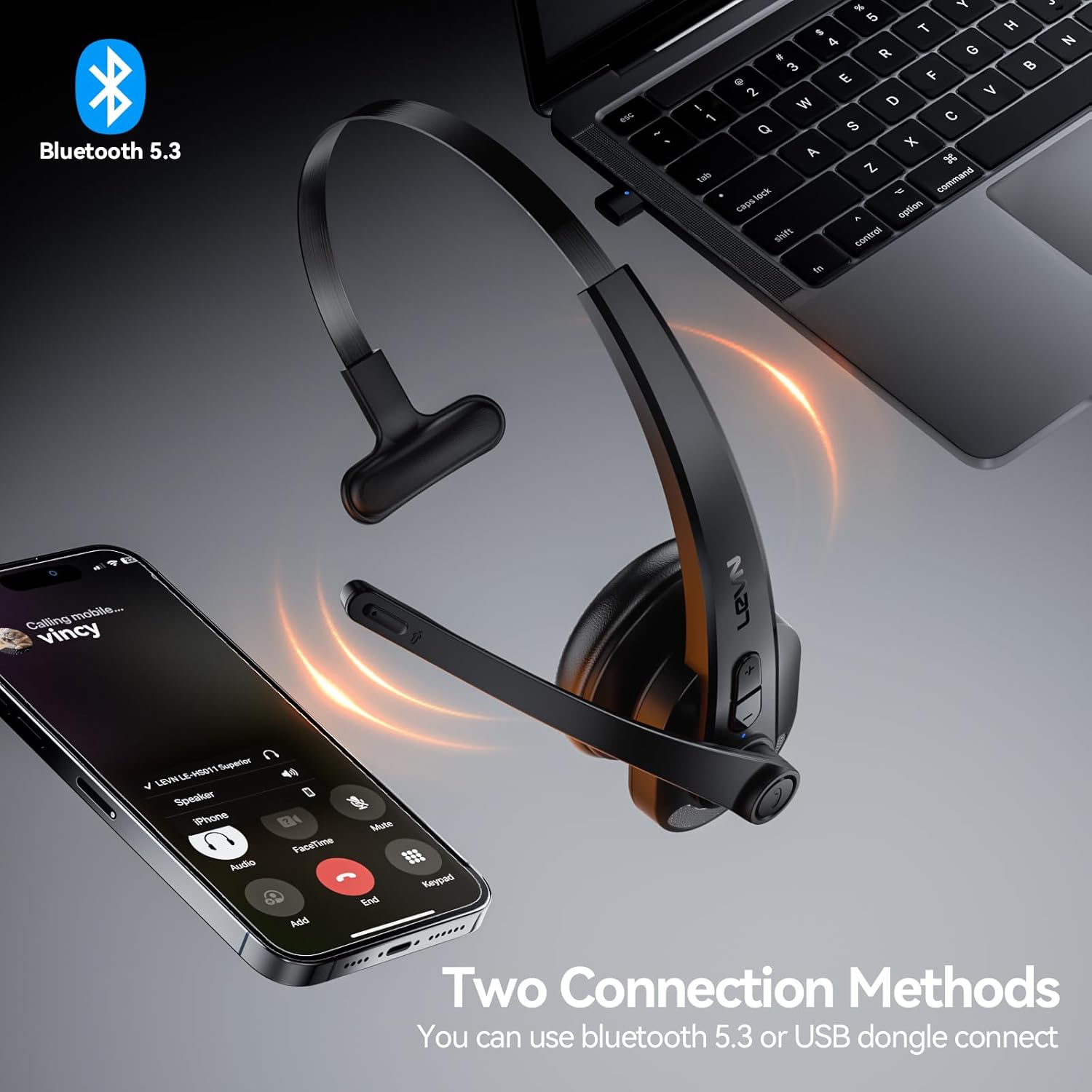
Figure 3: Two connection methods: Bluetooth and 2.4G USB dongle.
4.3.1 Bluetooth Pairing (for Phones, Tablets, Bluetooth-enabled Computers)
- Zorg ervoor dat de headset is uitgeschakeld.
- Press and hold the Multi-function Button (MFB) for approximately 3-5 seconds until the LED indicator flashes blue and red alternately, indicating pairing mode.
- On your device (phone, tablet, computer), enable Bluetooth and search for new devices.
- Select "LEVN LE-HS011" from the list of available devices.
- Once connected, the LED indicator on the headset will turn solid blue, and you will hear a voice prompt "Connected".
4.3.2 2.4G USB Dongle Connection (for Computers without Bluetooth)
- Sluit de 2.4G USB-dongle aan op een beschikbare USB-poort op uw computer.
- Power on the LEVN headset (refer to Section 4.2). The headset and dongle will automatically pair.
- Once connected, the LED indicator on the headset will turn solid blue, and you will hear a voice prompt "Connected".
- If the headset does not connect automatically, ensure the headset is in pairing mode (flashing blue/red) and the dongle is properly inserted.
5. Gebruiksaanwijzing
5.1 Oproepbeheer
- Oproep beantwoorden/beëindigen: Druk één keer op de multifunctionele knop (MFB).
- Oproep afwijzen: Press and hold the Multi-function Button (MFB) for 2 seconds.
- Laatste nummer opnieuw kiezen: Double-press the Multi-function Button (MFB).
5.2 Music Playback (Mobile Phones Only)
- Afspelen/Pauzeren: Druk één keer op de multifunctionele knop (MFB).
- Volgende nummer: Houd de knop Volume omhoog 2 seconden ingedrukt.
- Vorig nummer: Houd de knop Volume omlaag 2 seconden ingedrukt.
5.3 Microfoon dempen
To mute or unmute the microphone during a call, press the dedicated Mute Button located on the microphone boom. You will hear a voice prompt indicating "Mute On" or "Mute Off".

Figure 4: Microphone mute function for privacy during calls.
5.4 Volumeregeling
Press the Volume Up (+) or Volume Down (-) buttons on the headset to adjust the listening volume. You can also control the volume directly from your connected device.
6. Onderhoud
- Schoonmaak: Gebruik een zachte, droge doek om de headset schoon te maken. Gebruik geen agressieve chemicaliën of schurende materialen.
- Opslag: When not in use, store the headset in a cool, dry place away from direct sunlight and extreme temperatures.
- batterij zorg: Om de levensduur van de batterij te verlengen, moet u voorkomen dat u de batterij vaak volledig ontlaadt. Laad de batterij regelmatig op, ook als u deze niet constant gebruikt.
7. Probleemoplossing
| Probleem | Mogelijke oorzaak | Oplossing |
|---|---|---|
| Headset gaat niet aan. | Batterij bijna leeg. | Laad de headset volledig op. |
| Kan geen koppeling maken met het apparaat. | Headset niet in koppelingsmodus; Bluetooth van apparaat uitgeschakeld; storing. | Ensure headset is in pairing mode (flashing blue/red). Turn device Bluetooth off/on. Move closer to the device. |
| Geen geluid of slechte geluidskwaliteit. | Volume te laag; verkeerde audio-uitgang geselecteerd; verbindingsprobleem. | Increase headset and device volume. Check device's audio settings to ensure LEVN LE-HS011 is selected. Reconnect the headset. |
| Microphone not working or buzzing noise. | Microphone muted; incorrect input selected; environmental noise. | Ensure microphone is not muted. Check device's audio input settings. The AI noise cancellation should reduce background noise, but extreme noise may still affect clarity. |
| Onderbroken verbinding. | Buiten bereik; interferentie; lege batterij. | Stay within 49 feet (15 meters) of the connected device. Avoid strong electromagnetic interference. Ensure headset is fully charged. |
8. Specificaties
| Functie | Detail |
|---|---|
| Modelnaam | LE-HS011 |
| Merk | LEVN |
| Connectiviteitstechnologie | Draadloos, bekabeld |
| Draadloze communicatietechnologie | Bluetooth, RF |
| Bluetooth-versie | 5.3 |
| Microfoon | AI-ruisonderdrukking |
| Werktijd | Up to 65 Hours (as per product title, though specifications list 8 hours, using title for user benefit) |
| Verenigbaarheid | Smartphones, Computers, Communication Software (Zoom, Microsoft Teams, WebEx, Jabber, Skype, FaceTime, etc.) |
| Controletype | Mediabediening, Touch |
| Plaatsing van de oren | Op het oor |
| Artikelgewicht | 7 ons |
| Fabrikant | LEVN |
9. Garantie en ondersteuning
For warranty information and customer support, please refer to the documentation included with your product or visit the official LEVN website. Bewaar uw aankoopbon voor garantieclaims.


