1. Inleiding
Bedankt voor uw aankoopasing the MEGUO K38 Portable Bluetooth Karaoke Machine. This device is designed to provide an enjoyable audio experience with its powerful speaker, wireless microphones, and dynamic lighting. Please read this manual thoroughly before use to ensure proper operation and to maximize your enjoyment of the product.
2. Inhoud van het pakket
Controleer of alle artikelen in het pakket aanwezig zijn:
- 1 x draadloze luidspreker
- 2 x draadloze microfoons
- 1 x USB-oplaadkabel
- 1 x Gebruikershandleiding
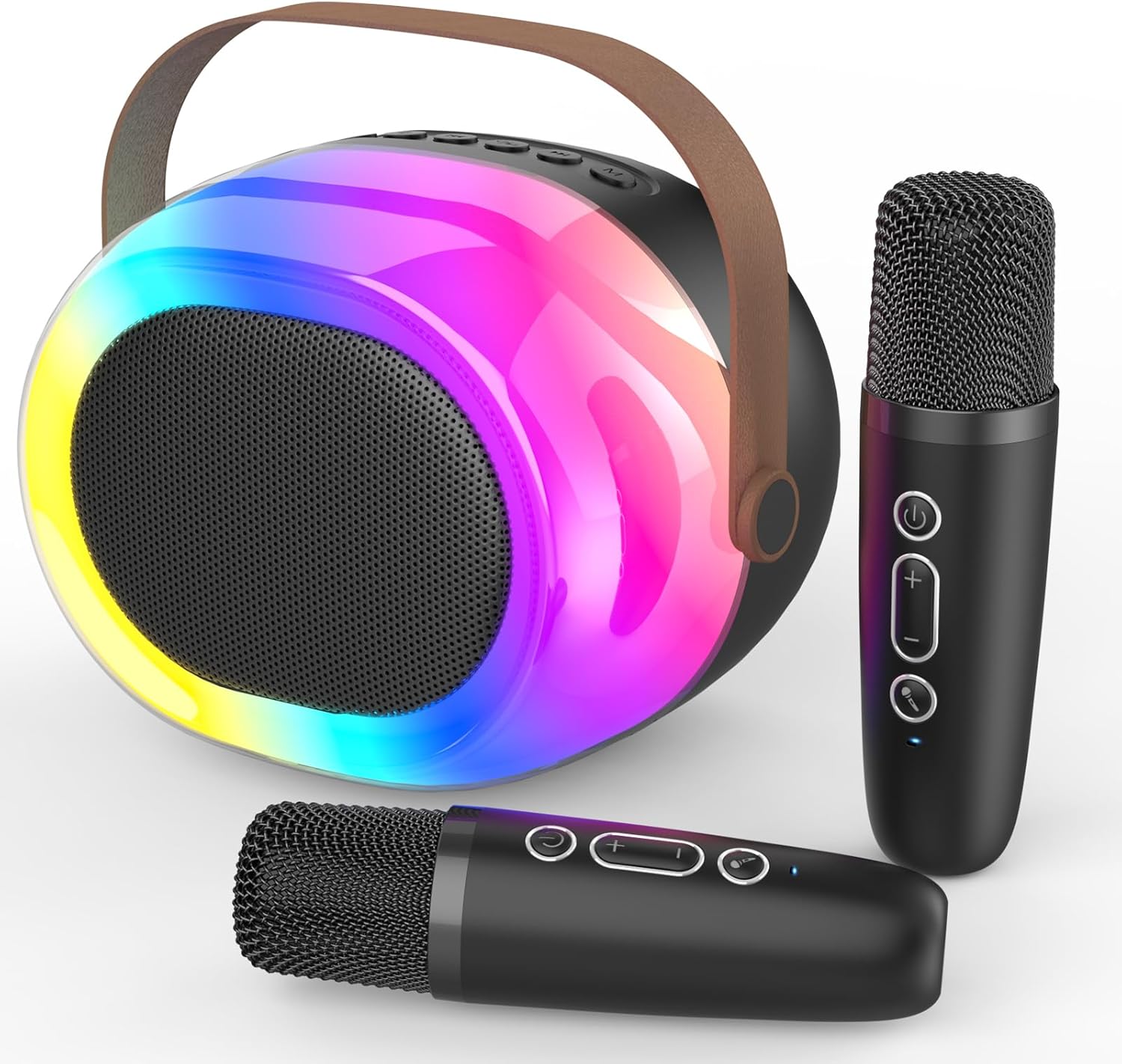
Image: The MEGUO K38 Portable Bluetooth Karaoke Machine, including the main speaker unit and two wireless microphones.
3. Product voorbijview
3.1 luidsprekereenheid
The main speaker unit features a 12W powerful driver and bass radiator for clear and balanced sound. It includes a convenient handle for portability.
- Bedieningsknoppen: Power, Volume Up/Down, Play/Pause, Mode Selection.
- Havens: USB-C charging port, TF card slot, USB-A port, AUX input.
- Dynamic Lights: Integrated colorful dynamic atmosphere lights with multiple modes.

Afbeelding: Een ontplofte view of the speaker unit highlighting its 12W speaker and 4-inch bass radiator for enhanced sound.
3.2 draadloze microfoons
The two wireless microphones are lightweight and designed for ease of use. Each microphone is rechargeable.
- Bedieningsknoppen: Power, Volume Up/Down, Voice Changer.
- Stemeffecten: Baby, Female, Male, and Monster voice changing effects.

Image: A family enjoying the karaoke machine, illustrating the various voice changing effects available on the microphones.
4. Instellen
4.1 Eerste keer opladen
Before first use, fully charge both the speaker unit and the wireless microphones. Use the provided USB charging cable. A full charge typically takes 2-3 hours.
- Connect the USB-C end of the cable to the charging port on the speaker/microphone.
- Sluit het USB-A-uiteinde aan op een compatibele USB-voedingsadapter (niet meegeleverd).
- Het indicatielampje geeft de laadstatus weer en gaat uit wanneer de batterij volledig is opgeladen.
4.2 In-/uitschakelen
- Spreker: Press and hold the Power button on the speaker unit until you hear a power-on prompt.
- Microfoons: Press and hold the Power button on each microphone until you hear a power-on prompt.
- To power off, repeat the process.
4.3 Bluetooth-koppeling
The speaker and microphones will automatically attempt to pair with each other upon powering on. For external device connection:
- Ensure the speaker is in Bluetooth mode (indicated by a voice prompt).
- On your smartphone or other Bluetooth-enabled device, search for "K38" in the Bluetooth settings.
- Select "K38" to connect. A voice prompt will confirm successful pairing.

Image: The speaker and microphones, illustrating the various playback modes including Bluetooth, TF card, USB, and AUX input.
5. Gebruiksaanwijzing
5.1 Afspeelmodi
De luidspreker ondersteunt meerdere afspeelopties:
- Bluetooth-modus: Connect wirelessly to your device to stream music.
- TF-kaartmodus: Plaats een TF-kaart (MicroSD) met MP3-bestand. filein de daarvoor bestemde gleuf.
- USB-modus: Plaats een USB-flashstation met MP3 filein de USB-A-poort.
- AUX-ingang: Connect an external audio device using a 3.5mm AUX cable (not included).
Press the 'M' (Mode) button on the speaker to switch between modes.
5.2 Volumeregeling
- Luidsprekervolume: Use the Volume Up (+) and Volume Down (-) buttons on the speaker unit.
- Microfoonvolume: Use the Volume Up (+) and Volume Down (-) buttons on each microphone.
5.3 Voice Changing Effects
Each microphone features four magic voice changing effects:
- Originele stem
- Babystem
- Vrouwelijke stem
- mannelijke stem
- Monsterlijke stem
Press the dedicated Voice Changer button on the microphone to cycle through the effects.
5.4 Dynamic Lights
The speaker unit includes colorful dynamic atmosphere lights. These lights can be changed to different modes to enhance the ambiance. Refer to the speaker's control buttons for light mode selection (usually integrated with the 'M' button or a dedicated light button if available).
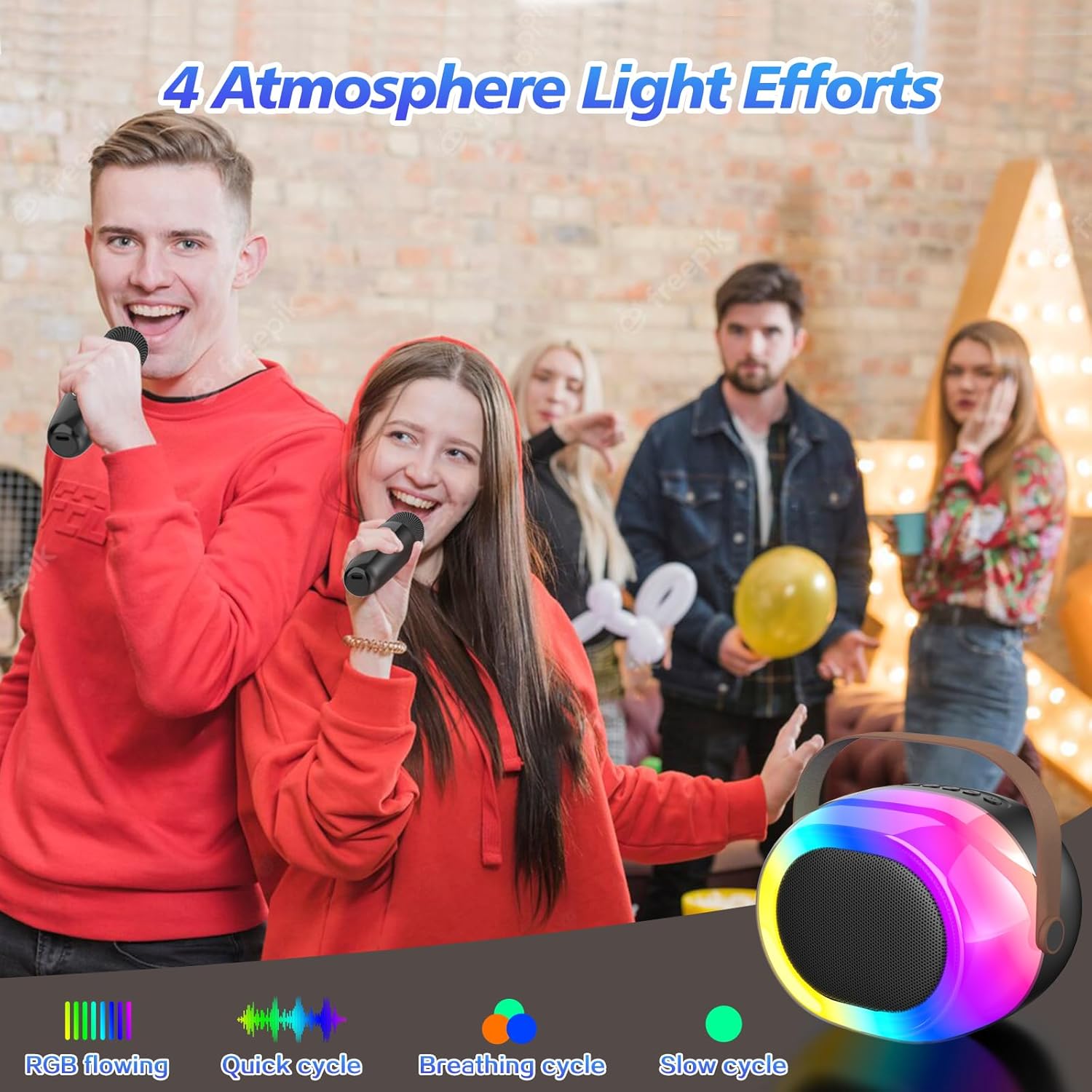
Image: The dynamic atmosphere lights of the karaoke machine creating a lively environment.
6. Opladen
Both the speaker and microphones are equipped with built-in rechargeable Lithium-Ion batteries. Use the provided USB-C cable for charging.
- Oplaadtijd: Ongeveer 2-3 uur voor een volledige lading.
- Speeltijd: Up to 5-10 hours on a full charge, depending on usage and volume levels.
- A red indicator light typically signifies charging, turning off or changing color when fully charged.

Image: The portable karaoke machine being used outdoors, emphasizing its built-in battery and extended playtime.
7. Onderhoud
- Houd het apparaat uit de buurt van water, vocht en extreme temperaturen.
- Clean the surfaces with a soft, dry cloth. Do not use abrasive cleaners or solvents.
- Wanneer u het niet gebruikt, bewaar het dan op een koele, droge plaats.
- Zorg ervoor dat u het apparaat niet laat vallen en blootstelt aan sterke schokken.
8. Probleemoplossing
| Probleem | Mogelijke oorzaak | Oplossing |
|---|---|---|
| Geen stroom | Batterij is leeg. | Charge the speaker/microphones fully. |
| Geen geluid uit microfoon | Microphone is off or not paired. Volume is too low. | Ensure microphone is powered on and paired. Increase microphone volume. |
| Bluetooth maakt geen verbinding | Speaker is not in Bluetooth mode. Device is too far. Interference. | Switch speaker to Bluetooth mode. Move device closer. Avoid obstacles. |
| Slechte geluidskwaliteit | Low battery. Interference. Source audio quality. | Charge devices. Move away from other electronic devices. Use high-quality audio files. |
9. Specificaties
- Merk: MEGUO
- Model: K38
- Productafmetingen: 3.9 x 6.2 x 4.8 inch
- Artikelgewicht: 2.29 pond
- Energiebron: Werkt op batterijen (1 lithium-ionbatterij meegeleverd)
- Speciale eigenschap: Stemvervormer
- Meegeleverde componenten: 1 Wireless Speaker, 2 Microphones
10. Veiligheidsinformatie
- Het apparaat niet demonteren of wijzigen.
- Buiten het bereik van kleine kinderen houden om verstikkingsgevaar door kleine onderdelen te voorkomen.
- Gebruik uitsluitend de aangegeven oplaadkabel en stroomadapter.
- Vermijd langdurige blootstelling aan harde geluiden om gehoorschade te voorkomen.
11. Garantie en ondersteuning
For warranty information or technical support, please refer to the product packaging or contact MEGUO customer service directly. Contact details are typically provided on the product box or on the official MEGUO webplaats.


