1. Inleiding
Thank you for choosing Baseus Bowie MA10S and AirNora 2 Wireless Earbuds. These earbuds are designed to provide a superior audio experience with advanced features such as Hybrid Active Noise Cancellation, immersive Spatial Audio, and robust bass performance. The AirNora 2 model also features a lightweight design tailored for comfort and an integrated make-up mirror in its charging case.
This manual will guide you through the setup, operation, and maintenance of your new earbuds, ensuring you get the most out of their capabilities.

Image: Baseus Bowie MA10S (black) and AirNora 2 (orange) wireless earbuds with their respective charging cases. The Bowie MA10S case shows a digital battery display, while the AirNora 2 case features an integrated mirror.
2. Pakketinhoud en installatie
2.1 Wat zit er in de doos?
- Baseus Bowie MA10S or AirNora 2 Wireless Earbuds (L/R)
- Oplaadcase
- USB-C-oplaadkabel
- Verschillende maten oordopjes
- Gebruikershandleiding (dit document)

Image: The AirNora 2 earbuds, their charging case with mirror, USB-C charging cable, and various sizes of ear tips, displayed within their decorative packaging.
2.2 De oordopjes en het doosje opladen
- Plaats de oordopjes in de oplaadcase en zorg ervoor dat ze goed vastzitten.
- Sluit de USB-C-oplaadkabel aan op de oplaadpoort op de behuizing en sluit het andere uiteinde aan op een USB-stroomadapter (niet meegeleverd).
- The indicator lights on the case will show charging status. For Bowie MA10S, the digital display will show battery percentage.
- Fully charge the case and earbuds before first use.
2.3 Bluetooth-koppeling
- Open de oplaadcase. De oordopjes gaan automatisch in de koppelingsmodus (indicatielampjes knipperen).
- Schakel Bluetooth in op uw apparaat (smartphone, tablet, enz.).
- Zoeken naar available Bluetooth devices and select "Baseus Bowie MA10S" or "Baseus AirNora 2" from the list.
- Once connected, the indicator lights on the earbuds will turn off or show a steady light, and your device will confirm the connection.
2.4 De oordopjes dragen
Choose the ear tips that provide the best seal and comfort. Gently insert each earbud into your ear canal and twist slightly to secure a snug fit. A proper fit is crucial for optimal sound quality and noise cancellation.
3. Gebruiksaanwijzing
3.1 Aanraakbediening
The earbuds feature touch-sensitive areas for control. Specific functions may vary slightly between models, but common controls include:
- Enkele tik: Muziek afspelen/pauzeren, oproepen beantwoorden/beëindigen.
- Dubbel tikken (links/rechts): Next/Previous track (configurable).
- Triple Tap: Activeer stemassistent.
- Lang ingedrukt houden: Switch between ANC/Transparency/Normal modes, Reject call.
3.2 Actieve ruisonderdrukking (ANC) en transparantiemodus
The Bowie MA10S and AirNora 2 earbuds feature Hybrid Active Noise Cancellation, reducing external noise by up to -48dB (MA10S) or -42dB (AirNora 2). Transparency mode allows you to hear your surroundings without removing the earbuds.

Image: A man wearing Baseus Bowie MA10S earbuds, illustrating the Hybrid Active Noise Cancellation feature with a graphic indicating -48dB ANC.

Image: A close-up of an AirNora 2 earbud, highlighting its -42dB Active Noise Canceling capability with sound wave graphics.
3.3 Audio Modes (Bowie MA10S)
The Bowie MA10S offers tailored audio modes:
- Basmodus: Enhanced bass for sports or energetic music.
- Muziekmodus: Balanced audio for daily immersive listening.
- Spelmodus: Low latency audio and video synchronization for gaming.

Afbeelding: Een ontplofte view diagram illustrating the Titanium-plated PU composite diaphragm, emphasizing 50% punchier bass and 100% clearer treble.
3.4 Immersive Spatial Audio
Both models feature 360° immersive spatial audio. A built-in gyroscope and spatial audio algorithm track your head movements, keeping you at the center of the sound experience.
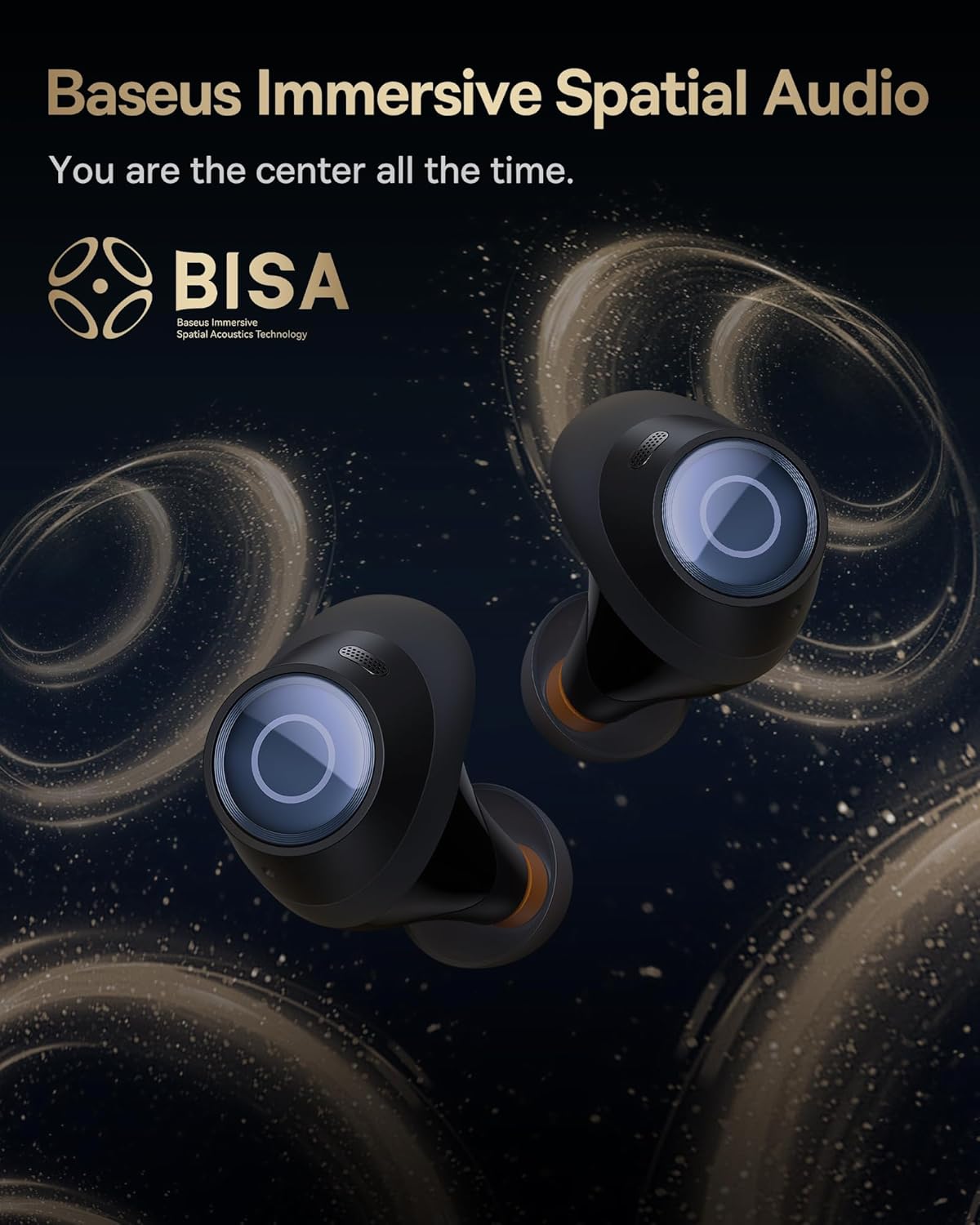
Image: A pair of Baseus Bowie MA10S earbuds with the 'BISA' (Baseus Immersive Spatial Acoustics) technology logo, indicating 360° immersive spatial audio.
4. Onderhoud en verzorging
4.1 Reinigen
- Maak de oordopjes, met name de oordopjes en de oplaadcontacten, regelmatig schoon met een zachte, droge, pluisvrije doek.
- Verwijder de oordopjes en maak ze indien nodig schoon met milde zeep en water. Zorg ervoor dat ze volledig droog zijn voordat u ze weer bevestigt.
- Reinig het oplaadhoesje met een zachte, droge doek. Vermijd het gebruik van schurende materialen of agressieve chemicaliën.
4.2 Waterbestendigheid (IPX4)
The earbuds are IPX4 water-resistant, meaning they are protected against splashing water from any direction. This makes them suitable for workouts and light rain. However, they are not designed for swimming or submersion in water.

Image: Baseus Bowie MA10S earbuds shown with water splashing around them, illustrating their IPX4 water resistance rating.
4.3 Storage and Battery Care
- Bewaar de oordopjes in het oplaaddoosje als je ze niet gebruikt, om ze te beschermen en opgeladen te houden.
- Avoid exposing the earbuds or case to extreme temperatures, direct sunlight, or high humidity.
- For long-term storage, charge the case and earbuds to about 50% every few months to preserve battery health.
4.4 AirNora 2 Make-up Mirror
The AirNora 2 charging case includes an integrated make-up mirror. Keep the mirror clean with a soft, dry cloth. Avoid scratching the surface.

Image: The AirNora 2 charging case opened, showcasing the earbuds inside and the integrated vanity mirror on the lid.
5. Probleemoplossing
5.1 Oordopjes koppelen/verbinden niet
- Ensure earbuds are charged and in pairing mode (lights flashing).
- Schakel Bluetooth op uw apparaat uit en weer in.
- Verwijder het apparaat uit de Bluetooth-instellingen van uw telefoon en probeer het opnieuw te koppelen.
- Plaats de oordopjes terug in het hoesje, sluit het deksel, wacht een paar seconden en open het dan weer.
5.2 Geen geluid of laag volume
- Controleer het volumeniveau op zowel uw apparaat als de oordopjes.
- Zorg ervoor dat de oordopjes goed op uw apparaat zijn aangesloten.
- Verwijder eventueel vuil uit het gaas van de oordopjes.
5.3 Problemen met opladen
- Zorg ervoor dat de oplaadkabel goed is aangesloten op zowel de behuizing als de stroombron.
- Controleer of de stroomadapter goed functioneert.
- Maak de oplaadcontacten op beide oordopjes en in de case schoon.
5.4 ANC werkt niet effectief
- Ensure the earbuds are properly seated in your ears and you have chosen the correct size ear tips for a good seal.
- Verify that ANC mode is activated via touch controls.
6. Specificaties
| Functie | Specificatie |
|---|---|
| Modelnaam | Baseus Bowie MA10S / AirNora 2 |
| Connectiviteitstechnologie | Draadloos (Bluetooth) |
| Bluetooth-versie | 5.0 |
| Geluidsbeheersing | Actieve ruisonderdrukking (hybride ANC) |
| Waterbestendigheidsniveau | IPX4 |
| Materiaal | Rubber, siliconen |
| Frequentiebereik | 20 Hz - 20,000 Hz |
| Controlemethode | Aanraken |
| Plaatsing van de oren | In het oor |
| Vormfactor | In het oor |
| Fabrikant | Basis |
| Eerste beschikbare datum | 25 maart 2024 |
7. Garantie en ondersteuning
For warranty information and detailed support, please refer to the official Baseus website or the warranty card included with your product. You may also contact Baseus customer service directly for assistance with product issues or inquiries.
Baseus Officieel Webwebsite: www.baseus.com


