1. Inleiding
Thank you for choosing the CHiQ 22F650 22-inch FHD Monitor. This manual provides essential information for setting up, operating, and maintaining your monitor. Please read it thoroughly before use to ensure optimal performance and safety.
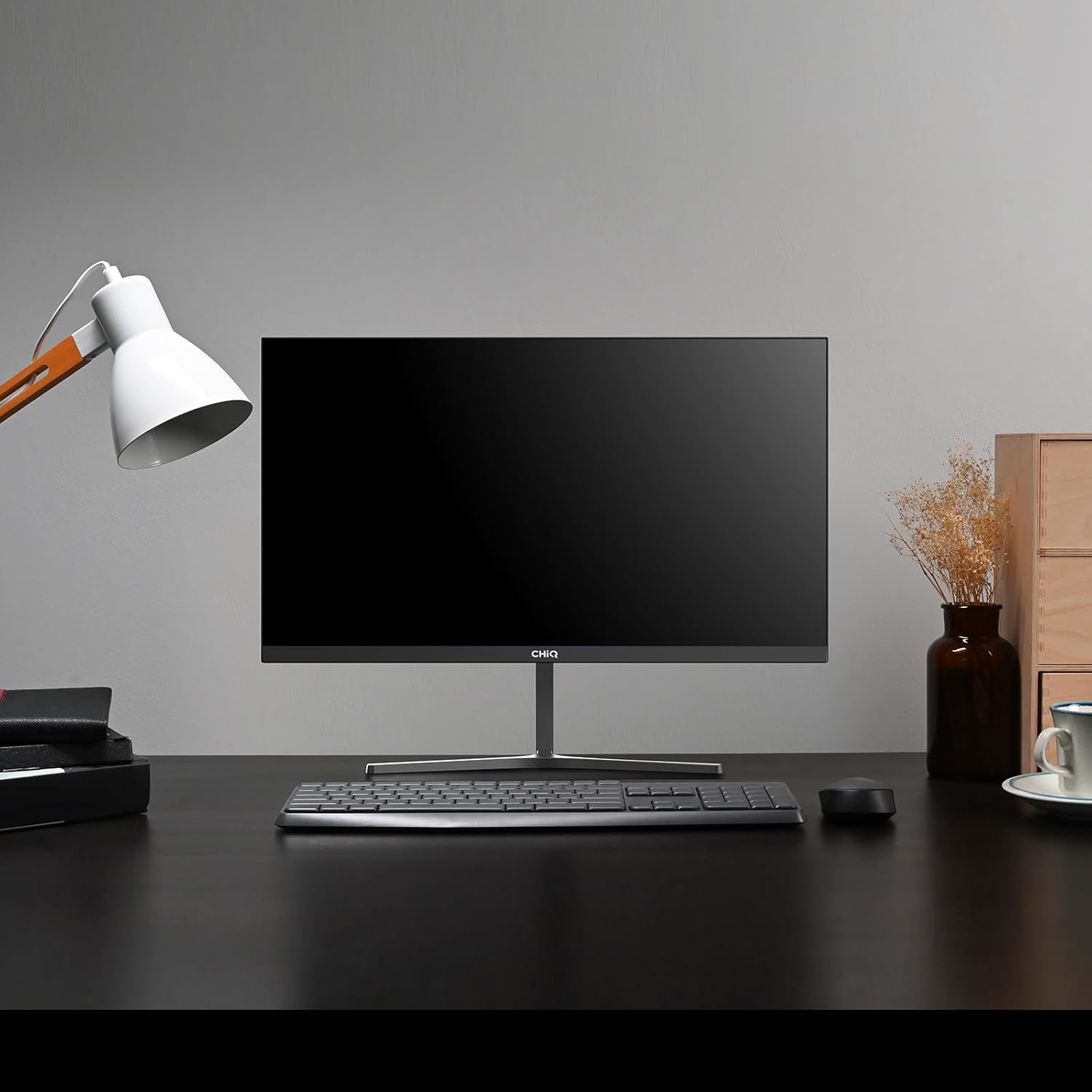
Image 1.1: The CHiQ 22F650 monitor set up on a desk.
The CHiQ 22F650 monitor features a 22-inch Full HD (1920 x 1080) display with a 100Hz refresh rate and AMD FreeSync technology for smooth visuals. Its ultra-thin, borderless design offers an immersive viewing experience, complemented by 100% sRGB color gamut and DC dimming for eye comfort.
2. Veiligheidsinformatie
Please observe the following safety precautions to prevent damage to the monitor and ensure your safety:
- Stel de monitor niet bloot aan regen, vocht of extreme temperaturen.
- Zorg voor voldoende ventilatie rondom de monitor. Blokkeer de ventilatieopeningen niet.
- Gebruik uitsluitend de voedingsadapter en kabels die door de fabrikant zijn meegeleverd of aanbevolen.
- Plaats geen zware voorwerpen op het netsnoer.
- Haal de stekker uit het stopcontact als de monitor gedurende langere tijd niet wordt gebruikt.
- Probeer de monitor niet zelf te repareren. Laat alle onderhoudswerkzaamheden uitvoeren door gekwalificeerd personeel.
3. Inhoud van het pakket
Controleer of alle artikelen in uw pakket aanwezig zijn:
- CHiQ 22F650 Monitor
- Monitorstandaard (voet en nek)
- Voedingsadapter en kabel
- HDMI-kabel
- Gebruikershandleiding (dit document)
4. Montage en opstelling
4.1 De standaard monteren
- Haal de monitor voorzichtig uit de verpakking en bescherm daarbij het scherm.
- Bevestig de hals van de standaard aan het monitorpaneel.
- Bevestig de voet van de standaard aan de hals van de standaard met behulp van de meegeleverde schroef.
The monitor features a quick detachable Y-shaped metal stand for easy assembly.
4.2 De monitor aansluiten
Sluit de monitor aan op uw computer of andere apparaten via de beschikbare poorten:
- HDMI: Sluit een HDMI-kabel aan van de HDMI-uitgang van uw computer op de HDMI-ingang van de monitor.
- VGA: Sluit een VGA-kabel aan van de VGA-uitgang van uw computer op de VGA-ingang van de monitor.
- Geluid: Connect headphones or external speakers to the 3.5mm headphone output jack.
- Stroom: Sluit de voedingsadapter aan op de DC-ingang van de monitor en steek deze vervolgens in een stopcontact.

Image 4.1: Monitor connectivity ports (HDMI, VGA, Headphone Output).
4.3 Adjusting the Monitor Angle
The monitor's stand allows for tilt adjustment from +5° to -15° to achieve an optimal viewhoek.

Image 4.2: Monitor tilt adjustment and VESA mount points.
4.4 VESA-wandmontage
The monitor is compatible with VESA 75x75mm wall mounts. To mount the monitor on a wall, remove the stand and attach a compatible VESA bracket (sold separately) to the mounting holes on the back of the monitor.
5. Gebruiksaanwijzing
5.1 In-/uitschakelen
Druk op de aan/uit-knop aan de achterkant van de monitor om deze in of uit te schakelen.
5.2 OSD-menu (On-Screen Display)
The monitor features joystick-type buttons on the rear for navigating the OSD menu. Use these buttons to adjust various display settings:
- Helderheid/contrast: Pas de algehele helderheid en het verschil tussen lichte en donkere gebieden aan.
- Kleurinstellingen: Wijzig de kleurtemperatuur, gamma en individuele RGB-waarden.
- Invoerbron: Selecteer handmatig tussen HDMI- en VGA-ingangen.
- Beeldmodus: Kies uit vooraf ingestelde weergavemodi (bijv. Standaard, Spel, Film).
- Geluid: Adjust volume for the headphone output.

Image 5.1: Visual features of the CHiQ 22F650 monitor, including 100% sRGB and DC Dimming.
5.3 FreeSync-technologie
The CHiQ 22F650 monitor supports AMD FreeSync technology, which synchronizes the monitor's refresh rate with your graphics card's frame rate. This helps eliminate screen tearing and stuttering, providing a smoother gaming and viewing experience. FreeSync is typically enabled automatically when connected to a compatible AMD graphics card.
Video 5.1: This video demonstrates the smooth performance of the CHiQ 22F650 monitor, highlighting features like 100Hz refresh rate and FreeSync technology, and its ultra-thin design.
6. Onderhoud
6.1 De monitor schoonmaken
- Haal altijd de stekker van de monitor uit het stopcontact voordat u hem schoonmaakt.
- Gebruik lichtjes een zachte, pluisvrije doek dampReinig het scherm met water of een milde, niet-schurende schermreiniger.
- Spuit de reiniger niet rechtstreeks op het scherm.
- Veeg het scherm voorzichtig schoon om stof en vlekken te verwijderen.
- Voor de monitor casing, gebruik een zachte, droge doek.
6.2 Opslag
Als u de monitor voor een langere periode opbergt, bewaar hem dan in de originele verpakking op een droge, koele plaats om hem te beschermen tegen stof en beschadigingen.
7. Probleemoplossing
Als u problemen ondervindt met uw monitor, raadpleeg dan de volgende veelvoorkomende problemen en oplossingen:
| Probleem | Mogelijke oorzaak | Oplossing |
|---|---|---|
| Geen beeld op het scherm | Power cable disconnected, video cable loose/disconnected, incorrect input source selected. | Check power and video cable connections. Ensure the correct input source (HDMI/VGA) is selected in the OSD menu. |
| Afbeelding is wazig of vervormd | Incorrect resolution, faulty video cable. | Set the display resolution to 1920 x 1080. Try a different video cable. |
| Kleuren zijn onjuist | Color settings in OSD, faulty video cable. | Pas de kleurinstellingen aan in het OSD-menu. Probeer een andere videokabel. |
| Scherm flikkert | Refresh rate mismatch, FreeSync issue, faulty cable. | Ensure your graphics card output matches the monitor's 100Hz refresh rate. Check FreeSync settings. Try a different video cable. |
| No audio from headphone output | Volume too low, incorrect audio output selected on computer. | Adjust volume in OSD. Ensure the monitor is selected as the audio output device on your computer. |
8. Specificaties
Detailed technical specifications for the CHiQ 22F650 monitor:
| Functie | Specificatie |
|---|---|
| Merk | CHIQ |
| Modelnummer | 22F650 |
| Fabrikant | Changhong |
| Schermgrootte | 22 inch |
| Oplossing | FHD 1080p (1920 x 1080 pixels) |
| Beeldverhouding | 16:9 |
| Schermoppervlak | Anti-glare / Anti-slip |
| Contrastverhouding | 3000:1 |
| Reactietijd | 6 milliseconden |
| Vernieuwingsfrequentie | 100Hz |
| Adaptieve synchronisatie | GratisSync |
| Weergavetype | LCD |
| Viewhoek: | 178 graden |
| Helderheid | 250 candelas per square meter |
| Beeldverbetering | DC Dimming, Anti-glare coating |
| Afmetingen (D x B x H) | 13.9x49.3x37.7cm |
| Gewicht | 1.92 kilogram |
| Connectiviteit | 1x HDMI, 1x VGA, 1x Headphone Output |
| VESA Mount | Wall mount (75x75mm) |
| Deeltage | 220 Volt |
| Kleur | Zwart |
Image 8.1: Product Information Sheet with technical data. For more details, visit the EPREL-database.
Image 8.2: EU Energy Label for the CHiQ 22F650 monitor. For more details, visit the EPREL-database.
9. Garantie en ondersteuning
9.1 Garantie-informatie
CHiQ monitors are protected by a 3 jaar garantieBewaar uw aankoopbewijs voor garantieclaims.
9.2 Klantenservice
If you encounter any problems or have questions regarding your CHiQ 22F650 monitor, please do not hesitate to contact CHiQ customer service. An online hotline managed by professional staff is available on weekdays to assist you.
For further assistance, please visit the official CHiQ webof raadpleeg de contactgegevens in de productdocumentatie.