1. Inleiding
Thank you for choosing the Zgrmbo MX6035 Digital Atomic Alarm Clock. This clock is designed to provide accurate timekeeping, indoor temperature, and humidity readings, along with a reliable alarm function. Its atomic synchronization feature ensures precise time without manual adjustments, and the battery-operated design offers portability and convenience.

Figure 1: Zgrmbo MX6035 Digital Atomic Alarm Clock
2. Inhoud van het pakket
- 1 x Zgrmbo MX6035 Digital Atomic Alarm Clock
- 1 x Gebruikershandleiding
Note: 3 x AAA batteries are NOT included and must be purchased separately.
3. Producteigenschappen
- Accurate Atomic Time: Synchroniseert automatisch met de WWVB-radio-uitzending van NIST in Fort Collins, Colorado, voor nauwkeurige tijdsregistratie.
- Auto-Dimming Smart Night Light: Features a built-in ambient light sensor that automatically illuminates the display in dark environments. The display can also be manually lit by pressing the top of the clock.
- Wekker met snooze-functie: A classic alarm function with a gradually increasing beep sound for 120 seconds. The top snooze button provides an extra 5-minute nap.
- Multi-Display: Shows time, date, indoor temperature (℉/℃), and indoor humidity.
- Battery Operated & Portable: Cordless design powered by 3 AAA batteries (not included), making it ideal for bedrooms, desks, or travel.

Figure 2: Atomic Time Synchronization

Figure 3: Automatic Night Light in use

Figure 4: Alarm with 5-Minute Snooze

Figure 5: Multi-Display Features
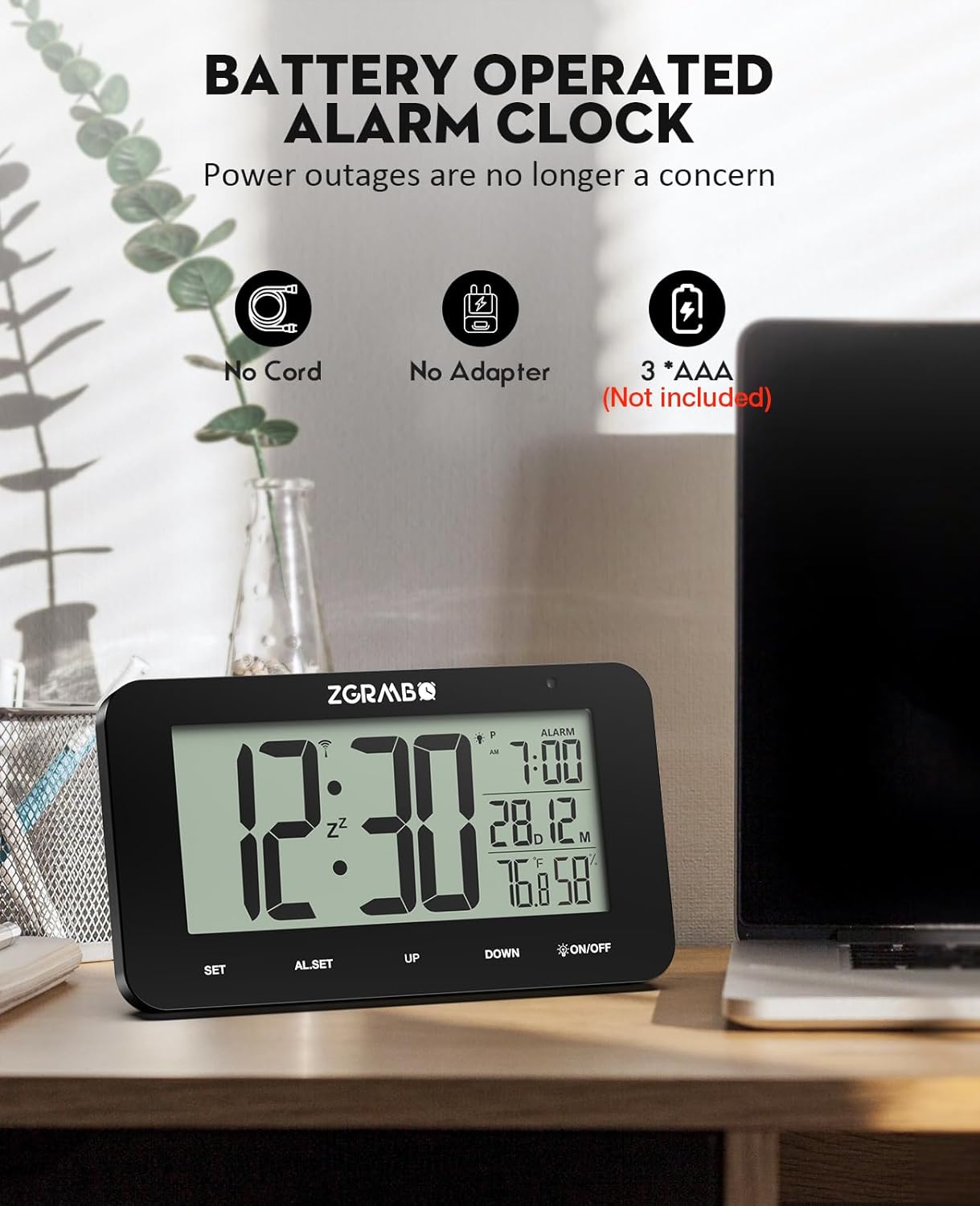
Figure 6: Battery Operated Design
4. Installatiehandleiding
Follow these steps for initial setup of your Zgrmbo MX6035 Atomic Alarm Clock:
- Batterijen installeren: Open the battery compartment on the back of the clock and insert 3 new AAA batteries, ensuring correct polarity.
- Automatic WWVB Signal Search: Upon battery installation, the clock will automatically begin searching for the WWVB atomic signal. This process may take 7-14 minutes. Place the clock near a window, ideally facing Colorado, for optimal reception. A signal icon will appear on the display when reception is successful.
- Selecteer tijdzone: Once the signal is received and the time is set, press the SET button to cycle through and select your correct time zone (PST, MST, CST, EST).

Figure 7: Simple 3-Step Setup
Videogids instellen
Video 1: Unboxing and Initial Setup of the MX6035 Alarm Clock. This video demonstrates how to unbox the clock, install batteries, and observe the initial synchronization process.
5. Gebruiksaanwijzing
5.1. Weergave van tijd en datum
- The main display shows the current time.
- The date (month and day) is displayed below the alarm time.
- Indoor temperature (℉/℃) and humidity (%) are shown at the bottom right.
5.2. 12/24 Hour Format Switching
Om te schakelen tussen de 12-uurs (AM/PM) en 24-uurs weergave, drukt u op de knop. UP knop.

Figure 8: 12/24 Hour Format Switching
5.3. Het alarm instellen
- Druk op de AL.SET Druk eenmaal op de knop om de alarminstellingsmodus te openen. Het alarmuur knippert.
- Gebruik de UP or OMLAAG knoppen om het alarmuur aan te passen.
- Pers AL.SET again to confirm the hour and move to alarm minute setting. The alarm minute will flash.
- Gebruik de UP or OMLAAG knoppen om de alarmminuten aan te passen.
- Pers AL.SET a third time to confirm and exit alarm setting mode. The alarm icon will appear on the display, indicating the alarm is active.
5.4. Snooze-functie
When the alarm sounds, press the top of the clock (the AAN/UIT button area) to activate the snooze function. The alarm will pause for 5 minutes and then sound again. You can repeat this process.
5.5. Het alarm uitschakelen
Om het alarm volledig uit te schakelen, drukt u op de AL.SET button when the alarm is not sounding. The alarm icon on the display will disappear.
5.6. Manual Backlight Activation
In any lighting condition, press the top of the clock (the AAN/UIT button area) to manually illuminate the display for a few seconds.
6. Onderhoud
- Schoonmaak: Wipe the clock with a soft, dry cloth. Do not use abrasive cleaners or chemicals.
- Batterij vervangen: When the display dims or functions become erratic, replace all three AAA batteries with new ones. Ensure correct polarity.
- Opslag: Als u de klok voor een langere periode opbergt, verwijder dan de batterijen om lekkage te voorkomen.
7. Probleemoplossing
| Probleem | Mogelijke oorzaak | Oplossing |
|---|---|---|
| Clock does not set time automatically / Time is incorrect. | Poor WWVB signal reception. Incorrect time zone selected. | Place the clock near a window, away from electronic interference. Allow 7-14 minutes for signal reception. Ensure the correct time zone is selected using the SET button. If reception is consistently poor, you may need to manually set the time (see manual for advanced settings, if available, or try re-inserting batteries to force a new signal search). |
| Backlight is dim or not working. | Low batteries. Ambient light sensor detecting too much light. | Replace batteries with new ones. Ensure the clock is in a sufficiently dark environment for the auto-dimming feature to activate. Manually press the top of the clock to check if the backlight works. |
| Het alarm gaat niet af. | Alarm is not activated. Alarm volume is too low (if adjustable). | Ensure the alarm icon is visible on the display. If not, set the alarm as per section 5.3. This model has a fixed alarm volume. |
| Het scherm is leeg of knippert. | Batterijen zijn bijna leeg. | Replace all three AAA batteries with new ones. |
| Daylight Saving Time (DST) adjustment issue. | Clock not automatically adjusting for DST. | The clock is designed to automatically adjust for DST based on the WWVB signal. Ensure good signal reception. If manual override is needed, consult the full product manual for specific button sequences (often involves the OMLAAG knop of SET button in advanced modes). |
8. Specificaties
| Functie | Detail |
|---|---|
| Merk | Zgrmbo |
| Model | MX6035 |
| Weergavetype | Digitale LCD |
| Energiebron | 3 x AAA-batterijen (niet inbegrepen) |
| Productafmetingen | 5.5"B x 3.25"H |
| Materiaal | Acrylonitril-butadieen-styreen (ABS) |
| Temperatuurbereik | 32℉ tot 122℉ (0℃ tot 50℃) |
| luchtvochtigheid | 20% RH tot 95% RH |
| Speciale kenmerken | Atomic Time, Auto-Dimming Night Light, Alarm, Snooze, Date Display, Indoor Temp/Humidity |
9. Garantie en ondersteuning
For warranty information or technical support, please refer to the product packaging or contact the seller/manufacturer directly through your purchase platform. Keep your proof of purchase for any warranty claims.
Manufacturer: MEIZHOU MINGXING ELECTRONICS CO.,LTD


