Invoering
This manual provides detailed instructions for the setup, operation, maintenance, and troubleshooting of your typecase Keyboard Case for iPad Pro 12.9. Please read this manual thoroughly before using the product to ensure optimal performance and longevity.
The typecase Keyboard Case is designed to enhance your iPad Pro 12.9 experience, offering a versatile keyboard with a trackpad and backlit keys. It is compatible with iPad Pro 12.9-inch (6th, 5th, 4th, 3rd Generation) models.
Inhoud van het pakket
- 1 x typecase Keyboard Case (for iPad Pro 12.9 6th/5th/4th/3rd Gen)
- 1 x USB-C-oplaadkabel
- 1 x Gebruikershandleiding
Instellen
1. Het toetsenbord opladen
Before initial use, fully charge the keyboard. Connect the provided USB-C charging cable to the charging port on the side of the keyboard and to a USB power adapter (not included). The charging indicator light will show the charging status.
- Charging Port Location: Typically on the right side of the keyboard.
- Levensduur batterij: The keyboard features a built-in rechargeable lithium polymer battery. Battery level can be checked on your iPad (like other connected Bluetooth devices) or via a shortcut key (Fn + Spacebar, if available, to show 1/3, 2/3, 3/3 battery life).
2. Uw iPad Pro aansluiten
The keyboard case features a magnetic attachment system. Align your iPad Pro 12.9 with the magnetic panel on the case. The magnets will securely hold the iPad in place.
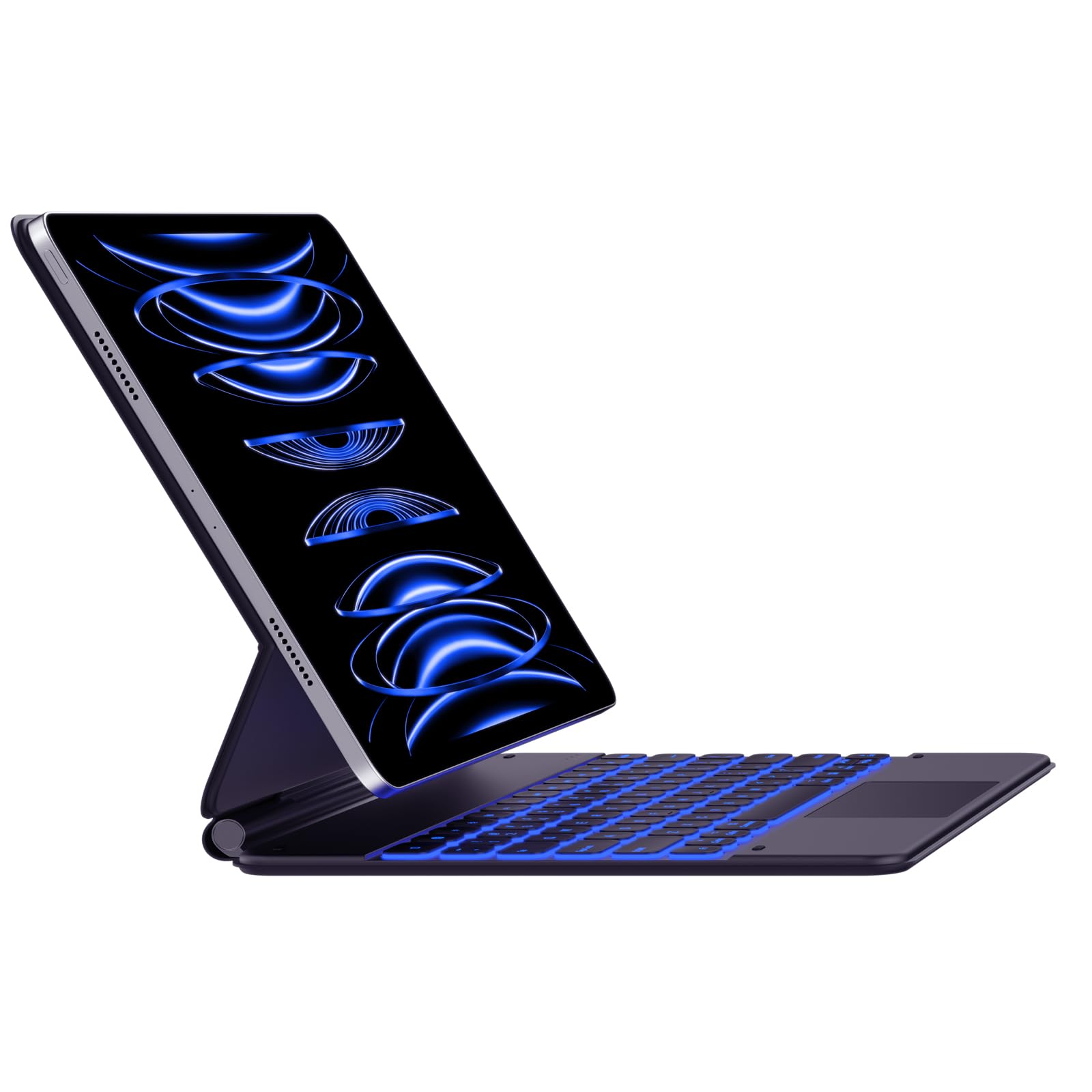
Image: The typecase Keyboard Case with an iPad Pro magnetically attached, displaying blue backlit keys and a vibrant screen.
- Ensure the camera cutout on the case aligns with your iPad's camera.
- The magnetic connection is designed to be strong, but always handle with care.
3. Pairing with Your iPad (Bluetooth Connection)
- Inschakelen: Locate the power switch on the side of the keyboard and slide it to the "ON" position.
- Koppelmodus activeren: Houd de Verbinden button (or a similar Bluetooth pairing key, often indicated by a Bluetooth icon) on the keyboard. The Bluetooth indicator light will start blinking, indicating it's in pairing mode.
- On Your iPad: Ga naar Instellingen > Bluetooth.
- Selecteer apparaat: In the Bluetooth devices list, you should see "typecase Keyboard" or a similar name. Tap on it to connect.
- Bevestiging: Once paired, the Bluetooth indicator light on the keyboard will stop blinking and remain solid (or turn off), and your iPad will show the keyboard as "Connected."
Note: The keyboard will automatically attempt to reconnect to the last paired device when powered on. If connection issues occur, repeat the pairing steps.
Gebruiksaanwijzing
Keyboard Layout and Function Keys
The keyboard features a standard QWERTY layout with an additional row of function keys at the top for quick access to iPad features.
- Ontsnappen (Esc): Functions as a Home button.
- Brightness Keys: Pas de helderheid van het iPad-scherm aan.
- Keyboard Backlight Keys: Adjust backlight color and brightness.
- Mediabedieningstoetsen: Afspelen/Pauzeren, Vorig nummer, Volgend nummer.
- Volumetoetsen: Dempen, volume omlaag, volume omhoog.
- Sleutel van het slot: Vergrendelt het iPad-scherm.
- Globe Key: Used for switching between keyboard languages or emoji keyboard (functionality may vary based on iPadOS settings).
Achtergrondverlichting:
The keyboard offers 11 backlight colors and 3 levels of brightness. Use the dedicated backlight keys (often marked with a light bulb icon or similar) in the function row to cycle through colors and adjust brightness.
- Press the backlight key once to change color.
- Press the brightness key (often combined with backlight key or separate) to cycle through brightness levels.
Trackpadgebruik
The integrated trackpad supports multi-touch gestures, similar to a laptop trackpad. Ensure your iPadOS is updated to support trackpad functionality.
| Gebaar | Actie |
|---|---|
| Tik met één vinger | Click, select item. |
| Two Fingers Swipe | Omhoog/omlaag/naar links/naar rechts scrollen. |
| Two Fingers Pinch | In-/uitzoomen. |
| Drie vingers omhoog vegen | Go to Home Screen. |
| Drie vingers Veeg naar links/rechts | Schakel tussen geopende apps. |
Note: Trackpad precision and responsiveness are optimized for general use. For specific settings or advanced gestures, refer to your iPad's accessibility settings.
Automatische slaapfunctie
The keyboard case is designed with an auto-sleep feature to conserve battery. If inactive for a period, the keyboard will enter sleep mode. Press any key to wake it up and reconnect to your iPad.
Onderhoud
- Schoonmaak: Gebruik een zachte, damp, lint-free cloth to clean the keyboard and case. Avoid harsh chemicals or abrasive materials.
- Opslag: When not in use, close the case to protect both the iPad and the keyboard. Store in a cool, dry place away from direct sunlight.
- batterij zorg: Om de levensduur van de batterij te verlengen, moet u voorkomen dat het toetsenbord vaak volledig ontlaadt. Laad het regelmatig op, ook als de batterij nog niet helemaal leeg is.
- Magnetische sluiting: Ensure the magnetic clasp is free from debris to maintain a secure closure.
Probleemoplossing
- Toetsenbord maakt geen verbinding:
- Zorg ervoor dat het toetsenbord is ingeschakeld en opgeladen.
- Controleer of Bluetooth is ingeschakeld op uw iPad.
- Forget the device in your iPad's Bluetooth settings and re-pair it.
- Start zowel het toetsenbord als uw iPad opnieuw op.
- Toetsen reageren niet:
- Controleer of het toetsenbord via Bluetooth is verbonden.
- Ensure the keyboard is not in sleep mode.
- Controleer of er zich fysieke obstakels onder de toetsen bevinden.
- Problemen met het trackpad:
- Controleer of het toetsenbord is aangesloten.
- Check iPadOS settings for trackpad functionality.
- Maak het oppervlak van de trackpad schoon.
- iPad Slipping from Magnetic Mount:
- Ensure the iPad is correctly aligned with the magnetic panel.
- Check for any debris between the iPad and the magnetic surface.
- Avoid excessive force or sudden movements that could dislodge the iPad.
Specificaties
| Functie | Detail |
|---|---|
| Modelnummer | KB206129 |
| Verenigbaarheid | iPad Pro 12.9-inch (6th, 5th, 4th, 3rd Gen) |
| Connectiviteit | Bluetooth |
| Batterijtype | Lithium-polymeer (inbegrepen) |
| Oplaadpoort | USB-C |
| Achtergrondverlichting | 11 Colors, 3 Brightness Levels (RGB support) |
| Speciale kenmerken | Backlit, Lightweight, Integrated Trackpad, Magnetic Clasp |
| Materiaal | Acrylonitrilbutadieenstyreen |
| Artikelgewicht | 1.13 kilogram |
| Pakket afmetingen | 30.48x25.4x3.56cm |
Garantie en ondersteuning
Your typecase Keyboard Case is covered by a limited warranty against manufacturing defects. For specific warranty terms and conditions, please refer to the documentation included with your purchase or visit the official typecase webplaats.
For technical support, troubleshooting assistance, or warranty claims, please contact typecase customer service through their official support channels. Contact information can typically be found on the product packaging or the brand's webplaats.


