Invoering
This manual provides instructions for the proper use and maintenance of CONVOW Fiber Mopping Cloths, designed for compatibility with the Liectroux Window Cleaning Robot model YW509. Adhering to these guidelines will help ensure optimal cleaning performance and extend the lifespan of the product.
Product voorbijview
The CONVOW Fiber Mopping Cloths are replacement accessories for the Liectroux Window Cleaning Robot YW509. They are crafted from high-quality, durable fiber materials to provide efficient cleaning of glass surfaces.
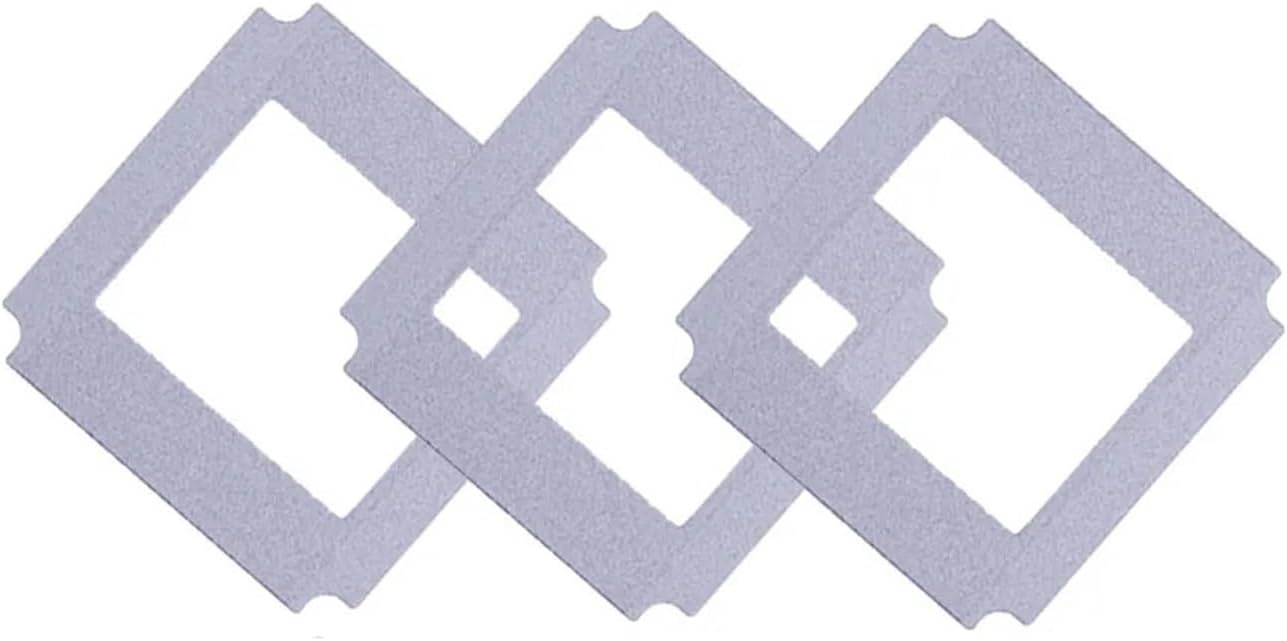
Figure 1: Three CONVOW Fiber Mopping Cloths, showing their square shape with a central cutout and rounded corners.
Instellen en installeren
- Voorbereiding: Ensure the Liectroux Window Cleaning Robot YW509 is powered off and disconnected from its power source before handling.
- Remove Old Cloths: Carefully detach any used or worn mopping cloths from the robot's cleaning pads.
- Attach New Cloths: Align a new CONVOW Fiber Mopping Cloth with the robot's cleaning pad. The cloths are designed to fit precisely onto the designated areas of the robot. Press firmly to ensure secure attachment.
- Bijlage verifiëren: Gently tug on the attached cloth to confirm it is securely fastened and will not detach during operation.

Figure 2: A single CONVOW Fiber Mopping Cloth, illustrating its design for attachment to the robot's cleaning pad.
Gebruiksrichtlijnen
The CONVOW Fiber Mopping Cloths are integral to the cleaning process of your Liectroux Window Cleaning Robot YW509. Follow the operating instructions provided with your robot for its general use.
- Pre-Moistening (Optional): For enhanced cleaning, lightly dampen the mopping cloths with water or a suitable window cleaning solution before attaching them to the robot. Avoid saturating the cloths.
- Regelmatige vervanging: To maintain optimal cleaning performance, it is recommended to replace the mopping cloths every 2 to 3 months, or more frequently depending on usage and visible wear.
- Observe Cleaning Quality: If you notice a decrease in cleaning effectiveness or streaks on surfaces, it may be an indication that the mopping cloths need cleaning or replacement.
Onderhoud en verzorging
Proper maintenance of your CONVOW Fiber Mopping Cloths will ensure their longevity and effectiveness.
- Na elk gebruik: Remove the mopping cloths from the robot.
- Schoonmaak: Hand wash the cloths with mild soap and warm water, or machine wash on a gentle cycle. Avoid using harsh detergents, bleach, or fabric softeners, as these can degrade the fiber material.
- Drogen: Air dry the cloths completely before reattaching them to the robot or storing them. Do not tumble dry or expose to direct high heat.
- Opslag: Store clean, dry cloths in a cool, dry place away from direct sunlight.
Probleemoplossing
| Probleem | Mogelijke oorzaak | Oplossing |
|---|---|---|
| Poor cleaning performance / Streaks | Cloths are dirty or worn out. | Clean the mopping cloths thoroughly. If cleaning does not improve performance, replace with new cloths. |
| Cloths detach during operation | Improper attachment or worn attachment mechanism on robot. | Ensure cloths are securely attached to the robot's cleaning pads. If the issue persists, inspect the robot's attachment mechanism for wear. |
| Reduced absorbency | Accumulation of residue or fiber degradation. | Wash cloths thoroughly. If absorbency does not improve, replace the cloths. |
Specificaties
- Producttype: Fiber Mopping Cloths
- Verenigbaarheid: Liectroux Window Cleaning Robot YW509
- Materiaal: High-quality durable fiber
- Hoeveelheid: 3 stuks per verpakking
- Aanbevolen vervanging: Every 2-3 months (or as needed)
- Artikelgewicht: Approximately 0.035 ounces (for the pack)
Garantie en ondersteuning
Specific warranty information for CONVOW Fiber Mopping Cloths is not provided. For general product support or inquiries regarding the Liectroux Window Cleaning Robot YW509, please refer to the robot's original instruction manual or contact the robot manufacturer's customer service.
For questions related to the CONVOW brand or these specific mopping cloths, please refer to the seller's contact information on the purchase platform.

