Introduction to Your Pixel 8 Pro
The Google Pixel 8 Pro is an advanced Android smartphone designed by Google, featuring a powerful Google Tensor G3 chip, a sophisticated triple camera system, and intelligent AI capabilities. This manual provides essential information for setting up, operating, maintaining, and troubleshooting your device.
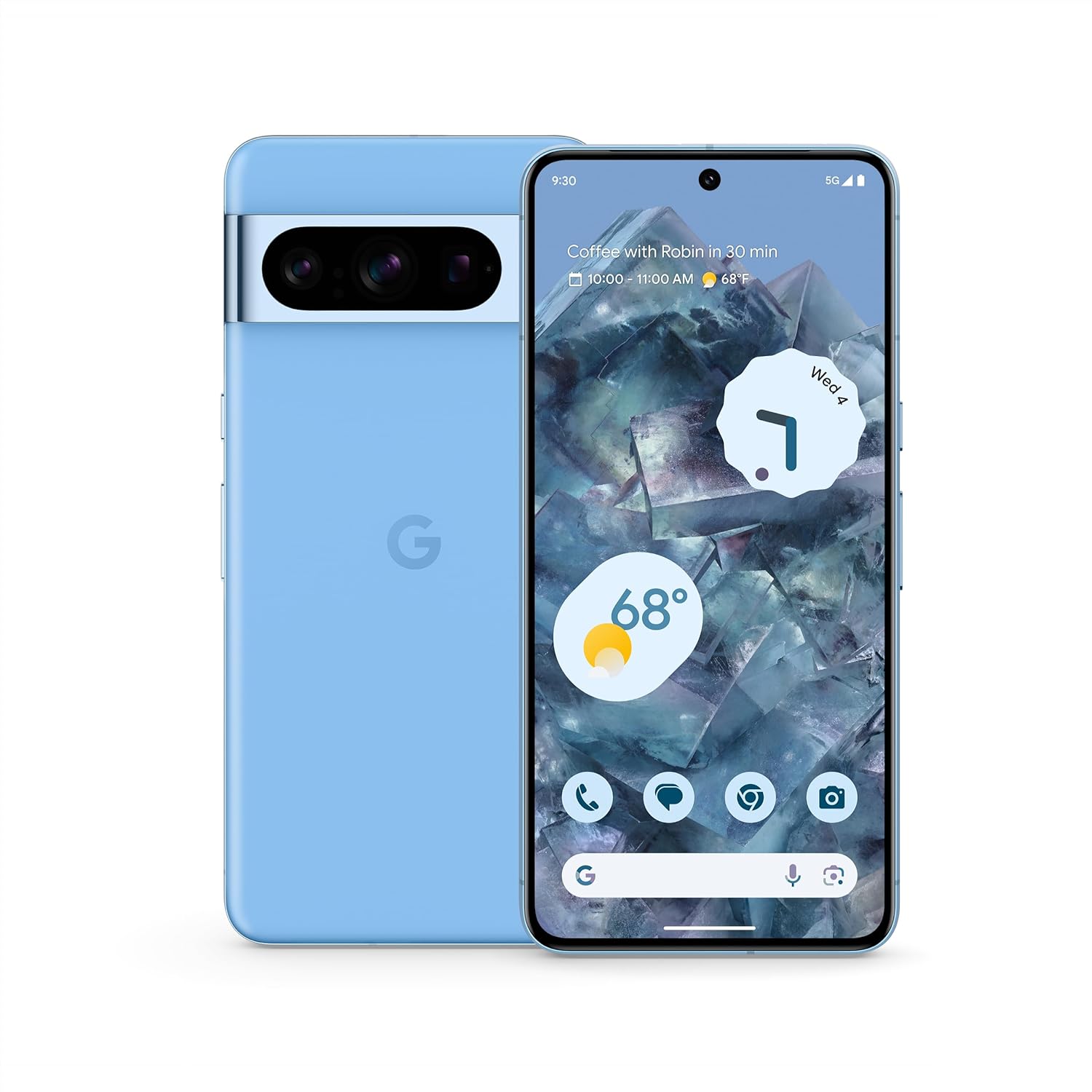
Afbeelding: Voor- en achterkant view of the Google Pixel 8 Pro in Bay color, showcasing het strakke ontwerp en de camerabalk.
Video: Een kort overzichtview of the Google Pixel 8 Pro, highlighting its key features and design elements.
Wat zit er in de doos?
Your Google Pixel 8 Pro package includes the following items:
- Google Pixel 8 Pro Smartphone
- SIM-lade-uitwerper
- USB-kabel (USB-C naar USB-C)
- Quick Switch Adapter (USB-A to USB-C)
Instellen
Eerste installatie
- Plaats simkaart: Use the provided SIM tray ejector tool to open the SIM tray. Place your nano-SIM card into the tray and reinsert it into the phone.
- Inschakelen: Houd de aan/uit-knop aan de zijkant van het apparaat ingedrukt totdat het Google-logo verschijnt.
- Volg de instructies op het scherm: The phone will guide you through selecting your language, connecting to a Wi-Fi network, and signing in with your Google Account.
- Vingerafdruk ontgrendelen: Set up your fingerprint for secure and convenient unlocking.
- Gegevensoverdracht: If you're switching from another device, use the Quick Switch Adapter and follow the prompts to transfer your data, contacts, and apps.
Operating Your Pixel 8 Pro
Basisnavigatie
Your Pixel 8 Pro uses intuitive gesture navigation. Swipe up from the bottom to go home, swipe up and hold to view recent apps, and swipe from the left or right edge to go back.
Camerafuncties
The Pixel 8 Pro features a triple camera system with a dedicated 5x telephoto lens, improved autofocus, and advanced photography controls.

Image: Detailed breakdown of the Pixel 8 Pro's camera system, including megapixel counts for main, ultrawide, telephoto, and front cameras.
- Pro Controls: Access advanced settings for full-resolution photos, including shutter speed, ISO, and focus.
- Audio Magic Eraser: Utilize Google AI to reduce distracting noises in your videos, such as wind or traffic.
Video: Demonstrates how to edit videos on your Pixel phone, including trimming, adjusting, and applying effects like Audio Magic Eraser.
AI-functies
Google AI enhances your Pixel 8 Pro experience with smart features designed for convenience and efficiency.
- Bel assistentie: Get help making and screening calls.
- Live vertalen: Vertaal talen in realtime.
- Omcirkel om te zoeken: Instantly search what you see on your phone by circling, highlighting, or scribbling on images, text, or videos.

Afbeelding: Visuele examples of the Pixel 8 Pro's AI capabilities, including call screening, Google Assistant integration, and real-time language translation.
Temperatuursensor
The Pixel 8 Pro includes a dedicated temperature sensor for measuring the surface temperature of everyday objects.
Video: Instructions on how to use the Pixel 8 Pro's temperature sensor to measure the temperature of objects around you.
Onderhoud
Software-updates
Google provides 7 years of security updates and OS upgrades for your Pixel 8 Pro to ensure your device remains secure and up-to-date with the latest features.
- Ensure your device is connected to Wi-Fi and has sufficient battery life before initiating updates.
- Navigeer naar Instellingen > Systeem > Systeemupdate om te controleren of er updates beschikbaar zijn en deze te installeren.
Batterijverzorging
The Pixel 8 Pro features an all-day battery (5050 mAh) with fast charging and wireless charging capabilities.
- Use certified chargers and cables for optimal charging performance and safety.
- Vermijd extreme temperaturen, aangezien deze de levensduur en prestaties van de batterij kunnen beïnvloeden.
- Enable Adaptive Battery in settings to optimize battery usage based on your habits.
Schoonmaak
To keep your Pixel 8 Pro clean and in good condition:
- Veeg het scherm en de behuizing schoon met een zachte, pluisvrije doek.
- Gebruik geen agressieve chemicaliën of schurende materialen.
Probleemoplossing
If you encounter issues with your Pixel 8 Pro, refer to the common solutions below:
| Probleem | Mogelijke oplossing |
|---|---|
| Telefoon gaat niet aan | Zorg ervoor dat de batterij is opgeladen. Houd de aan/uit-knop 10-15 seconden ingedrukt om het apparaat geforceerd opnieuw op te starten. |
| Apps crashen of bevriezen | Clear app cache/data (Settings > Apps > [App Name] > Storage). Update the app or uninstall/reinstall. |
| Slechte batterijduur | Check battery usage in settings to identify draining apps. Reduce screen brightness, disable unnecessary features (GPS, Bluetooth, Wi-Fi when not in use). |
| Verbindingsproblemen (Wi-Fi/Bluetooth) | Toggle Wi-Fi/Bluetooth off and on. Restart the phone. Forget and reconnect to the network/device. |
| Vingerafdrukscanner werkt niet | Zorg ervoor dat uw vinger schoon en droog is. Registreer uw vingerafdrukken opnieuw in de instellingen. |
Specificaties
| Functie | Detail |
|---|---|
| Modelnaam | Pixel 8 Pro |
| Afmetingen | 6.4 x 3.01 x 0.35 inch |
| Artikelgewicht | 7.5 ons |
| Weergaveformaat | 6.7 inch Super Actu-display |
| Oplossing | 1344x2992 |
| Vernieuwingsfrequentie | 1-120 Hz adaptive |
| Besturingssysteem | Android 13.0 (ships with) |
| Verwerker | Google Tensor G3 |
| RAM | 12GB |
| Opslagcapaciteit | 128 GB (as per current product) |
| Batterijcapaciteit | 5050mAh |
| Camera's | Triple Camera System (50MP Main, 48MP Ultrawide, 48MP Telephoto), 10.5MP Front |
| Connectiviteit | 5G, wifi, Bluetooth, NFC |
Veiligheids- en regelgevingsinformatie
For detailed safety, regulatory, and warranty information, please refer to the official Google Pixel support webde website of de documentatie die bij uw apparaat is meegeleverd.
Garantie en ondersteuning
Your Google Pixel 8 Pro comes with a manufacturer's warranty. For warranty details, technical support, or service inquiries, please visit the official Google Support webwebsite:


