1. Inleiding
The HiFuture Future Zone 2 BT Smartwatch is designed to enhance your daily life by providing convenient access to fitness tracking, communication, and entertainment features directly from your wrist. This manual provides essential information on how to set up, operate, and maintain your new smartwatch.
Key features include step tracking, distance measurement, time and date display, music playback control, an AMOLED touchscreen display, and a seamless Bluetooth calling system. With an impressive 7-day battery life, the Future Zone 2 is built for extended use.
2. Product voorbijview
2.1. Kenmerken
- Activiteiten volgen: Helps you track simple steps, distance traveled, time, and date.
- Muziekbediening: Allows you to control your phone's music player directly from the watch.
- Weergave: Features a vibrant AMOLED touchscreen display.
- Bluetooth-oproepen: Enables hassle-free communication with a built-in Bluetooth calling system.
- Levensduur batterij: Offers an impeccable battery that lasts up to 7 days on a single charge.
- Waterbestendigheid: IP68 certified for water resistance.
- Sportmodi: Ondersteunt meer dan 100 sportmodi voor het volgen van uiteenlopende activiteiten.
2.2. Componenten en weergave

Figuur 2.2.1: The HiFuture Future Zone2 Smartwatch in silver and white, showcasing its sleek design and vibrant display with activity metrics.
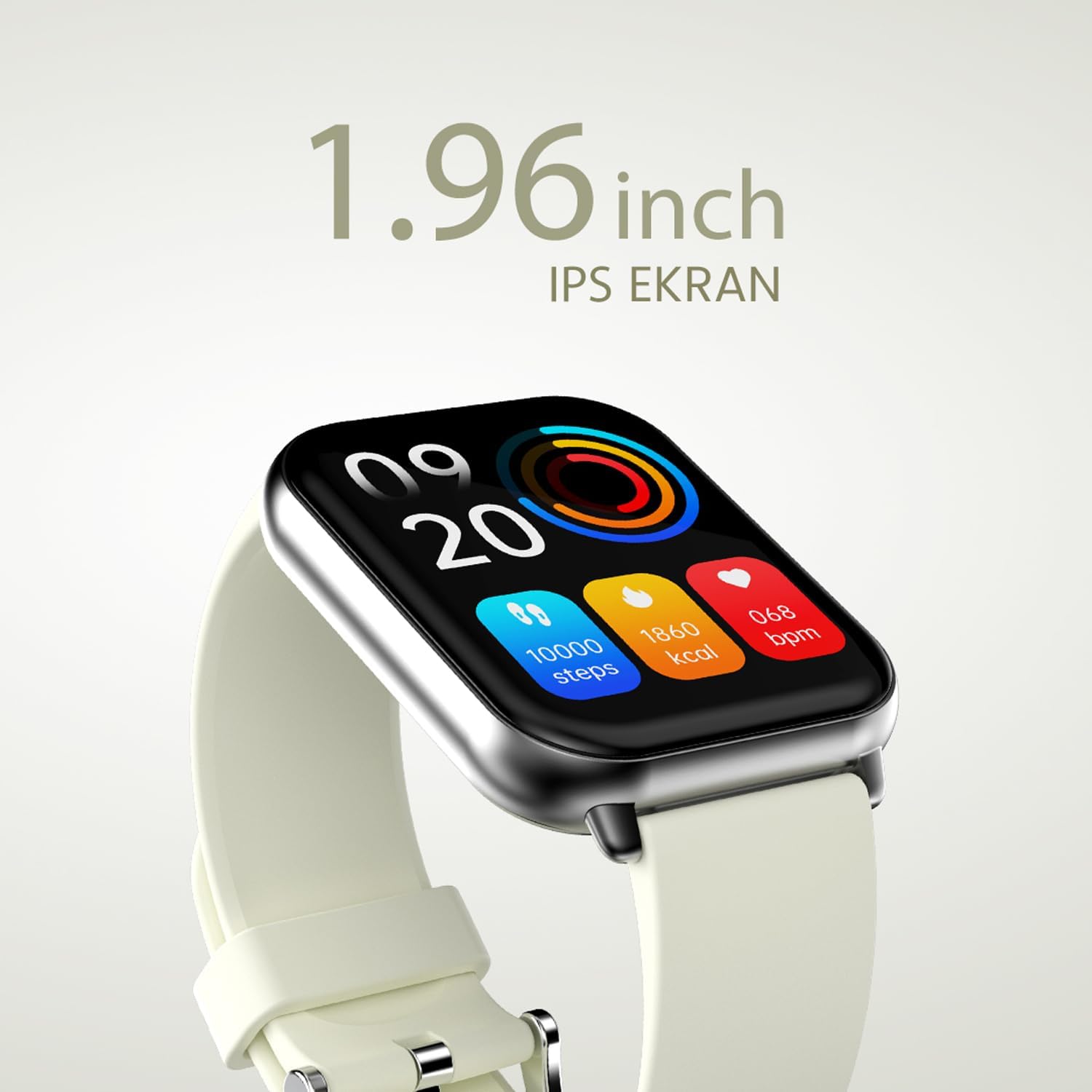
Figuur 2.2.2: Een gedetailleerde view of the smartwatch display, highlighting its 1.96-inch IPS screen, which offers clear and crisp visuals.

Figuur 2.2.3: The smartwatch accompanied by icons representing its core features: 1.96-inch IPS screen, wireless connectivity, 7-day battery life, and IP68 water resistance.

Figuur 2.2.4: The smartwatch surrounded by various sport icons, indicating its support for over 100 different sport modes for comprehensive fitness tracking.
3. Instellen
3.1. De smartwatch opladen
Before first use, fully charge your HiFuture Future Zone2 Smartwatch. Connect the charging cable to the charging port on the back of the watch and plug the USB end into a compatible power adapter (not included) or a computer's USB port. The watch display will indicate charging status. A full charge typically takes approximately 2 hours.
3.2. Koppelen met uw smartphone
- Download de app: Zoeken naar the official HiFuture companion app on your smartphone's app store (Google Play Store for Android or Apple App Store for iOS). Install the app.
- Bluetooth inschakelen: Zorg ervoor dat Bluetooth is ingeschakeld op uw smartphone.
- Open de app: Launch the HiFuture app and follow the on-screen instructions to create an account or log in.
- Apparaat toevoegen: Within the app, navigate to the "Add Device" or "Pair Device" section. The app will search for nearby smartwatches.
- Selecteer uw horloge: Select "HiFuture Future Zone2" from the list of discovered devices.
- Koppeling bevestigen: Er verschijnt een koppelingsverzoek op zowel je telefoon als de smartwatch. Bevestig de koppeling op beide apparaten.
- Volledige installatie: Once paired, the app will guide you through initial settings such as personal information, notification preferences, and watch face customization.
Note: For optimal performance, ensure your smartphone's operating system and the smartwatch app are up to date.
4. Gebruiksaanwijzing
4.1. Basisnavigatie
- Aanraakscherm: Veeg naar links, rechts, omhoog of omlaag om door menu's en schermen te navigeren. Tik om een optie te selecteren.
- Zijknop: Press the side button to return to the home screen or wake up the display. A long press may access power options or a quick menu.
4.2. Bellen via Bluetooth
The Future Zone2 Smartwatch supports Bluetooth calling, allowing you to make and receive calls directly from your wrist when connected to your smartphone.
- Gespreksaudio inschakelen: Ensure that the smartwatch is connected to your phone for both data and call audio. This setting is usually managed within your phone's Bluetooth settings after initial pairing.
- Telefoneren: Access the dialer or contact list on your smartwatch. Tap to dial a number or select a contact to initiate a call.
- Oproepen ontvangen: Wanneer er een inkomend gesprek is, toont het horloge de beller-ID. Tik op het groene pictogram om op te nemen of op het rode pictogram om te weigeren.
- Tijdens een gesprek: You can speak directly into the watch's built-in microphone and listen through its speaker. Options to mute, adjust volume, or transfer the call to your phone may be available on the watch screen.
Figuur 4.2.1: The smartwatch screen showing a missed call notification, demonstrating its Bluetooth calling capability.
4.3. Muziekweergavebediening
Control your smartphone's music playback directly from your smartwatch.
- Access Music Control: Swipe on your watch face or navigate through the app list to find the "Music" or "Media Control" icon.
- Bediening afspelen: From this screen, you can play/pause, skip tracks (next/previous), and adjust the volume of the music playing on your connected smartphone.
4.4. Activiteiten volgen
The smartwatch automatically tracks your daily steps, distance, and calories burned. You can view these metrics on the watch display or in the companion app for more detailed insights.
- Dagelijkse activiteiten: The main watch face or a dedicated activity screen will show your current steps, calories, and heart rate (if applicable).
- Sportmodi: Select a specific sport mode (e.g., running, cycling, walking) from the watch's menu before starting an activity for more accurate tracking.
5. Onderhoud
5.1. Uw smartwatch schoonmaken
- Veeg het scherm en de behuizing van het horloge schoon met een zachte, pluisvrije doek.
- Voor hardnekkige vlekken, dampMaak de doek lichtjes nat met water. Vermijd het gebruik van agressieve chemicaliën of schurende materialen.
- Zorg ervoor dat de oplaadcontacten schoon en droog zijn voordat u gaat opladen.
5.2. Waterbestendigheid (IP68)
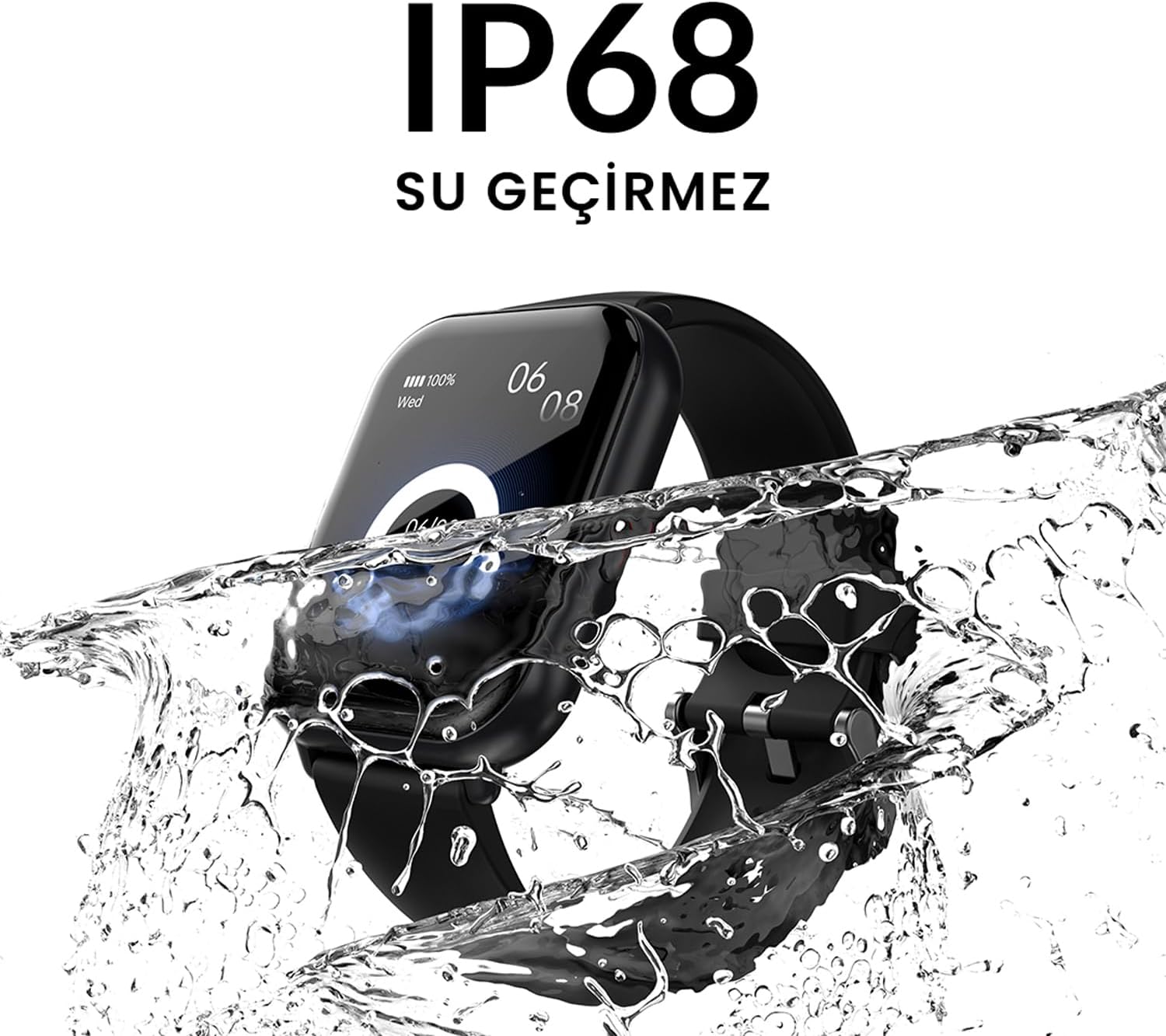
The HiFuture Future Zone2 Smartwatch is IP68 water-resistant, meaning it can withstand immersion in water up to 1.5 meters for up to 30 minutes. It is suitable for daily use, such as hand washing or light rain.
- Gebruik het horloge niet tijdens duiken, snorkelen of activiteiten onder hoge druk.
- Avoid exposing the watch to hot water, steam, or detergents, as this may compromise its water resistance.
- Als het horloge nat wordt, droog het dan grondig af voordat u het oplaadt of gebruikt.

Figuur 5.2.1: The smartwatch shown with water splashing over it, illustrating its IP68 water resistance rating.
5.3. Batterijverzorging
- Om de levensduur van de batterij te verlengen, moet u voorkomen dat u de batterij te vaak volledig ontlaadt.
- Laad het horloge uitsluitend op met de meegeleverde oplaadkabel.
- Wanneer u het horloge langere tijd niet gebruikt, bewaart u het op een koele, droge plaats.
6. Probleemoplossing
6.1. Veelvoorkomende problemen en oplossingen
| Probleem | Mogelijke oorzaak | Oplossing |
|---|---|---|
| Let op dat het niet wordt ingeschakeld | Batterij bijna leeg; apparaat vastgelopen | Charge the watch for at least 30 minutes. If still unresponsive, perform a forced restart (refer to device-specific instructions, usually a long press of the side button). |
| Kan niet koppelen met smartphone | Bluetooth uitgeschakeld; app-probleem; horloge niet vindbaar | Ensure Bluetooth is on for both devices. Restart both the watch and phone. Clear the app's cache or reinstall it. Make sure the watch is in pairing mode. |
| Bluetooth calling not working | Incorrect Bluetooth profile; app permissions | Check your phone's Bluetooth settings to ensure the watch is connected for "Calls" or "Phone audio." Verify app permissions for phone calls. |
| Onjuiste activiteitsregistratie | Improper wear; software glitch | Ensure the watch is worn snugly on your wrist. Restart the watch. Update the watch firmware via the app if available. |
7. Specificaties
| Functie | Detail |
|---|---|
| Merk | Hallo Toekomst |
| Modelnaam | Smartwatch (Future Zone2) |
| Modelnummer | ZONE2 SILVER WHITE |
| Kleur | Silver and White (as per product title, though spec says Grey) |
| Schermgrootte | 41 Millimeters (1.96 inches IPS) |
| Connectiviteitstechnologie | Bluetooth |
| Speciale kenmerken | Music Player, Distance Tracker, Bluetooth Calling |
| Compatibele apparaten | Smartphone, Tablet, Other Portable Devices |
| Batterij Samenstelling | Lithium-ion (1 Lithium-polymer battery included) |
| Oplaadbare batterij | Ja |
| Waterbestendigheid | IP68 gecertificeerd |
| GPS | Geen GPS |
| Vorm | Vierkant |
| Fabrikant | HiFuture Group |
8. Garantie en ondersteuning
8.1. Productgarantie
Specific warranty details for the HiFuture Future Zone2 Smartwatch are typically provided with your purchase documentation or on the manufacturer's official webwebsite. Bewaar uw aankoopbewijs voor garantieclaims.
Note: Information regarding guaranteed software updates and spare parts availability is not explicitly provided.
8.2. Klantenservice
For technical assistance, troubleshooting beyond this manual, or warranty inquiries, please contact HiFuture customer support through their official webwebsite of de contactgegevens die u bij uw productverpakking vindt.
U kunt ook verwijzen naar de productpagina op Amazon.com.be Voor meer informatie en klantvragenviews.


