Invoering
This manual provides comprehensive instructions for the setup, operation, maintenance, and troubleshooting of your Timex Men's Command Encounter 45mm Watch. Please read this manual carefully to ensure proper use and longevity of your timepiece.
Product voorbijview
The Timex Command Encounter is a robust digital watch designed for durability and functionality. It features a 45mm square case, a digital negative display, and is water-resistant up to 100 meters. The watch includes standard timekeeping functions, a chronograph, timer, and alarm.

Figuur 1: Voorzijde view of the Timex Command Encounter 45mm Watch. This image displays the watch face with its digital negative display, showing the time, date, and various mode indicators like CHRONO, TIMER, and ALARM. The watch features a green case and strap with a camouflage pattern on the display bezel.
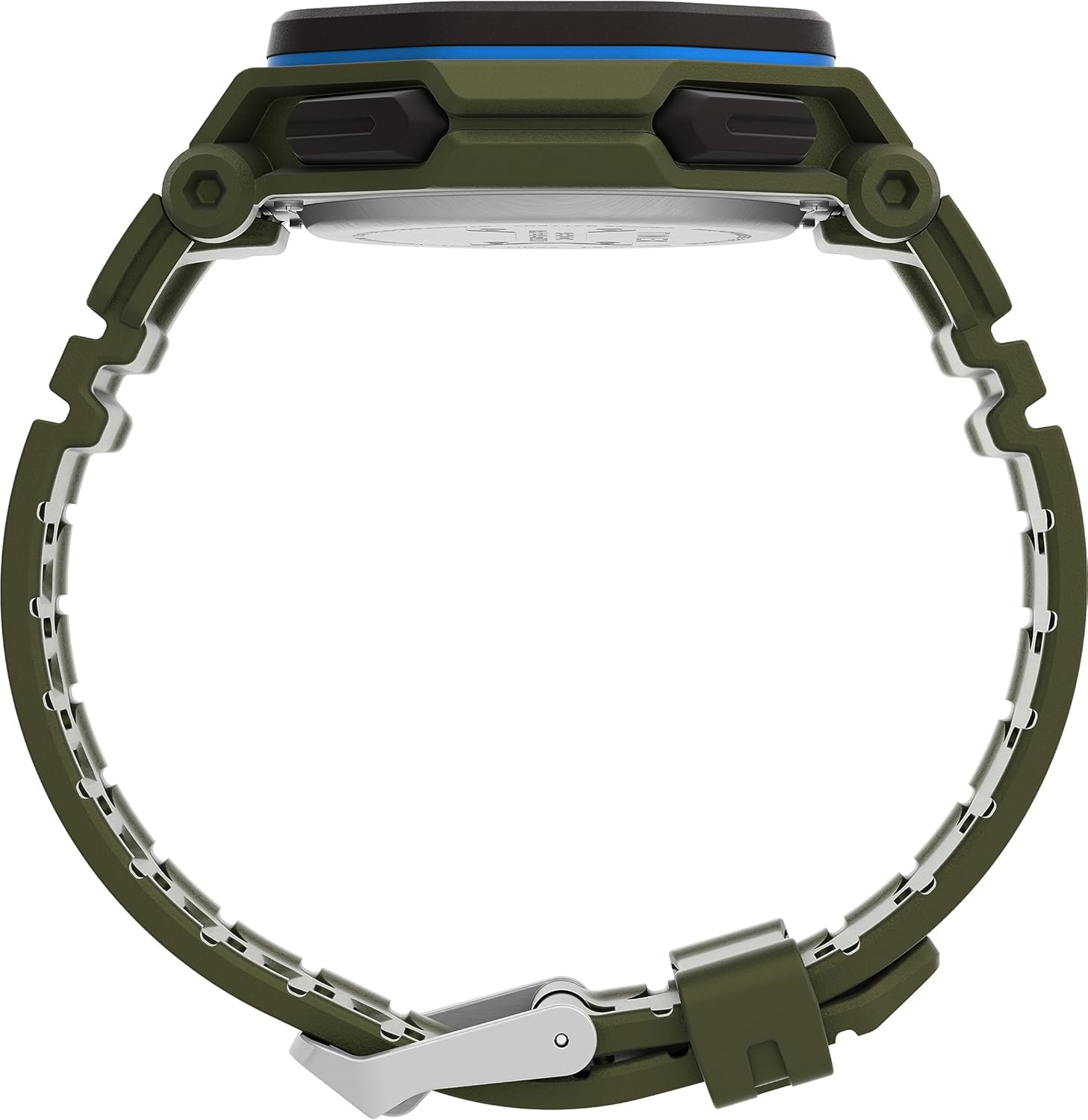
Figuur 2: Zijkant view of the Timex Command Encounter 45mm Watch. This image highlights the profile van het horloge, showcasing the robust case design and the textured green strap. The buttons on the side of the watch are also visible.

Afbeelding 3: Achter view of the Timex Command Encounter 45mm Watch. This image focuses on the stainless steel case back, which is engraved with "TIMEX", "SHOCK RESISTANT", "WATER RESISTANT 100M", and "STAINLESS STEEL BACK". The four screws securing the case back are also visible.
Instellen
1. Initial Power On and Battery
Your Timex Command Encounter watch comes with a pre-installed Lithium Metal battery (CR2025). The watch should be ready for use upon arrival. If the display is blank, press any button to activate it. If the watch does not power on, the battery may need replacement (refer to the Maintenance section).
2. Tijd en datum instellen
- Druk op de MODUS button (typically on the lower left) repeatedly until the time setting mode is displayed. The seconds digits will likely be flashing.
- Druk op de RESET button (typically on the lower right) to cycle through the adjustable fields: seconds, hours, minutes, year, month, day.
- Gebruik de BEGIN button (typically on the upper right) to increase the value of the flashing field. Hold the button to rapidly advance the digits.
- Zodra alle instellingen correct zijn, drukt u op de knop. MODUS Om de instelmodus te verlaten en terug te keren naar de normale tijdweergave, klikt u op de knop.
3. 12/24-uursformaat
While in the time setting mode, when the hour digits are flashing, pressing the BEGIN button may toggle between 12-hour (with AM/PM indicator) and 24-hour formats. Consult the specific button functions for your model if this does not work as described.
Gebruiksaanwijzing
1. Basisprincipes van tijdregistratie
The watch displays the current time (hours, minutes, seconds) and date (month, day, day of week) in its primary mode. The negative display provides clear visibility in various lighting conditions.
2. INDIGLO® Nachtlampje
To activate the INDIGLO® night-light, press the INDIGLO button (typically on the upper left). The entire display will illuminate for a few seconds, allowing for easy reading in low-light environments.
3. Chronograaf (Stopwatch)
- Druk op de MODUS Druk op de knop totdat "CHRONO" of "STW" op het display verschijnt.
- Pers BEGIN om te beginnen met timen.
- Pers BEGIN again to pause timing. Press BEGIN hervatten.
- To record a lap or split time, press SPL/SET while the chronograph is running. The display will momentarily show the lap time.
- Om de chronograaf te stoppen, drukt u op STOP.
- Om de chronograaf op nul te zetten, drukt u op RESET na stoppen.
4. Timer (Countdown)
- Druk op de MODUS button until "TIMER" or "TMR" appears on the display.
- Om de afteltijd in te stellen, drukt u op RESET to select the flashing digit (hours, minutes, seconds). Use BEGIN om de waarde aan te passen.
- Pers BEGIN om te beginnen met aftellen.
- Pers BEGIN Druk nogmaals om te pauzeren. BEGIN hervatten.
- When the timer reaches zero, an alarm will sound. Press any button to stop the alarm.
5. Alarm
- Druk op de MODUS button until "ALARM" or "ALM" appears on the display.
- Om de alarmtijd in te stellen, drukt u op RESET to select the flashing digit (hours, minutes). Use BEGIN om de waarde aan te passen.
- Om het alarm in of uit te schakelen, drukt u op SPL/SETEr verschijnt/verdwijnt een alarmicoon op het display.
- Als het alarm afgaat, druk dan op een willekeurige knop om het uit te schakelen.
Onderhoud
1. Uw horloge schoonmaken
Maak je horloge regelmatig schoon met een zachte, droge doek.amp cloth. For stubborn dirt, a mild soap solution can be used, followed by rinsing with clean water and thorough drying. Avoid using harsh chemicals or abrasive materials, as these can damage the watch case or strap.
2. Waterbestendigheid
Your Timex Command Encounter watch is water-resistant up to 100 meters (330 feet). This means it is suitable for showering, swimming, and snorkeling. Do not press any buttons while the watch is submerged in water, as this can compromise the water resistance seal. Avoid exposing the watch to extreme temperature changes, which can also affect the seals.
3. Batterij vervangen
The watch uses a CR2025 Lithium Metal battery. Battery life varies depending on usage, especially the frequency of INDIGLO® night-light activation. When the display dims or functions become erratic, it's time to replace the battery. Battery replacement should ideally be performed by a qualified watch technician to ensure the water resistance seal is properly re-seated.
If replacing the battery yourself, carefully remove the four screws on the case back (refer to Figure 3). Gently pry open the case back. Note the battery's orientation before removal. Replace with a new CR2025 battery, ensuring proper polarity. Carefully re-seat the gasket and secure the case back with the screws. Self-replacement may void warranty or compromise water resistance if not done correctly.
Probleemoplossing
| Probleem | Mogelijke oorzaak | Oplossing |
|---|---|---|
| Het scherm is leeg of donker. | Lege batterij. | Vervang de CR2025-batterij. |
| De tijd/datum klopt niet. | Niet correct ingesteld of gereset vanwege batterijwissel. | Volg de instructies bij "Tijd en datum instellen" in het gedeelte Instellingen. |
| Knoppen reageren niet. | Het horloge staat mogelijk in de vergrendelde modus of de batterij is bijna leeg. | Try pressing all buttons to see if any respond. If not, replace battery. If still unresponsive, contact support. |
| Water in het horloge. | Compromised water resistance seal (e.g., buttons pressed underwater, extreme temperature changes, damaged gasket). | Breng het horloge onmiddellijk naar een erkend horlogereparatiecentrum. Probeer het niet zelf te drogen. |
Specificaties
- Modelnummer: TW2V93700VQ
- Kastmaat: 45 mm
- Bandmateriaal: Green (8 inch)
- Weergavetype: Digitale negatieve weergave
- Lensmateriaal: Mineraal glas
- Waterbestendigheid: 100 meter (330 voet)
- Batterijtype: 1 lithiummetaalbatterij (CR2025)
- Functies: Chronograph, Timer, Alarm, INDIGLO® Night-Light
- Land van herkomst: China
Garantie en ondersteuning
Timex-horloges worden volgens hoge kwaliteitsnormen vervaardigd en worden geleverd met een beperkte garantie. Voor specifieke garantie-informatie kunt u de garantiekaart raadplegen die bij uw aankoop is meegeleverd of de officiële Timex-website bezoeken. webwebsite. Bewaar uw aankoopbewijs voor garantieclaims.
For technical support, service, or parts, please contact Timex Customer Service. Contact information can typically be found on the Timex webwebsite of op de verpakking.
Officiële Timex Webwebsite: www.timex.com


