Invoering
Thank you for choosing Kinganda Bluetooth Headphones. This user manual provides detailed instructions on how to set up, operate, and maintain your new headphones. Please read this manual thoroughly before use to ensure optimal performance and longevity of your device.
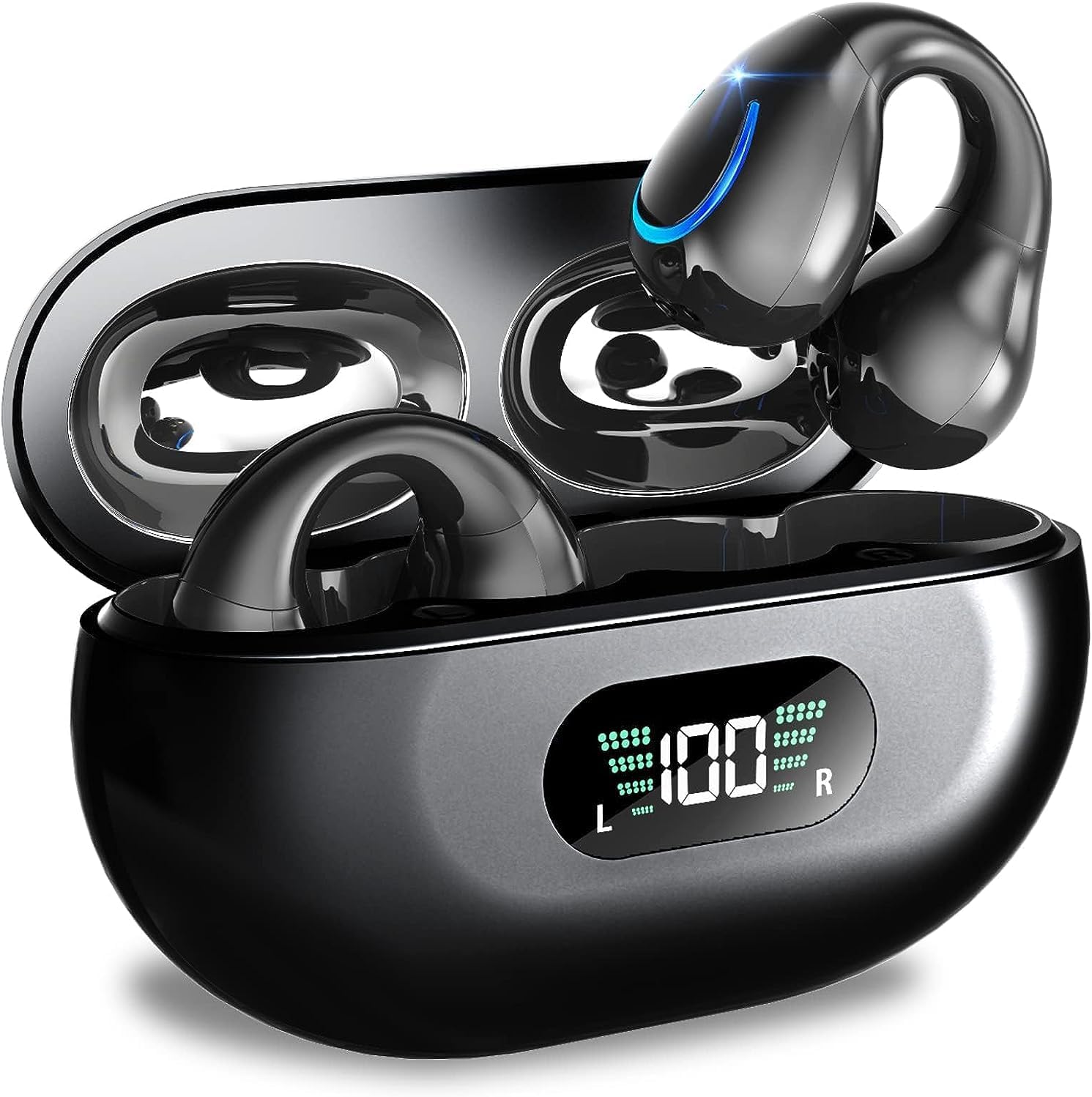
Image: Kinganda Bluetooth Headphones (Model Q71) in their charging case, showcasinHet strakke ontwerp en het led-display vallen op.
Wat zit er in de doos?
Controleer de inhoud van het pakket om er zeker van te zijn dat alle artikelen aanwezig zijn:
- Wireless Headphones (Left and Right)
- Draadloze oplaadcase
- USB-C-oplaadkabel
- Gebruiksaanwijzing

Image: An illustration showing the Kinganda headphones, charging case, USB-C cable, and user manual, representing the package contents.
Veiligheidsinformatie
To ensure safe operation and prevent damage to your headphones, please observe the following safety guidelines:
- Do not swim underwater or take hot baths with the headphones. Exposure to high temperatures or prolonged submersion can cause damage to the internal components.
- Keep the headphones and charging case away from extreme temperatures, direct sunlight, and high humidity.
- Zorg ervoor dat u het apparaat niet laat vallen en blootstelt aan sterke schokken.
- Do not attempt to disassemble, repair, or modify the headphones yourself. Contact qualified service personnel for any repairs.
- Buiten bereik van kinderen en huisdieren houden.
Product voorbijview en functies
The Kinganda Q71 headphones are designed for comfort and high-quality audio, featuring advanced technology for an enhanced listening experience.
Belangrijkste kenmerken:
- Geavanceerde Bluetooth 5.3-technologie: Ensures a stable, low-latency connection with lower power consumption and faster transmission.
- Comfortable Open Ear Clip Design: Ergonomically designed to fit the contours of the ear, providing a secure and comfortable fit without entering the ear canal. This design allows you to remain aware of your surroundings.
- 36 uur speeltijd: Enjoy up to 6 hours of continuous playback on a single charge, with an additional 30 hours provided by the compact magnetic charging case.
- LED digitale weergave: The charging case features an LED screen that clearly shows the remaining power of both the headphones and the charging case.
- IPX7 waterdichte beoordeling: Designed to withstand sweat and light rain, making them suitable for various activities.
- 10 mm drivers: Deliver deep bass and stereo sound for a rich audio experience.
- Built-in ENC Mic: Enhanced Noise Cancellation microphone for clear calls.
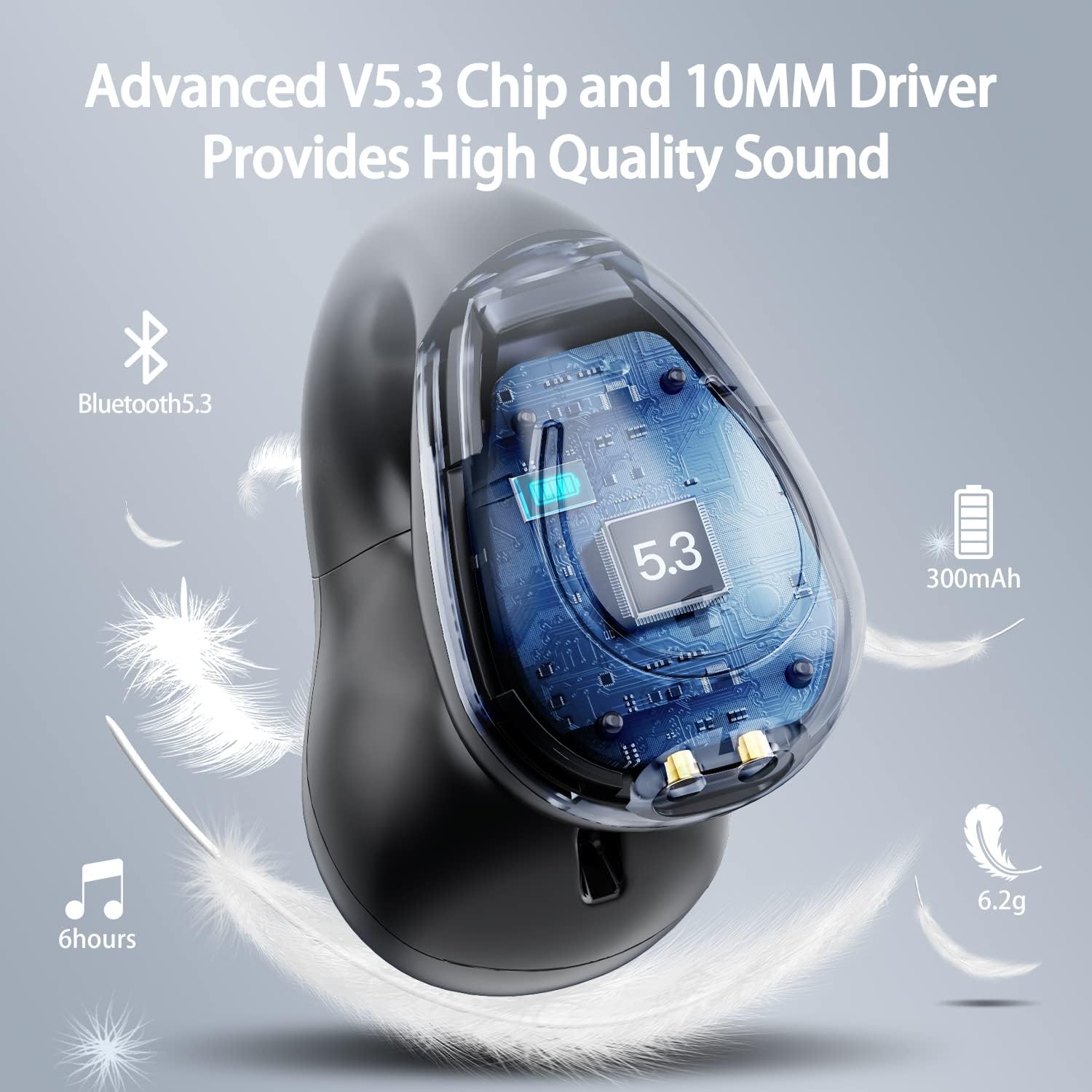
Afbeelding: een doorsnede view of the Kinganda earbud, highlighting the advanced V5.3 chip and 10mm driver for high-quality sound.

Image: A person wearing the Kinganda Q71 headphones, demonstrating the comfortable and secure open-ear clip design.
Instellen
Pairing Your Headphones:
- Laad de hoofdtelefoon op: Before first use, ensure both the headphones and the charging case are fully charged. Place the earbuds into the charging case and connect the USB-C cable to a power source. The LED display on the case will indicate charging status.
- Inschakelen: Open de oplaadcase. De hoofdtelefoon wordt automatisch ingeschakeld en gaat naar de koppelingsmodus.
- Activeer Bluetooth: On your device (smartphone, tablet, laptop, etc.), go to the Bluetooth settings and turn on Bluetooth.
- Selecteer apparaat: In the list of available Bluetooth devices, look for "YYK-Q71" and select it to connect.
- Bevestiging: Once connected, you will hear an audio prompt from the headphones, and the device will show "YYK-Q71" as connected.
The headphones are widely compatible with iOS, Android, and Windows devices.

Image: An illustration demonstrating the simple one-step pairing process and wide compatibility of the Kinganda Q71 headphones with various devices.
Gebruiksaanwijzing
Charging the Headphones and Case:
- Oordopjes opladen: Place the earbuds back into the charging case. They will automatically begin charging. The LED display on the case will show the charging status of each earbud.
- Case opladen: Connect the provided USB-C cable to the charging port on the case and the other end to a USB power adapter (not included). The LED display will show the battery percentage van de zaak.
- A full charge of the earbuds provides approximately 6 hours of playtime. The charging case provides an additional 30 hours of battery life, allowing for multiple recharges on the go.
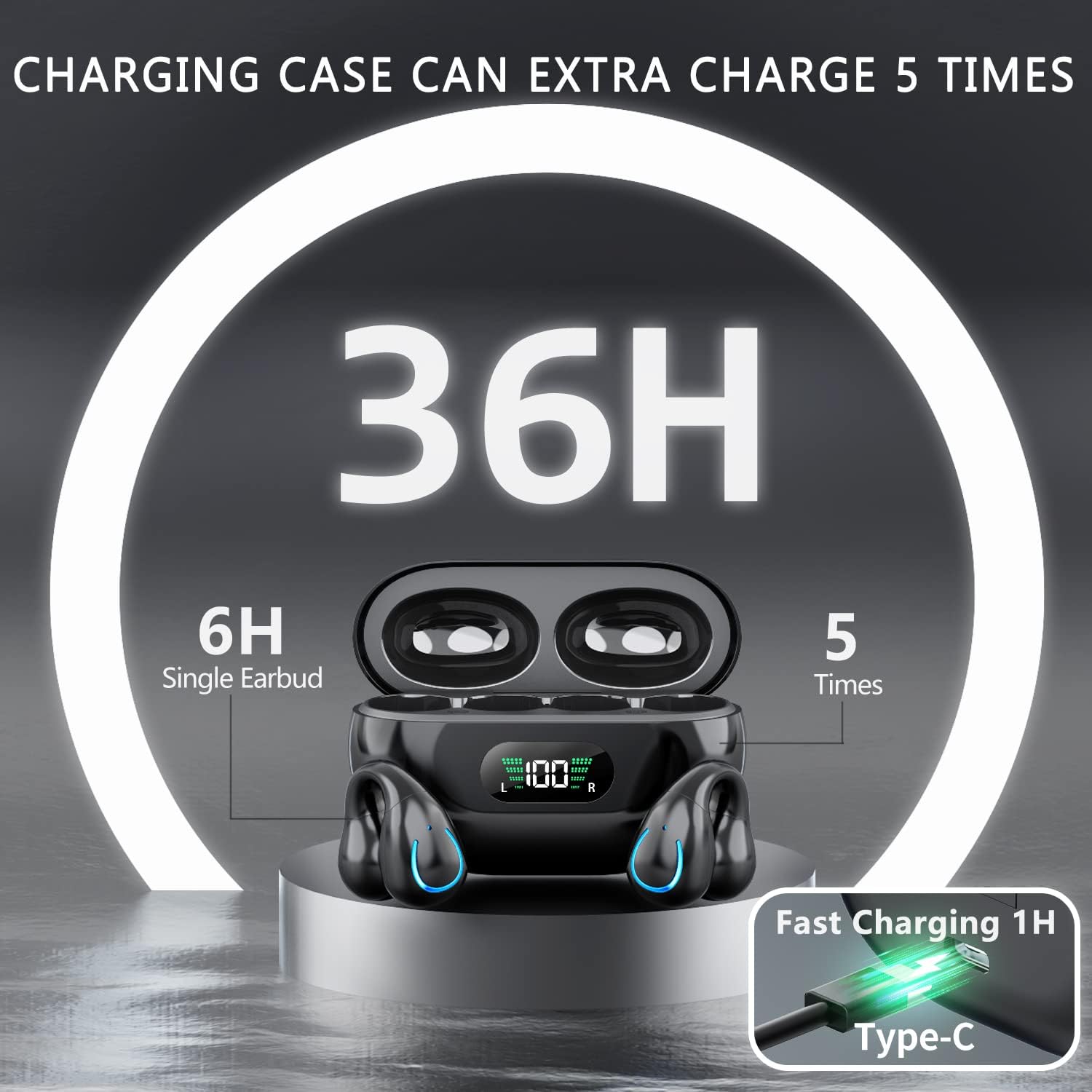
Image: The Kinganda charging case displaying "36H" total playtime, indicating 6 hours from a single earbud charge and 5 additional charges from the case.
Aanraakbedieningen:
The Kinganda Q71 headphones feature physical buttons for precise control, preventing accidental touches.
| Actie | Controle |
|---|---|
| Aan/uit | Automatically On/Off when taken out/put into case. |
| Oproep beantwoorden/beëindigen | Click 1 time (either earbud) |
| Oproep afwijzen | Houd (een van beide oordopjes) ingedrukt. |
| Muziek afspelen/pauzeren | Click 1 time (either earbud) |
| Volgende nummer | Click Right earbud 2 times |
| Vorig nummer | Click Left earbud 2 times |
| Activeer Voice Assistant (Siri, Google Assistant) | Click 3 times (either earbud) |

Image: Diagram illustrating the one-button physical controls for the Kinganda headphones, including call management, music playback, and voice assistant activation.
Onderhoud
Proper maintenance will extend the life of your Kinganda headphones:
- Schoonmaak: Use a soft, dry, lint-free cloth to clean the earbuds and charging case. Do not use harsh chemicals, cleaning solvents, or strong detergents.
- Opslag: When not in use, store the headphones in their charging case to protect them from dust and damage. Store in a cool, dry place.
- Waterbestendigheid: While the headphones are IPX7 waterproof (resistant to sweat and light rain), they are not designed for swimming or submersion in water. Avoid exposure to hot water or steam.
- batterij zorg: To preserve battery life, charge the headphones regularly, even if not used for extended periods. Avoid fully draining the battery frequently.
Probleemoplossing
If you encounter any issues with your headphones, please refer to the following common problems and solutions:
De hoofdtelefoon maakt geen verbinding:
- Zorg ervoor dat beide oordopjes volledig zijn opgeladen.
- Zorg ervoor dat Bluetooth op uw apparaat is ingeschakeld.
- Plaats de oordopjes terug in het oplaadhoesje, sluit het deksel, wacht een paar seconden en open het deksel vervolgens weer om de koppelingsmodus te hervatten.
- Forget "YYK-Q71" from your device's Bluetooth list and try pairing again.
- Ensure the headphones are within the effective Bluetooth range (typically 10 meters/33 feet) of your device.
Slechts één oordopje werkt:
- Place both earbuds back into the charging case and ensure they are charging correctly.
- Take both earbuds out simultaneously. They should automatically connect to each other.
- If the issue persists, try resetting the headphones (refer to the manufacturer's website or contact support for specific reset instructions if not detailed here).
Slechte geluidskwaliteit of verbroken verbindingen:
- Zorg ervoor dat er geen obstakels tussen uw apparaat en de hoofdtelefoon zijn.
- Ga dichter bij uw apparaat staan om storingen te verminderen.
- Controleer of de oordopjes schoon en vrij van vuil zijn.
- Probeer het geluid af te spelen vanaf een andere bron of toepassing.
De koptelefoon laadt niet op:
- Ensure the USB-C charging cable is securely connected to both the case and the power source.
- Probeer een andere USB-C-kabel of stroomadapter.
- Clean the charging contacts on both the earbuds and inside the charging case with a dry cotton swab.
Specificaties
| Functie | Detail |
|---|---|
| Modelnummer | Q71 (YYK-Q71) |
| Merk | Kinganda |
| Connectiviteitstechnologie | Draadloos (Bluetooth 5.3) |
| Plaatsing van de oren | Open oor |
| Vormfactor | Clip aan |
| Geluidsbeheersing | Sound Isolation (via ENC Mic) |
| Productafmetingen | 3 x 3 x 3 cm; 6.2 g (per earbud) |
| Batterijen | 2 lithium-polymeerbatterijen (meegeleverd) |
| Meegeleverde componenten | Wireless Headphones, User Manual, USB-C Charging Cable, Wireless Charging Case |
| Kleur | Zwart |
| Fabrikant | Kinganda |
Garantie en ondersteuning
Kinganda products are manufactured to the highest quality standards. For any warranty claims or technical support, please contact your original retailer or the manufacturer directly. Please retain your proof of purchase for warranty service.
For further assistance, please refer to the contact information provided with your purchase or visit the official Kinganda webplaats.


