1. Inleiding
This manual provides essential information for the safe and efficient use of your Innostyle Magnetic Wireless Power Bank. Please read this manual thoroughly before using the product and retain it for future reference.

Image 1.1: The Innostyle Magnetic Wireless Power Bank (Purple) magnetically attached to the back of an iPhone.
2. Wat zit er in de doos?
Controleer bij het uitpakken of alle artikelen aanwezig zijn:
- 1x Magnetic Wireless Power Bank (Model: IM20PD)
- 1x USB-A naar USB-C-kabel
- 1x Gebruikershandleiding (dit document)
3. Product voorbijview
Familiarize yourself with the components and features of your power bank.

Image 3.1: Key components of the Innostyle Magnetic Wireless Power Bank, including the power button, USB-C IN/OUT port, Lightning IN port, and LED indicators.
- Aan/uit-knop: Used to turn the device on/off and activate low-power mode.
- USB-C IN/OUT Port (20W): For charging the power bank and for wired fast charging of external devices.
- Lightning IN Port (18W): Om de powerbank op te laden met een Lightning-kabel.
- LED-indicatoren: Geeft het resterende batterijniveau en de laadstatus weer.
- Magnetisch oplaadoppervlak: For wireless charging of compatible devices.
4. Instellen
4.1 Eerste keer opladen van de powerbank
Before first use, fully charge the power bank. Connect the provided USB-A to USB-C cable to the power bank's USB-C IN/OUT port and a compatible USB wall adapter (not included). Alternatively, use a Lightning cable with the Lightning IN port. The LED indicators will show charging progress.
4.2 In-/uitschakelen
- Aanzetten: Short press the power button once. The LED indicators will light up.
- Uitschakelen: Short press the power button twice. The LED indicators will turn off.
5. Gebruiksaanwijzing
5.1 Magnetic Wireless Charging (7.5W Max)
Align your compatible iPhone (iPhone 15/14/13/12 series) or AirPods with the magnetic charging surface on the power bank. The magnets will snap into place, and wireless charging will begin automatically. Ensure your iPhone is without a case or uses a magnetic-compatible case for optimal attachment and charging efficiency.

Image 5.1: Demonstrates the seamless magnetic attachment of the power bank to an iPhone for wireless charging.
5.2 Wired Fast Charging (20W PD Max)
Connect your device to the power bank's USB-C IN/OUT port using a USB-C to USB-C cable (for compatible devices) or a USB-C to Lightning cable (for iPhones). The power bank supports Power Delivery (PD) 20W fast charging, capable of charging an iPhone 13 from 0% to 50% in approximately 30 minutes.

Image 5.2: Illustration of 2-in-1 fast charging, showing both wireless (7.5W Max) and wired (20W Max) charging options.
5.3 Doorlaadfunctie
The power bank supports pass-through charging, allowing you to recharge the power bank itself while simultaneously charging your iPhone wirelessly or via cable. Connect the power bank to a wall adapter, then attach your iPhone for charging.

Image 5.3: Depiction of the power bank being recharged from a wall outlet while simultaneously charging an iPhone.
5.4 Twee apparaten tegelijk opladen
You can charge two devices at the same time: one wirelessly via the magnetic surface and another via the USB-C port.
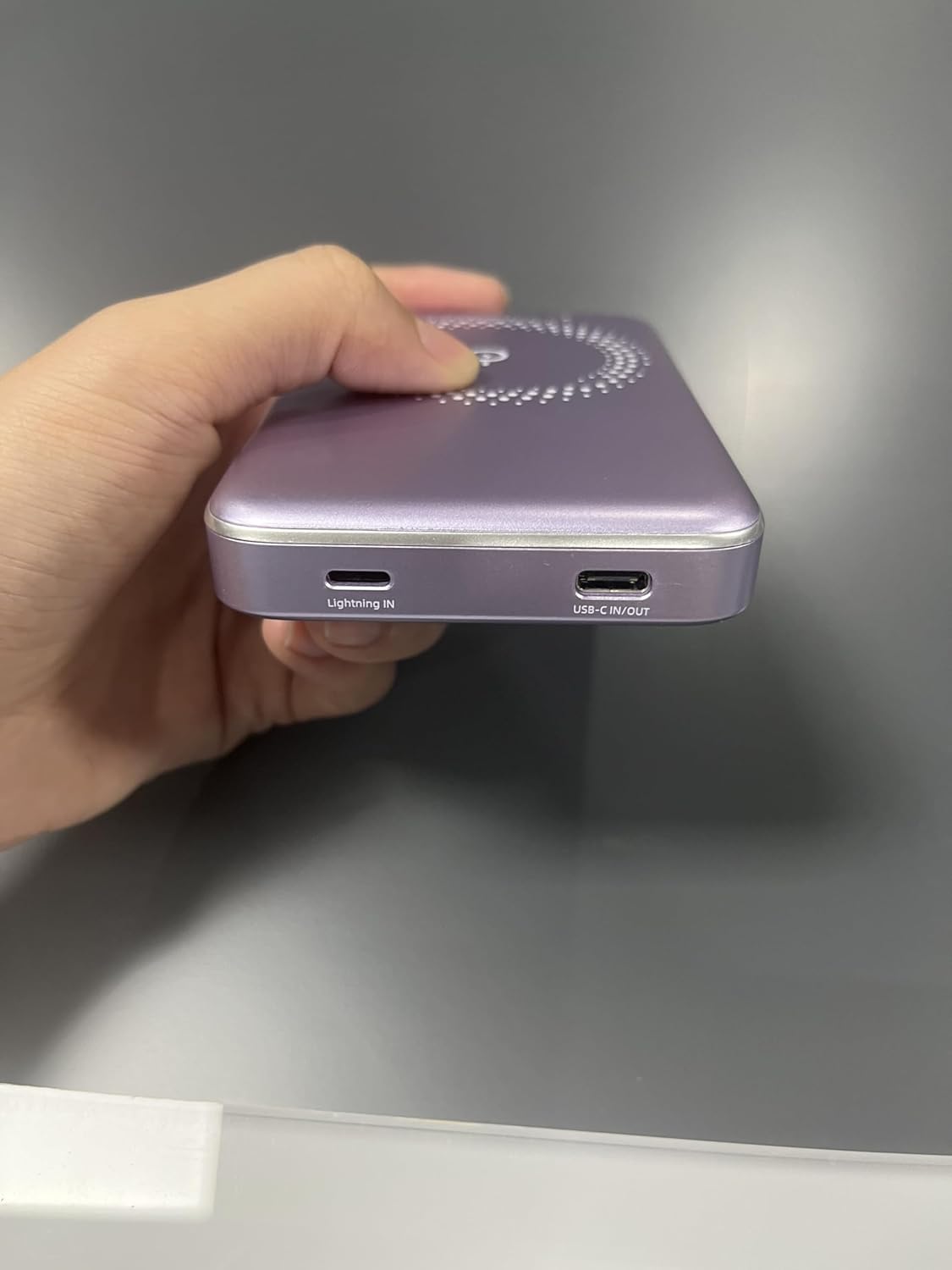
Image 5.4: The power bank simultaneously charging an iPhone wirelessly and another device via a wired connection.
5.5 Low-Power Mode
To enter low-power mode (for charging low-current devices like earbuds or smartwatches), press and hold the power button for 3 seconds. To exit low-power mode, press and hold the button for 3 seconds again.
5.6 Using Phone/Camera While Charging
The design of the power bank ensures that it does not obstruct your phone's camera lens, allowing for uninterrupted use while charging.
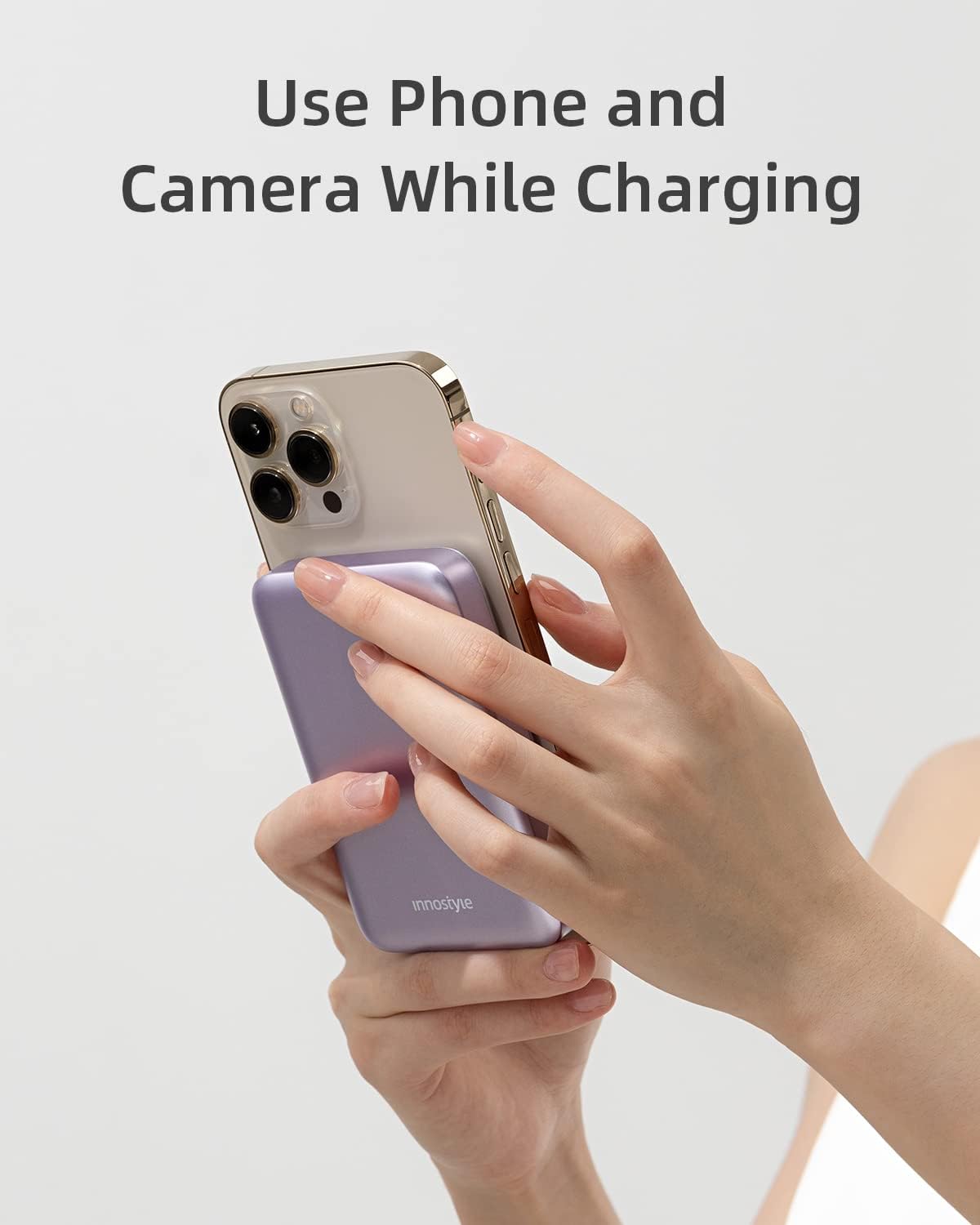
Image 5.5: The power bank attached to an iPhone, showing that the camera remains unobstructed during use.
6. Onderhoud
- Schoonmaak: Gebruik een zachte, droge doek om het oppervlak van de powerbank schoon te maken. Vermijd het gebruik van agressieve chemicaliën of schurende materialen.
- Opslag: Bewaar de powerbank op een koele, droge plaats, uit de buurt van direct zonlicht, extreme temperaturen en vochtigheid.
- batterij zorg: Om de levensduur van de batterij te verlengen, laad de powerbank ten minste eens in de drie maanden volledig op als u deze niet regelmatig gebruikt.
7. Probleemoplossing
| Probleem | Mogelijke oorzaak | Oplossing |
|---|---|---|
| Powerbank laadt niet op | Kabel niet goed aangesloten; defecte kabel/adapter; powerbank volledig ontladen. | Ensure cables are securely connected. Try a different cable or wall adapter. Allow a few minutes for the power bank to respond if deeply discharged. |
| Apparaat laadt niet draadloos op | Device not aligned; non-magnetic case; device not compatible; foreign object between power bank and device. | Realign the device. Remove any non-magnetic cases. Ensure your device supports wireless charging. Remove any foreign objects. |
| Langzaam opladen | Using a standard charger instead of fast charger; cable not supporting fast charging; device not supporting fast charging. | Use a PD-compatible wall adapter and cable for fast charging. Ensure your device supports fast charging. |
| Power bank turns off unexpectedly | Low battery; overheating; short circuit protection activated. | Recharge the power bank. Allow the power bank to cool down. If the issue persists, contact customer support. |
8. Specificaties
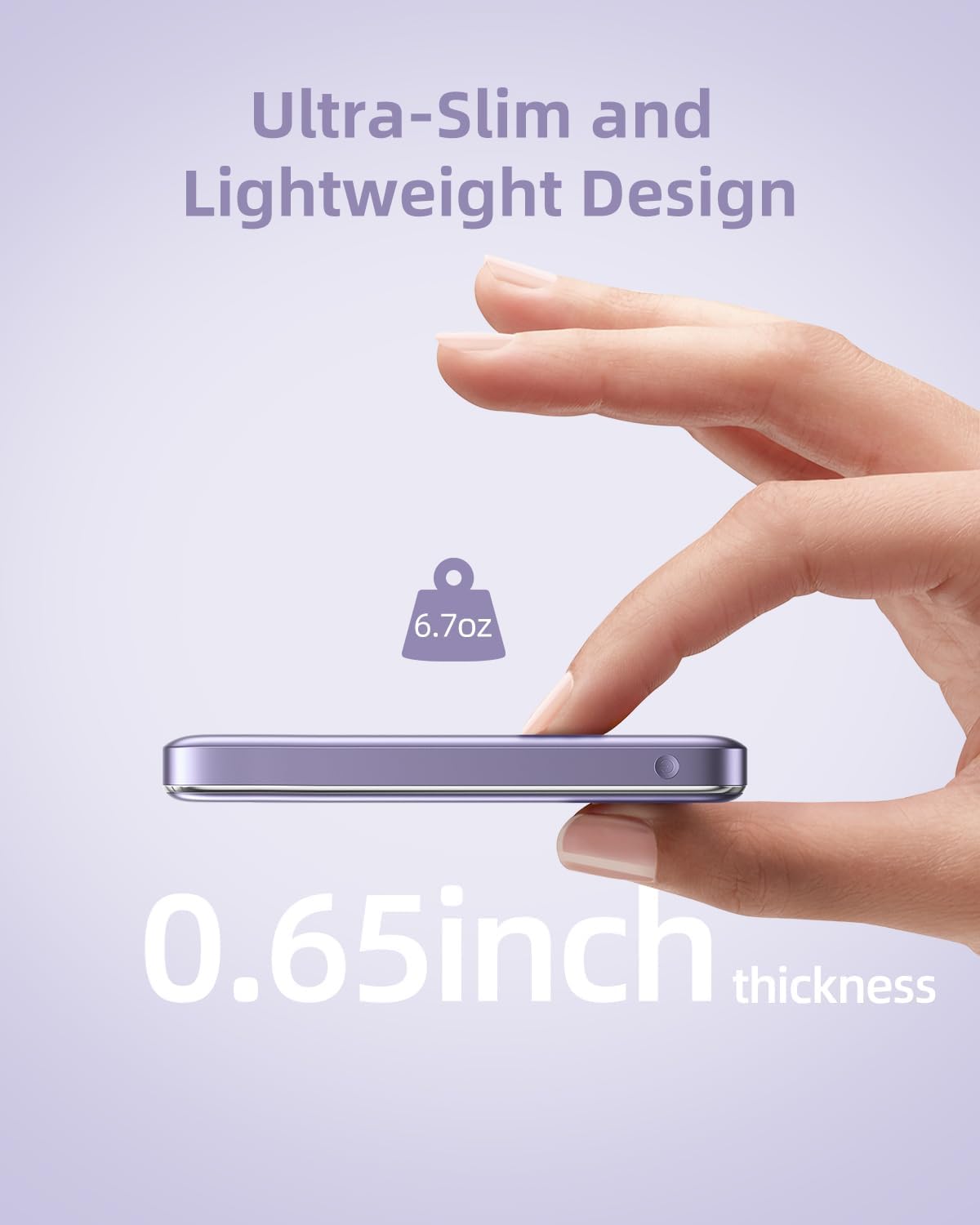
Image 8.1: The compact dimensions and light weight of the Innostyle Magnetic Wireless Power Bank.
| Functie | Detail |
|---|---|
| Modelnummer | IM20PD |
| Batterijcapaciteit | 10000 milliamp Uren (mAh) |
| Productafmetingen | 4.17 x 2.72 x 0.65 inch |
| Artikelgewicht | 6.7 ons |
| Uitgang draadloos opladen | 7.5W Max |
| USB-C IN/UIT | 20W vermogensafgifte (PD) |
| Lightning IN | 18W |
| Speciale kenmerken | Auto Shut-Off, Fast Charging, Pocket Size, Short Circuit Protection, Wireless Charging |
| Kleur | Paars |
9. Veiligheidsinformatie
- Stel de powerbank niet bloot aan extreme temperaturen (boven 45°C of onder 0°C).
- Zorg ervoor dat u het apparaat niet laat vallen, demonteert of zelf probeert te repareren.
- Verwijderd houden van water, vocht en ontvlambare materialen.
- Do not place metal objects or magnetic cards between the power bank and your device during wireless charging.
- Gooi de powerbank weg volgens de plaatselijke voorschriften voor elektronisch afval.
10. Garantie en ondersteuning
For warranty information and customer support, please refer to the product packaging or visit the official Innostyle webwebsite. U kunt ook rechtstreeks contact opnemen met de verkoper via uw aankoopplatform voor hulp.
Manufacturer: INNOSTYLE (Innostyle Innovations Co., Limited)
