1. Inleiding
Welcome to the world of smart cooking with the CREATE IKOHS Chefbot Touch. This innovative kitchen robot is designed to simplify your cooking process, offering a wide range of functions and pre-programmed recipes to help you prepare delicious meals with ease. With its intuitive touch screen and integrated WiFi, the Chefbot Touch brings convenience and versatility to your kitchen.
Please read this manual carefully before using the appliance to ensure safe and optimal operation. Keep this manual for future reference.

Image: The CREATE IKOHS Chefbot Touch, a versatile kitchen robot featuring a stainless steel mixing bowl and an interactive touchscreen interface.
2. Belangrijkste kenmerken
The CREATE IKOHS Chefbot Touch is equipped with advanced features to enhance your culinary experience:
- Geïntegreerde wifi: Allows for periodic updates of recipes and software.
- 5-inch touchscreen: For easy navigation and recipe selection.
- 24 automatische programma's: Pre-set functions for various cooking tasks.
- 12 Speeds + Turbo Function: For precise control over mixing and processing.
- Temperatuurbereik: Instelbaar van 37°C tot 120°C.
- Kooktijd: Up to 90 minutes of continuous operation.
- 140+ Preloaded Recipes: A wide variety of recipes available directly on the device.
- Veelzijdige functies: Capable of beating, whipping, emulsifying, mixing, stirring, confiting, precision cooking (degree by degree), kneading, boiling, keeping warm, fermenting, poaching, bain-marie, low-temperature cooking, slow cooking, steaming, crushing, chopping, grinding, grating, peeling, slicing, dicing, and pulverizing.
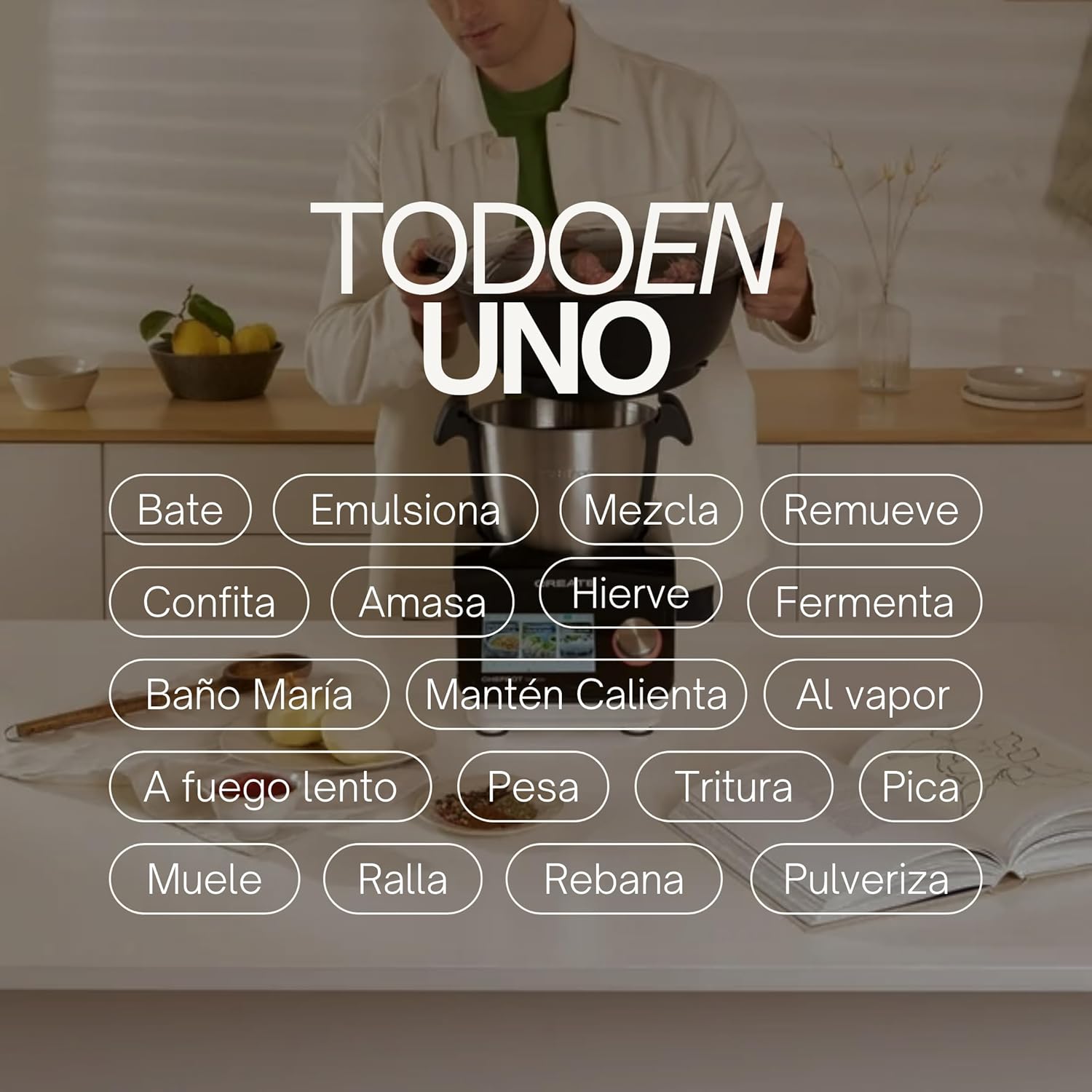
Image: An illustration highlighting the "All-in-One" capabilities of the Chefbot Touch, including functions such as beating, emulsifying, mixing, and more.

Image: A visual summary of the Chefbot Touch's core features: 24 automatic programs, 12 speeds with turbo, and over 140 pre-installed recipes.
3. Componenten en accessoires
The Chefbot Touch comes with a comprehensive set of accessories to support its many functions:
- Ice-crushing Blades: For crushing ice and hard ingredients.
- Mengpeddel: Voor voorzichtig roeren en mengen.
- Hand Spatula: Om te schrapen en te roeren.
- Separator Basket: For cooking ingredients separately within the bowl.
- Maatbeker: Voor nauwkeurige vloeistofmetingen.
- Vlindergarde: For whipping and emulsifying.
- Reversible Cutting Disc: For slicing and grating.
- Food Processor Lid: For use with the cutting disc.
- Voedselduwer: For safely guiding food into the cutting disc.
- 2-level Steamer Basket: For steaming multiple ingredients simultaneously.

Image: The Chefbot Touch displayed with its full set of ten accessories, designed for various cooking tasks.
4. Instellen
4.1 Uitpakken en eerste plaatsing
Carefully remove all components from the packaging. Place the Chefbot Touch on a stable, flat, and dry surface. Ensure there is adequate ventilation around the unit. Keep the appliance away from heat sources and direct sunlight.
4.2 Stroomaansluiting
Sluit het netsnoer aan op een geaard stopcontact. Zorg ervoor dat het volumetage voldoet aan de specificaties van uw apparaat (110 Volt).
4.3 Eerste reiniging
Before first use, clean all removable parts (bowl, lid, accessories) with warm soapy water. Rinse thoroughly and dry completely. Wipe the main unit with a damp lap. Dompel het hoofdapparaat niet onder in water.
4.4 WiFi-verbinding
To access online recipes and updates, connect your Chefbot Touch to your home WiFi network.
- Turn on the Chefbot Touch.
- Ga naar het instellingenmenu op het touchscreen.
- Select "WiFi" or "Network Settings".
- Choose your WiFi network from the list.
- Voer uw WiFi-wachtwoord in als daarom wordt gevraagd.
- Confirm the connection. Once connected, the device will be able to download recipe updates.
5. Gebruiksaanwijzing
5.1 Algemene werking
The Chefbot Touch is operated primarily through its 5-inch touch screen and the control knob.
- Touchscreen: Use to select programs, recipes, and adjust settings.
- Bedieningsknop: Rotate to adjust values (time, temperature, speed) and press to confirm selections.
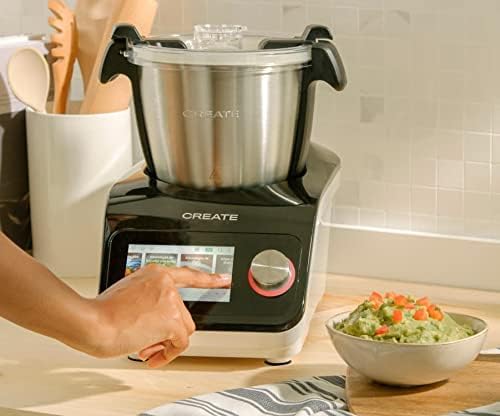
Image: A user demonstrating interaction with the Chefbot Touch's intuitive touchscreen interface.
5.2 Automatische programma's gebruiken
The 24 automatic programs simplify complex cooking tasks.
- From the main menu, select "Programs".
- Browse through the available programs (e.g., Knead, Steam, Chop).
- Select the desired program. The device will guide you through the necessary steps and settings.
5.3 Following Preloaded Recipes
Access over 140 preloaded recipes directly on the device.
- Selecteer "Recepten" in het hoofdmenu.
- Browse or search for a recipe.
- Select the recipe. The screen will display step-by-step instructions, including ingredients, quantities, and cooking parameters.
- Follow the on-screen prompts to add ingredients and operate the machine.
5.4 Handmatige modus
For custom cooking, use the manual mode to set time, temperature, and speed independently.
- Select "Manual" or "Custom" mode.
- Use the touch screen and control knob to set the desired cooking time (up to 90 minutes), temperature (37°C to 120°C), and speed (1-12 or Turbo).
- Druk op start om te beginnen met koken.
5.5 Veiligheidsmaatregelen tijdens gebruik
- Always ensure the lid is properly secured before operating, especially when using high speeds or hot liquids.
- Vul de kom niet te vol.
- Be cautious when handling hot liquids or steam.
- Use the provided spatula or other appropriate utensils to scrape down ingredients, always stopping the machine first.
- Keep hands and utensils away from moving blades.
6. Onderhoud en reiniging
Regular cleaning ensures the longevity and optimal performance of your Chefbot Touch.
6.1 De kom en accessoires schoonmaken
- The stainless steel bowl should be washed by hand with warm soapy water. Rinse thoroughly and dry immediately to prevent water spots.
- Most accessories are dishwasher safe. Refer to individual accessory instructions for specific cleaning guidelines.
- Bij hardnekkige etensresten kunt u de onderdelen het beste in warm zeepsop laten weken voordat u ze schoonmaakt.
6.2 Het hoofdapparaat reinigen
- Veeg de buitenkant van het hoofdtoestel schoon met een zachte, vochtige doek.amp lap.
- Gebruik geen schurende reinigingsmiddelen of schuursponsjes, omdat deze het oppervlak kunnen beschadigen.
- Dompel de hoofdeenheid nooit onder in water of een andere vloeistof.
- Zorg ervoor dat het apparaat is losgekoppeld voordat u het schoonmaakt.
6.3 Opslag
Store the Chefbot Touch and its accessories in a clean, dry place when not in use. Ensure all parts are completely dry before storage.
7. Probleemoplossing
If you encounter issues with your Chefbot Touch, refer to the following common problems and solutions:
| Probleem | Mogelijke oorzaak | Oplossing |
|---|---|---|
| Het apparaat gaat niet aan. | Niet aangesloten; stroomschakelaar uit; stroom uittage. | Ensure power cord is securely plugged in. Check the main power switch. Verify power supply. |
| Motor stops during operation or overheats. | Overload; prolonged continuous use; safety mechanism activated. | Reduce the amount of ingredients. Allow the appliance to cool down for at least 30-60 minutes before resuming use. This is a safety feature to prevent damage. |
| Het deksel sluit niet goed. | Obstruction; incorrect alignment. | Check for any food particles or accessories blocking the lid. Ensure the lid is correctly aligned and locked into place. |
| Problemen met de WiFi-verbinding. | Incorrect password; weak signal; router issues. | Double-check the WiFi password. Move the unit closer to the router. Restart your router. |
| Foutmelding op het scherm. | Specifiek operationeel probleem. | Note the error code or message. Refer to the digital manual on the device or contact customer support for specific guidance. |
If the problem persists after attempting these solutions, please contact CREATE customer support.
8. Specificaties
Technical specifications for the CREATE IKOHS Chefbot Touch:
| Functie | Specificatie |
|---|---|
| Merk | CREËREN |
| Model | Chefbot Touch |
| Kleur | Zwart |
| Stroom | 1400 Watt |
| Deeltage | 110 Volt |
| Materiaal | Stainless Steel (bowl), Aluminum (body) |
| Aantal snelheden | 12 + Turbo |
| Temperatuurbereik | 37°C tot 120°C |
| Max Continuous Operation | 90 minuten |
| Compatibele apparaten | iOS, Android |
| Productafmetingen (L x B x H) | 38x24x23cm |
| Productgewicht | 10 kg |

Afbeelding: Voorzijde view of the Chefbot Touch, illustrating its dimensions (465mm height, 380mm width) and 3.5L bowl capacity.
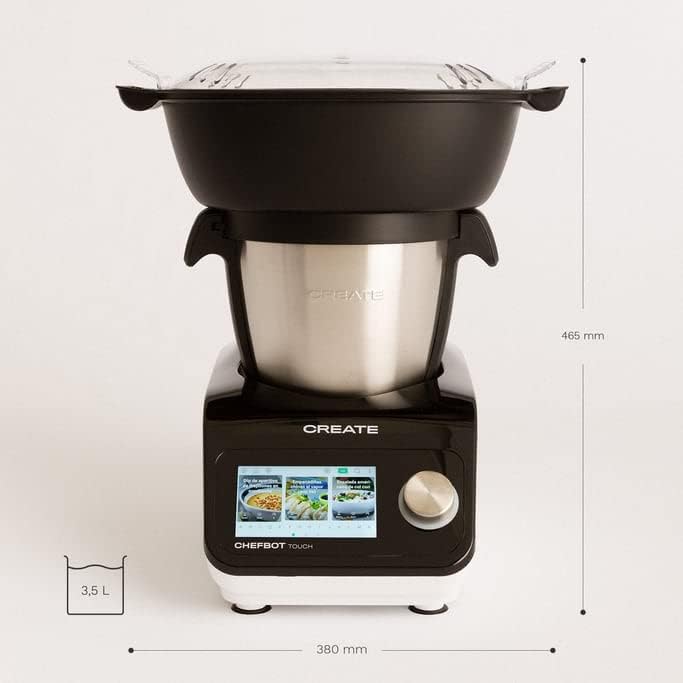
Afbeelding: Zijkant view of the Chefbot Touch, showing its depth dimension of 380mm.
9. Garantie en ondersteuning
For information regarding warranty coverage, terms, and conditions, please refer to the documentation included with your purchase or visit the official CREATE webplaats.
If you require technical assistance, have questions about your product, or need to report an issue, please contact CREATE customer support through their official channels.
Fabrikant: CREËER IKOHS


