1. Inleiding
Thank you for choosing the InFocus P120 INL412 Multimedia Projector. This manual provides essential information for the safe and efficient operation of your projector. Please read it thoroughly before using the device and retain it for future reference. The InFocus P120 INL412 is designed for versatile multimedia presentations, offering clear and vibrant images for various applications.
2. Veiligheidsinformatie
To ensure safe operation and prevent damage to the projector, please observe the following safety precautions:
- Blokkeer de ventilatieopeningen niet. Zorg voor voldoende ruimte rondom de projector voor een goede luchtcirculatie om oververhitting te voorkomen.
- Kijk niet rechtstreeks in de projectorlens wanneer de lamp is aan, omdat het felle licht oogbeschadiging kan veroorzaken.
- Plaats de projector niet op een instabiele trolley, standaard of tafel. De projector kan omvallen, met ernstig letsel voor een kind of volwassene tot gevolg, en ernstige schade aan het apparaat.
- Haal de stekker van het netsnoer uit het stopcontact als u de projector gedurende langere tijd niet gebruikt.
- Laat al het onderhoud uitvoeren door gekwalificeerd onderhoudspersoneel. Probeer de projector niet zelf te openen of te repareren.
- Keep the projector away from water or moisture. Do not expose it to rain or immerse it in liquid.
- Use only the power cord supplied with the projector or an authorized replacement.
3. Inhoud van het pakket
Verify that all items listed below are included in your projector package:
- InFocus P120 INL412 Multimedia Projector
- Stroomkabel
- Afstandsbediening met batterijen
- VGA-kabel
- Gebruikershandleiding (dit document)
- Snelstartgids
4. Product voorbijview
Familiarize yourself with the main components of your InFocus P120 INL412 projector.
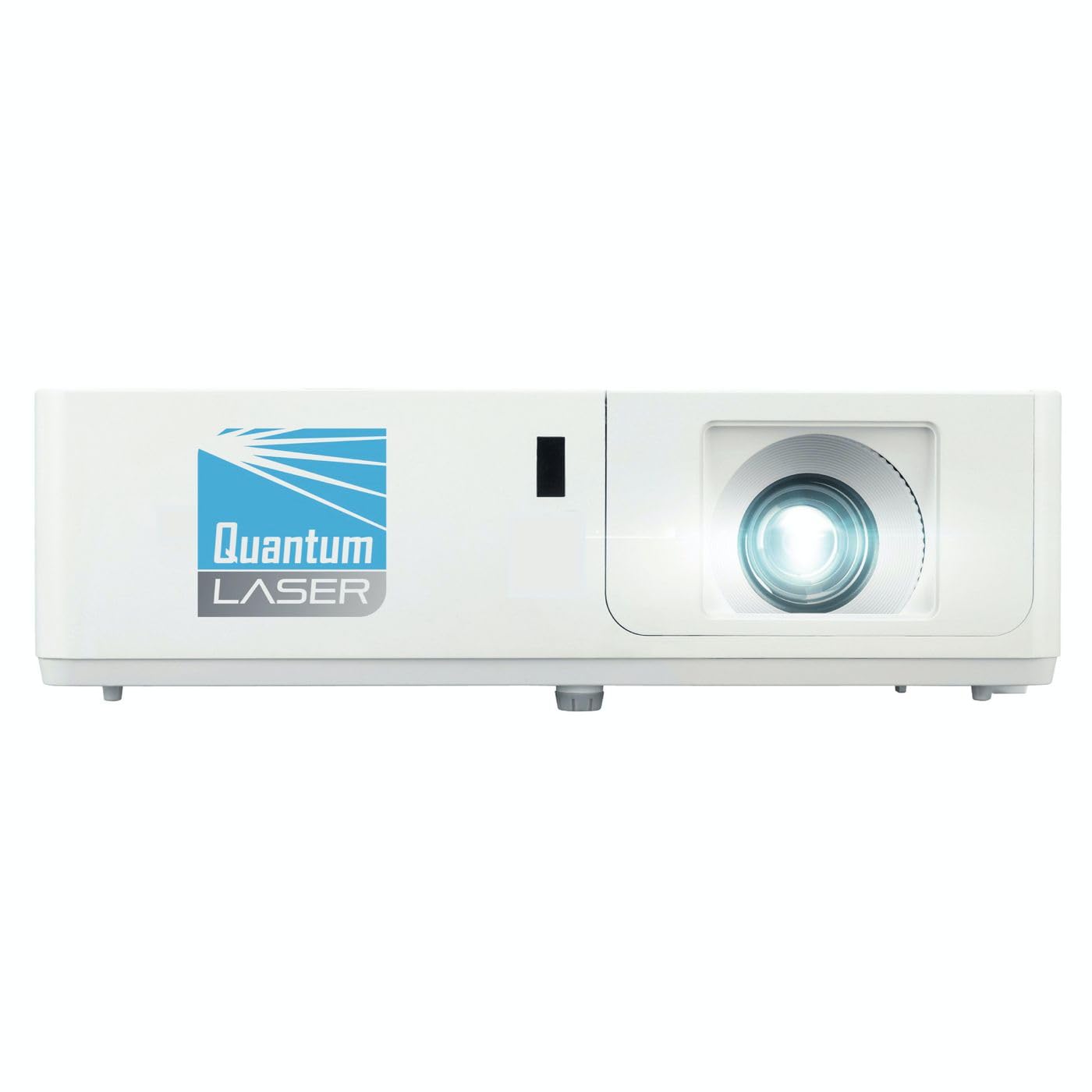
Afbeelding 1: Voorkant view of the InFocus P120 INL412 Multimedia Projector, showing the lens and ventilation grilles.
4.1 Voorpaneel
- Projectielens: Geeft het beeld weer op het scherm.
- Scherpstelring: Past de helderheid van het geprojecteerde beeld aan.
- Zoomring: Adjusts the size of the projected image.
- IR ontvanger: Ontvangt signalen van de afstandsbediening.
4.2 Bovenpaneel
- Configuratiescherm: Buttons for power, menu navigation, source selection, and keystone correction.
- Indicatielampjes: Display the projector's status (e.g., power, lamp, temperature).
4.3 Rear Panel (Connectivity)
- HDMI-ingang: Connects to HDMI-enabled devices (laptops, Blu-ray players).
- VGA-ingang: Connects to computers with VGA output.
- USB-poort: For service or connecting USB devices (if supported by model).
- Audio in/uit: For connecting external audio sources or speakers.
- Stroomingang: Sluit het netsnoer aan.
5. Instellen
Volg deze stappen voor de eerste installatie van uw projector:
- Plaatsing: Place the projector on a stable, flat surface or mount it securely. Ensure the projector is positioned at an appropriate distance from the screen to achieve the desired image size.
- Stroomaansluiting: Connect the power cord to the projector's power inlet and then to a grounded electrical outlet.
- Bronapparaat aansluiten: Connect your source device (e.g., laptop, DVD player) to the projector using an appropriate cable (HDMI, VGA, etc.). Ensure the cable is securely connected to both the source and the projector.
- Inschakelen: Press the power button on the projector's control panel or the remote control to turn on the projector. The power indicator light will illuminate.
- Adjust Focus and Zoom: Once an image is projected, rotate the focus ring on the lens until the image is sharp and clear. Use the zoom ring to adjust the image size to fit your screen.
- Keystone-correctie: If the image appears trapezoidal, use the keystone correction function (either via buttons on the projector/remote or through the on-screen menu) to square the image.
6. Gebruiksaanwijzing
6.1 In-/uitschakelen
- Inschakelen: Press the power button once. The projector will go through a warm-up sequence.
- Uitschakelen: Press the power button twice. The first press will prompt a shutdown confirmation; the second press will initiate shutdown. Allow the projector to cool down completely before unplugging.
6.2 Bronselectie
Press the 'Source' button on the projector or remote control to cycle through available input sources (HDMI, VGA, etc.) until your desired source is displayed.
6.3 Menunavigatie
Press the 'Menu' button to access the on-screen display (OSD) menu. Use the arrow buttons to navigate through options and 'Enter' or 'OK' to select. Use the 'Exit' or 'Menu' button to close the OSD.
- Afbeeldingsinstellingen: Adjust brightness, contrast, color, aspect ratio, and picture mode.
- Beeldscherminstellingen: Configure keystone, projection mode (front/rear, desktop/ceiling), and resolution.
- Audio-instellingen: Regel het volume en de audio-uitvoeropties.
- Systeeminstellingen: Manage language, timer, power-saving modes, and factory reset.
7. Onderhoud
Regelmatig onderhoud zorgt voor optimale prestaties en verlengt de levensduur van uw projector.
- Lensreiniging: Veeg de projectorlens voorzichtig af met een zachte, pluisvrije doek die speciaal is ontworpen voor optische oppervlakken. Gebruik geen schurende reinigingsmiddelen en oefen geen overmatige kracht uit.
- Kastreiniging: Use a soft, dry cloth to clean the projector's exterior. For stubborn marks, dampen the cloth slightly with water. Avoid using harsh chemicals.
- Reinigen/vervangen van het luchtfilter: Check the air filter periodically. If your model has a removable filter, clean it with a soft brush or vacuum cleaner. Replace the filter as recommended in the on-screen menu or when visibly dirty to maintain proper ventilation.
- Lamp Vervanging: De projector lamp heeft een beperkte levensduur. Wanneer de lamp life indicator appears, or the image brightness significantly decreases, replace the lamp according to the instructions provided in the full service manual or by a qualified technician. Always allow the projector to cool down completely before attempting lamp vervanging.
8. Probleemoplossing
Raadpleeg de onderstaande tabel voor veelvoorkomende problemen en hun oplossingen:
| Probleem | Mogelijke oorzaak | Oplossing |
|---|---|---|
| Geen afbeelding weergegeven | Power cord disconnected, incorrect input source, source device off. | Check power connections. Select correct input source. Ensure source device is powered on. |
| Afbeelding is wazig | Lens out of focus, incorrect projection distance. | Adjust the focus ring on the lens. Reposition the projector closer or further from the screen. |
| Afbeelding is trapeziumvormig | De projector staat niet loodrecht op het scherm. | Use keystone correction (manual or automatic) to square the image. |
| Projector raakt oververhit en schakelt uit | Blocked ventilation, dirty air filter. | Zorg voor voldoende vrije ruimte rond de ventilatieopeningen. Reinig of vervang het luchtfilter. |
| Afstandsbediening werkt niet | Dead batteries, obstruction between remote and projector, incorrect angle. | Replace batteries. Ensure clear line of sight to IR receiver. Point remote directly at the projector. |
9. Specificaties
Key technical specifications for the InFocus P120 INL412 Multimedia Projector:
| Functie | Specificatie |
|---|---|
| Modelnummer | P120 INL412 (Item model number: 7296144) |
| Weergavetype | DLP |
| Oorspronkelijke resolutie | 1280x800 |
| Maximale schermresolutie | 1280x800 |
| Connectiviteitstechnologie | USB (and other standard inputs like HDMI, VGA) |
| Productafmetingen | 5.25 x 0.31 x 1.66 inch |
| Artikelgewicht | 6.6 pond |
| Fabrikant | In de schijnwerpers |
10. Garantie en ondersteuning
The InFocus P120 INL412 Multimedia Projector comes with a standard manufacturer's warranty. Please refer to the warranty card included in your package for specific terms and conditions, including warranty duration and coverage details. For technical support, service, or further inquiries, please visit the official InFocus support website of neem contact op met de klantenservice.
Voor de meest actuele ondersteuningsinformatie kunt u terecht op: www.infocus.com/support


