Invoering
The SCHWAIGER UFB3802 533-8 is a versatile 8-in-1 universal remote control designed to operate up to eight different audio/video devices. This remote serves as an ideal replacement for lost or broken original remote controls, offering compatibility with a wide range of brands and an extensive code database. Please read this manual carefully to ensure proper setup and operation of your new universal remote control.

Afbeelding: Voorkant view of the SCHWAIGER UFB3802 533-8 Universal Remote Control. This image displays the full layout of the remote's buttons, including number keys, navigation, volume, channel, and device selection buttons, all in a dark grey finish.
Instellen
1. Batterij installatie
The SCHWAIGER UFB3802 533-8 requires two AAA (LR03) alkaline batteries. These are typically included with the product.
- Zoek het batterijcompartiment aan de achterkant van de afstandsbediening.
- Schuif het batterijklepje naar beneden of druk op de vergrendeling en til het op om het te openen.
- Plaats twee AAA-batterijen en let daarbij op de juiste polariteit (+ en -) zoals aangegeven in het batterijvak.
- Plaats het batterijklepje terug totdat het goed vastklikt.

Afbeelding: Rug view of the SCHWAIGER UFB3802 533-8 Universal Remote Control. This image highlights the battery compartment cover and product information label on the rear of the remote.
2. Programming Your Devices (Code Setup)
The remote control can be programmed using direct code entry or an automatic search function. Refer to the included code list for your specific device brands. The remote has an extensive database with over 2000 codes.
General Programming Steps (Example for TV):
- Schakel het apparaat in dat u wilt bedienen (bijvoorbeeld uw televisie).
- Houd de SET button (if available, or a combination like SET + TV1) until the indicator light stays on.
- Press the desired device button (e.g., TV1). The indicator light will blink once and then remain on.
- Enter the 3 or 4-digit code for your device brand from the code list. After entering the last digit, the indicator light should turn off.
- Test de afstandsbediening door op de knop te drukken. STROOM knop. Als het apparaat uitschakelt, is de code correct.
- Als het apparaat niet reageert, herhaalt u het proces met de volgende code die voor uw merk wordt vermeld.
Automatisch code zoeken:
- Schakel het apparaat in dat u wilt bedienen.
- Houd de SET button (or equivalent) until the indicator light stays on.
- Press the desired device button (e.g., TV1).
- Richt de afstandsbediening op het apparaat en druk herhaaldelijk op de knop. STROOM knop (of CH+) slowly until the device turns off.
- Zodra het apparaat is uitgeschakeld, drukt u onmiddellijk op de knop. SET button (or equivalent) to save the code. The indicator light will turn off.
- Test other functions like volume and channel. If they work, the programming is complete. If not, restart the automatic search.
De afstandsbediening bedienen
Once programmed, the remote control functions similarly to your original device remotes. Ensure you select the correct device mode before operating.
Apparaatselectieknoppen
- TV1, TV2, TV3: For controlling up to three different televisions.
- Videorecorder: For controlling a Video Cassette Recorder.
- SAT1, SAT2: For controlling up to two different satellite receivers.
- DVD: For controlling a DVD player.
- DVB-T: For controlling a Digital Video Broadcasting - Terrestrial receiver.
Algemene functies
- POWER (Rode knop): Schakelt het geselecteerde apparaat in of uit.
- MUTE (Speaker Icon): Dempt of heft de audio op.
- 0-9 (cijfertoetsen): For direct channel entry or menu navigation.
- VOL+ / VOL-: Past het volume hoger of lager aan.
- CH+ / CH-: Verandert het kanaal omhoog of omlaag.
- MENU: Hiermee opent u het hoofdmenu van het apparaat.
- TERUG / UITGANG: Hiermee keert u terug naar het vorige scherm of verlaat u een menu.
- FAVO: Geeft toegang tot favoriete kanalen.
- LIJST: Displays a list of channels or media.
- AV: Switches between input sources (e.g., HDMI, AV1).
- FOTO: Hiermee kunt u de beeldinstellingen aanpassen.
- ZOOM: Zooms in or out on the display.
- WEERGEVEN: Geeft informatie weer over het huidige programma of de invoer.
- TEKST: Activates teletext (if supported by the device).
- Navigatie (Omhoog, Omlaag, Links, Rechts, OK): Voor menunavigatie en selectie.
- SLAAP: Stelt een slaaptimer in voor het apparaat.
- Kleurknoppen (rood, groen, geel, blauw): Functionality varies by device and menu context.
- Mediabedieningsknoppen (afspelen, pauzeren, stoppen, terugspoelen, vooruitspoelen, overslaan): For controlling playback on compatible devices like DVD players or VCRs.

Afbeelding: Gehoekt view of the SCHWAIGER UFB3802 533-8 Universal Remote Control. This perspective provides a clear view of the ergonomic design and the arrangement of various function buttons, including the navigation pad and media controls.
Onderhoud
Proper care will extend the life of your universal remote control.
- Schoonmaak: Use a soft, dry cloth to clean the remote control. Do not use abrasive cleaners, solvents, or alcohol, as these can damage the surface and buttons.
- Batterij vervangen: Replace batteries when the remote's performance degrades or the indicator light does not illuminate. Always replace both batteries at the same time with new AAA alkaline batteries.
- Opslag: If the remote will not be used for an extended period, remove the batteries to prevent leakage and potential damage. Store in a cool, dry place away from direct sunlight.
- Omgevingsfactoren: Avoid exposing the remote to extreme temperatures, high humidity, or direct water contact.
Probleemoplossing
If you encounter issues with your universal remote control, refer to the following common solutions:
| Probleem | Mogelijke oorzaak | Oplossing |
|---|---|---|
| De afstandsbediening werkt helemaal niet. | Batterijen zijn leeg of verkeerd geplaatst. | Controleer de polariteit van de batterijen. Vervang ze door nieuwe AAA-batterijen. |
| Het apparaat reageert niet op commando's. | Incorrect device code programmed or remote not in correct device mode. | Ensure the correct device button (e.g., TV1, DVD) is selected. Reprogram the device using a different code from the code list or use the automatic search function. |
| Slechts enkele functies werken. | Partially compatible code or device limitations. | Try another code for your device brand. Some advanced functions may not be supported by universal remotes. |
| Indicator light does not illuminate during programming. | Programming steps not followed correctly. | Review the programming steps carefully and repeat the process. Ensure buttons are pressed and held for the correct duration. |
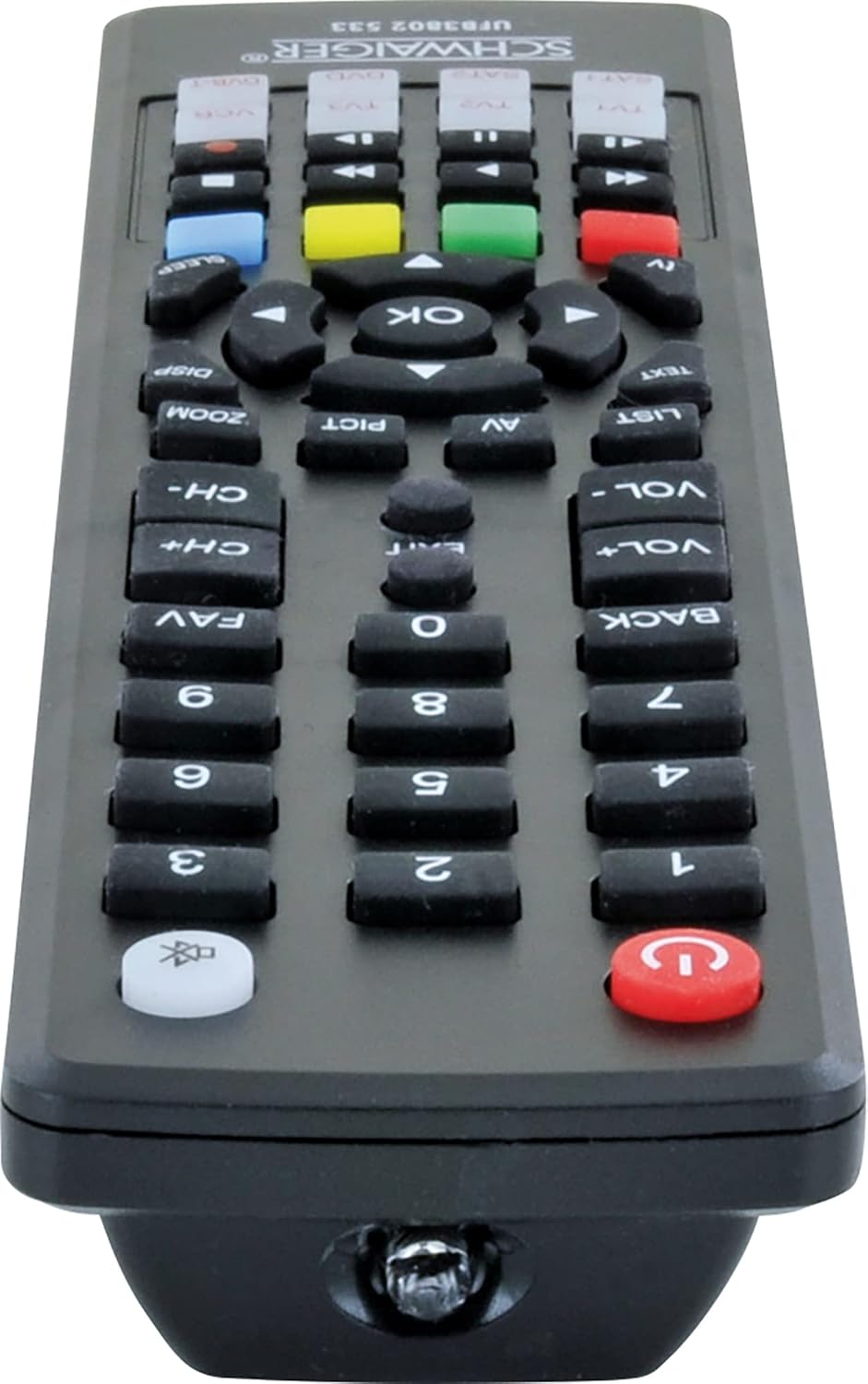
Afbeelding: Onderkant view of the SCHWAIGER UFB3802 533-8 Universal Remote Control. This image shows the infrared (IR) emitter at the front tip of the remote, which transmits signals to your devices.
Specificaties
- Merk: SCHWAIGER
- Model: UFB3802 533-8
- Fabrikantmodelnummer: 4004005032864
- Compatibele apparaten: Television, VCR, Satellite Receiver, DVD Player, DVB-T Receiver (up to 8 devices)
- Speciale eigenschap: Universele compatibiliteit
- Kleur: Zwart
- Materiaalsoort: Acryl
- Aansluittype: Infrarood (IR)
- Benodigde batterijen: 2 x AAA (LR03) Alkaline (included)
- Productafmetingen: 27x4.3x4.3cm
- Artikelgewicht: 190 gram
Garantie en ondersteuning
Voor garantie-informatie of technische ondersteuning kunt u de bij uw aankoop meegeleverde documentatie raadplegen of rechtstreeks contact opnemen met de klantenservice van SCHWAIGER. Contactgegevens vindt u doorgaans op de officiële website van de fabrikant. webwebsite of op de productverpakking.


