1. Product voorbijview
The realme narzo 50A is a smartphone designed for performance and extended usage. It features a MediaTek Helio G85 Octa-core Processor, a large 6000 mAh battery, and a versatile 50MP AI Triple Camera system. The device runs on Android 11.0 and offers a 6.5-inch HD+ display for a clear visual experience.

Afbeelding: Voor- en achterkant view of the realme narzo 50A smartphone, highlighting its design and camera module.
2. Wat zit er in de doos?
Upon unboxing your realme narzo 50A, you should find the following items:
- Handset (realme narzo 50A)
- Adapter
- USB Cable Type C
- SIM Card Tool
- Screen Protect Film
- Belangrijke informatiebrochure met garantiekaart
- Snelgids
Video: An unboxing video of the realme narzo 50A, showing the contents of the retail package including the phone, charger, cable, and documentation.
3. Installatiehandleiding
3.1. SIM-kaart en geheugenkaart plaatsen
- Zoek de SIM-lade aan de zijkant van uw toestel.
- Insert the provided SIM ejector tool into the small hole on the SIM tray. Press firmly until the tray pops out.
- Plaats uw nanosimkaart(en) en/of microSD-kaart in de daarvoor bestemde sleuven op de houder. Zorg ervoor dat de gouden contactpunten naar beneden wijzen.
- Plaats de SIM-lade voorzichtig terug in de telefoon totdat deze vastklikt.
3.2. Uw apparaat inschakelen
- Press and hold the Power button (located on the right side) until the realme logo appears on the screen.
- Volg de instructies op het scherm om de eerste installatie te voltooien, inclusief het selecteren van de taal, het maken van een wifi-verbinding en het instellen van een Google-account.
4. Gebruiksaanwijzing
4.1. Basisnavigatie
- Aanraken: Tik op een pictogram om een app te openen of een item te selecteren.
- Veeg: Schuif uw vinger over het scherm om door pagina's of inhoud te scrollen.
- Snuifje: Gebruik twee vingers om in of uit te zoomen op foto's en web pagina's.
- Startscherm: Swipe up from the bottom to access the app drawer.
4.2. Volume- en aan/uit-knop
- The Volume rocker is located on the right side of the device. Press the upper part to increase volume, and the lower part to decrease volume.
- The Power button is located below the Volume rocker. Press it once to lock/unlock the screen. Press and hold to access power options (Power off, Restart).
5. Camerafuncties
The realme narzo 50A is equipped with a versatile camera system to capture your moments.
- Achteruitrijcamera: 50MP + 2MP + 2MP AI Triple Camera setup. The 50MP primary sensor captures detailed photos, while the additional sensors assist with macro shots and depth effects.
- Voorcamera: 8MP voor heldere selfies en videogesprekken.
- Cameramodi: Includes modes such as Photo, Video, Night, Portrait, and Macro.

Afbeelding: Gedetailleerd view of the realme narzo 50A's rear camera array and integrated fingerprint sensor.
6. Weergavefuncties
Experience vibrant visuals on the realme narzo 50A's display.
- Maat: 16.51 cm (6.5 inch) HD+ Display.
- Oplossing: 1600 x 720 pixels.
- Technologie: LCD with 269 PPI and 60Hz refresh rate.
- Helderheid: Up to 570 nits for clear visibility.
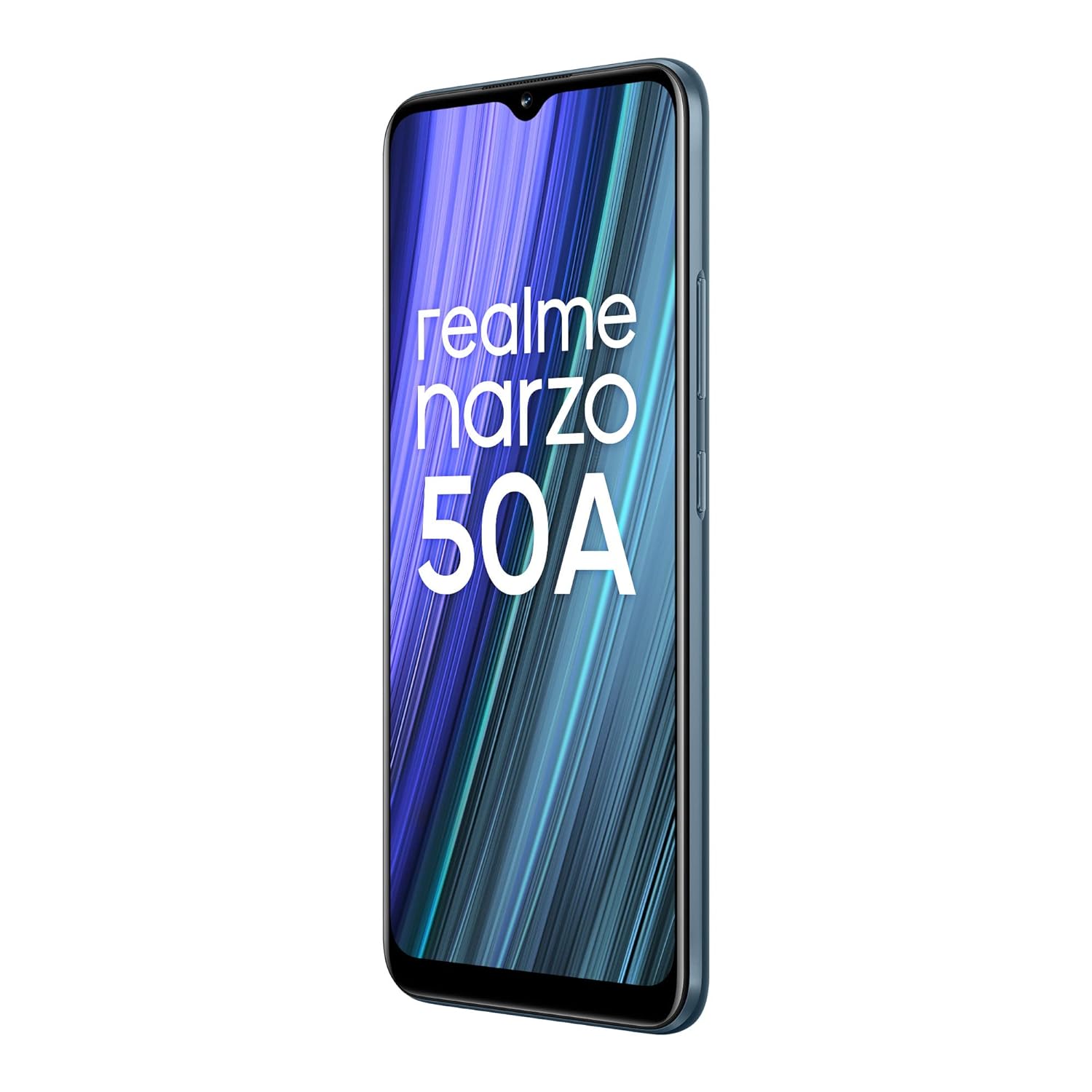
Image: The realme narzo 50A display showcasing a colorful interface.
7. Batterij en opladen
The device is powered by a high-capacity battery and supports fast charging.
- Batterijcapaciteit: 6000 mAh lithium-polymeerbatterij.
- Opladen: Supports 18W Quick Charge via USB Type-C.
- Gebruik: Designed for extended talk time and standby.

Image: Graphic illustrating the 6000 mAh mega battery of the realme narzo 50A.
8. Technische specificaties
| Functie | Specificatie |
|---|---|
| Modelnummer | RMX3430 |
| Besturingssysteem | Androïde 11.0 |
| Verwerker | MediaTek Helio G85 Octa-core |
| RAM | 4GB |
| Interne opslag | 64 GB (Expandable Upto 256 GB) |
| Weergaveformaat | 16.51 cm (6.5 inch) HD+ |
| Weergaveresolutie | 1600 x 720 pixels |
| Achteruitrijcamera | Drievoudige camera met 50 MP + 2 MP + 2 MP |
| Voorcamera | 8MP |
| Batterijcapaciteit | 6000mAh |
| Opladen | 18W snel opladen |
| Connectiviteit | Bluetooth, Wi-Fi, Mobiel netwerk |
| Audio-aansluiting | 3.5mm |
| Afmetingen | 16.5x7.6x1cm |
| Gewicht | 207 gram |
9. Probleemoplossing
If you encounter issues with your realme narzo 50A, consider the following common solutions:
- Apparaat gaat niet aan: Zorg ervoor dat de batterij is opgeladen. Sluit de telefoon aan op de oplader en wacht een paar minuten voordat u hem weer probeert aan te zetten.
- Apps crashen/bevriezen: Try clearing the cache of the problematic app (Settings > Apps > [App Name] > Storage > Clear Cache). If the issue persists, reinstall the app.
- Slechte levensduur van de batterij: Check background app usage (Settings > Battery). Reduce screen brightness, disable unnecessary features like GPS or Bluetooth when not in use.
- Problemen met netwerkconnectiviteit: Ensure your SIM card is correctly inserted. Try restarting the device or toggling Airplane Mode on and off. Check with your service provider for network status.
- Trage prestaties: Close unused background apps. Clear unnecessary files and data to free up storage. Consider a factory reset as a last resort (back up your data first).
10. Onderhoud
To ensure the longevity and optimal performance of your realme narzo 50A, follow these maintenance tips:
- Houd software up-to-date: Regularly check for and install system updates to benefit from performance improvements and security patches.
- Bescherm het scherm: Use the provided screen protect film or a third-party screen protector to prevent scratches.
- Voorzichtig schoonmaken: Gebruik een zachte, pluisvrije doek om het scherm en de behuizing van de telefoon schoon te maken. Vermijd agressieve chemicaliën.
- Vermijd extreme temperaturen: Do not expose the device to very high or low temperatures, as this can affect battery life and internal components.
- Op de juiste manier opladen: Use only the original charger and cable provided with the device to prevent damage and ensure efficient charging.
11. Garantie en ondersteuning
Your realme narzo 50A comes with a standard manufacturer's warranty. Please refer to the "Important Info Booklet with Warranty Card" included in your package for detailed terms and conditions.
- Garantieperiode: Typically 1 year from the date of purchase for the device, and 6 months for accessories.
- Klantenservice: For technical assistance, repairs, or warranty claims, please contact realme customer support. Contact details can usually be found on the official realme webop de website of in het garantieboekje.
- Online bronnen: Visit the official realme support website voor veelgestelde vragen, handleidingen voor probleemoplossing en softwaredownloads.


