Invoering
The Anova Precision Smart Oven is a versatile countertop appliance designed to bring professional-grade cooking capabilities to your home kitchen. It combines convection, steam, bake, broil, roast, and dehydrate functions, offering precise temperature control for a wide range of culinary tasks. This manual provides essential information for the safe and effective operation and maintenance of your Anova Precision Smart Oven.
For optimal performance and longevity, please read this manual thoroughly before first use and retain it for future reference.
Veiligheidsinformatie
Volg altijd de basisveiligheidsmaatregelen bij het gebruik van elektrische apparaten om het risico op brand, elektrische schokken en persoonlijk letsel te beperken.
- Raak geen hete oppervlakken aan. Gebruik handgrepen of knoppen.
- Om elektrische schokken te voorkomen, mag u het snoer, de stekkers of het apparaat niet in water of een andere vloeistof onderdompelen.
- Wanneer een apparaat door of in de buurt van kinderen wordt gebruikt, is nauwlettend toezicht noodzakelijk.
- Haal de stekker uit het stopcontact wanneer u het niet gebruikt en voordat u het schoonmaakt. Laat het afkoelen voordat u onderdelen aanbrengt of verwijdert.
- Gebruik geen enkel apparaat waarvan het snoer of de stekker beschadigd is, of nadat het apparaat defect is geraakt of op enigerlei wijze beschadigd is.
- Het gebruik van accessoires die niet door de fabrikant van het apparaat worden aanbevolen, kan letsel veroorzaken.
- Niet buitenshuis gebruiken.
- Laat het snoer niet over de rand van een tafel of aanrecht hangen en laat het niet in aanraking komen met hete oppervlakken.
- Niet op of in de buurt van een hete gas- of elektrische kookplaat of in een hete oven plaatsen.
- Wees uiterst voorzichtig bij het verplaatsen van een apparaat dat hete olie of andere hete vloeistoffen bevat.
- Gebruik het apparaat niet voor andere doeleinden dan waarvoor het bedoeld is.
Componenten voorbijview
Familiarize yourself with the main components of your Anova Precision Smart Oven:
- Ovenruimte: The main cooking chamber.
- Waterreservoir: Removable tank for steam generation. Located on the side.
- Configuratiescherm: Digital display and knobs for setting temperature, time, and cooking modes.
- Voedselsonde: Detachable probe for precise internal temperature monitoring.
- Removable Racks: Multiple racks for various cooking needs.
- Bakvorm: Included pan for general baking and roasting.

Figuur 1: Voorzijde view of the Anova Precision Smart Oven, showing the main oven cavity, control panel, and side-mounted water tank.

Figuur 2: Interieur view of the Anova Precision Smart Oven, illustrating the two removable racks and the included baking pan.

Figure 3: A user demonstrating the removal of the clear water tank from the side of the Anova Precision Smart Oven for refilling or cleaning.
Instellen
Uitpakken en plaatsen
- Haal de oven en alle accessoires voorzichtig uit de verpakking.
- Verwijder alle beschermfolie en verpakkingsmaterialen uit de oven.
- Place the oven on a stable, level, heat-resistant surface with adequate clearance from walls and other appliances for ventilation. Ensure at least 4 inches of space on all sides and above the oven.
- Zorg ervoor dat het stopcontact gemakkelijk bereikbaar is.
Eerste reiniging
- Veeg voor het eerste gebruik de binnen- en buitenkant van de oven schoon met een vochtige doek.amp lap.
- Wash the removable racks, baking pan, and water tank with warm, soapy water. Rinse thoroughly and dry completely.
Voorbereiding watertank
- Remove the water tank from its housing on the side of the oven.
- Fill the water tank with distilled water. Do not use tap water as it can lead to mineral buildup.
- Securely reinsert the water tank into its housing until it clicks into place.
Stroomaansluiting
Plug the oven into a grounded electrical outlet. The display will illuminate, indicating the oven is ready for use.
Gebruiksaanwijzing
Configuratiescherm voorbijview
The Anova Precision Smart Oven features an intuitive control panel with a digital display and rotary knobs for setting cooking parameters. The display shows temperature, time, and current cooking mode.
Connecting to the Anova App
For enhanced control and access to a recipe library, download the Anova Oven app on your smartphone. Follow the in-app instructions to connect your oven via Wi-Fi.
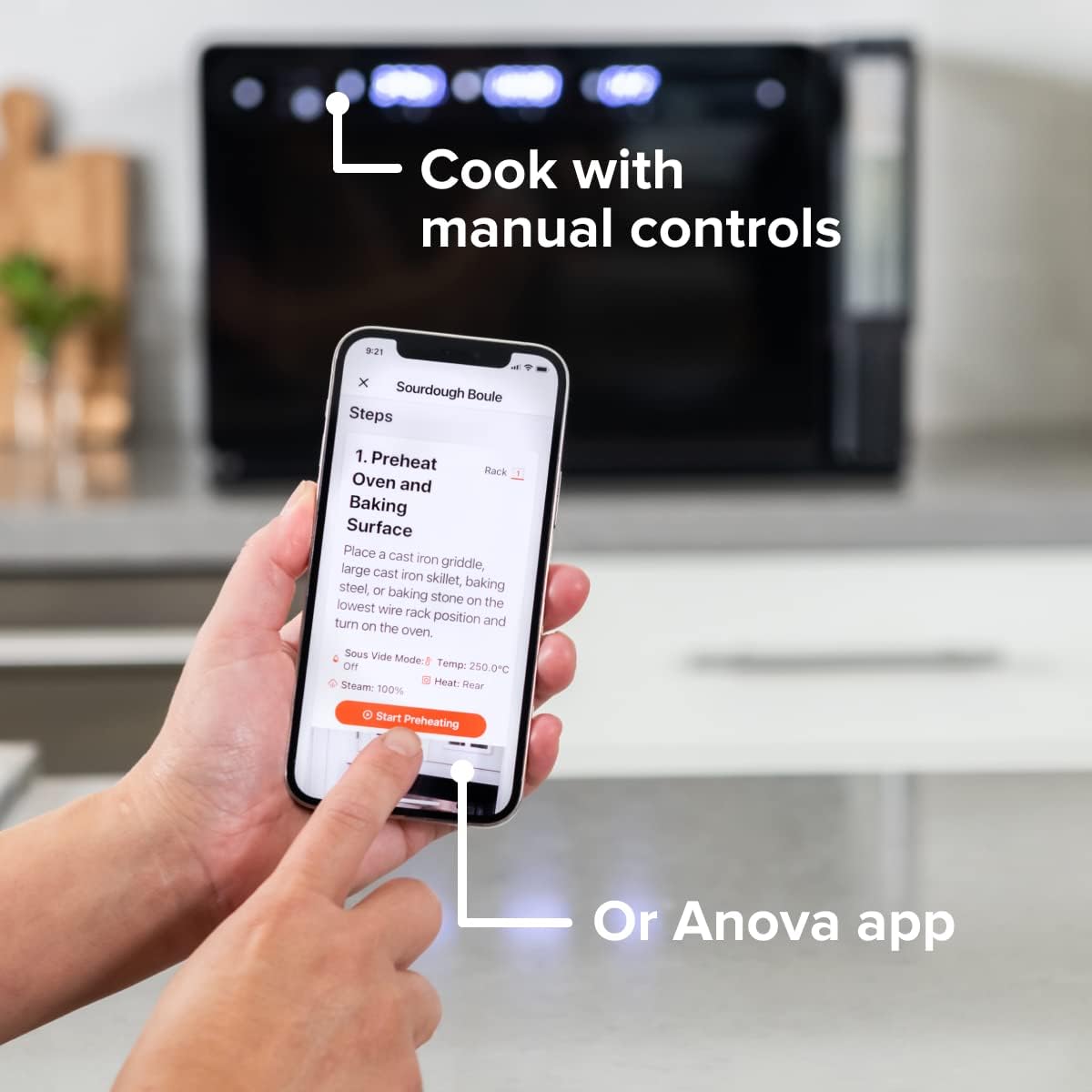
Figure 4: A user interacting with the Anova app on a smartphone, demonstrating remote control capabilities for the oven.
Basis kookstanden
The oven offers several cooking modes:
- Convectie: Uses a fan to circulate hot air for even cooking and browning.
- Stoom: Injects steam into the oven cavity, ideal for baking bread, steaming vegetables, or sous vide style cooking.
- Combi (Convection + Steam): Combines hot air and steam for moist interiors and crispy exteriors.
- Bakken/Braden: Standard oven functions for baking and roasting.
- Braden: Hoge hitte van het bovenste element voor dichtschroeien en bruinen.
- uitdrogen: Low heat and fan circulation for drying foods.
Setting a Program (Manual Control)
- Turn the mode knob to select your desired cooking mode.
- Adjust the temperature using the temperature knob.
- Stel de kooktijd in met de tijdknop.
- Druk op de Start/Pauze-knop om te beginnen met koken.
- To use the food probe, insert it into the thickest part of your food before starting. The oven will cook until the target internal temperature is reached.
Sous Vide-modus
The Anova Precision Oven can achieve sous vide style results without a water bath. Use the steam function and the food probe to cook food to a precise internal temperature, ensuring tenderness and juiciness.
Steam Injection for Baking
For perfect breads with crispy crusts and soft interiors, utilize the steam injection feature. Ensure the water tank is filled before starting a steam-assisted baking program.

Figure 5: Two loaves of freshly baked bread, showcasing the results of steam injection for a perfect crust and crumb. The Anova Precision Smart Oven is visible in the background.
Onderhoud en reiniging
Regular cleaning and maintenance will ensure the longevity and optimal performance of your Anova Precision Smart Oven.
Dagelijkse schoonmaak
- Laat de oven na elk gebruik volledig afkoelen.
- Veeg de binnen- en buitenoppervlakken af met advertentieamp doek en mild schoonmaakmiddel. Vermijd schurende schoonmaakmiddelen of schuursponsjes.
- Remove and clean the racks and baking pan with warm, soapy water.
- Empty and rinse the water tank after each use, especially if using steam functions. Allow it to air dry before reinserting.
Descaling (Steam Function Users)
If you frequently use the steam function, mineral buildup may occur. The oven may indicate when descaling is needed. Refer to the Anova app or online resources for detailed descaling instructions using a descaling solution.
Opslag
Zorg ervoor dat de oven schoon en droog is wanneer u hem langere tijd niet gebruikt. Bewaar hem op een koele, droge plaats.
Probleemoplossing
This section addresses common issues you might encounter with your Anova Precision Smart Oven.
| Probleem | Mogelijke oorzaak | Oplossing |
|---|---|---|
| De oven gaat niet aan. | Niet aangesloten; stroom uittage; stroomonderbreker is geactiveerd. | Zorg ervoor dat de oven goed is aangesloten op een werkend stopcontact. Controleer de stroomonderbreker in huis. |
| Er wordt geen stoom geproduceerd. | Water tank empty or not properly seated; mineral buildup. | Fill water tank with distilled water and ensure it is correctly inserted. Perform descaling if necessary. |
| Het eten is niet gelijkmatig gaar. | Improper rack placement; overcrowding; fan obstruction. | Refer to recipe for recommended rack position. Avoid overcrowding the oven. Ensure nothing obstructs the convection fan. |
| Problemen met de wifi-verbinding. | Onjuist wifi-wachtwoord; router te ver weg; netwerkstoring. | Double-check Wi-Fi password. Move oven closer to router or use a Wi-Fi extender. Restart oven and router. |
If the problem persists after attempting these solutions, please contact Anova Customer Support.
Specificaties
- Merk: Anova Culinair
- Modelnaam: Precisie oven
- Artikelmodelnummer: AN900-10
- Productafmetingen: 18"D x 22"B x 14"H
- Artikelgewicht: 59 pond
- Kleur: Zwart
- Controletype: Knop
- Energiebron: Elektrisch
- Meegeleverde componenten: Water tank, pan, temp probe
- Speciale eigenschap: Programmeerbaar
Garantie en ondersteuning
The Anova Precision Smart Oven comes with a manufacturer's warranty. Please refer to the warranty card included with your product or visit the official Anova Culinary website voor gedetailleerde garantievoorwaarden.
For technical support, troubleshooting assistance, or to inquire about replacement parts, please contact Anova Customer Support:
- Online hulp: Bezoek de Anova Culinary Store on Amazon of hun ambtenaar webplaats.
- Gebruikershandleiding (PDF): Een uitgebreide gebruikershandleiding is beschikbaar om te downloaden op deze link.

Figure 6: The Anova Precision Smart Oven integrated with a smart home assistant (Alexa), demonstrating its connectivity features.


