Invoering
This manual provides comprehensive instructions for the operation and maintenance of your Timex DGTL 40mm Digital Watch, Model TW5M419009J. Designed for active wear, this watch features a digital display, alarm, stopwatch, timer, and INDIGLO® backlight. Please read this manual carefully to ensure proper use and to maximize the lifespan of your watch.
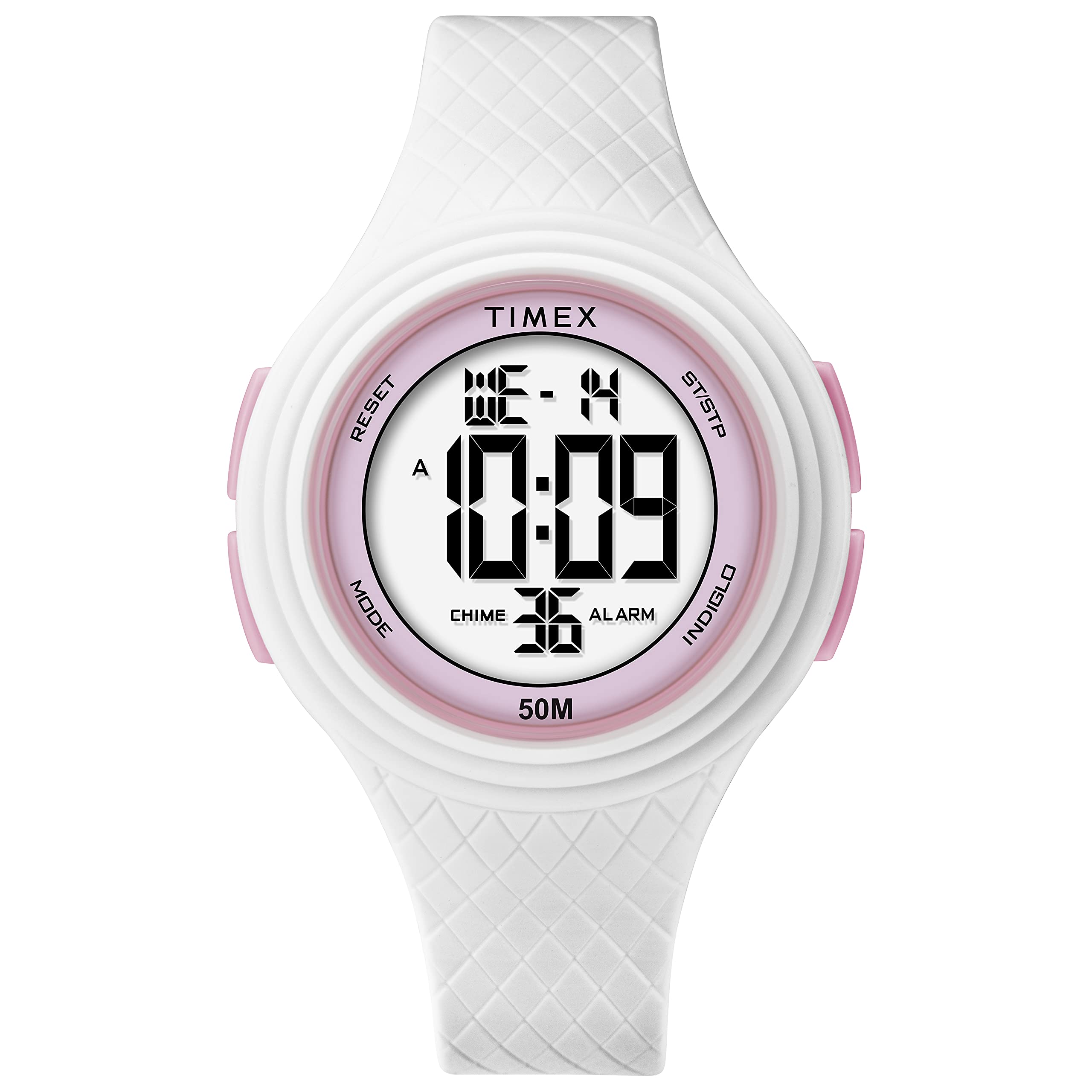
Figuur 1: Voorzijde view of the Timex DGTL 40mm Digital Watch.
Belangrijkste kenmerken
- 40 mm Matte White Resin Case with pink accents.
- Digital display with time, date, and day of week.
- Alarmfunctie.
- Sports Stopwatch.
- Two Time Zones capability.
- INDIGLO® light-up watch dial for low-light conditions.
- Waterdicht tot 50 meter (164 voet).
- White Resin Strap, adjustable for wrist circumferences 135 - 190mm (5.3 - 7.5in).
Installatie en eerste configuratie
Your Timex DGTL watch comes with a pre-installed lithium metal battery. Before first use, you may need to remove a plastic tab from the crown or button area if present, which prevents battery drain during shipping.
Identifying Watch Buttons
Your watch typically features multiple buttons for navigation and setting. While specific labels may vary, common functions include:
- Modusknop: Used to cycle through different display modes (Time, Alarm, Stopwatch, Timer, Second Time Zone).
- Set/Adjust Button: Used to enter and exit setting modes, or confirm selections.
- Start/Stop-knop: Used to start and stop functions (e.g., stopwatch, timer) or increment values during setting.
- Lichtknop: Activates the INDIGLO® backlight or may be used to reset values.

Figuur 2: Zijkant view of the watch, illustrating button placement. Refer to your watch for specific button labels.
Tijd en datum instellen
- Druk vanuit de normale tijdweergave op de Modusknop repeatedly until the time setting mode is indicated (often by flashing digits).
- Druk op de Set/Adjust Button to select the digit or segment you wish to change (e.g., hours, minutes, 12/24-hour format, year, month, day). The selected segment will flash.
- Gebruik de Start/Stop-knop to increment the flashing value. Hold the button to advance rapidly.
- Blijf op de drukken Set/Adjust Button to move to the next segment (minutes, AM/PM, year, month, day) and adjust using the Start/Stop-knop.
- Zodra alle instellingen correct zijn, drukt u op de knop. Modusknop or Set/Adjust Button (depending on model) to exit the setting mode and return to the normal time display.
Instellen van de tweede tijdzone (T2)
- Druk vanuit de normale tijdweergave op de Modusknop repeatedly until "T2" or "Second Time Zone" is displayed.
- Druk op de Set/Adjust Button to enter the T2 setting mode. The hour digits will flash.
- Gebruik de Start/Stop-knop om de uren aan te passen.
- Druk op de Set/Adjust Button to move to minutes and adjust using the Start/Stop-knop.
- Druk op de Set/Adjust Button again to save and exit T2 setting.
Gebruiksaanwijzing
Using the INDIGLO® Backlight
Om de wijzerplaat bij weinig licht te verlichten, drukt u op de Lichtknop. The INDIGLO® backlight will activate for a few seconds.
De stopwatch gebruiken
- Druk op de Modusknop repeatedly until the stopwatch display appears (usually indicated by "STP" or "CHRO").
- Druk op de Start/Stop-knop om te beginnen met timen.
- Druk op de Start/Stop-knop Om de tijdmeting opnieuw te pauzeren.
- Om verder te gaan, druk op de Start/Stop-knop.
- To reset the stopwatch to zero, while paused, press the Lichtknop or a dedicated Reset Button.
Het alarm instellen en gebruiken
- Druk op de Modusknop repeatedly until the alarm display appears (usually indicated by "ALM").
- Druk op de Set/Adjust Button Om de alarminstelmodus te openen, gaan de uurcijfers knipperen.
- Gebruik de Start/Stop-knop om de alarmtijd aan te passen.
- Druk op de Set/Adjust Button to move to minutes and adjust using the Start/Stop-knop.
- Druk op de Set/Adjust Button om zo de alarmtijd te besparen.
- To activate or deactivate the alarm, typically press the Start/Stop-knop while in the alarm display mode. An alarm icon will appear when active.
- Als het alarm afgaat, druk dan op een willekeurige knop om het uit te schakelen.
Onderhoud
Uw horloge schoonmaken
Om uw horloge schoon te maken, veegt u het af met een zachte, damp cloth. Avoid using harsh chemicals or abrasive cleaners, as these can damage the resin case and strap. For the resin strap, mild soap and water can be used, followed by thorough rinsing and drying.
Waterbestendigheid
Your Timex DGTL watch is water resistant to 50 meters (164 feet). This means it is suitable for light swimming and showering. However, it is niet suitable for diving or prolonged submersion. To maintain water resistance, Druk onder water geen knoppen in..

Figure 3: Timex Water Resistance Guidelines. Your watch is rated for 50 meters.
Watches labeled water-resistant without a depth indicated can withstand splashes and rain, but should not be submerged. To maintain water resistance, do not press any buttons under water unless your watch is indicated as 200 meter water resistant.
Batterij vervangen
The watch uses one Lithium Metal battery. When the display dims or functions become erratic, it may be time to replace the battery. Battery replacement should ideally be performed by a qualified watch technician to ensure proper sealing and maintain water resistance. Attempting to replace the battery yourself may void the warranty and compromise the watch's water resistance.

Afbeelding 4: Terug view van het horloge, waarbij de achterkant van de kast te zien is waar de batterij zich bevindt.
Probleemoplossing
| Probleem | Mogelijke oorzaak | Oplossing |
|---|---|---|
| Het horlogescherm is zwart of vaag. | Lege batterij. | Replace the battery. Refer to the "Battery Replacement" section. |
| Tijd/datum kan niet worden ingesteld. | Incorrect button sequence; watch in wrong mode. | Ensure you are in the correct setting mode. Follow the "Setting Time and Date" instructions carefully. Press buttons firmly. |
| Knoppen reageren niet. | Watch may be in a locked mode; internal malfunction; water ingress. | Try pressing all buttons to see if any respond. If unresponsive after a battery change, contact Timex support. Avoid pressing buttons underwater. |
| INDIGLO® backlight not working. | Low battery; malfunction. | Replace the battery. If the issue persists, contact Timex support. |
| Het alarm gaat niet af. | Alarm is not activated; alarm volume too low (if adjustable); malfunction. | Ensure the alarm is set and activated (check for alarm icon on display). Re-set the alarm time. |
Specificaties
- Modelnummer: TW5M419009J
- Kastdiameter: 40mm
- Materiaal behuizing: Matte White Resin
- Bandmateriaal: Witte hars
- Polsomtrek: 135 - 190mm (5.3 - 7.5in)
- Waterbestendigheid: 50 meter (164 voet)
- Weergavetype: Digitaal
- Achtergrondverlichting: INDIGLO®
- Batterijtype: 1 lithium-metaalbatterij (meegeleverd)
- Artikelgewicht: 38.56 gram
- Fabrikant: Tijdstip
- Afdeling: Unisex-volwassene
Garantie en ondersteuning
Your Timex watch is covered by a manufacturer's warranty. For detailed information regarding warranty terms, conditions, and duration, please refer to the warranty card included with your purchase or visit the official Timex webplaats.
For customer support, service, or to find authorized service centers, please visit the Timex official support page: Timex-ondersteuning.


