Invoering
Thank you for choosing the Soul S-GEAR Wireless Bluetooth Earbuds. These earbuds are designed to provide a high-quality audio experience with the convenience of wireless connectivity, active noise cancellation, and a comfortable in-ear fit. Featuring Bluetooth 5.0, IPX4 water resistance, and a long-lasting battery with fast charging, the S-GEAR earbuds are perfect for daily use.
Please read this manual carefully before using your earbuds to ensure proper operation and to maximize their lifespan.
Inhoud van het pakket
- Soul S-GEAR Wireless Earbuds (Left and Right)
- Oplaadcase
- USB-C-oplaadkabel
- Verschillende maten oordopjes
- Gebruiksaanwijzing
Product voorbijview
Familiarize yourself with the components of your Soul S-GEAR earbuds and charging case.
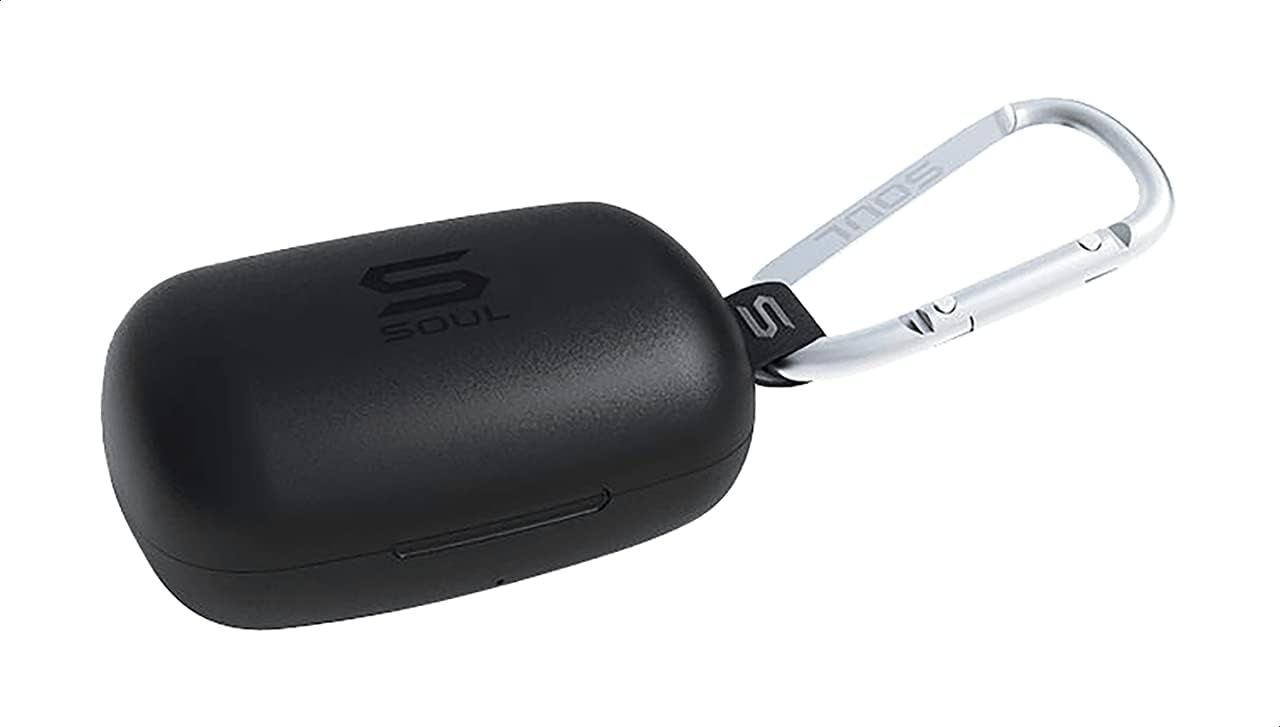
Figuur 1: The Soul S-GEAR charging case in black, with the Soul logo visible. A carabiner clip is attached for portability.
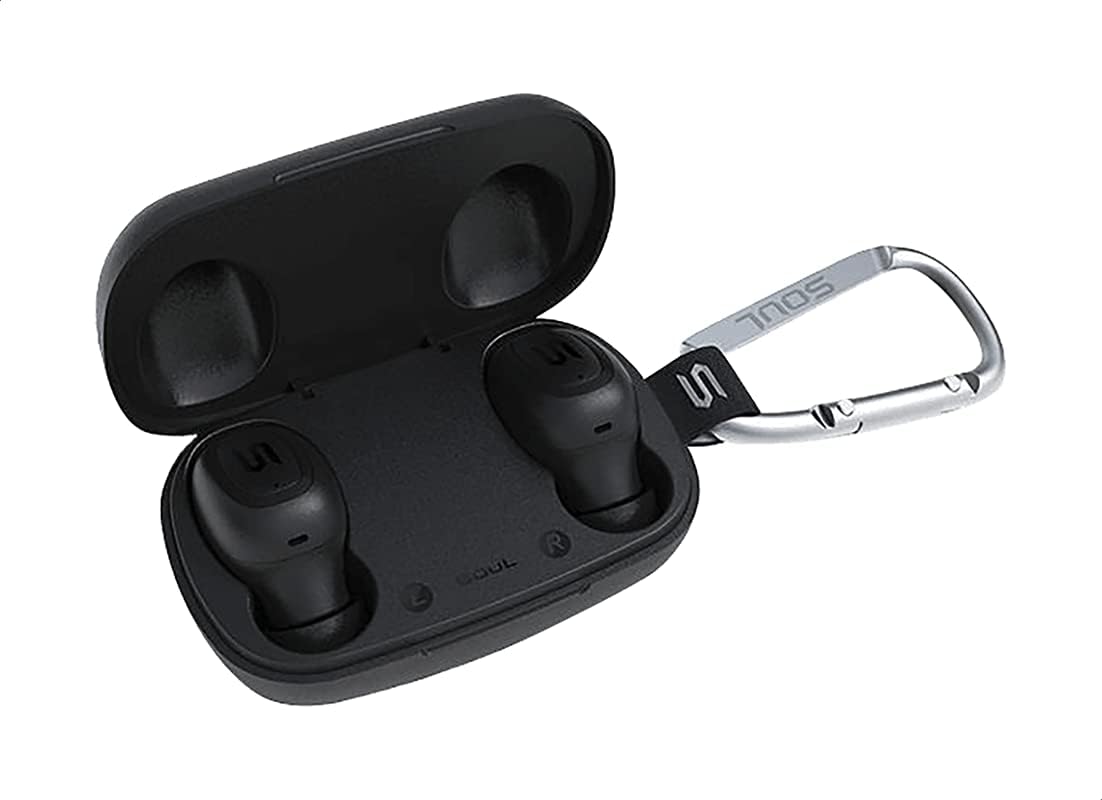
Figuur 2: The Soul S-GEAR charging case opened, revealing the two black earbuds securely placed inside their charging slots. The carabiner clip is also visible.
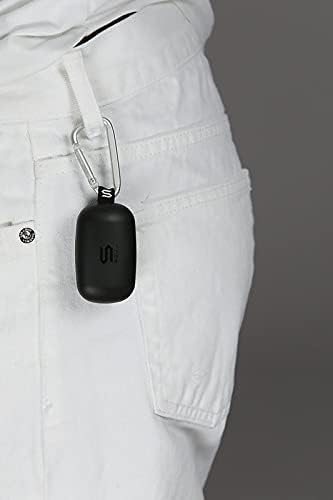
Figuur 3: The Soul S-GEAR charging case, with its carabiner clip, attached to the belt loop of white pants, demonstrating its portability.
Instellen
1. De oordopjes en het doosje opladen
- Place the earbuds into the charging case. Ensure they are correctly seated in their respective L/R slots.
- Sluit de USB-C-oplaadkabel aan op de oplaadpoort van de behuizing en steek het andere uiteinde in een USB-voedingsbron (bijvoorbeeld een wandadapter of een USB-poort van een computer).
- The indicator lights on the case will show the charging status. Allow approximately 1-2 hours for a full charge.
- Zodra deze volledig is opgeladen, koppelt u de oplaadkabel los.
2. Eerste koppeling met een apparaat
- Open the charging case. The earbuds will automatically power on and enter pairing mode. The indicator lights on the earbuds will flash, indicating they are ready to pair.
- Schakel Bluetooth in op uw apparaat (smartphone, tablet, enz.) en zoek naar beschikbare apparaten.
- Select "Soul S-GEAR" from the list of found devices.
- Once connected, you will hear an audible confirmation, and the earbud indicator lights will stop flashing.
- The earbuds feature automatic pairing. After the initial setup, they will automatically connect to the last paired device when removed from the case.
Gebruiksaanwijzing
The Soul S-GEAR earbuds feature touch controls for easy management of audio and calls.
Aan/uit
- Inschakelen: Open the charging case, or press and hold the touch sensor on both earbuds for 3 seconds.
- Uitschakelen: Place the earbuds back into the charging case and close the lid, or press and hold the touch sensor on both earbuds for 5 seconds.
Muziek afspelen
- Afspelen/Pauzeren: Tik één keer op de aanraaksensor van een van de oordopjes.
- Volgende nummer: Tik twee keer op de aanraaksensor op het rechter oordopje.
- Vorig nummer: Tik twee keer op de aanraaksensor op het linker oordopje.
Call Management
- Oproep beantwoorden/beëindigen: Tik één keer op de aanraaksensor van een van de oordopjes.
- Oproep afwijzen: Houd de aanraaksensor op een van de oordopjes 2 seconden ingedrukt.
Actieve ruisonderdrukking (ANC)
- ANC activeren/deactiveren: Triple-tap the touch sensor on the left earbud to cycle through ANC On, Ambient Mode, and ANC Off.
Spraakassistent
- Activeer Voice Assistant: Triple-tap the touch sensor on the right earbud.
Opladen
The Soul S-GEAR earbuds and charging case provide up to 24 hours of total playtime. The case supports USB-C fast charging.
- Oordopjes opladen: Place earbuds into the charging case. They will charge automatically.
- Case opladen: Connect the USB-C cable to the case and a power source. The LED indicator on the case will show charging status.
- A full charge for the case typically takes 1.5-2 hours.
Onderhoud
- Schoonmaak: Maak de oordopjes en de oplaadcase regelmatig schoon met een zachte, droge, pluisvrije doek. Gebruik geen agressieve chemicaliën of schurende materialen.
- Oortips: Verwijder de oordopjes en reinig ze indien nodig met water en milde zeep. Zorg ervoor dat ze volledig droog zijn voordat u ze terugplaatst.
- Waterbestendigheid: The earbuds are IPX4 rated, meaning they are resistant to splashing water from any direction. They are not designed for submersion in water. Do not expose them to heavy rain or immerse them. Ensure earbuds are dry before placing them back in the charging case.
- Opslag: Bewaar de oordopjes in het oplaadhoesje wanneer u ze niet gebruikt om ze te beschermen en op te laden. Vermijd extreme temperaturen.
Probleemoplossing
| Probleem | Oplossing |
|---|---|
| Oordopjes koppelen niet |
|
| Geen geluid uit één oordopje |
|
| Oplaadcassette laadt niet op |
|
| Actieve ruisonderdrukking werkt niet |
|
Specificaties
| Functie | Detail |
|---|---|
| Merk | Ziel |
| Modelnaam | S-GEAR (Soul S Gemar) |
| Modelnummer | SS56BK |
| Connectiviteitstechnologie | Draadloos (Bluetooth 5.0) |
| Koptelefoonvormfactor | In het oor |
| Geluidsbeheersing | Actieve ruisonderdrukking |
| Microfoon | Geïntegreerd |
| Controlemethode | Aanraken |
| Water- en stofbestendigheid | IPX4 |
| Speeltijd | Tot 24 uur (met oplaadcassette) |
| Oplaadpoort | USB-C (snel opladen) |
| Compatibele apparaten | Multiple Bluetooth-enabled devices |
| Materiaal | Plastic |
| Kleur | Zwart |
| Pakket afmetingen | 11.8x9.8x4.2cm |
| Artikelgewicht | 152 gram |
Veiligheidsinformatie
- Het product mag niet worden gedemonteerd, gerepareerd of gewijzigd.
- Stel het product niet bloot aan vuur of hoge temperaturen.
- Vermijd het gebruik van de oordopjes op extreem hoge volumes gedurende langere perioden om gehoorschade te voorkomen.
- Houd het product buiten bereik van kinderen en huisdieren.
- Gebruik uitsluitend de meegeleverde of gecertificeerde oplaadkabels en adapters.
- Voer het product op verantwoorde wijze af volgens de plaatselijke voorschriften.
Garantie en ondersteuning
The Soul S-GEAR Wireless Bluetooth Earbuds come with a standard manufacturer's warranty. For detailed warranty terms and conditions, please refer to the warranty card included in your package or visit the official Soul webplaats.
For technical support, troubleshooting assistance, or any inquiries regarding your product, please contact Soul customer service through their official webwebsite of de contactgegevens die op de verpakking van uw product staan.


