1. Inleiding
The REXING Woodlens H6 is an advanced dual-camera trail camera designed for capturing high-quality video and still images of wildlife, property, or other outdoor subjects. Featuring both a 4K Ultra HD lens for daytime recording and an FHD Infrared lens for night vision, the H6 ensures clear visuals in various lighting conditions. Its robust, weather-resistant design and long standby time make it an ideal solution for extended outdoor surveillance.
2. Product voorbijview en belangrijkste kenmerken
- Dubbel camerasysteem: Captures 4K Ultra HD video during the day and FHD Infrared video at night with simultaneous audio recording. Designed to avoid IR CUT switching sounds that might disturb wildlife.
- Beeldvorming met hoge resolutie: Supports up to 20MP still images and cinematic video quality.
- Integrated LCD & Speaker: Features a built-in 2.4-inch LCD screen and speaker for direct viewing and editing of recordings without external devices.
- Geavanceerd nachtzicht: Equipped with 35M IR Flash and double 850nm high-powered Infrared lights, illuminating subjects up to 65 feet away for clear night images.
- Hoge triggersnelheid: Responds to motion within 0.2 seconds via 110° PIR sensors (Front + Side Sensor).
- Flexibele opnamemogelijkheden: Allows manual scheduling for recording start/stop times and supports time-lapse videos and photos.
- Duurzaam en veilig ontwerp: IP66 rated sturdy open/close case protects against rain and dust. The camera can be password-protected and secured with a lock.
- Uitgebreide stand-by: Supports up to 512GB SD card and offers up to 12 months of standby time.
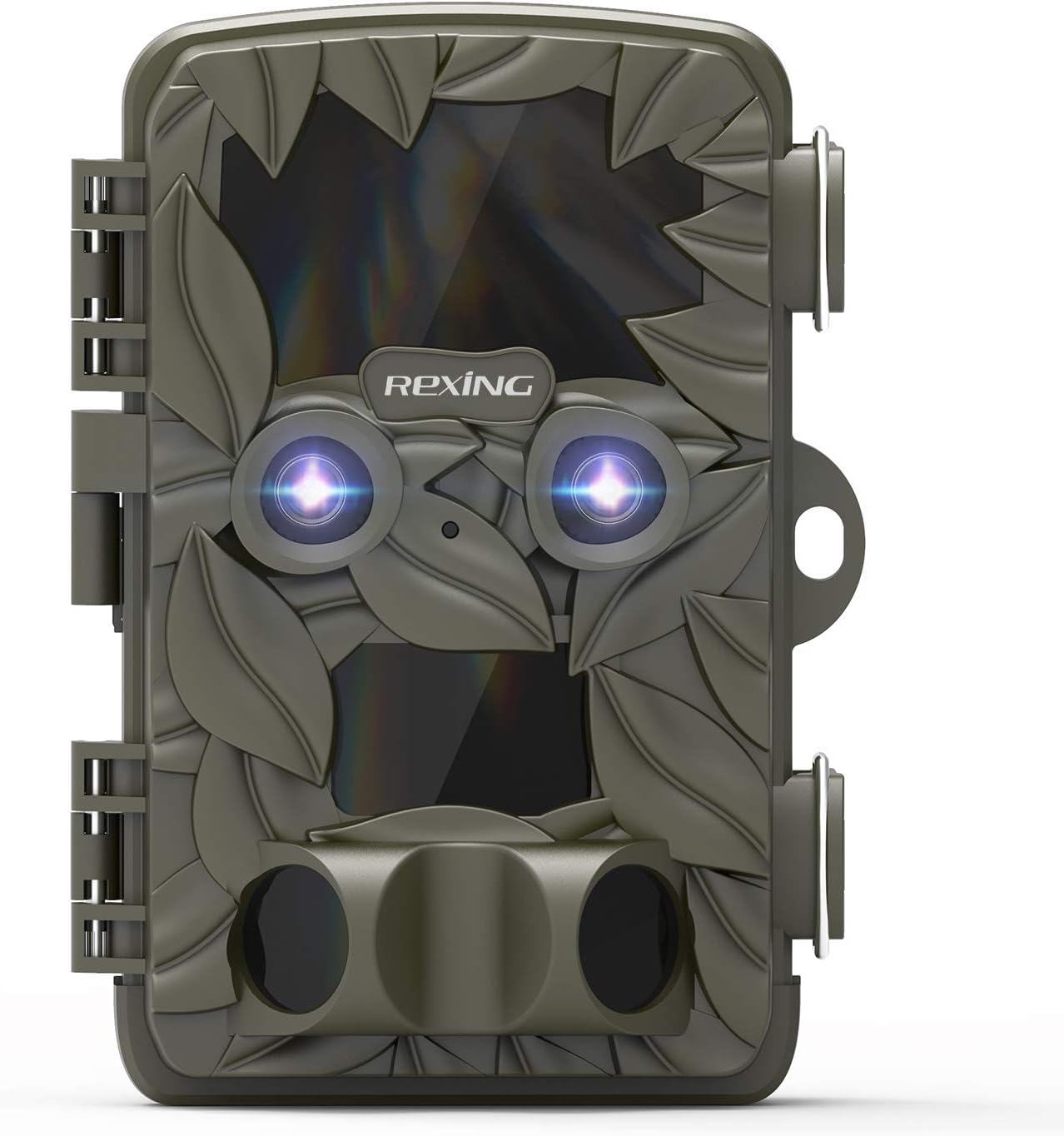
Figuur 2.1: Voorzijde view of the REXING Woodlens H6 Trail Camera, showcasing its camouflage design and dual lenses.
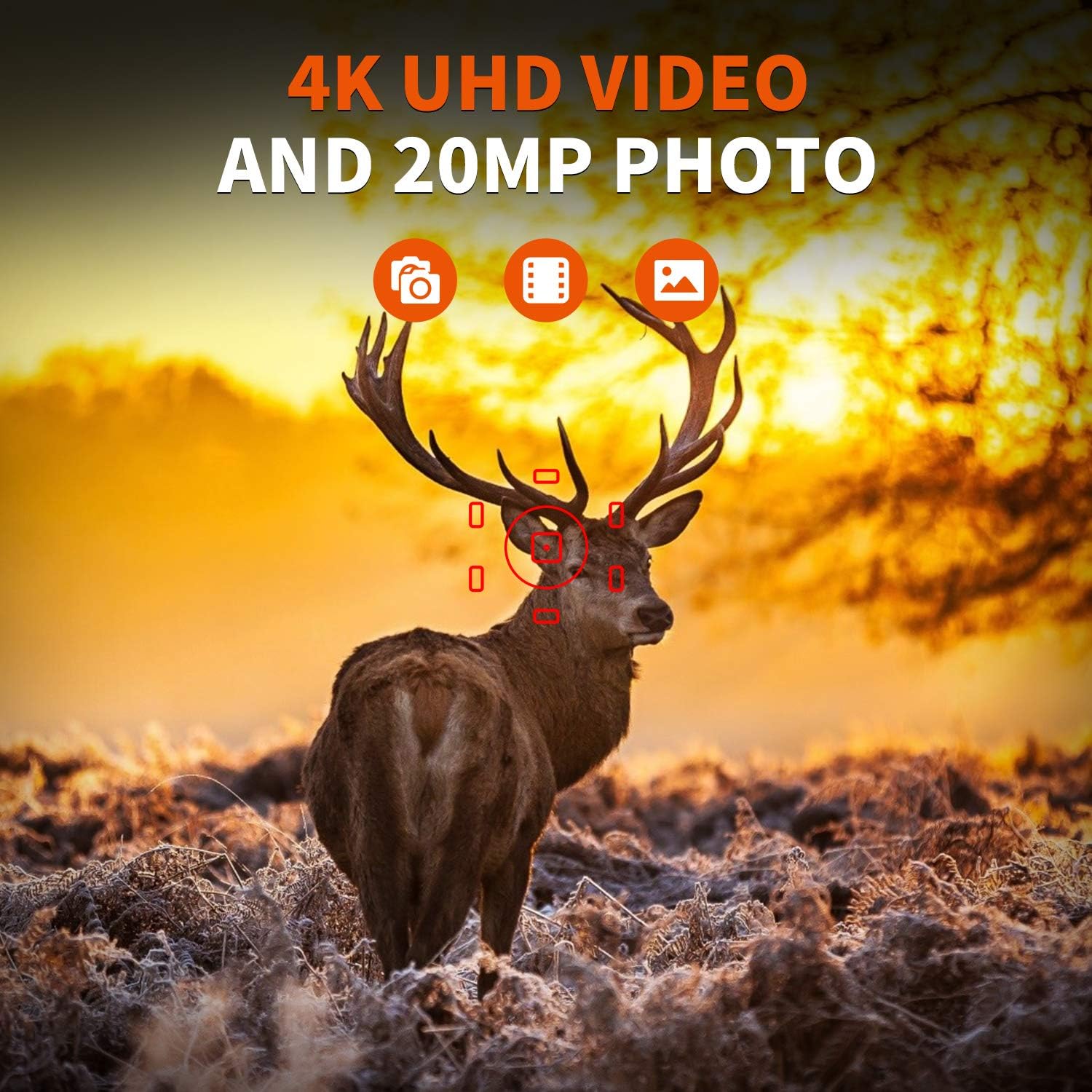
Figure 2.2: The REXING Woodlens H6 captures stunning 4K UHD video and 20MP photos, as demonstrated by this image of a deer in its natural habitat.
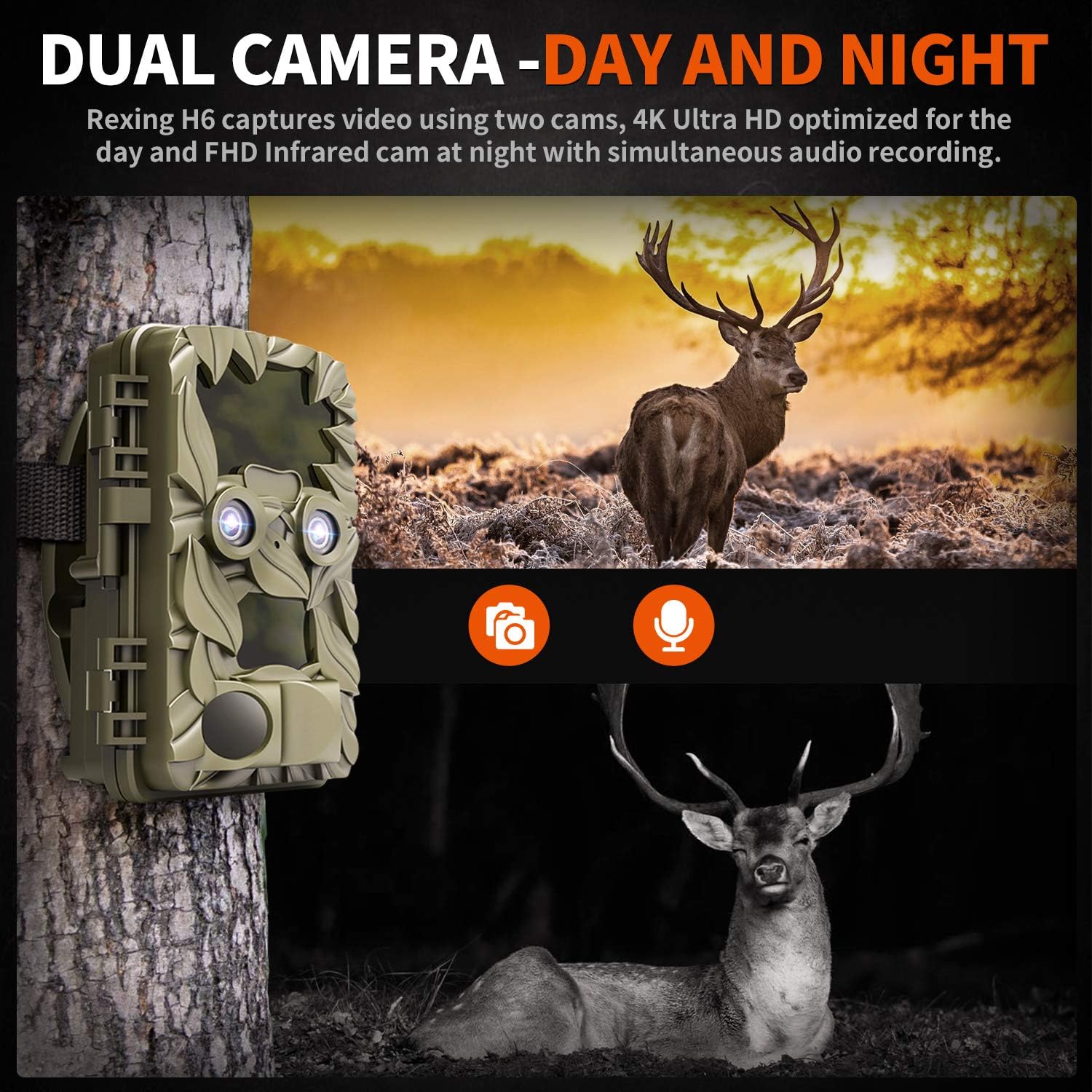
Figure 2.3: The H6 features a dual camera system, optimized for both day (4K) and night (FHD Infrared) recording, ensuring comprehensive surveillance around the clock.

Figure 2.4: Enhanced night vision capabilities of the H6, capturing clear images of wildlife up to 35 meters away in low light conditions, without disturbing sounds.

Figure 2.5: The H6 boasts a 120-degree detection angle and an ultra-fast 0.2-second trigger speed, ensuring no motion is missed.

Figure 2.6: Built to withstand the elements, the H6 is IP56 rated, making it resistant to heavy rain, ice, snow, dust, and mud.

Figure 2.7: The H6 is designed for low power consumption, compatible with 8x AA batteries, providing up to 12 months of standby time.

Figure 2.8: The REXING Woodlens H6 is versatile, suitable for multiple applications including wildlife monitoring, farm surveillance, and security.
3. Inhoud van het pakket
Controleer de inhoud van het pakket om er zeker van te zijn dat alle artikelen aanwezig zijn:
- REXING Woodlens H6 Trail Camera
- Montageband
- USB-kabel
- AV-kabel
- Gebruiksaanwijzing
- (Optional: 8x AA Batteries - check product packaging)
4. Instellen
4.1 Batterij installatie
- Open the camera's outer casing door de zijklemmen los te maken.
- Zoek het batterijcompartiment.
- Plaats 8 AA-batterijen en let op de juiste polariteit (+/-) zoals aangegeven in het batterijcompartiment.
- Sluit het batterijklepje goed.
4.2 SD-kaart plaatsen
- Open de camera en zoek het SD-kaartsleufje.
- Insert a compatible SD card (up to 512GB) into the slot until it clicks into place. Ensure the card is inserted in the correct orientation.
- It is recommended to format the SD card via the camera's menu before first use.
4.3 De camera monteren
- Select a suitable location for the camera, such as a tree or pole, ensuring a clear view van het gewenste gebied.
- Haal de meegeleverde montageriem door de sleuven aan de achterkant van de camera.
- Securely fasten the strap around the tree or pole, adjusting the camera's angle as needed.
- Alternatively, the camera can be wall-mounted using appropriate hardware (not included) via the mounting point.
4.4 Eerste inschakeling
- After installing batteries and SD card, switch the camera to the "ON" position.
- The LCD screen will power on, and you can begin configuring settings.
5. Gebruiksaanwijzing
5.1 Navigeren door het menu
Use the control buttons (MENU, UP, DOWN, LEFT, RIGHT, OK, SHOT) located next to the LCD screen to navigate through the camera's settings and modes.
- MENU: Geeft toegang tot het hoofdmenu met instellingen.
- OP NEER: Navigeert door menuopties.
- LINKS RECHTS: Adjusts values or selects sub-options.
- OK: Bevestigt de selectie.
- SCHOT: Manually takes a photo or starts/stops video recording in preview modus.
5.2 Opnamemodi
The H6 supports various recording modes:
- Fotomodus: Maakt foto's (tot 20 MP).
- Videomodus: Records video (4K UHD day, FHD night).
- Foto- en videomodus: Maakt eerst een stilbeeld en vervolgens een videoclip zodra detectie plaatsvindt.
- Time-lapse-modus: Captures photos or videos at set intervals to create time-lapse sequences.
5.3 Setting Up Scheduled Recording
To set specific times for the camera to operate:
- Ga naar het MENU.
- Navigate to the "Timer" or "Schedule" setting.
- Set the desired start and end times for recording. The camera will only be active during these periods.
5.4 Viewing and Managing Recordings
Opnamen kunnen viewed directly on the camera or on an external device:
- Afspelen op camera: Use the built-in 2.4-inch LCD screen and navigation buttons to review gemaakte foto's en video's.
- TV-aansluiting: Connect the camera to a TV using the provided AV cable to view recordings on a larger screen.
- Computerverbinding: Connect the camera to a computer via the USB cable, or remove the SD card and insert it into a card reader, to transfer and view files.
5.5 Wachtwoordbeveiliging
To prevent unauthorized access to your camera settings and recordings:
- Ga naar het MENU.
- Navigate to the "Password" or "Security" setting.
- Set a 4-digit PIN. Remember this PIN as it will be required to access the camera.
Video 5.1: Official product video demonstrating the features and operation of the REXING Woodlens H6 Trail Camera, including its dual lens capabilities, night vision, and user interface.
6. Onderhoud
- Schoonmaak: Gebruik een zachte, droge doek om de camerabody en lenzen schoon te maken. Vermijd schurende reinigingsmiddelen of oplosmiddelen.
- Batterij vervangen: Replace all batteries simultaneously when the low battery indicator appears to ensure optimal performance and prevent leakage.
- SD-kaartbeheer: Regularly back up important recordings and format the SD card periodically to maintain optimal recording performance and prevent data corruption.
- Opslag: Verwijder de batterijen wanneer de camera gedurende langere tijd niet wordt gebruikt en bewaar hem op een koele, droge plaats, uit de buurt van direct zonlicht.
7. Probleemoplossing
| Probleem | Mogelijke oorzaak | Oplossing |
|---|---|---|
| De camera gaat niet aan. | Lege batterijen, verkeerde installatie van de batterijen. | Vervang alle batterijen door nieuwe en let daarbij op de juiste polariteit. |
| Camera stops functioning after installation / No data recorded. | SD card full or corrupted; incorrect SD card insertion; camera settings preventing recording. | Format the SD card (backup data first); ensure SD card is properly inserted; check recording mode and schedule settings. Ensure sufficient battery power. |
| Slechte beeld-/videokwaliteit 's nachts. | IR lights obstructed; subject too far; low battery affecting IR performance. | Ensure clear line of sight for IR lights; position camera closer to subjects (within 65ft); replace batteries. |
| Camera not triggering motion. | PIR sensor obstructed; sensitivity setting too low; subject outside detection range. | Clear obstructions from PIR sensors; increase PIR sensitivity in settings; ensure subjects pass within the 110° detection angle. |
| Camera screen counts down and switches off. | This is normal behavior for the camera to enter monitoring mode after a brief display. | No action required. The camera is functioning as designed. |
| No Wi-Fi connectivity. | The REXING Woodlens H6 model does not feature Wi-Fi connectivity. | This model requires direct connection via AV/USB cable or SD card removal for data transfer. |
8. Specificaties
| Functie | Detail |
|---|---|
| Merk | REXEN |
| Model | H6 |
| Resolutie video-opname | 2160p (4K UHD) |
| Effectieve stilstaande resolutie | 20 MP |
| Fotosensortechnologie | CMOS |
| Nachtzicht | 35M IR Flash, Double 850nm High Powered Infrared Light |
| PIR-detectiehoek | 110° (Front + Side Sensor) |
| Trigger Speed | 0.2 seconden |
| Weergave | Built-in 2.4-inch LCD |
| Opslag | SD-kaart (tot 512GB) |
| Energiebron | 8x AA Batteries (12 Month Standby) |
| Connectiviteit | AV Output, USB |
| Internationale Beschermingsgraad | IP66 |
| Item Pakket Afmetingen: | 7.68 x 4.92 x 3.9 inch |
| Pakketgewicht | 0.61 kilogram |
| UPC | 810046601815 |
9. Garantie en ondersteuning
For warranty information and technical support, please refer to the official REXING webwebsite of neem rechtstreeks contact op met hun klantenservice. Bewaar uw aankoopbewijs als aankoopbewijs voor eventuele garantieclaims.
Contactgegevens:
- Webwebsite: www.rexingusa.com (Controleer de officiële informatie) website for the most current information)
- E-mailadres: Raadpleeg de website voor ondersteunings-e-mail.
- Telefoon: Raadpleeg de website voor ondersteuningstelefoonnummer.


